
Asset Library
One ad asset library for every ad you make and ship.
The Segwise Asset Library keeps every ad your team makes in Segwise next to the files you upload, so nobody hunts through Drive, Slack and Downloads before a launch. Search it, filter it, save picks to folders, then bulk upload what you choose to Google Ads.
View as Markdown


Trusted by performance marketing and creative teams at









What does Segwise Asset Library do?
The Segwise Asset Library is one searchable place for the ads your team makes in Segwise and the images and videos you upload. Teams find what they need, save picks to folders, then choose Google Ads ad groups and confirm the upload. Nothing goes out until they do. Ads running in your networks are not copied in.
- 01
Your ads land in the library
Ads you save or render in Segwise appear on their own. Drag in your own images and videos, up to 20 at a time.
- 02
Find and shortlist
Search by name, filter by type, size, length or date, and save picks to your folders.
- 03
Upload when you decide
Choose Google Ads ad groups, review every placement and confirm. Meta is coming soon.
From files everywhere to one library you can launch from
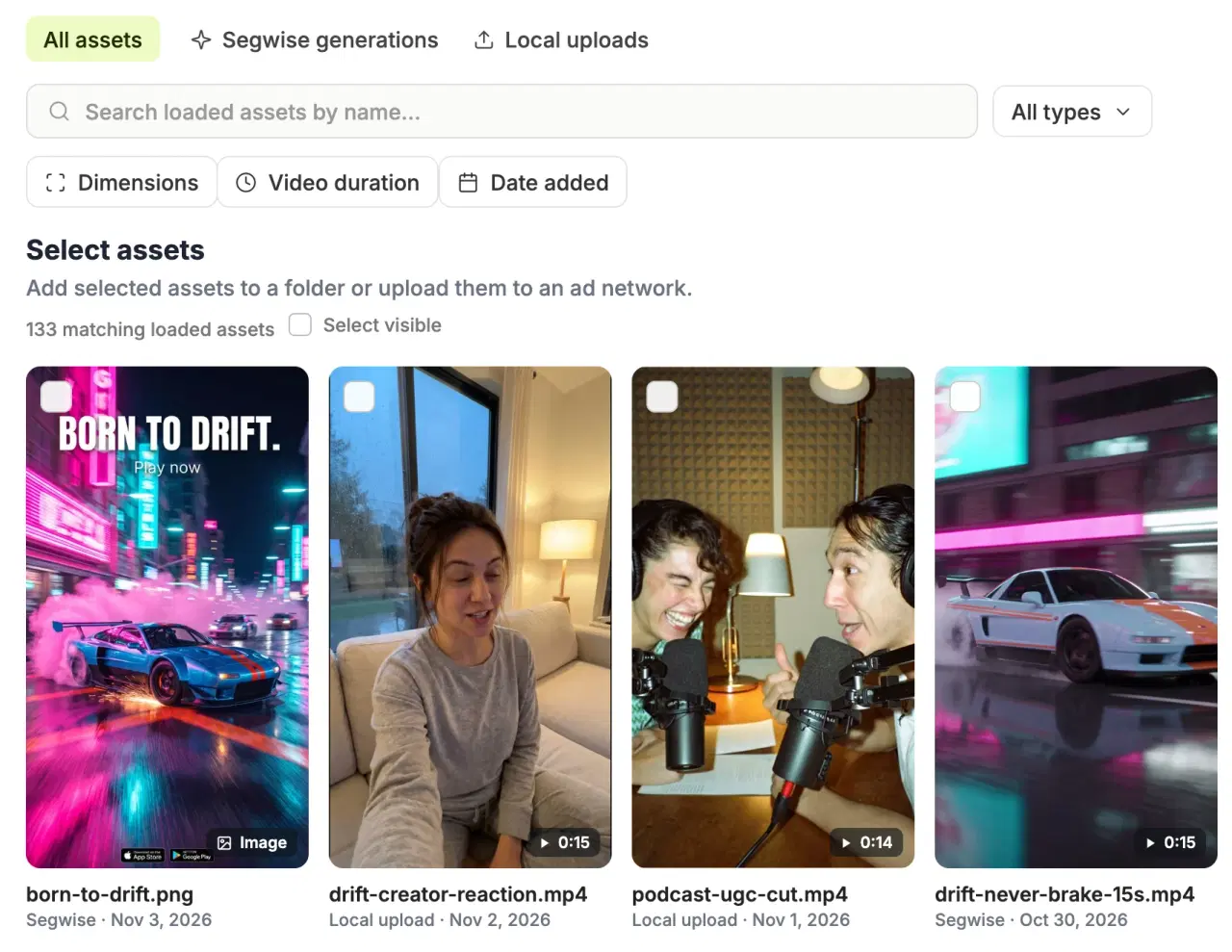
Keep your generated ads and your own files together
Every finished ad you make in Segwise, from the statics you save to the videos you render, shows up in the library on its own, next to your own images and videos. Switch between All assets, Segwise generations and Local uploads in one click.
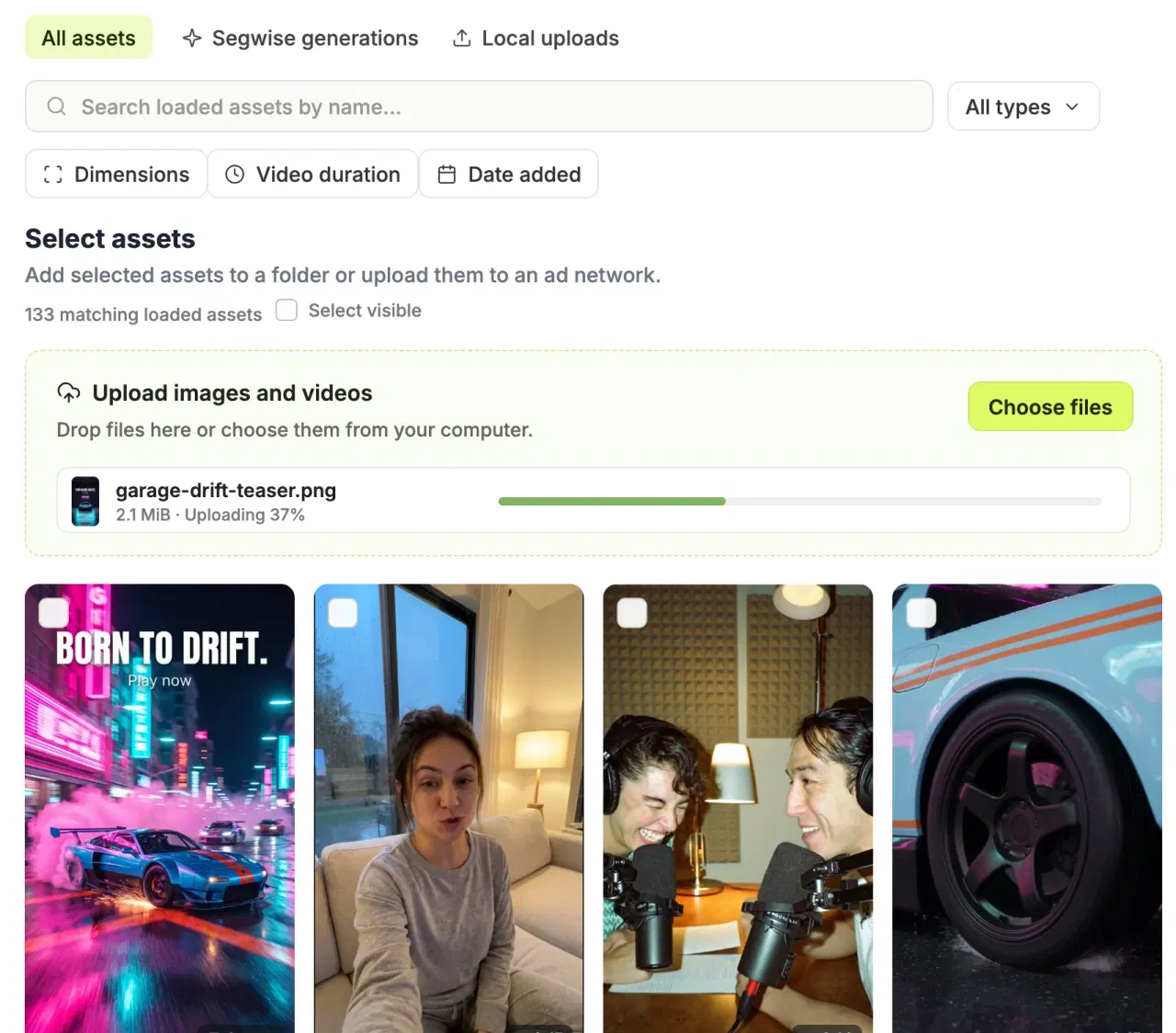
Drop in the files that live everywhere else
Drag images and videos in from your computer, up to 20 at a time: JPEG, PNG and WebP up to 50 MiB, and MP4, MOV and WebM up to 200 MiB. The creator cut someone sent on Slack and the edit sitting in Downloads end up in the same place as everything else.
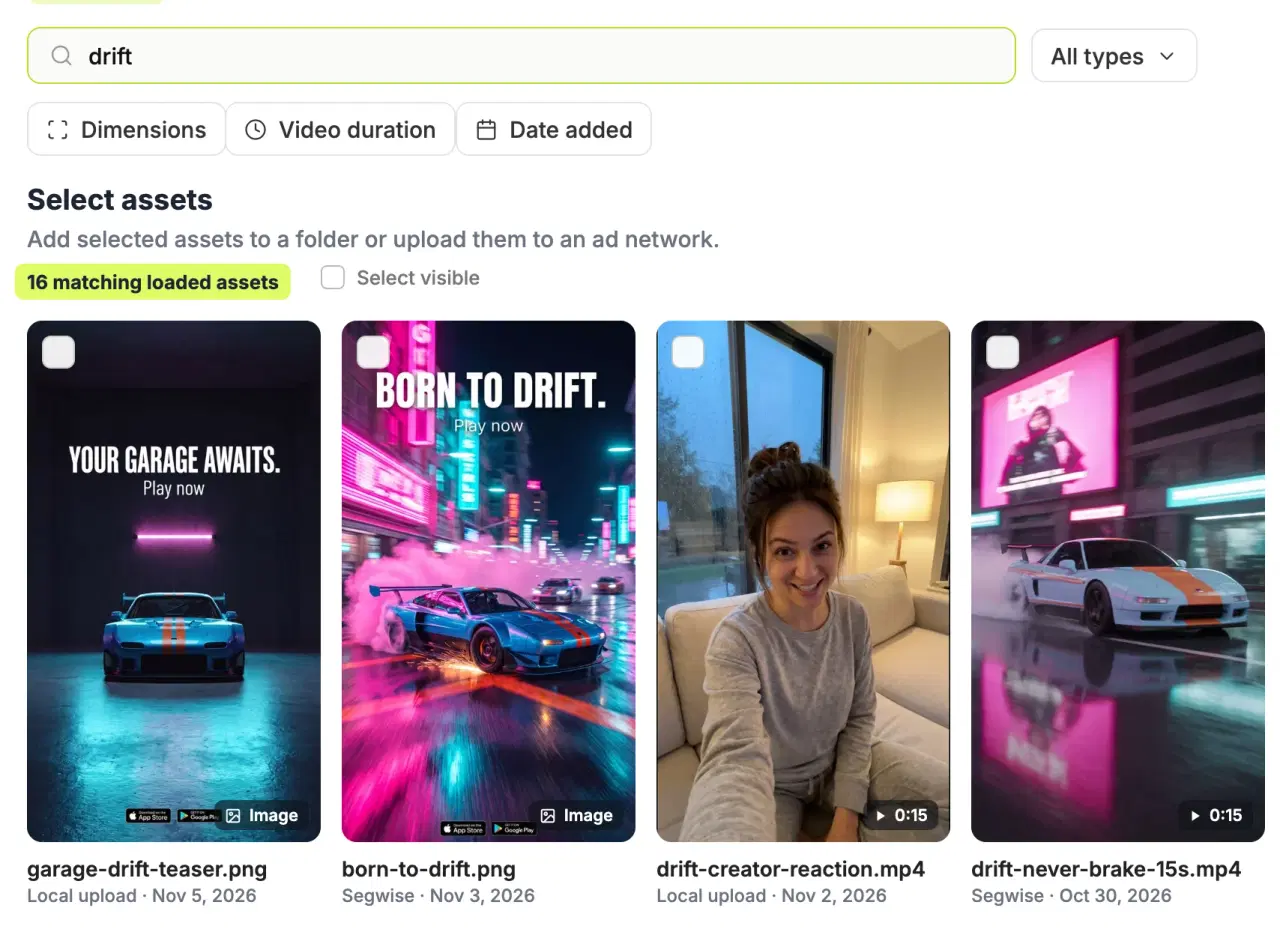
Find the right ad fast
Search by name, then narrow by type, exact dimensions, video length or the date it was added, and sort newest, oldest or A to Z. Type "drift" and you see all 16 drift ads, ready to select in one click with Select visible.
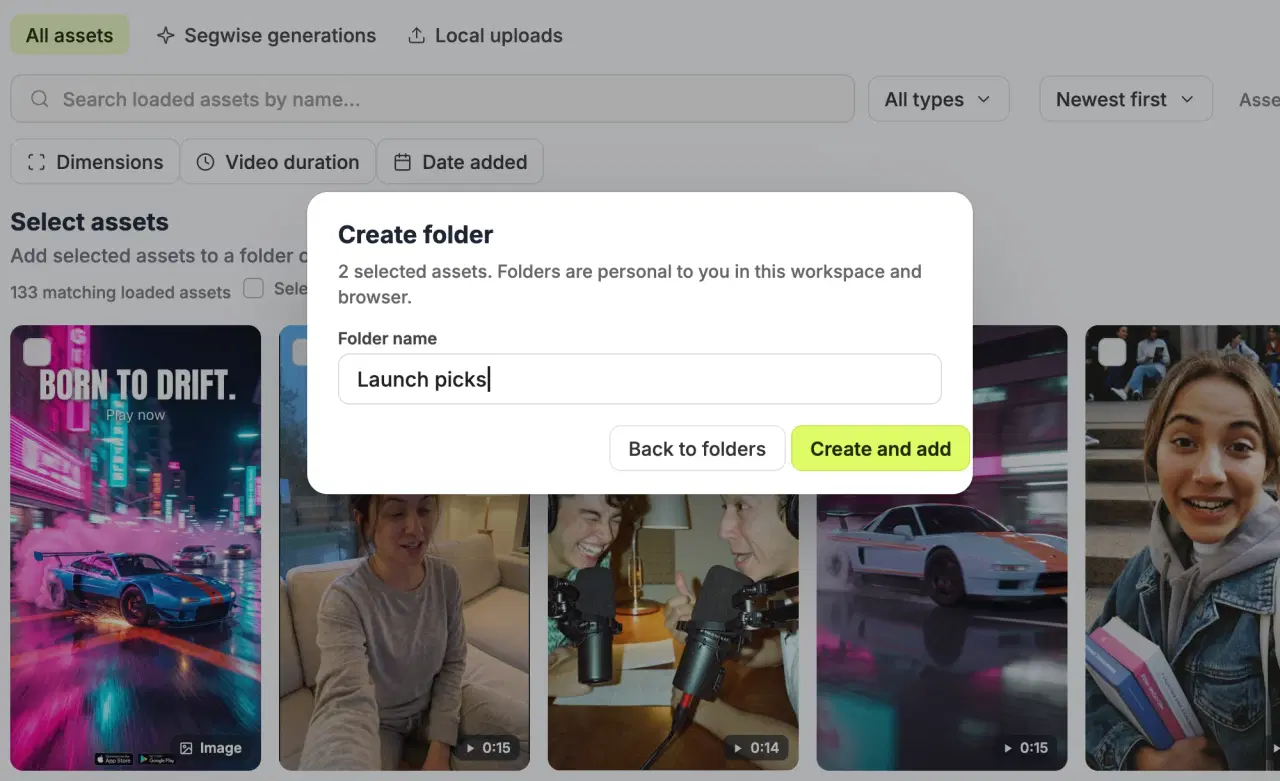
Save your picks to folders
Select a set of ads and add them to a folder, like this week's launch picks or a concept you want to test next. Your folders sit in the sidebar, so the shortlist is always one click away.
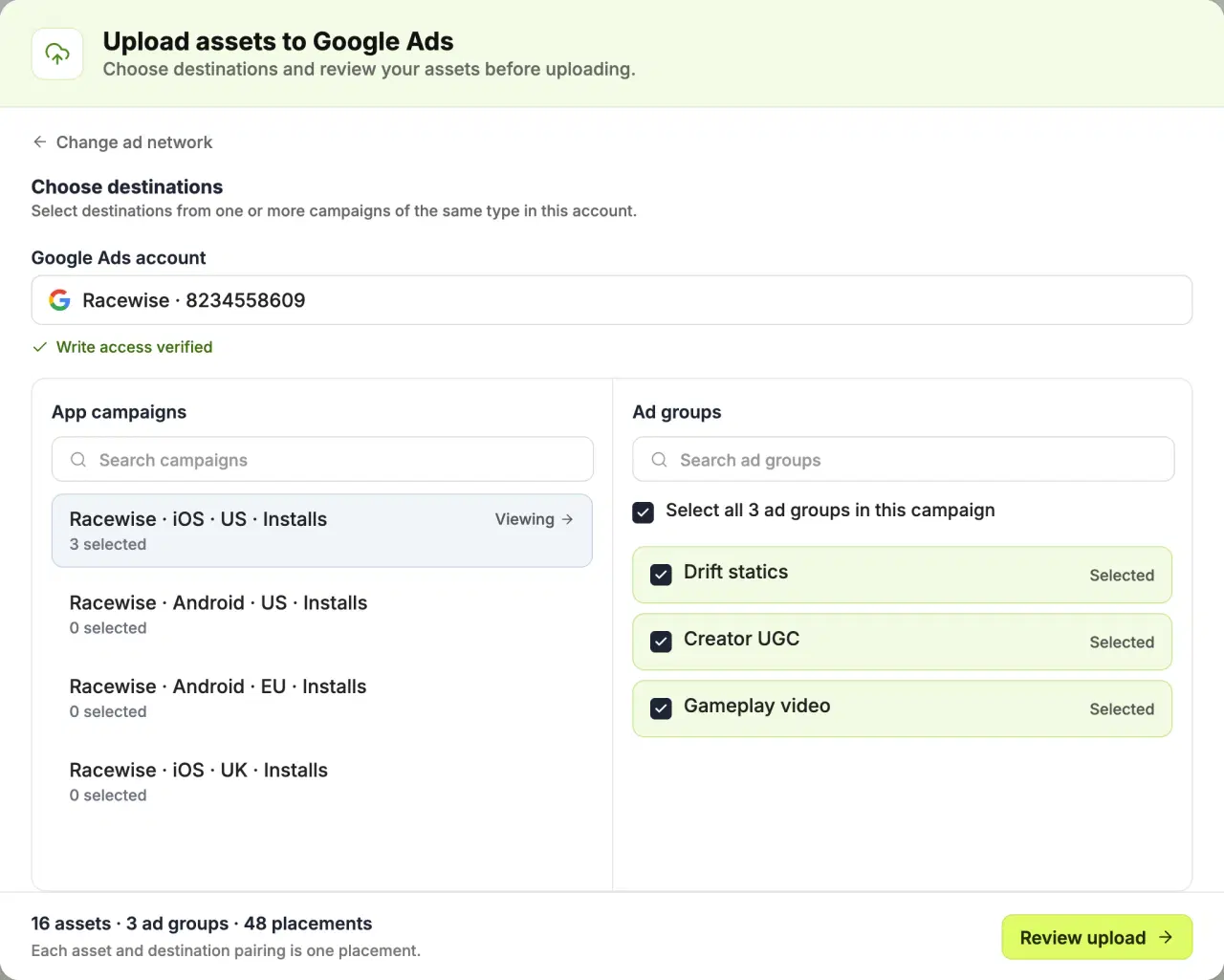
Upload to Google Ads without leaving the library
When your picks are ready, choose Upload to Google Ads. You pick the campaigns and ad groups, review every placement and upload, with no downloading and re-uploading in between. Meta is coming soon.
Why UA and creative teams keep their ads in Segwise
Stop hunting for files before a launch
Your ads stop living in Drive folders, Slack threads and Downloads. Everything you ship comes from one library.
Generated ads are already there
Every ad you save or render in Segwise lands in the library with its source and date. There is no export step.
Know what you are shipping
Preview any asset with its type, dimensions, aspect ratio, file size, length and date added before it goes anywhere.
Frequently asked questions
Something else? Book a demo and ask us directly.
What is an ad asset library?
An ad asset library is one place to store, find and ship your ad creatives. In Segwise, the ads you generate and the images and videos you upload sit side by side, so you can search them, filter them, save picks to folders and bulk upload them to Google Ads.
What can I upload to the library?
Images in JPEG, PNG or WebP up to 50 MiB each, and videos in MP4, MOV or WebM up to 200 MiB each, up to 20 files at a time. Drag them in or choose them from your computer.
Does the Asset Library pull in ads from Meta or Google?
No. It holds the ads you make in Segwise (statics you save or download and finished video renders) and the files you upload. Ads already running in your ad networks are not copied in; their performance lives in Segwise Creative Analytics.
How do I find an asset?
Search by name, filter by images or videos, exact dimensions, video length or date added, and sort by newest, oldest or name. Switch between all assets, Segwise generations and local uploads with one click.
Can my team share folders?
No, folders are personal, so each person keeps their own shortlists. The library itself belongs to the workspace, so everyone on the team works from the same assets.
Which ad networks can I upload to from the library?
Google Ads today, with Meta coming soon. You choose the campaigns and ad groups, review every placement and confirm the upload. Nothing is uploaded until you do.
How much does Segwise the Asset Library cost?
the Asset Library is included in every Segwise plan, and plans start at $999 a month for up to $250K in monthly ad spend. Teams spending under $50K a month qualify for startup pricing at $499 a month, and above $250K pricing is custom. Every plan includes every feature; plans differ only by ad spend and support. Book a demo, and if Segwise is a fit, the sales team can set up a 7-day trial.
Make more ads from what wins. Ship them all from one place.
Book a 30-minute demo and we'll walk through your own creative data with you.