
Free playable ad tester
Test your playable ad before you upload it
Drop in an HTML or ZIP playable and see in seconds whether AppLovin, Mintegral, Google Ads, Meta and Unity Ads will accept it. Every problem comes with the exact fix, and you can play the ad in a phone preview.
Checked in your browser. Your file is never uploaded.
Mintegral needs a .zip
Fix: zip the HTML inside a folder of the same name: Name.zip › Name/ › Name.html
What does a playable ad tester check?
It checks your playable ad file against the rules AppLovin, Mintegral, Google Ads, Meta and Unity Ads publish: file size, how it's zipped, file names, required tags and scripts, and the exact call each network expects when someone taps the store button. Then it plays the ad in a phone preview with each network's API faked, so problems that only show up at runtime get caught too. Everything runs in your browser, so your file is never uploaded.
How it works
Check the file, then play it
Some rules live in the code. Others only break when the ad runs, so the tester does both.
- 01
Drop in your playable
Any .html or .zip up to 50 MB, from any tool or studio. The file stays in your browser.
- 02
See every network's verdict
AppLovin, Mintegral, Google Ads, Meta and Unity Ads each get a pass, a warning or a list of problems, with where each one is and the code to fix it.
- 03
Play it like a player would
The ad runs in a phone with the network's API faked. Tap the button, rotate the phone, hide the ad, and the runtime checks tick off as you go.
Play it like a player would
Verify by playing
5 checks left. These tick off as it runs.
- Waits for MRAID readyChecked as the ad loads
- No redirect before the player interactsPlay normally
- CTA opens the store via mraid.open()Tap the ad's install button
- Pauses and mutes when hiddenPress Hide ad while it runs
- No console errorsWatched the whole time
Network requirements
What each ad network needs from a playable
A playable that runs fine on AppLovin can still be turned away by Mintegral for how it's zipped, or by Meta for loading mraid.js. Every rejection means a fix, a resubmit and another wait for review.
| Network | What to upload | Limits | Store button calls |
|---|---|---|---|
| AppLovin | One self-contained .html file |
| mraid.open(url) |
| Mintegral | Name.zip › Name/ › Name.html |
| window.install() |
| Google Ads | .zip with the HTML at its root |
| ExitApi.exit() |
| Meta | .html, or .zip with index.html at its root |
| FbPlayableAd.onCTAClick() |
| Unity Ads | One self-contained index.html |
| mraid.open(url) |
The tester covers 70 checks across these five networks, including everything in this table.
Don't have a playable yet?
Start with a video ad you already have
The free converter wraps your MP4 in an HTML playable for AppLovin and Mintegral, so you can try playable inventory without building a game. When it's done, Test this playable opens it here.
Made with Segwise
Need playables worth testing?
Segwise helps you make interactive playables like this one, built around the creative patterns already winning in your account, so every test starts from what works.
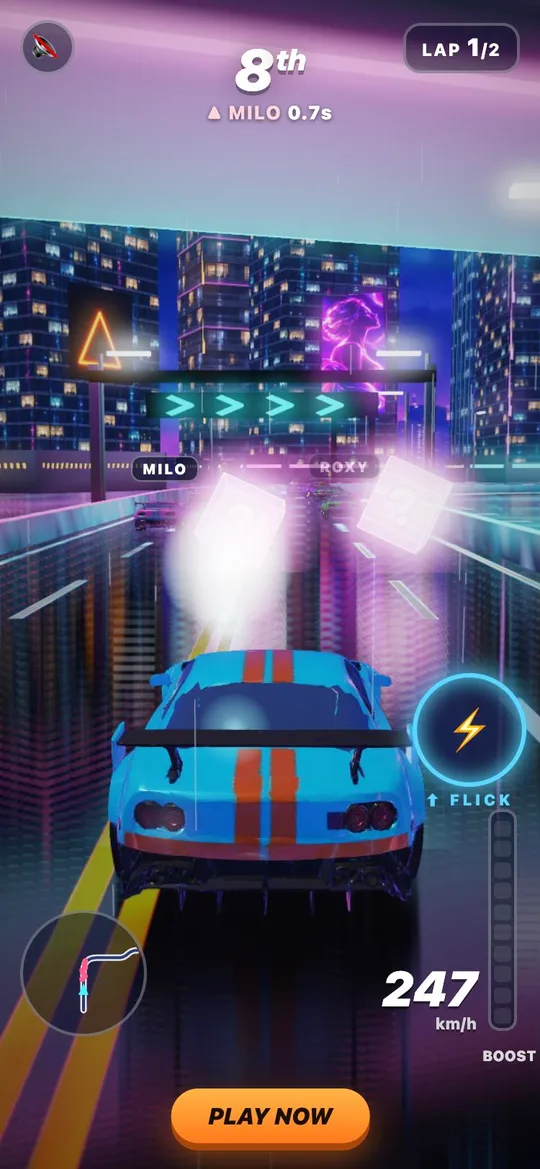
Born to Drift, made with Segwise.
Frequently asked questions
Is my playable uploaded anywhere?
No. The checks run in your browser, so the file never leaves your computer.
Which ad networks does the playable tester check?
AppLovin, Mintegral, Google Ads, Meta and Unity Ads. That's 70 checks in all, from file size and packaging to the exact call each network expects when someone taps your store button.
What is the maximum file size for a playable ad?
5 MB on all five networks. AppLovin and Meta allow 5 MB, Unity Ads wants under 5 MB, Mintegral caps the zip at 5 MB and Google Ads caps the zip at 5 MB and 512 files. Meta also caps a zip at 100 files.
Why does Mintegral reject my playable?
Check the packaging first. Mintegral wants Name.zip containing a Name/ folder with Name.html inside, using only letters, digits and underscores in the name. The ad must also call gameReady() once loaded, gameEnd() at the end, and window.install() from the store button.
Does Meta accept MRAID playables?
No. Meta playables must work without mraid.js, make no XMLHttpRequest or network calls, and send the store tap through FbPlayableAd.onCTAClick() instead of mraid.open().
What does Google Ads need in a playable ad?
A .zip with the HTML at its root, ad.size and ad.orientation meta tags, exitapi.js loaded with a script tag in the head, and the store button calling ExitApi.exit(). Google also rejects localStorage, iframes and file types other than HTML, CSS, JS, images and fonts.
If my playable passes, will the network approve it?
It means your file clears the technical rules each network publishes. Networks still review creative content by hand, so a pass here doesn't replace their review.
Can I play the ad, not just check the file?
Yes. The ad runs in a phone preview with the network's API faked, so you can tap the button, rotate the phone and hide the ad, and the checks that need a real play tick off as you go.
Is the playable ad tester free?
Yes. Sign in with your work email. There's no credit card.
Fix every problem before the network finds it
Free · Works with any .html or .zip · Your file never leaves your browser