
Integration Docs
Integration Guide
Connect Unity to Segwise
Follow these steps to connect Unity to Segwise and unlock AI-powered creative analytics across your campaigns.
Steps to get the organization ID:
- Log in to the Unity Ads Dashboard ↗️
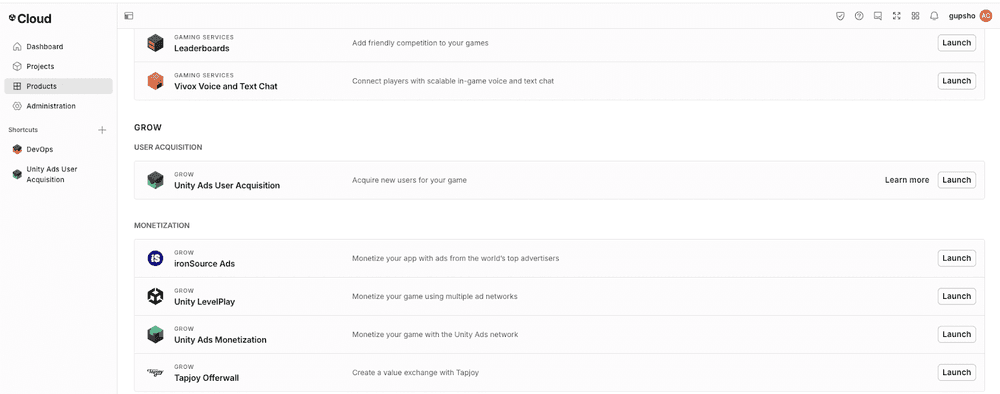
- Click on the Product option on the left sidebar and then launch the Unity Ads User Acquisition
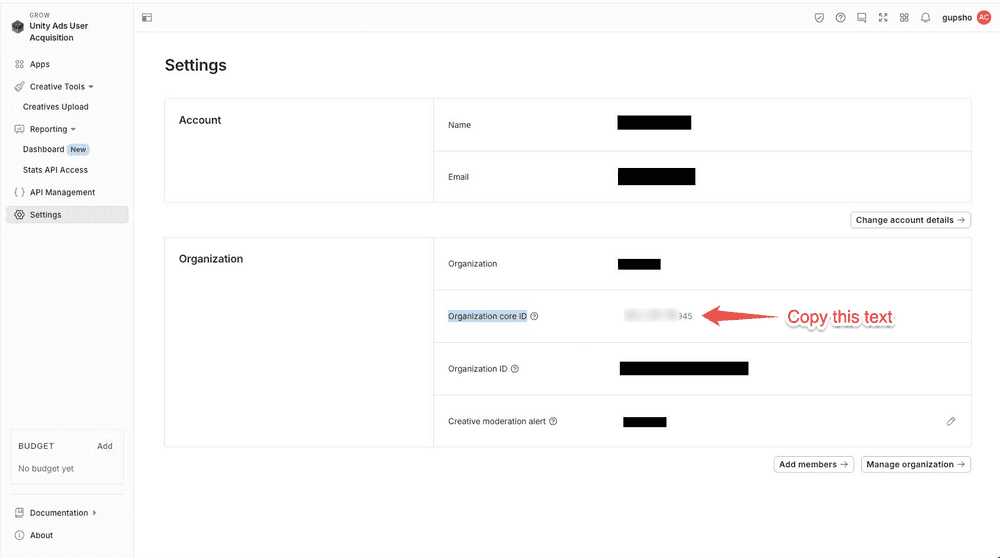
- Click on Settings option and look for Organization Core ID
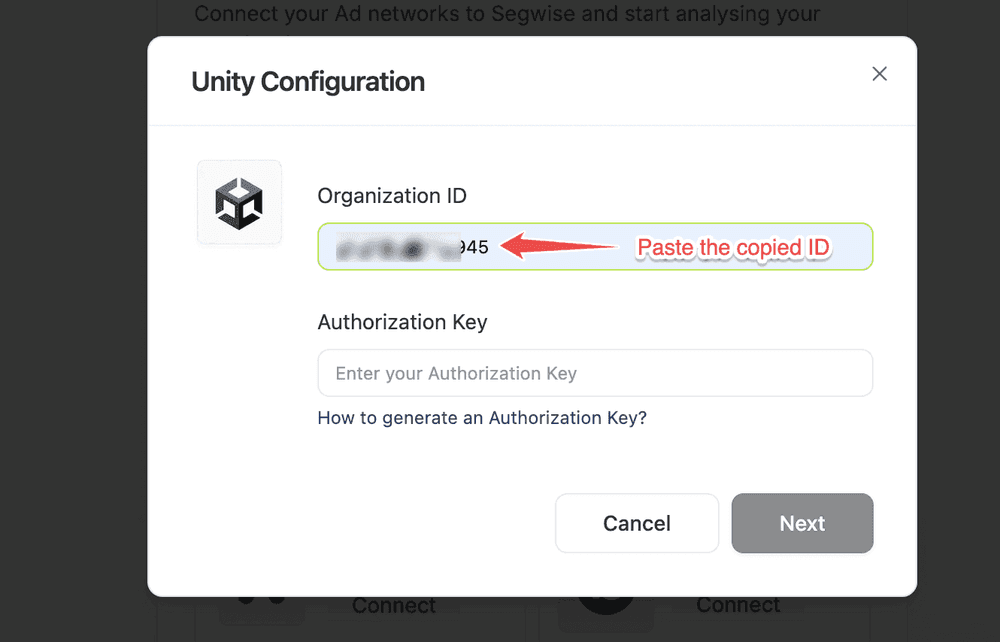
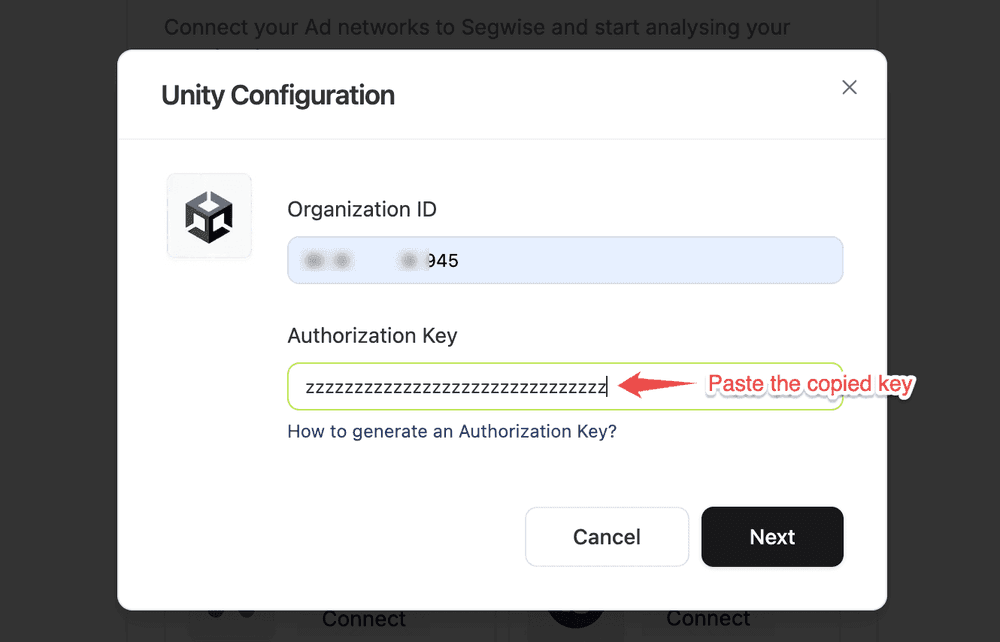
- Paste the copied core organization ID in the dialog box
Steps to create a service account and get its authorization key:
- In the Unity Cloud ↗️, go to Administration > Service Accounts.
- Select Create service account to create a new account.
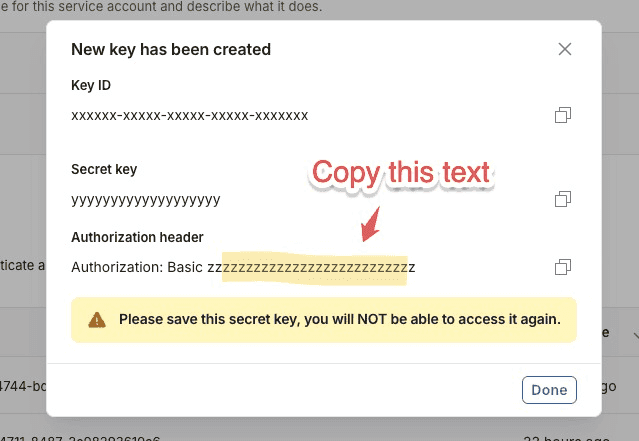
- Under the Keys section, select Create key to generate a key ID and a secret key. Copy the text under Authorization header section.
- NOTE: Ignore the prefix "Basic" while copying the key.
- Under the Add organization role section, add the following roles: to grant access to organization-level data that applies to all projects in your organization. These can be considered the scope of the service account:
- 1. Advertise API Viewer
- 2. Advertise Stats Viewer
- Paste the copied key in the dialogue
Ready to analyze your Unity creatives?
Connect your data and let Segwise tag, analyze, and surface your winning creatives.


