
Integration Docs
Integration Guide
Connect Liftoff to Segwise
Follow these steps to connect Liftoff to Segwise and unlock AI-powered creative analytics across your campaigns.
Step 1:
- Contact your Liftoff account manager (AM) to get your API Key and API Secret emailed to you.
Step 2:
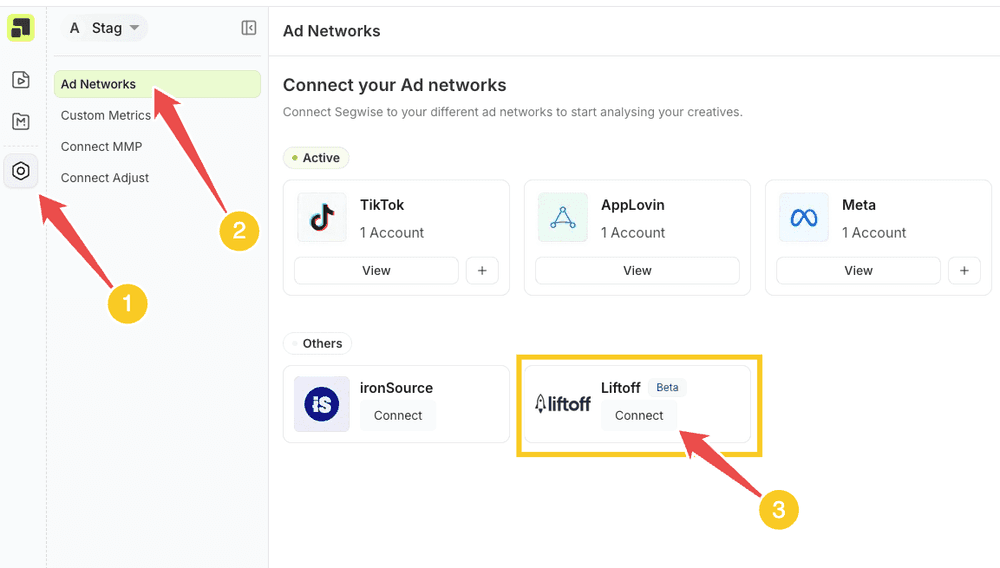
- Navigate to your ad-network settings page and click on the Connect button under Liftoff.
Step 3:
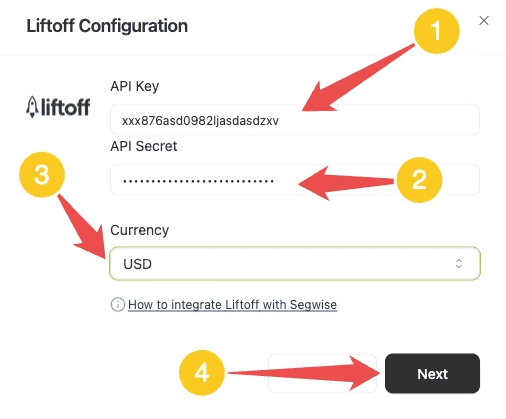
- Enter the credentials and select the currency in the Liftoff form and click Next.
Step 4:
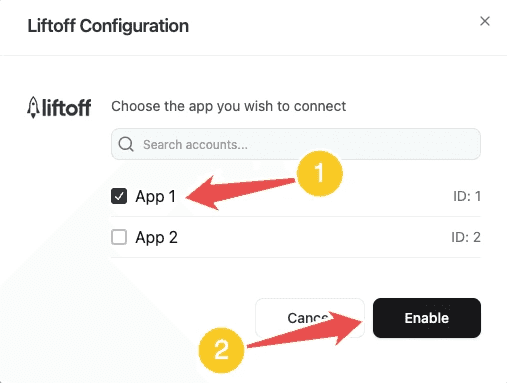
- On the next screen, select the apps you wish to connect and then click Enable to finish the process
Ready to analyze your Liftoff creatives?
Connect your data and let Segwise tag, analyze, and surface your winning creatives.


