
Integration Docs
Integration Guide
Connect ironSource to Segwise
Follow these steps to connect ironSource to Segwise and unlock AI-powered creative analytics across your campaigns.
Step 1:
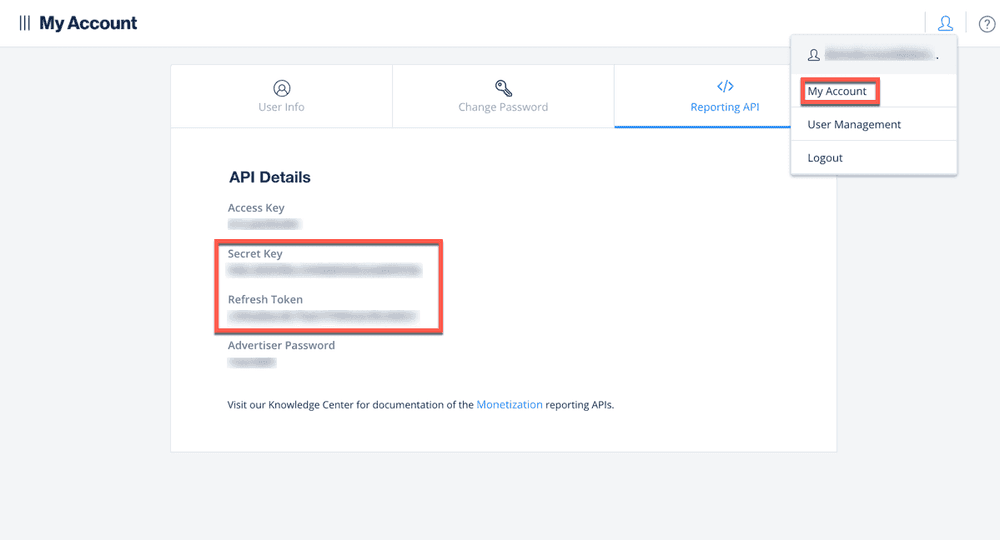
- In ironSource, go to 'My Account' from your user profile. Copy your Secret Key and Refresh Token.
Step 2:
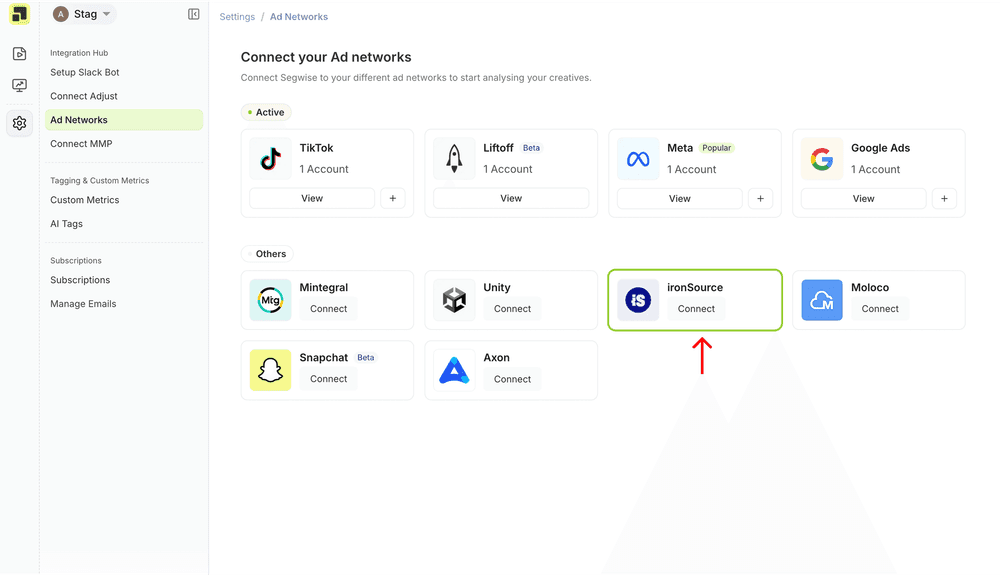
- Navigate to your ad-network settings page and click on the Connect button under ironSource.
Step 3:
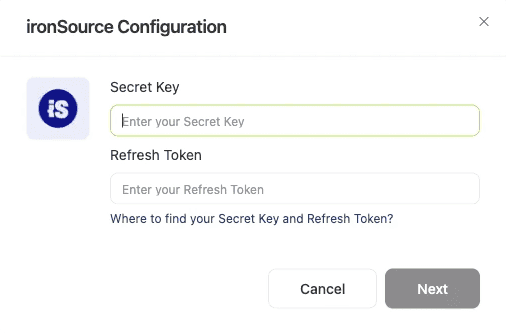
- Enter the credentials and select the currency in the ironSource form and click Next.
Step 4:
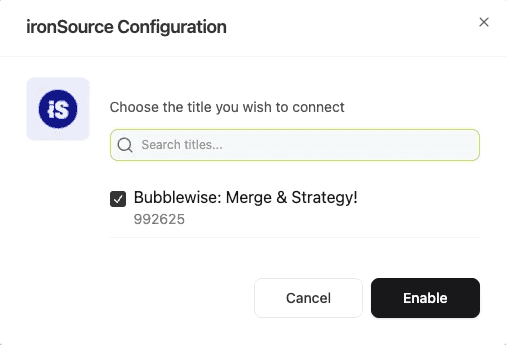
- On the next screen, select the apps you wish to connect and then click Enable to finish the process
Ready to analyze your ironSource creatives?
Connect your data and let Segwise tag, analyze, and surface your winning creatives.


