
Ever had a Meta campaign perform well one day and tank the next, with zero clue why?
Meta shows the surface metrics, but it doesn’t tell you which creative element failed, which audience shifted, or when fatigue quietly started eating your budget. You’re stuck watching ROAS slip, performance collapse, and clients ask questions you can’t fully answer because Meta shows you the outputs, not the reasons behind them.
This blog covers exactly what Meta’s advanced analytics misses, why UA teams across gaming and DTC campaigns struggle, and the smarter ways to fill those gaps so you can make faster, clearer, data-backed creative decisions before performance slips.
What Meta Advanced Analytics Really Means?
Meta Advanced Analytics is Meta’s expanded set of reporting tools that help you understand how your campaigns perform across audiences, placements, and creative variations. It gives you deeper views into delivery, attribution, and optimization signals so you can see how Meta’s system is learning and where your budget is going.
However, it still focuses primarily on what happened rather than why, leaving big gaps when you're trying to scale user acquisition for mobile games, DTC brands, subscription apps, or multiple agency clients.
Your analytics journey on Meta begins with the native tools it offers.
Also Read: How to Boost Meta ROAS in 2026 with AI-Powered Creatives
Meta’s Built-In Tools for Analyzing Performance
Meta provides three main tools to help you understand how your ads perform. These tools are your starting point for analyzing campaigns, fixing tracking issues, or optimizing budgets for user acquisition.
Here are the built-in tools Meta offers: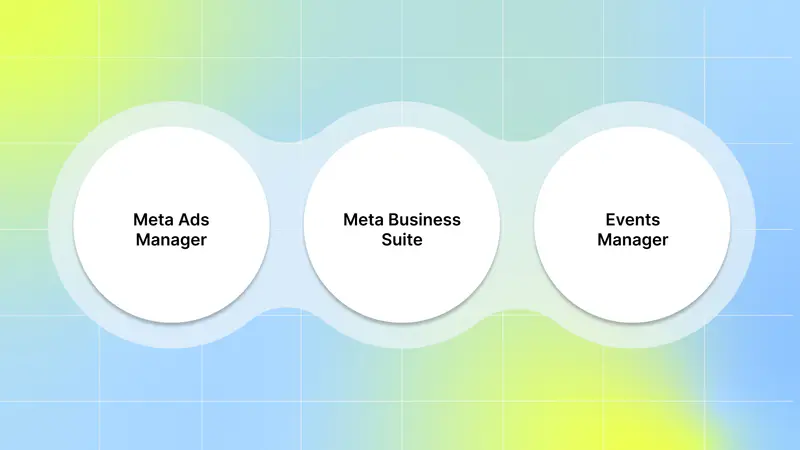
1. Meta Ads Manager
Ads Manager covers campaign-level reporting. You can track metrics like click-through rate (CTR), return onad spend (ROAS), impressions, cost per result, and frequency. It lets you break down performance by age, gender, placement, and device.
It gives you a clean structure for campaigns → ad sets → ads—so you can manage objectives, audiences, budgets, and creative variations in a clear and organized way. You can customize reporting to match your UA goals.
2. Meta Business Suite
Meta Business Suite brings all of your Facebook and Instagram activityinto one place. While Ads Manager focuses on campaign delivery, Business Suite gives you a broader view of your brand and audience behavior.
Key things you can do inside Business Suite:
See performance across all properties (Pages, Instagram profiles, organic posts, Stories, Reels, ads).
Understand audience trends with reach, engagement, demographic data, and content-level insights.
Plan content with scheduling tools, calendars, and historical performance data.
Manage communication with one inbox for comments and messages across both platforms.
Business Suite is most useful when you want high-level visibility, not just ads, but how your audience interacts with your brand overall.
3. Events Manager
Events Manager tracks actions through the Meta Pixel and Conversions API. You can verify events like purchases, leads, and sign-ups. This tool is key to ensuring your data stays accurate, especially with iOS privacy changes and server-side tracking.
Here’s what Events Manager helps you control:
Event setup: Define and prioritize events such as installs, sign-ups, purchases, or custom app actions. Add parameters to improve bidding and reporting accuracy.
Data integrity: Check that your Pixel, CAPI, SDK, or partner integrations are firing correctly and sending complete, deduped data.
Diagnostics: View signal strength, event match quality, and any errors that may affect attribution or optimization.
Attribution alignment: Confirm that high-value events are being tracked properly and support your optimization goals within Meta’s privacy and Aggregated Event Measurement limits.
Events Manager is essential for clean measurement. If your tracking breaks, Meta loses the signals it needs to optimize, your bids become less efficient, and your UA performance becomes harder to trust.
However, when you look closely, Meta’s native reporting leaves several blind spots in your decision-making process.
Why Meta’s Analytics Still Feels Basic
Even though Meta gives you a lot of surface-level data, it still doesn’t tell you the full story behind your user acquisition performance. You see what happened in your campaigns, but not why results changed, which makes it harder to scale winners and cut losers before they burn budget.
Here is what Meta doesn’t show you and why those gaps matter for your UA decisions:
1. No Deep Creative Performance Analysis
Meta doesn’t break down why a creative work. You can’t see which hook, scene, character, product angle, or CTA actually drove your installs, purchases, or subscriptions.
You’re forced to guess which creative element made the ad perform, and the native breakdowns only show surface-level differences like age or placement, not the features inside the ad that truly moved the numbers.
2. Disconnected Reporting Across Funnels
Meta provides top-level metrics, but everything beyond the click occurs outside the platform. You can’t see how a creative influences LTV, retention, and subscriber upgrade.
If you manage user acquisition for mobile games, DTC brands, subscription apps, or multiple clients, this creates blind spots in how you scale budgets across the funnel.
3. Limited Predictive and Prescriptive Insights
Meta doesn’t help you decide what to test next. It doesn’t analyze past patterns or suggest which hooks, angles, or formats are likely to perform again.
Without this guidance, you rely on trial and error, slowing down creative iteration and making scaling more inconsistent.
4. Surface Metrics Don’t Diagnose Creative Fatigue
Meta only shows fatigue after it happens. Rising frequency and dropping CTR are the only signals you get, which means you catch fatigue late, usually after ROAS has already fallen.
There are no early warnings, no fatigue alerts, and no insights on which creative elements are burning out first.
5. No Side-by-Side Creative Comparisons
You can’t compare creatives in a visual, structured way inside Meta. There’s no view that lets you see two or more creatives side by side with their performance stats, creative elements, or trends.
This makes it hard for UA teams and creative leads to understand patterns, spot winning formulas, or brief new variations with confidence.
If you’re searching for an AI-powered platform, Segwise comes in. With seamless Meta integration, you can connect your Facebook pages and ad accounts directly in Segwise to unlock AI-powered creative insights. With complete creative analytics, Segwise gives you creative-level clarity by automatically tagging every hook, visual, and format, mapping them to deep performance outcomes, and tracking fatigue before it hurts your ROAS.
This is where advanced analytics comes in and fills the gaps.
What Advanced Analytics Should Tell You
Advanced analytics should help you spot performance changes early, understand what caused them, and know exactly what to fix next. Instead of reacting after results drop, you should get clear signals that guide your decisions across creative, budget, and funnel performance.
Here are detailed scenarios that show what advanced analytics should reveal in your UA workflow:
Scenario 1: CTR Is High, but ROAS Is Low
You see a strong 3% CTR, but ROAS is still below your target. This usually means the ad promise doesn’t match the landing page, or the product’s AOV isn’t high enough to support the cost.
Advanced analytics should help you check whether the hook, offer, or storyline in your creative matches what users see after the click. If there’s a mismatch, you know it’s time to test a tighter message, a clearer offer, or an adjusted landing page experience.
Scenario 2: CPM Increases, but Targeting Stays the Same
Your CPM jumps from $8 to $18 even though you made no changes to your audience, budget, or placements. This is often early creative fatigue, something Meta does not flag clearly.
Advanced analytics should detect this pattern the moment your hold rate, engagement, or conversion quality drops. With that early warning, you can refresh the creative or shift spend before ROAS declines across the entire ad set.
Scenario 3: Reels Underperform While Static Ads Win
You use the same core message across formats, but your Reels drive lower engagement and fewer conversions than static images. This usually happens when pacing is slow, the product shows up too late, or the hook isn’t built for short-form video.
Advanced analytics should let you compare creative elements side-by-side and show you exactly why a reel failed while the static succeeded. You should see that your reel reveals the product too late, while your static shows value instantly.
Scenario 4: High Add-to-Cart Rate, but Low Purchases
Your ads push users to add products to their cart, but few people complete checkout. This points to friction in the funnel, shipping costs, checkout speed, and payment options, but Meta won’t tell you which creatives or audiences experience these drop-offs.
Advanced analytics should map which creatives drive people to cart and where users fall off afterward. This tells you which audiences need a retargeting push and where your funnel needs conversion rate optimization.
Scenario 5: A Hook Works in Stories but Fails in Feed
You reuse a winning Stories concept in the Feed placement, and suddenly, performance drops by 40%. Meta groups these formats together, so you can’t see what went wrong.
Advanced analytics should break down creative performance by placement and tag the visual differences, layout, cropping, text cut-offs, and timing. You should be able to see that the vertical hook worked perfectly in Stories but got chopped in Feed, killing the message.
The next step is finding an AI-powered platform that fills them effortlessly.
Also Read: Creative Fatigue: Understanding and Managing Ad Performance
How an AI Platform Helps You Go Beyond Meta’s Basic Analytics
If you’re searching for an AI-powered platform that integrates with Meta and gives you full creative analytics, Segwise is built for you.
Once integrated, Segwise automatically pulls your ad data from Meta and helps your UA and performance marketing teams understand which creative elements drive results, when your creatives start fatiguing, and where your budget should shift before performance drops.
Here’s how Segwise fills the gaps:
1. Seamless Meta integration: In your Segwise dashboard, go to Settings → Ad Networks → Connect Meta. Then, “Sign in with Meta,” choose your Facebook pages, business accounts, and ad accounts to enable analysis.
2. Tag-Level Creative Element Mapping: See which specific creative elements drive performance. Discover patterns like "this hook appears in 80% of top-performing creatives" with complete MMP attribution integration.
3. One Place for All Your Creative Data: Stop jumping between Facebook Ads Manager, Google Ads, TikTok, and your MMP dashboard. See creative-level ROAS, CPA, LTV, and conversion rates from all sources in one unified view.
4. Custom Dashboards and Reporting: Build dashboards around your specific KPIs and stakeholder needs. Create automated reports that show how creative decisions impact ROAS across all your apps and campaigns.
5. Creative Tagging: Our powerful,multi-modal AI automatically identifies and tags creative elements like hooks, characters, colors, and audio components across images, videos, text, and playable ads to reveal their impact on performance metrics like IPM, CTR, and ROAS.
6. Automates creative fatigue tracking: Segwise monitors all creatives across platforms for patterns of performance decline, so you catch fatigue before burning budget. Set custom thresholds for fatigue and get alerts when ads need attention.
7. Studio View for Multiple Projects: Manage creative analytics for multiple apps, games, or brands from one unified interface. Switch between projects instantly while maintaining consistent performance tracking across your entire portfolio.
In short, Segwise gives you the creative clarity Meta can’t, so you always know what’s working, what’s slowing down, and where your budget should go next. It turns raw Meta data into clear, actionable insights that help you scale user acquisition with confidence.
Conclusion
Meta’s native analytics offer useful campaign metrics, but they fall short when it comes to deep creative insights, predictive decision-making, and understanding why performance changes. As a UA or performance marketing lead working with mobile games, subscription apps, or DTC brands, you need more than surface-level data; you need tools that help you diagnose issues early, optimize creatives fast, and scale what works with confidence.
That’s where Segwise steps in. Segwise connects directly with Meta to give you visual, element-level insights that Meta simply can’t.
Segwise is an AI-powered creative analytics platform that helps UA and performance marketing teams understand which creative elements drive performance. It connects creative elements (hooks, dialogs, visuals, formats, etc.) directly to business outcomes (ROAS, CPA/CPI, LTV, IPM, conversion rates), so teams stop guessing what works and start scaling creatives with data-backed confidence.
From automated creative tagging and fatigue detection to custom dashboards, Segwise turns scattered data into a clear path for testing and scaling. It’s how modern UA teams make faster, smarter creative decisions.
So, are you ready to move beyond Meta’s basic analytics and gain deep creative clarity? Start your free trial now and see exactly what’s driving your performance!