
The best ad creative analysis tools in 2026 are Segwise for cross-network element tagging, Hawky for element scoring with competitor data, and Motion for client-ready creative reporting on Meta, TikTok, YouTube and LinkedIn.
Segwise is an AI creative-analytics platform that auto-tags every element of your ad creatives across 15+ networks and MMPs and ties each one to performance, so you know which creatives to keep, kill, or remake.
Segwise starts at $499 a month and is the pick only if you run three or more networks, need an MMP join, or run playable ads. Below that, Motion at $750 a month is the better buy for a Meta-and-TikTok team or an agency running many accounts, and Madgicx is the better buy for a Meta-only account at volume. Hawky publishes no price. At the enterprise end, VidMob leads on cross-advertiser benchmarks and CreativeX on brand governance.
Every price here was checked at the vendor's own pricing page on 2 September 2026.
The full ranking: 1. Segwise. 2. Hawky. 3. Motion. 4. VidMob. 5. Madgicx. 6. CreativeX. 7. Singular Creative IQ. 8. AdSkate. 9. Marpipe. Then six more you will be pitched as creative analysis: 10. Superads. 11. Foreplay. 12. Dragonfly AI. 13. Memorable. 14. Incivus. 15. Kantar LINK AI.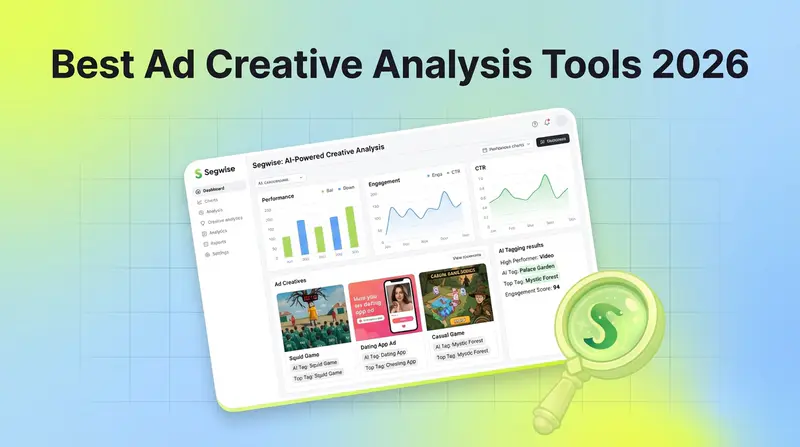
Meta's Advantage+ and Andromeda ranking and Google's Performance Max have taken most of the targeting decision away from you. The creative is now the main variable you still set by hand, and campaign dashboards are the wrong instrument for reading it. They will tell you CTR went up and CPA came down. They will not tell you whether it was the hook in the first two seconds, the CTA that changed in the fourth revision, or the visual style you tested against your gut. And when a creative starts fading, most teams find out after the damage.
Ad creative analysis tools close that gap. They connect specific creative elements to performance outcomes, flag fatigue before your ROAS slides, and tell you what to fix rather than what happened.
This guide covers 15 tools: nine reviewed in full and six shorter entries, plus the free creative reporting you already own inside Meta, Google and TikTok. Tools that generate ad creative do a different job and are covered in our guide to AI ad generation tools.
How This Ranking Was Built, and Who Wrote It
Disclosure: Segwise publishes this guide and ranks itself first. The rows where a competitor is the better buy are marked as such and named, the Segwise limitations section is not softened, and the pricing that makes Segwise look expensive next to a $59 reporting tool is printed rather than hidden.
What we used and what we did not. Segwise is our own product, so that review comes from daily use. The other fourteen were assessed from vendor documentation, product pages and pricing pages, not from hands-on accounts. Saying which is which matters more than claiming a test bench nobody built.
The criteria, and their weight. Every tool was judged on element-level analysis, fatigue detection, competitor intelligence, network coverage, MMP integration, published pricing and setup time. Those are not weighted equally. Element depth and network coverage carry the most, because they are what separates this category from reporting. Published pricing is a disclosure rather than a scoring input, which is why Hawky ranks second while publishing no price at all.
The pricing audit. We opened all fifteen vendor pricing pages on 2 September 2026. Ten of the fifteen publish no price at all. Of the five that do, four are widely quoted at figures the vendor has retired. That result is the most useful thing in this guide, and it is repeatable: open the pages yourself and you will get the same answer. Where a vendor publishes nothing, this guide says "not published" instead of borrowing a number from a third-party listing.
One caveat on the statistic you will meet on every other page in this category. Most of them still quote Nielsen's Project Apollo finding that 65% of a brand's sales lift came from the creative. That research is from 2006, it was run on CPG brands, and it predates both Apple's ATT changes and the current generation of platform automation, so a page citing it in 2026 is quoting a twenty-year-old number. Circana's NCSolutions, in its Five Keys to Advertising Effectiveness study of nearly 450 CPG campaigns across digital and TV, attributes 49% of advertising's incremental sales to the creative itself, against 21% for brand, 14% for reach, 11% for targeting and 5% for recency (Circana). Creative is the largest single lever by a wide margin, and it is the one platform automation has not taken off you. That is the version to use: same conclusion, current measurement, and a breakdown you can actually argue with.
What Changed in 2026: One Tool Shut Down and Four Repriced
Most comparison pages in this category are still quoting 2024 numbers. Five things moved, and each breaks a claim on the first page of results.
MagicBrief shut down on 31 July 2026 and its team moved to Canva. Several lists still recommend it.
Superads retired its $49 tier.Professional now starts at $125 a month, covering up to $100k of monthly ad spend, plus $100 a month for each additional $100k.
Segwise starts at $499/month for advertisers spending up to $250K/month, with a special 50% discount for startups spending under $50K/month.
Madgicx stopped publishing a price. Its pricing page now says to see the price inside the app. The $99 figure everywhere else is a number Madgicx no longer states.
Motion is not in the $99 to $499 range, and has not been for some time. Starter is $750 a month. That range still appears on the most-cited editorial page in this category.
MagicBrief alternatives after the July 2026 shutdown
Split the replacement by which half of MagicBrief you used. Reporting and prebuilt creative reports: Motion is the closest match, Superads the cheap one. Competitor research and swipe file: Foreplay is the direct swap. If what you valued was the analysis underneath, neither covers it and you want Segwise or Hawky.
Creative Reporting vs Creative Analytics vs Creative Intelligence: Which Layer You Need

Vendors use these three phrases interchangeably. They do not mean the same thing, and the difference decides your purchase. "Ad creative analysis" is used as a synonym for creative analytics throughout this guide.
Creative reporting shows performance organized by creative asset instead of by campaign. It answers "which ad won". Superads and Motion sit here, and so do the native asset reports in Meta and Google.
Creative analytics breaks the ad into measurable elements and ties each one to an outcome. It answers "which hook, format or CTA drove the result". Hawky, Madgicx, AdSkate, Singular Creative IQ and Marpipe sit here.
Creative intelligence adds the loop: automatic tagging across every network, fatigue detection before performance slides, competitor context, and a route from the insight back into the next brief. Segwise and VidMob sit here.
Most teams buy reporting when their problem is analytics, then conclude the category does not work. Work out which of those three sentences you cannot answer today before you take a demo. If your creative reporting still lives in a spreadsheet, creative intelligence will not fix that. If you already know which ads won and still cannot say why, more reporting will not either.
All 15 Ad Creative Analysis Tools Compared
Also read TikTok vs Meta Ads: Which Platform Performs Better for Your Ad Campaigns
Which Ad Creative Analysis Tool Fits Your Situation
Find the row that describes you.
Treat the spend rows as a proxy for creative volume rather than a rule. A team spending $30k a month across five networks with 200 live variants needs element-level tagging more than a team spending $200k on twelve ads. The budget rows also assume the tool is the only cost, which it rarely is.
On the number 30, which does a lot of work above: it is where hand-tagging stops being viable for most teams, because a week's new creative across two or more networks passes an hour of tagging and a variant spreadsheet stops fitting on one screen. Your own crossover point may be 20 or 50. The band, not the number, is the useful part.
Head-to-Head Comparisons
Segwise vs Hawky
The comparison a reader of this list runs first, and it is closer than the ranking suggests. Both do element-level scoring. The split is coverage against competitor depth.
If Google and YouTube carry real spend and competitive visibility is the thing you are buying, Hawky is the better fit and it is not a close call. If you run mobile networks like AppLovin or Unity, use an MMP other than AppsFlyer, or run playables, Hawky does not list support for them. Neither tool offers a cross-advertiser benchmark; only VidMob does.
Segwise vs Motion
Different jobs sold into the same meeting. Motion produces the report. Segwise produces the diagnosis. Motion's AI tags cover asset type, visual format, hook tactic, messaging theme, offer, seasonality and audience, on Meta ads, which is attribute tagging on the ad as a unit. Segwise tags inside the ad, across video frames, audio, on-screen text and image components, and joins the result to MMP events. Motion covers Meta, TikTok, YouTube and LinkedIn on unlimited seats and accounts from $750; Segwise covers 15+ networks and all five supported MMPs from $499/mo (50% off under $50K spend). Pick Motion if your media mix sits on those platforms, you manage many ad accounts, or the deliverable is a report. Pick Segwise if you run mobile networks, need the MMP join, or run playables. Agencies commonly run both, one as the presentation layer and one as the analysis layer.
Segwise vs Singular Creative IQ
A real choice only for mobile teams, and it turns on where the join happens. Creative IQ reads creative through Singular's own attribution data, the shortest path to creative-versus-LTV if Singular is already your MMP and you would rather not add a platform. It may already be inside your contract, so price it first. Segwise sits outside the MMP and connects to all five, which is what you want on AppsFlyer or Adjust, if you might switch MMP, or if you run playables. Creative IQ gives you no competitor tracking and no generation loop.
Full Reviews: The 9 Tools That Connect Creative to Performance
Ordered by how directly each one links a creative element to an outcome in your own account. That is why a governance platform ranks sixth and a testing platform ninth despite both being excellent at their own job.
1. Segwise: Best for Cross-Network Creative Intelligence with AI Tagging
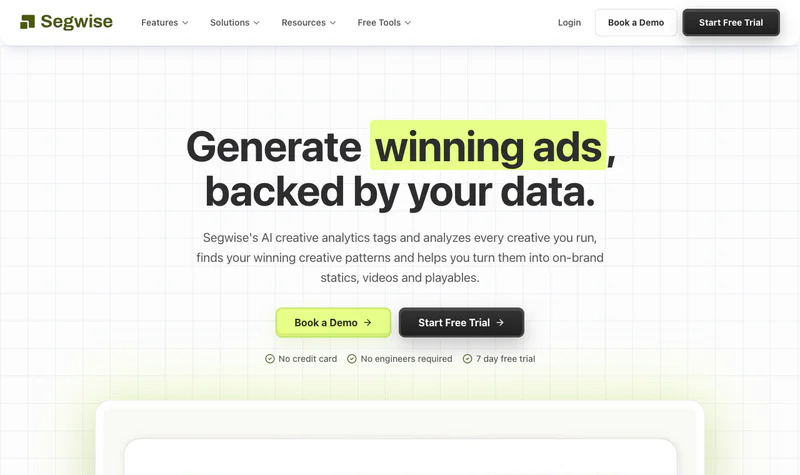
Segwise is an AI creative intelligence platform for mobile game studios, DTC brands, subscription apps and performance agencies. It tells you which creative elements are driving performance across every network you run on.
What that produces is worth being specific about, since every vendor uses the phrase. A single video ad comes back tagged along several axes at once: the spoken hook line and voiceover tone from the audio track, the background music style, the on-screen text and CTA wording, the visual emotion and character type, the scene transitions and product shots from the video frames. Each tag joins to whatever metric you track, so the question becomes whether demo-first hooks beat testimonial hooks on day-7 retention, on TikTok specifically, at this price point. Most tools here read one modality and stop.
Key features:
Creative Tagging Agent: multimodal tagging across video, audio, image and text in one pass, including playable ads. As of September 2026 no other tool in this comparison documents playable tagging.
Native fatigue detection: monitors decline across every connected network at once and alerts before a creative crashes, on thresholds you set rather than a vendor default.
Competitor Tracking Agent: tracks competitor ads on Meta and applies the same tagging, so competitor creative is comparable to yours on the same axes.
Creative Generation Agent: produces new statics, video, AI-UGC-style ads and playables built around the tags that win, plus video storyboards. Manual video generation and hand edits are both supported, CTV is covered, and exports run in any aspect ratio.
Creative Strategy Agent (AI Chat): answers questions about your creative data in plain language and drafts creative briefs and concepts. MCP access lets you query the same data from your own AI tools.
15+ networks and all five supported MMPs: Meta, Google, TikTok, Snapchat, Axon (AppLovin), Unity Ads, Mintegral, Moloco and Liftoff among the networks, with AppsFlyer, Adjust, Branch, Singular and Kochava on the attribution side. Connecting everything takes 10 to 15 minutes and no engineering.
When you should try it: three or more networks, or any network plus an MMP. Strongest fit for mobile gaming teams, DTC brands running high creative volume across several platforms, and agencies with portfolio accounts needing one source of truth. Below $50k a month it earns its place through tagging hours removed rather than scale of spend, which is what the discounted rate exists for.
Limitations:
Automatic tagging needs auditing early. Any model that labels a hook or an emotion will mislabel some, and a mis-tagged element produces a confidently wrong brief. Spot-check a sample against your own taxonomy in the first fortnight rather than trusting the output on day one.
Coverage gaps. Competitor tracking is Meta only, with other platforms in development, so Hawky is stronger on that criterion. There is no cross-advertiser benchmark dataset, so you compare against your own history rather than the market, which is where VidMob is stronger. LinkedIn and Pinterest are not among the named integrations. Trial backfill caps at two weeks, so a seasonal read needs a paid plan.
Price fit. Entry pricing sits well above the self-serve reporting tools. A Meta-and-TikTok-only team is paying for coverage it will not use.
Pricing: Segwise starts at $499/month for advertisers spending up to $250K/month, with a special 50% discount for startups spending under $50K/month. A 7-day free trial runs with no credit card and imports up to two weeks of history, extending to three months on a paid plan.
2. Hawky: Best for Element-Level Scoring Combined with Competitor Intelligence

Hawky breaks an ad into hook, visual, body copy and call to action, scores each separately, and connects the result to spend data, while tracking what competitors run so the analysis arrives with market context. Element scoring and competitor intelligence usually live in two tools. Hawky is one of the few places they sit together, and that is why it ranks second despite publishing no price. On competitor coverage specifically it beats Segwise, which tracks Meta only.
Its shape changed in 2026. Coverage is Meta, Google, YouTube and TikTok, and it ships in three tiers: Dashboards for performance and creative intelligence, Ask which adds an AI copilot and a knowledge base over bottom-funnel data, and Auto-pilot which adds agents that push bids and creatives back into the campaigns they are bound to.
Key features:
Element-level scoring: hook, visual, body copy and CTA scored separately, so a weak CTA surfaces even when overall CTR looks acceptable.
Predictive fatigue detection: tracks engagement decay and flags creatives before performance drops.
Competitor creative intelligence: the formats, angles and offers competitors run in audiences you share.
AI copilot and creative briefs: recommendations from your account and your category, with Ask turning that into a question-and-answer surface.
Unlimited users on every tier: priced on creative and query volume rather than seats.
When you should try it: DTC brands and agencies whose spend spans Meta, Google, YouTube and TikTok and who need element diagnosis plus competitive visibility in one place. If you pay for one analysis tool and one competitor tool today, Hawky can replace one.
Limitations: Hawky says its competitor data comes from the Meta and Google ad libraries, the same public source other research tools such as Foreplay use, which changes the premium it deserves. AppsFlyer appears in its integration list, but Hawky does not document which MMP events reach creative-level reports, so app teams should not assume attribution depth. No coverage of AppLovin, Unity or other mobile networks and no playables listed. Pricing is not published, so you cannot size the cost before a call, and the capability you compare depends on which of three tiers you land on. It is also the least established company in the top five, so weigh support and continuity risk.
Pricing: not published. Three tiers quoted against creative and query volume, unlimited users, no per-seat fees. Source: hawky.ai/pricing.
3. Motion: Best for Client-Ready Creative Reporting on Meta, TikTok, YouTube and LinkedIn

The thing to understand about Motion is the report page, because that is the product and the reason it is in most agency stacks. A Motion report puts the creative thumbnail beside its spend, ROAS, hook rate and hold rate, grouped by concept. A creative review scrolls through ads instead of reading a spreadsheet, and nothing needs reformatting before a client sees it.
Key features:
Visual creative reporting: concept-grouped report pages built around the asset rather than the campaign.
AI attribute tagging: asset type, visual format, hook tactic, messaging theme, offer, seasonality and audience labelled automatically on Meta ads, so grouping does not depend on anyone's naming discipline.
Creative trends, rules and alerts: how attributes perform over time, with shifts flagged rather than hunted.
Slack routines: scheduled daily and weekly reports, iteration finders and briefs pushed into Slack instead of waiting for someone to open a dashboard.
Benchmarks and data access: category benchmarks, full data export, MCP access, and Northbeam and Google Analytics integrations. Every paid Motion plan includes Runneth, its AI agent, which writes briefs, makes static image ads and runs scheduled Slack reports.
Unlimited seats and ad accounts on every plan: the feature agencies buy it for.
When you should try it: agencies and in-house teams on Meta and TikTok whose weekly deliverable is a creative review someone else reads. It is the correct buy for more teams than its ranking suggests: if those two platforms are your whole media mix, or you manage a dozen client accounts, the two tools above it sell you coverage you will not use.
Limitations: attribute tagging on the ad as a unit is a shallower cut than element scoring inside it, which is why it sits third rather than first. Coverage is Meta, TikTok, YouTube and LinkedIn, so real Google Ads beyond YouTube, AppLovin or other gaming-network spend sits outside it. No MMP connection, so an app team cannot tie a creative to installs or downstream revenue inside Motion. Its Runneth agent can make static image ads, but Motion does not list video, AI UGC or playable generation, and it does not list playable ads as a supported format. It publishes no data refresh interval, which matters for intraday pacing calls, so ask how stale a morning report can be.
Pricing: Starter $750/month for up to $50k monthly ad spend, Pro $1,200/month above that, and a custom Growth tier above $125k monthly spend, so most six-figure advertisers are quoted rather than listed. Third-party listings placing Motion between $99 and $499 a month, including some of the most-cited pages in this category, quote retired pricing.
4. VidMob: Best for Cross-Advertiser Creative Benchmarks at Enterprise Scale

VidMob calls itself the creative data company and markets 40+ proprietary AI models trained across millions of assets and hundreds of thousands of ad accounts. Those are VidMob's own published figures, not audited ones. Even discounted they buy the one thing nothing else here offers: a benchmark drawn from other advertisers rather than only your own history. If the argument you have to win internally is that your creative is behind the category, that dataset is the argument.
Key features:
Element-level creative scoring: evaluates an ad component by component with specific improvement suggestions rather than a grade.
Platform-specific models: separate models per channel, on the correct premise that what works on TikTok is not what works on Meta.
Channel creative requirements: data-derived creative guidelines per platform.
Brand consistency monitoring across markets and agencies.
GenAI prompt optimization: uses performance data to tune the prompts your generation tools run on.
When you should try it: global brands and Fortune 500 agency relationships where creative decisions get defended to an executive team.
Limitations: the benchmark is only as relevant as the advertiser mix behind it, and VidMob does not publish that mix by vertical, so ask how many comparable advertisers sit in your category before treating a percentile as meaningful. No self-serve option and no published price; the real gate is minimum contract size and the annual commitment, so get both on the first call. Onboarding is a custom implementation, not an OAuth connection. Fatigue detection is not a documented capability. Smaller teams iterating weekly will find the motion too slow.
Pricing: not published. Quoted through a demo on annual enterprise contracts. Third-party figures circulate; none is verifiable, so treat any number you read as unconfirmed until VidMob quotes you.
5. Madgicx: Best for Meta Creative Analysis Wired to Budget Automation

Madgicx is built primarily for Meta advertisers. Its Creative Insights module groups similar ads into concept clusters by visual content and reports performance by cluster rather than by ad ID, and it reads copy language and sentiment against conversion outcomes.
What separates it from pure analytics tools is that the findings have somewhere to go. Identify a declining cluster and Madgicx will shift budget off it with no human in the loop. Nothing else in this guide closes the gap between insight and action inside one product, which is why a Meta-only team at volume should look here before anything ranked above it.
Key features:
Concept clustering: groups visually similar ads and reports aggregate performance, surfacing patterns ad-level reporting hides.
Copy sentiment analysis against conversion outcomes.
Budget automation: rules that act on creative findings by moving spend off declining clusters, which doubles as a fatigue response.
Creative tracker and automated ad launch: identifies winners and pushes new ads live without leaving the platform.
When you should try it: Meta-focused teams and agencies who already review creative clusters and then pause ads by hand.
Limitations: clustering is not element-level analysis. It tells you which group of ads is fading rather than which hook inside them failed, which caps how good the resulting brief can be. Pricing scales with ad spend and is no longer published. Coverage is Meta-primary. Users consistently flag a steep learning curve.
Pricing: not published. Pro Complete with AI is quoted inside the app against your monthly ad spend. Tracking Pro is a $49/month add-on per connected account. A 7-day free trial runs with no credit card. Source: madgicx.com/pricing.
6. CreativeX: Best for Creative Quality and Brand Governance Across Markets

Start with what CreativeX will not do, because it is the thesis. It will not tell you which hook won. Its Creative Quality Score is a floor: passing digital suitability standards does not mean an ad converts, so a performance team needs an analytics tool alongside it. It ranks sixth rather than lower because the job it does do is one no analytics tool touches.
Where Segwise asks which elements drove ROAS, CreativeX asks whether a creative meets the quality and brand standards that make good performance possible at all, checking every asset against platform best practice and your own brand rules before media money goes behind it. For a large brand organization that gate saves real money on creative that would have failed for avoidable reasons: wrong aspect ratio, text in the wrong place, missing brand elements, audio that does not work muted. The Creative Quality Score standardizes the check across markets, agencies and production partners, brand compliance tracking covers logo placement and color use, and benchmark analytics compare your creative quality against industry averages from a large anonymized repository.
When you should try it: large advertisers whose pain is that the brand looks different in every market, or that partners do not follow the guidelines.
Limitations: no fatigue detection, no competitor intelligence, no published price, and onboarding runs for weeks. As with VidMob, affordability is decided by the minimum contract and annual commitment rather than a monthly rate. Its benchmark repository is anonymized, so you cannot check whose creative you are being compared against.
Pricing: not published. Quoted through a demo.
7. Singular Creative IQ: Best for Tying Creative to Post-Install LTV

Creative IQ is the creative analysis module inside Singular, the mobile measurement platform, and that parentage is the point. Creative performance is reported against Singular's own post-install attribution data, so a winning creative has to prove itself on ROAS and LTV rather than CTR. It tags and clusters assets by visual and thematic variables, so you compare gameplay footage against UGC style rather than asset against asset, and it reads A/B results through the full attribution dataset, which stops you scaling a variant that won on installs and lost on user quality.
When you should try it: mobile app and game teams already on Singular for attribution. Price this before adding a platform, because it may already be inside your contract.
Limitations: it is an add-on to the core MMP, so its quality depends entirely on your attribution setup and it is not a realistic buy otherwise. It sees the networks Singular sees, shows playables in its gallery without documenting AI tags for them, and offers no competitor tracking or ad generation. Creative IQ's price is not published, which makes the creative analysis hard to price on its own merits.
Pricing: Creative IQ's price is not published; ask Singular for a quote.
8. AdSkate: Best for Attribute-Level Analysis with Pre-Campaign Testing

AdSkate sits across the line most tools here stay on one side of. It breaks creatives into visual and messaging attributes (colors, objects, tone, layout) and correlates them with live performance, and it runs assets against more than a thousand synthetic audiences before launch. It reports analyzing over 10,000 videos and 50,000 images across more than $100m of media spend, with General Motors, Abbott and Infosys among its named clients. Channel coverage is unusual for this category: Google Ads, Meta, TikTok, WhatsApp and DSPs.
Key features:
Visual attribute analysis: correlates attributes with engagement and conversion, so a brief can specify shot choice, overlay and palette rather than a mood.
Pre-campaign testing against synthetic audiences: screens creative against modeled personas before impressions are bought.
AdSkate GPT: a conversational agent for querying your creative data in plain language.
When you should try it: teams that brief creative frequently and want attribute-level evidence going into the brief rather than only coming out of the report. The WhatsApp and DSP coverage is worth a look if your media mix runs past the big social platforms.
Limitations: the emphasis on pre-launch simulation means continuous element-to-KPI mapping on live campaigns is less developed than in a dedicated intelligence platform, and a synthetic audience is only as useful as its resemblance to your real one, which is the first thing to probe in a demo. No MMP integration and no playable support. Pricing is no longer published anywhere on its site.
Pricing: not published. Demo led.
9. Marpipe: Best for Multivariate Testing on Catalog and DPA Ads

Marpipe answers the same question by experiment rather than by tagging. It builds every combination of your creative elements, runs each as a separate ad, and tells you which combination won. For an ecommerce team whose spend sits in catalog campaigns that is a more direct answer than any amount of post-hoc tagging, and it is the only tool here that gets its evidence by running the test rather than reading the aftermath. It ranks ninth because that evidence costs media budget to collect, which the sticker price does not include.
Its channel list is wider than most write-ups suggest: Facebook, Instagram, Google, Snapchat, Pinterest, X, Reddit and Axon on the ad side, with Shopify, BigCommerce, WooCommerce, Magento and Salesforce on the commerce side.
When you should try it: ecommerce teams where catalog and DPA campaigns are a meaningful share of paid social spend and the native ad manager gives too little design control.
Limitations: it is a catalog tool, so video ads, UGC and non-catalog creative sit outside its lane, and it does no ongoing creative intelligence, fatigue detection or competitor tracking. The Startup plan caps at 500 SKUs, which most real catalogs clear quickly, and the next tier starts five times higher.
Pricing: free Feed Management tier. Startup $199/month for up to 500 SKUs. Enterprise from $999/month, priced by SKU band. Source: marpipe.com/pricing.
6 More Tools You Will Be Pitched as Creative Analysis
Each of these does something narrower than the nine above. Two are reporting and discovery layers. Four never see your account data.
Reporting and discovery layers
Superads, for multi-platform creative reporting. Consolidates creative-level performance across Meta, Google, TikTok and LinkedIn, assigns each creative a Superads Score, and produces shareable reports. No element breakdown, no fatigue detection, no competitor intelligence. There is no free plan; the single published tier is Professional from $125/month covering up to $100k monthly ad spend, plus $100/month per additional $100k, with Enterprise custom. The $49 tier in most comparison posts is gone.
Foreplay, for competitor discovery, briefs and light reporting. The core product is a swipe file: save and organize competitor ads from Meta's Ad Library, track competitor launches with Spyder, brief creative teams from what you collect. Lens adds reporting on your own account, and every plan includes API access and MCP. It does not connect competitor ad data to performance, so you see what exists and not what works. Basic $59/month, Workflow $175/month, Agency $459/month, or $49, $149 and $389 annually, with $20 per additional user. Source: foreplay.co/pricing.
Pre-launch prediction, which is a different purchase
Dragonfly AI. A patented algorithm models how the human visual system processes an image and returns attention heatmaps, now joined by Emotion and Memory metrics, so you can check whether the offer or CTA is getting seen before you pay for impressions. It predicts where people look, and not whether they buy. Three tiers (Light, Scaling, Enterprise); pricing not published.
Memorable. Scores an asset in seconds against predicted CTR, engagement rate, view-through rate, brand lift and conversion rate, and points at which elements to change. The predictions come from historical benchmarks and not your account. Pricing not published.
Incivus. Uses computer vision, audio analysis and language models to grade a video on attention, memorability and brand consistency before it runs, with element-level recommendations. Now a wholly owned subsidiary of C5i, which makes it a safer procurement bet than its size suggests. Pricing not published.
Kantar LINK AI. The furthest from performance marketing of anything here, included because brand and media teams get pitched it in the same conversation. It is survey-based brand pre-testing scored against Kantar's LINK norms database, the largest set of pre-tested ad results anywhere, returned in hours rather than weeks. Overkill for a $2k UGC test, reasonable before a campaign whose production budget dwarfs the testing fee. Pricing not published.
Feature Comparison: What Each Tool Measures
This matrix covers the eleven tools that connect to your own account data. The four pre-launch prediction tools are excluded because none of them sees your performance data; they are compared below. "Not documented" means the vendor does not state it publicly, so treat those cells as questions for a demo rather than as a No.
Pre-Launch Creative Prediction vs Post-Launch Creative Analysis
Four of the fifteen tools never touch your ad account, which makes them a different purchase with a different failure mode. Post-launch analysis reads what happened to real money. Pre-launch prediction reads what a model expects, which is worth as much as the asset is expensive. AdSkate is in the table too, because it does both.
Two situations justify buying one. When the asset costs more to produce than being wrong about it costs to test: a video production, a campaign hero edit, anything over about $25k to make. Or when the same hierarchy mistake keeps recurring in high-volume statics and you want a cheap gate. Outside those two, buy post-launch analysis first.
Whichever you buy, validate it before you trust it. Take a batch of ads you have already run, feed them in, and compare the scores against what happened. A prediction tool that scores your ad highly and then watches it fail has told you something about the model.
Free Creative Analysis You Already Pay For
Three creative reports come free with money you are already spending, and each changes how you should read every paid tool's output.
Meta Advantage+ Creative asset reporting. Meta automatically crops, brightens, adds music and generates text overlays on your ads. If you do not check which enhancements were applied to which asset, your creative analysis is measuring a creative you did not make, and a win credited to your hook may belong to a visual treatment Meta chose. This is the most common source of wrong conclusions in Meta creative testing, and the fix costs nothing.
TikTok Creative Center. The Top Ads dashboard gives second-by-second engagement graphs on real ads performing on the platform, filterable by industry, objective and format. For TikTok editing decisions, a frame-level drop-off curve on a winning ad beats most paid scoring. It sees none of your account data, so treat it as research input.
Google Performance Max asset reporting. Asset-level Good, Best, Low and Pending labels on every headline, image and video. The labels are directional: Low means Google is not currently favoring the asset, not that the asset is bad. Read that way, they are the only visibility you get inside PMax.
None of the three does element-to-outcome analysis across networks, which is why the paid category exists. But a team that has never opened them is not short of data yet.
How to Do Ad Creative Analysis, Step by Step
Fix a creative taxonomy first. Decide the attributes you will always record: hook type, format, angle, talent, offer and CTA. A tool that tags automatically still needs your team to agree what the categories mean, or the reporting fragments into near-duplicates.
Connect every network and your MMP. Creative-level data has to sit in one place to be comparable. App teams need install and in-app event data, because clicks and CTR will not tell you which creative brought users who stayed.
Check what the platform changed before you read anything. Meta's automatic enhancements and Google's asset selection both alter what ran.
Tag every element automatically once you pass about 30 live variants. This step decides whether the exercise scales, and it is the one worth paying for.
Map tags to the metric you optimize. IPM, ROAS, retention, cost per trial, whatever your target is. Tagging that maps only to CTR sends you after creatives that get clicks and no revenue.
Audit the tags in the first fortnight. Pull a sample of twenty tagged ads and check the labels against what you would have written by hand. Automatic tagging that is subtly wrong is worse than none, because it is persuasive.
Set fatigue thresholds and alerts. Decide what decline looks like for your business, then be told when it starts instead of finding out at the weekly review.
Feed winners back into production. The loop only pays if winning elements become the next brief. Analysis that never reaches the creative team is a reporting habit.
Before trusting a pattern, give it two to four weeks and enough spend per variant to produce about 50 conversions, or ten times your median CPA, whichever is higher. Reading a pattern off 200 impressions is how teams end up confidently wrong.
What to Ask Before You Buy an Ad Creative Analysis Tool
Ten of the fifteen tools here publish no price, which is itself a signal: the number usually moves with your spend, your volume or your negotiating position. So the demo is where both the capability and the cost get established. These are the questions that change the answer.
Does it show element-level analysis, or concept-level grouping? Ask them to show which specific part of an ad underperformed, not which ad underperformed. Several tools that market element analysis will show you a cluster.
How does fatigue detection work? Automated with alerts, or a report you have to remember to open? Can you configure thresholds against your own numbers?
Which MMP events reach the creative-level reports? Some tools list MMP integration and surface only install counts.
Where does the competitor data come from? If the answer is Meta's public Ad Library, you are paying for an interface over a free source. That may still be worth it, and it changes the price you should accept.
Where are our creative assets stored and processed? Which region, which subprocessors, and whether our creative trains shared models. This is the question that stalls enterprise procurement, and almost no vendor page answers it.
Show me one decision this tool drove, and what happened after. Ask for the chain: tag, pause, reallocate, result.
And the costs that are not on the pricing page:
When You Don't Need an Ad Creative Analysis Tool
Under about $10k a month with fewer than 30 live variants. Native platform reports plus a naming convention you enforce will get you most of the way. Buy the discipline before the software.
Running on a single platform. Meta's own breakdowns cover more than teams expect. The case strengthens sharply at the second and third network, where a spreadsheet stops being comparable.
No process to act on findings. A tool that tells you the hook is failing changes nothing if nobody is briefed to rewrite the hook. This is the most common reason these purchases quietly lapse at renewal.
One creative concept a month. Element-level analysis needs variants to compare.
The trigger to buy: when manual tagging takes more than a couple of hours a week, or when you cannot answer "which element drove that result" inside an hour.
Which Ad Creative Analysis Tool Should You Choose?
Three named picks. Choose Motion if you are on Meta and TikTok, run many ad accounts, or the weekly deliverable is a report. Choose Madgicx if you are Meta-only at volume and want findings that move budget by themselves. Choose Segwise if you run three or more networks, need the MMP join, or run playable ads.
If that third case is yours, book a Segwise demo and see multimodal tagging run across your own creative library.
Looking for Tools That Generate Ad Creatives?
Producing the next batch of creative is a separate job with a separate set of tools, covered in our guide to the best AI ad generation tools. If you need cross-channel performance reporting rather than element-level analysis, start with our guide to ad reporting and creative reporting tools.
Frequently Asked Questions About Ad Creative Analysis Tools
What are the best ad creative analysis tools in 2026?
Fifteen tools, ranked, with what each is for:
Segwise, cross-network element tagging including playables.
Hawky, element scoring plus competitor intelligence.
Motion, client-ready creative reporting on Meta, TikTok, YouTube and LinkedIn.
VidMob, cross-advertiser benchmarks at enterprise scale.
Madgicx, Meta creative clustering wired to budget automation.
CreativeX, creative quality and brand governance.
Singular Creative IQ, creative tied to post-install LTV.
AdSkate, attribute analysis plus pre-campaign audience testing.
Marpipe, multivariate testing on catalog and DPA ads.
Superads, cheap multi-platform creative reporting.
Foreplay, competitor discovery and briefs.
Dragonfly AI, pre-launch attention prediction.
Memorable, pre-launch performance prediction.
Incivus, pre-launch video effectiveness scoring.
Kantar LINK AI, pre-launch brand testing against norms.
What does element-level analysis actually mean?
The tool breaks one ad into its component parts and reports on each separately, rather than reporting on the ad as a whole. In practice the components are the hook (the first two to three seconds), the format, the visual style, the on-screen text, the voiceover or audio track, the talent or character, the offer and the call to action. Element-level analysis tells you the hook held attention but the CTA lost the click. Ad-level reporting only tells you the ad underperformed. You can only fix a component you can isolate.
How much do ad creative analysis tools cost in 2026?
Only five of the fifteen tools here publish a price. Superads starts at $125 a month with a 14-day free trial, and no free plan. Foreplay Basic is $59. Marpipe is $199 up to 500 SKUs, Enterprise from $999. Segwise starts at $499/month for advertisers spending up to $250K/month, with a special 50% discount for startups spending under $50K/month. Motion is $750 Starter, $1,200 Pro and custom above $125k of spend. The other ten (Hawky, VidMob, CreativeX, Madgicx, AdSkate, Singular Creative IQ, Dragonfly AI, Memorable, Incivus and Kantar LINK AI) publish nothing and quote against your volume. Older comparison posts are unreliable here: the $49 tier once listed for Superads no longer exists, Madgicx has stopped publishing its $99 figure, and Motion has not been in the $99 to $499 range for some time.
What is the best ad creative analysis tool for mobile gaming teams?
Segwise, for two reasons. As of September 2026 it is the only tool in this comparison that documents tagging of playable (interactive) ads. And it connects to the networks and MMPs gaming UA runs on, including Axon (AppLovin), Unity Ads and Mintegral alongside AppsFlyer, Adjust, Branch, Singular and Kochava. If your team already runs Singular as its MMP, price Creative IQ first, because it reads creative through attribution data you already pay for and may be inside your contract.
What is the best ad creative analysis tool for agencies?
Motion, for most agencies. Unlimited seats and unlimited ad accounts on every plan is the pricing model that fits agency economics, and the reports go to a client without reformatting. Add Segwise or Hawky underneath for the individual accounts past $50k a month, where the recommendation matters more than the report. Superads is the option when the client will not fund tooling at all.
What is the best free ad creative analysis tool?
No free tool does element-level analysis on your own account. The genuinely useful free options are native: Meta's Advantage+ asset reporting to see what Meta changed on your creative, TikTok Creative Center for frame-by-frame engagement on winning platform ads, and Google's Performance Max asset labels. Superads covers creative-level reporting across platforms from $125 a month, and Marpipe's feed management tier is free. Segwise runs a 7-day trial with no credit card that imports up to two weeks of history.
Do I need MMP integration for creative analysis?
Not always, but it sets the ceiling for mobile teams. Without it, creative analysis runs on ad network data alone: clicks, impressions, CTR. MMP integration adds installs, in-app events and LTV signals, which separates knowing a creative got attention from knowing it brought users who stayed. For mobile app campaigns it is close to essential. For web DTC brands, network data plus your own conversion tracking is usually enough, which is why Motion and Hawky are viable there and weaker for apps.
How many creatives do you need before creative analysis is meaningful?
Enough variants to compare and enough spend behind each to clear noise. As a working rule, patterns become trustworthy at about 20 to 30 live variants with meaningful spend each, over two to four weeks. Below that you can still tag and organize, which pays off later, but treat conclusions as hypotheses. Above about 30 variants hand-tagging stops being viable, and that is the point a tool starts paying for itself.
Should I buy a pre-launch prediction tool or a post-launch analysis tool?
Post-launch analysis first in almost every case, because it reads real money against real audiences. Pre-launch prediction earns its place in two situations: when the asset costs more to produce than the test costs to run, and when the same hierarchy or clarity mistake keeps recurring in high-volume statics. If you buy prediction, validate it against ads you have already run before letting it steer budget.
Is MagicBrief still an option for creative analysis?
No. MagicBrief shut down on 31 July 2026 and its team moved to Canva. If you used it for reporting, Motion is the closest replacement and Superads the cheapest. If you used it for competitor research and swipe files, Foreplay is the direct swap. If what you valued was the analysis underneath, neither covers it and you want Segwise or Hawky.
How is creative analysis different from dynamic creative optimization (DCO)?
DCO is a production technique: it assembles ad variations automatically from templates and data feeds. Creative analysis tells you whether those variations worked and why. The two pair well, because analysis surfaces which elements win and those learnings become the rules your DCO setup runs on. One without the other means you are either assembling blind or learning without acting.
How do I validate a creative scoring tool before trusting it?
Take a batch of ads you have already run with known outcomes, feed them through the tool, and compare its scores against what happened. Watch for formats or styles it consistently over-values or under-values. Then run one matched-pair test: same concept, two edits, controlled spend. You are not trying to prove the tool right or wrong, only to learn where its predictions hold up for your category and audience before you let it steer budget.