
Ever feel like some teams launch Meta UA campaigns smoothly while yours feels chaotic from day one?
You’re staring at budgets, campaign settings, creatives, and performance forecasts, knowing one wrong move can burn spend before you learn anything useful. Set things up too complex, and Meta struggles to learn. Set them up too simply, and it feels like you’re leaving growth on the table. Meanwhile, every day of uncertainty delays installs, subscriptions, or purchases you need right now.
If you’re a UA manager, growth lead, creative strategist, or running acquisition campaigns, this blog walks you through how to launch your first Meta Ads UA campaign the right way, using a Minimum Viable Campaign Setup to protect early data, avoid common mistakes, and build a foundation you can confidently scale.
What Is a Minimum Viable Campaign Setup for Meta Ads?
Minimum Viable Campaign Setup (MVCS) for Meta Ads is a simplified way to launch your first user acquisition campaign without overloading Meta’s algorithm. Instead of building a complex setup with multiple audiences, campaigns, and creatives, you start with a simple structure that generates clean, reliable ad performance data.
For running Meta Ads, it focuses on clean tracking, a simple structure, and early signal quality, so that you can make confident creative and budget decisions based on data, not guesswork.
Simplifying your setup is only the first step. What really determines whether Meta learns correctly is the quality of the data you feed it in those early days.
AlsoRead: Analyzing Paid Ad Performance: Metrics, Tools, and Optimization Strategies
Why Clean and Early Data Quality Matters for Meta UA Ads?
Clean and early data quality matters for Meta UA ads because your first signals shape how Meta understands your users, your creatives, and your budget efficiency. If those signals are messy, Meta learns the wrong patterns, and your UA decisions quickly turn into guesswork instead of strategy.
Here are five clear reasons why clean early data matters for your first Meta UA campaign: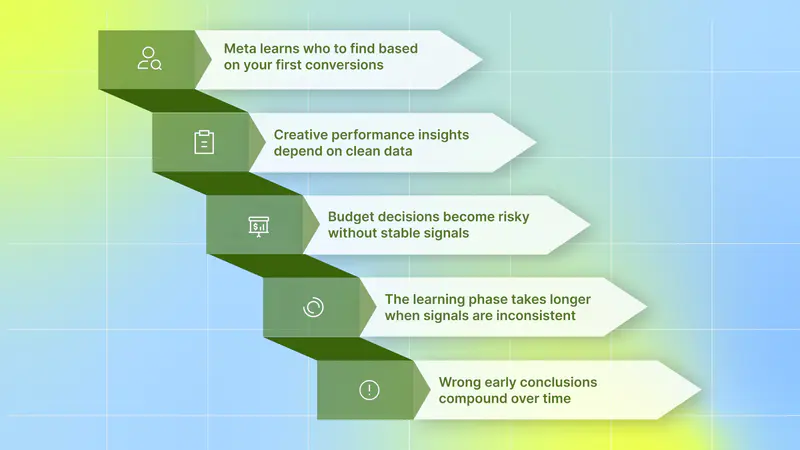
Meta learns who to find based on your first conversions: Early data tells Meta what type of users drive results. Poor signals push delivery toward low-quality users.
Creative performance insights depend on clean data: Noisy early data makes it hard to trust which creatives, hooks, or messages are actually working.
Budget decisions become risky without stable signals: Scaling or cutting spend too early with unreliable data often locks in poor performance.
The learning phase takes longer when signals are inconsistent: Frequent changes and low event volume slow optimization and delay results.
Wrong early conclusions compound over time: Bad early data leads to poor targeting, weak creative testing, and wasted UA cycles later.
All of this starts with having the right technical setup in place from day one.
The Only Technical Setup You Actually Need
Before spending a single dollar on Meta Ads, you need to make sure Meta can accurately track the full user journey, from ad click to install to purchase or key action. Without this foundation, Meta’s algorithm cannot learn, and your UA campaign will struggle regardless of budget or creatives.
Here’s the minimum technical setup you need for your first Meta UA campaign:
Meta SDK or MMP SDK integration: You must install the Meta SDK or send events via your MMP SDK (such as AppsFlyer or Adjust). This is critical for attribution and for feeding install and event data back to Meta.
Install event tracking (non-negotiable): Make sure the install event (fb_mobile_activate_app) is tracked correctly. This is the first signal Meta uses to start learning and delivering your ads.
One core post-install event: Track at least one meaningful post-install event, such as:
Purchase (fb_mobile_purchase_app).
Tutorial completion (fb_mobile_tutorial_completion).
Events must fire reliably and consistently. Broken or delayed events create noisy data and slow down Meta’s learning phase.
Use an MMP as your source of truth (recommended): An MMP helps de-duplicate installs and gives you a clear, unbiased view of performance across channels, especially important for UA teams.
This setup is enough to launch, learn, and optimize. Adding more complexity at this stage usually harms early data quality rather than improving it.
Once your tracking and core events are set up correctly, the real impact comes from how you structure, target, and pace your campaign.
A Practical Strategy for Your First Meta Ads UA Campaign
When you’re launching your first Meta UA campaign, your goal is to keep things simple, predictable, and easy for Meta to learn. This strategy helps you start with a setup you can actually manage while still collecting high-quality data for scaling later.
1. Campaign Structure: Start Simple and Let Meta Learn
It’s usually easier to start with Android, especially for mobile games, because learning tends to be faster. But you shouldn’t ignore iOS; just avoid overloading both platforms at once.
Recommended starting structure:
Android
US 250–500/day → AEO Purchase optimization
T1 150–250/day → AEO Purchase optimization
ROW 100–150/day → AEO Purchase optimization
iOS
US + T1 250–500/day → AEO Purchase optimization
ROW: 100–150/day → AEO Purchase optimization
Use Aggregated Event Measurement for iOS and avoid overthinking attribution early. Focus on clean learning instead of trying to optimize around SKAN complexity from day one.
2. Targeting: Reduce Noise, Increase Learning
For your first Meta Ads UA campaign, your goal is to give Meta enough room to learn without adding unnecessary noise.
Start with these targeting layers, in this order:
Broad targeting (default choice): Begin with broad targeting to let Meta’s algorithm find users who are most likely to install, purchase, or subscribe. This works best when you’re launching a new UA campaign with limited data.
Interest targeting: If you need some direction early, use a small set of interests:
Competitor interests (only if they are still available)
Category interests such as RPG, Strategy, or Casual games (for mobile games), or relevant product categories for DTC brands. This approach is still fairly broad, but slightly more focused than pure broad targeting.
Lookalikes (only after purchase signal): Add lookalike audiences only after you’ve collected enough purchases. Build lookalikes from:
Top purchasers.
High-quality users.
Avoid using lookalikes too early, as weak data leads to weak audiences.
Use clear GEO buckets to reduce noise:
T1: US (can be standalone), UK, DE, CA, AU, NZ, KR, JP
ROW: Rest of the world
Platform filter (Android only): Limit targeting to Android OS 12+ to maintain consistent delivery and reduce fragmentation.
This targeting approach keeps your early data clean, helps Meta learn faster, and gives you reliable insights before you scale.
3. Budget and Pacing: Protect the Learning Phase
Your early budget decisions directly affect data quality. Moving too fast or reacting too early can break learning.
Recommended pacing rules:
Days 1–7:
Keep budgets fixed.
Do not make structural changes.
Days 7–21:
Scale budgets by 20–30% every 3 days.
Only scale if CPI and ROAS remain stable.
Hard rule:
Do not spend more than 20% of yesterday’s revenue until your payback math makes sense.
This approach helps UA managers and agencies scale responsibly without burning budget.
4. A Creative Plan You Can Actually Execute
Your first creative plan should be realistic, not ambitious. You want enough variation to learn, without overwhelming your team.
Baseline creative setup:
3 core concepts × 3 variations = 9 ads.
Start with 9:16 vertical video.
Add formats gradually:
1:1 → 4:5 → 16:9
Only reformat winning creatives to save time.
Proven starter concepts:
Core loop gameplay
Giant finger, clear actions, on-screen tooltips (30–45s).
Pain to payoff
Show failure → one upgrade → satisfying win.
Meme or fake choice
Choose A vs B and show dramatically different outcomes. You can add AI at your convenience.
Hooks that work early:
A clear number or promise in the first 1–3 seconds.
Audible sound effects.
On-screen captions.
Use AI to iterate variations faster, not to replace thinking.
Do you want to know which hook performs best across your Meta UA campaigns?
Instead of guessing based on CPI alone, an AI-powered platform like Segwise helps you break down performance by creative elements like hooks, formats, dialogs, and themes so you can clearly see what’s driving installs, purchases, and ROAS, and double down on what actually works. With tag-level creative element mapping, you can discover patterns like "this hook appears in 80% of top-performing creatives" with complete MMP attribution integration.
After setup and strategy, creative execution is what determines whether your UA campaign scales or stalls.
Creative Trends to Boost Your UA
As Meta’s algorithm gets smarter, creative quality will drive most of your UA results. Winning a UA campaign means adapting how you design, test, and refresh creatives without breaking the learning phase.
Here are a few creative trends you should focus on to boost your UA performance:
Outcome-First Messaging in the Opening Frames: Instead of just grabbing attention, top-performing creatives now clearly show the outcome a user will get. Whether it’s a gameplay win, a solved problem, or a clear benefit, users should instantly understand why they should install or click before visuals or storytelling kick in.
Clear Value Over Polished Production: Highly polished ads are losing ground to clear, easy-to-understand creatives. Simple visuals that quickly explain gameplay or app value often outperform high-budget production.
AI-Assisted Variations, Not AI-Only Creatives: AI is best used to generate fast variations of proven concepts, not to replace strategy. Use AI to remix hooks, captions, or scenes while keeping the core idea consistent.
Fatigue-Resistant Creative Testing: Creative fatigue happens faster. Winning teams plan refreshes early by rotating variations, changing hooks, or adjusting messaging before performance drops.
Strong creatives help you win attention, but consistent execution is what turns performance into growth.
Also Read: How to Combat Creative Fatigue with AI Solutions
Your Day-to-Day Rhythm During a Meta UA Campaign
A calm, repeatable daily rhythm helps you avoid emotional decisions and protects your campaign’s learning. Instead of constantly tweaking settings, you focus on a few high-impact checks and controlled creative iteration.
Here’s a simple day-to-day rhythm you can follow:
Morning: Review performance, don’t panic: Check CPI by ad and review a D1 quality proxy, such as tutorial completion. Pause or reduce spend on the worst-performing 20% of ads, not entire campaigns.
Midday: Improve creatives, not structure: Launch two new variations of your current best-performing concept. Do this two times a week, not every day, to avoid overwhelming the learning phase.
Evening: Prepare, don’t overreact: Ignore half-day performance swings. Instead, queue two new creative variations for the next day so testing stays consistent.
Most important rule: Do nothing if everything looks okay. Stable performance is a signal to let Meta continue learning, not a reason to intervene.
This rhythm keeps your UA campaigns steady, your data clean, and your decisions intentional.
A consistent daily rhythm keeps your campaign stable, but real learning happens over time. That’s where the 21-day learning window comes in.
How the 21-Day Learning Test Works for Your First Meta Ads UA Campaign

The 21-day learning test helps you launch, observe, and scale your first Meta UA campaign without rushing decisions. Instead of reacting to daily swings, you give Meta enough time and clean data to understand what works.
Here are the key stages of the 21-day learning test and what you should focus on at each step:
1. Days 1–3: Launch and Observe
Campaigns go live.
Run with only 9 creatives to keep learning clean.
Start planning 5–8 additional creatives, but don’t launch them yet.
Goal: confirm early ROAS signals and stable CPI.
2. Days 4–7: Monitor and Prepare to Scale
Closely monitor campaign performance.
Gradually add new creatives into the mix.
Focus on the CPI vs LTV (xROAS) equation.
If performance looks healthy, increase the budget by 20%.
3. Days 7–10: Replace Losers, Not Structure
Replace the bottom 30% of creatives with three to five fresh variants.
Start thinking about adding an interest campaign on top.
Begin with T1+US, then add ROW based on the performance.
If you hit 30+ purchases within 7 days, test Value Optimization (VO) on that OS.
4. Days 11–21: Scale With Confidence
If Value Optimization performs better, shift 60–80% of the budget to VO on that OS.
Review geo-level performance and rebalance spend where returns are stronger.
Keep creative iteration steady while protecting what’s already working.
This 21-day approach helps you move from learning to scaling without breaking Meta’s optimization or wasting budget early.
A strong learning plan works only if you avoid the common mistakes that disrupt Meta’s optimization.
What NOT to Do in Your First Meta Ads UA Campaign
When you launch your first Meta UA campaign, most mistakes come from doing too much, too early. Avoiding these common traps will protect your learning phase and save you from wasting budget.
Here’s what you should not do in your first Meta Ads UA campaign:
Do not stack multiple audiences or interest “hacks”: Layering five interests or audience filters restricts delivery and confuses Meta’s learning. Start broad and let the algorithm find converting users.
Do not run many campaigns with tiny budgets: Splitting spend across too many campaigns prevents Meta from getting enough data in any one place. Fewer campaigns with meaningful budgets learn faster.
Do not optimize for purchase on day one with no volume: Making changes based on one day of data resets learning and leads to bad decisions. Give Meta time and enough events before optimizing.
Do not chase one viral creative without a backup plan: A single winning ad will fatigue quickly. Always build a creative pipeline so performance doesn’t collapse when one creative stops working.
Avoiding these mistakes helps you keep your first Meta UA campaign stable, predictable, and ready to scale when the data supports it.
Also Read: Winning on Meta: The Best Tools for Testing and Scaling Ads
Conclusion
Launching your first Meta Ads UA campaign doesn’t have to feel chaotic or risky. When you start with a Minimum Viable Campaign Setup, protect early data quality, and follow a clear strategy around structure, targeting, budgets, and creatives, you give Meta the right signals to learn. A calm day-to-day rhythm, disciplined creative testing, and a 21-day learning window help you move from guessing to confident scaling, without burning budget early.
As your campaign starts generating data, the real challenge becomes understanding why certain creatives work, when performance starts dropping, and what to scale next. This is where Segwise fits naturally into your UA workflow.
Segwise integrates directly with your Mta Ads campaigns and pulls creative-level data to show you why a specific ad is driving results. To set it up, go to the Segwise Dashboard → Settings → Ad Networks, click Connect under Meta Ads, sign in, and select your Meta Ads account for full creative analysis.
With our tag-level creative element mapping, you can see which specific creative elements drive performance. You can instantly see which creative elements, themes, and formats drive results across all your campaigns and apps. Our powerful, multi-modal AI creative tagging automatically identifies and tags creative elements like hook, characters, colours, and audio components across images, videos, text, and playable ads to reveal their impact on performance metrics like IPM, CTR, and ROAS.
With fatigue detection, you can catch performance decline before it impacts budget allocation and campaign results. You can also set custom fatigue criteria and monitor creative performance across Facebook and all major ad networks, to catch fatigue before it impacts your ROAS.
If you want to launch and scale Meta UA campaigns with more confidence, start your free trial to see exactly which creatives drive results, protect your ROAS, and build a repeatable UA engine that grows with you!