
The eight Meta ads tools worth paying for in 2026, each closing a different gap in Meta Ads Manager: Segwise from $499 a month for element-level creative intelligence and generation across 15+ networks; Motion from $750 for client-ready creative reporting on Meta, TikTok, YouTube and LinkedIn; Madgicx for autonomous Meta budget and audience optimization, priced in spend brackets from under $1k to over $30k monthly with an analytics-only plan from $29; Birch, formerly Revealbot, from $49 for rule automation with a full audit trail; Ryze AI at $89 flat for autonomous execution that does not get more expensive as you scale; AdEspresso from $49 for structured A/B testing; Smartly, price on request, for enterprise creative production across social and CTV; and Socioh from $1,100 for branded catalog ads at large SKU counts. Before buying any of them, connect Meta's own Ads MCP server, which is free during its open beta. Every price here was read off the vendor's own pricing page on 2 September 2026.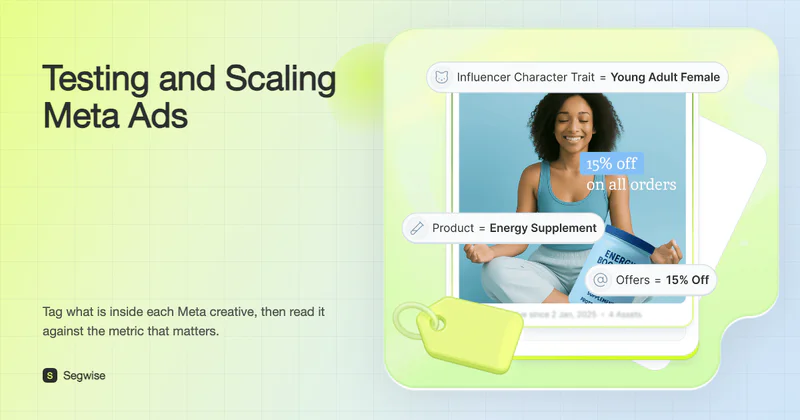
Disclosure: this guide is published by Segwise, one of the tools covered here. Every price was checked at the vendor's own pricing page in September 2026, Segwise gets the same limitations treatment as everything else on this page, and any Segwise performance figures are self-reported by our customers and labeled as such.
What Changed in Meta Ads Tooling in 2026
Four things moved this year, and all four should change what you shortlist:
Meta shipped its own AI connectors. Meta's developer blog announced the ads MCP server in July 2026 and it is in open beta, free while the beta runs. That undercuts any paid product whose main pitch was managing Meta ads through an AI chat.
Madgicx dropped its multi-channel roadmap from its own site. Checked 2 September 2026, madgicx.com names Meta and nothing else. Lists still promising Google and TikTok in beta are repeating an old roadmap.
Socioh is rebranding to goodAds.ai and its published floor is $1,100 a month, not the $99 that has circulated for years, including in our own earlier coverage.
Revealbot is now Birch and revealbot.com redirects to bir.ch. Bestever is now part of Samba and, by its own description, targets brands with 50,000-plus SKUs, so it is no longer a general-purpose option and has come off this list.
UA teams launch new creatives, duplicate winning ad sets and raise budgets, then watch performance drop with no warning. What looked like a winner yesterday stops converting, CPA spikes, ROAS slips, and nobody can say why. That has always been painful. It hurts more in 2026 because Meta took the other levers away. Detailed targeting options have been pruned, Advantage+ is the default path, and the ranking system now reads the creative itself to decide who sees it, which our breakdown of the Meta Andromeda update covers in detail. Creative is what is left to control, and creative is the part most teams measure worst.
What Meta's Own Ad Tools Already Do
Most of this market sells a layer on top of the Meta Marketing API, and a fair share of it duplicates something in Ads Manager you have not switched on. The native stack is free, mandatory, and better than it was two years ago.
Meta Ads Manager and the tools inside it
Ads Manager runs campaigns across Facebook, Instagram, Messenger and Audience Network, and holds several distinct tools teams forget are there:
Creative Hub previews and mocks up creatives before launch, so formats and placements get checked before budget moves.
Events Manager manages and monitors conversion events, which is what makes installs, purchases and sign-ups measurable in the first place.
Meta Pixel tracks what people do after clicking or viewing, tying ad engagement to on-site actions.
Conversions API sends event data server to server. This is the highest-leverage free thing in the list, because Meta's optimization leans on server-side events and pixel-only setups have been degrading for years.
Ads reporting and breakdowns split performance by placement, audience, device and time.
A/B test compares audiences, placements, creative or product sets with the split handled for you.
Meta Ad Library
The Meta Ad Library is a public transparency tool showing ads currently running across Facebook and Instagram. Search any brand, app, page or keyword, see which creatives are live right now rather than which ones a case study liked, and read the start date to spot concepts an advertiser has sustained for months. A long-running ad is the closest thing to a free public performance signal. Our guide to using the Facebook Ad Library for smarter ad strategies covers the workflow.
Meta Business Suite
Business Suite is the operational hub: one inbox across Facebook, Instagram and Messenger, post and story scheduling, quick ad creation from organic posts already getting traction, and fast access to Ads Manager, Business Settings and Commerce Manager. If you manage several brands or client assets it saves real clicks, but it will not help you decide anything.
Advantage+ campaigns
Advantage+ is Meta's own automation layer and the baseline almost every advertiser should run something on. Note the naming, because most third-party lists still have it wrong: Advantage+ shopping campaigns were renamed Advantage+ sales campaigns, the family now includes Advantage+ app campaigns and Advantage+ leads campaigns, and what used to be campaign budget optimization is now Advantage+ campaign budget. It handles audience, placement, budget distribution and creative selection once you supply an objective and a budget.
Its problem is opacity rather than performance. Advantage+ will not tell you which creative element earned the delivery it gave you, and it cannot see anything outside Meta.
Meta's Official Ads MCP Server: Try It Before You Pay
This is the change most Meta tool roundups have not caught up with, and it should affect your shortlist. Meta released its ads AI connectors in open beta, an official MCP server plus a CLI that let AI assistants create, manage and analyze Meta campaigns, with authentication running between you and Meta rather than through a third party. Meta's Ads MCP server documentation covers performance reporting, campaign management, catalog management and signal diagnostics, and it needs no developer credentials or code. It is free while the beta runs.
If the only thing you wanted from a paid subscription was to manage Meta ads by talking to an AI assistant, Meta now ships that itself. Connect the official server first and see what is left over before you pay anyone.
For some teams what is left over is other platforms. Pipeboard is a third-party connector covering Meta, Google, TikTok, Snap and Reddit over the same protocol, with a free tier capped at 30 weekly tool executions and two ad accounts and paid plans published in Indian rupees (about 1,300 rupees, roughly $15, for three ad-account slots). It acts only when instructed, reads nothing about your creative, and now competes with a free first-party connector on the platform that matters most, so it is plumbing for multi-platform teams rather than a tool in its own right.
The Six Things Meta's Native Ad Tools Cannot Do
Meta's tools give you control and visibility. As spend and creative volume grow, six specific gaps start costing money. Every tool below is mapped to the gap it closes, so you can shortlist by gap rather than by feature list.
Gap 1. Why a creative worked, as opposed to which one did. Ads Manager reports at ad level. It cannot tell you the hook drove the result and the CTA held it back, so your next brief is a guess dressed up as a decision.
Gap 2. Running enough clean tests, then seeing the pattern across them. Meta's A/B test compares two things. Running dozens of creatives needs a test harness that does not fall apart, and then a way to see which attributes keep recurring in winners. Those are two different products.
Gap 3. Fatigue before it shows. Meta does not flag a decaying creative. Performance fades rather than falls, so by the time the chart makes it obvious the budget is gone.
Gap 4. Anything outside Meta. If the same asset runs on TikTok, Google, Axon or Unity Ads, Meta reports its slice and nothing else. Cross-network creative patterns are invisible from inside Ads Manager.
Gap 5. Execution while you sleep. Rules exist in Ads Manager but they are shallow. Multi-condition guardrails, audit trails and bulk changes across many accounts are where third-party automation earns its fee.
Gap 6. Production volume across placements, markets and catalogs. Meta will accept a thousand variations. It will not build them, and it will not keep a large product feed looking like your brand rather than a default template.
How These Meta Ads Tools Were Judged
Two judgement calls, made inside each review: what does this do that Ads Manager cannot, and how deep is its Meta-specific feature set. Three verifiable checks, reported in the table: platform coverage, whether it reads creative at element level or only ad level, and published price plus trial and setup time.
To be clear about what this is: a documentation and pricing review, not a hands-on trial of all eight. Every price and platform claim was checked against the vendor's own site on 2 September 2026 and links to the page it came from. No ratings are quoted, because the review profiles for most of these tools are either empty or behind a login.
Prices other roundups get wrong
The most common failure in this category is a price copied from a 2023 listicle. Here is what we found on opening the pricing pages:
Meta Ads Tools Compared: Gaps Closed, Price and Setup Time
Which Meta Ads Tool to Buy at Your Monthly Spend Level
Find the row that describes you. If several do, buy for the one costing you the most money this quarter, not the one that sounds most advanced.
When you do not need any of these tools
Two situations where the answer is to buy nothing. Under $10k a month on Meta alone, the native stack plus a disciplined naming convention will outperform a subscription that is eating 5% of your media. And if nobody on the team has hours free to act on what a tool reports, buy the hours back first.
What these tools cost as you scale
Almost everything here is priced against your ad spend, which means the quote you accept is not the bill you pay next year. Four things to check before signing. Whether the plan has a spend ceiling and what happens when you cross it, because Birch charges overages on monthly plans but not annual ones. Whether the features you were shown are add-ons, because Madgicx's Tracking Pro is $49 a month on top. Whether extra ad accounts or seats cost money, because Motion includes unlimited seats and accounts on every plan while most connectors sell slots individually. And whether the contract is a percentage of spend, which is the enterprise norm and turns a good quarter into a bigger invoice. Ryze AI is the only tool here whose fee does not move with spend at all.
The 8 Meta Ads Tools, Reviewed
Grouped by the layer each one works in. Almost no tool covers two layers well, which is why most serious Meta stacks in 2026 run one from each.
Creative intelligence tools for Meta ads
1. Segwise, best for element-level creative intelligence and generation
Closes gaps 1, 3, 4 and the pattern half of 2.
Segwise is an agentic creative intelligence and generation platform. Connect your Meta accounts and it reads every creative, tells you which elements drive performance, and generates new creatives built around those elements. It does not bid, and that is a scope choice rather than a gap it is working on.
The distinction that matters: Ads Manager reports on ads, Segwise reports on what is inside them. Hooks, dialogue, characters, colours, on-screen text, voiceover style, music tone, CTAs and the interactive components inside playables all get tagged, then mapped to whatever metric you actually track, whether that is ROAS, CPI, IPM, day-7 retention or a custom event.
Key features
Creative Tagging Agent. Multimodal AI reads video, audio, image and text together. It is the only tool on this list that tags playable and interactive ads, and checking Motion, Superads and VidMob on 2 September 2026 we found none of them documenting playable support either.
Tag-to-metric mapping. Every tag maps to the metrics you track, with MMP attribution folded in, so you can find patterns like a hook line appearing in 80% of your top creatives.
Creative Strategy Agent (AI Chat). An always-on strategist with full context on your account. Ask what separates your top five creatives from your bottom five and get an answer rather than a report builder. It also analyses performance and drafts creative briefs and concepts.
Creative Generation Agent. Produces net-new statics, every video format including AI-UGC-style video, and playables, plus video storyboards, all grounded in your winning tags. Edit by prompting or by hand, generate a video manually when you would rather drive it yourself, and export in any aspect ratio you need. CTV is supported alongside the social formats. Generated creatives are auto-tagged once live, so their results feed back in.
Native fatigue detection with thresholds you set rather than a vendor default.
Asset clustering. Groups ads sharing the same footage, images or audio so you can attribute a ROAS gap between two near-identical creatives to the one thing that changed.
Competitor Tracking Agent. Tracks competitor ads on Meta, applies the same tagging, and runs gap analysis to find angles nobody in your category is using.
MCP access. Query your Segwise creative data from your own AI tools, so the analysis is not trapped in one dashboard.
Coverage. 15+ ad networks and MMPs, including Meta, Google, TikTok, Snapchat, Axon (AppLovin), Unity Ads, Mintegral, Moloco and Liftoff, plus AppsFlyer, Adjust, Branch, Singular and Kochava.
Setting the fatigue threshold, since this is the feature people get wrong
Start at a 20% ROAS decline over a rolling seven days, paired with a spend-share drop, and set a minimum volume floor per creative so normal daily variance does not fire the alert. Seven days is long enough to survive a bad weekend and short enough to act before a fortnight of budget is gone. Tighten the percentage only after you have seen a month of alerts and know your own noise level.
Connecting it to Meta
No-code and about five minutes: in the Segwise dashboard go to Settings, then Ad Networks, then Connect under Meta, sign in and pick your ad accounts. The Meta integration docs have the exact steps. Connecting every network and MMP takes 10 to 15 minutes.
Who it is for
Teams tagging creatives by hand, teams that cannot say which element drove last month's winner, and teams running the same assets on Meta and other networks with no single creative view. Those are vendor-reported ranges, so ask for the baseline, the sample and the window against one of those named accounts, exactly as you should of every vendor on this page.
Limitations
Four worth pricing in. It does not bid, move budgets or run auction logic, so covering both loops means two subscriptions, and at $499 that is a real line item next to a $49 rules tool. Historical backfill caps at three months on paid plans, so year-over-year seasonal creative analysis needs your own warehouse. Competitor tracking covers Meta only, which leaves a TikTok-led brand with nothing there. Automated tagging is also only as good as its accuracy on your footage, so spend the trial spot-checking tags on creatives you already understand rather than on ones you do not.
Pricing
Segwise starts at $499/month for advertisers spending up to $250K/month, with a special 50% discount for startups spending under $50K/month. Every paid plan starts with a 7-day free trial and no card, and history is imported automatically, up to two weeks on the trial and up to three months on paid plans.
2. Motion, best for creative reporting a client will read

Closes gap 1 at attribute level and the pattern half of gap 2, across four social channels.
Motion turns Meta, TikTok, YouTube and LinkedIn creative performance into visual, presentation-ready reports organised around the creative rather than the campaign. Its AI tagging labels each Meta ad by asset type, visual format, hook tactic, messaging theme, offer, seasonality and audience, so a creative review starts from attributes instead of ad IDs. Every paid Motion plan includes Runneth, an AI agent that answers in Slack, writes briefs, makes static ads and runs scheduled reports and alerts.
Key features
Visual creative reporting. Report pages put the creative thumbnail beside its spend, ROAS, hook rate and hold rate, grouped by concept, so a review meeting scrolls through ads instead of reading a spreadsheet.
AI tagging on Meta ads by asset type, visual format, hook tactic, messaging theme, offer, seasonality and audience, for grouping and comparison. TikTok ads can get manual custom tags.
Slack delivery and routines. Scheduled daily and weekly reports, iteration finders and alerts, plus briefs and hooks delivered where the team already works.
Benchmarks and data access. Category benchmarks plus full data and MCP access, with attribution integrations for Northbeam and Google Analytics.
Unlimited seats and ad accounts on every plan, which is the detail that makes agencies pick it.
Limitations
Coverage is Meta, TikTok, YouTube and LinkedIn, and AI tagging is Meta only, so heavy Google Ads, Axon or gaming-network spend hits its edges quickly. There is no MMP connection, which means an app team cannot tie a creative to installs or downstream revenue inside Motion, and it does not read playable formats. Apart from static ads made by Runneth, it does not generate creative, so it tells you what to brief without shortening video production. At $750 it is also the highest entry price of any self-serve tool here, which is a lot for reporting if your creative volume is modest.
Pricing
Starter at $750 a month for up to $50k in monthly ad spend, Pro at $1,200 a month above that, and a custom Growth tier above $125k monthly spend. Seats and ad accounts unlimited on every plan. If you have seen Motion quoted at $99 to $499, that number is years out of date.
Bid and budget automation tools for Meta ads
3. Madgicx, best for autonomous optimization if Meta is your whole account

Closes gap 5, on Meta only.
Madgicx markets itself as the AI ads manager agencies use, and it is the most Meta-committed tool on this list. Check the platform claim before shortlisting: as of September 2026 its site names only Meta, so lists promising Google and TikTok support in beta are repeating an old roadmap.
What it does between your check-ins
The autonomous budget layer is the reason to buy it. It watches ROAS and CPA signals across ad sets and shifts daily budgets toward performers without waiting for you, which is the single most repetitive job in a Meta account. Around it sit AI audience building from your conversion data rather than interest stacks, an end-to-end AI ad creation workflow, ad-level fatigue flags, funnel analysis, and an agency dashboard for running many accounts. If Meta carries nearly all your spend and you are a solo buyer or a small team, this is the tool most likely to give you back an hour a day.
Limitations
Meta only, so a multi-channel account needs a second tool. Its scoring leans on Meta's reported attribution, which now rests heavily on modeled conversions, so some recommendations reflect modeling rather than observed behaviour. The autonomy is hard to audit, a genuine problem if you have to justify every change to a client. Its creative work flags fatigue and scores ads without diagnosing which element caused either, so you cannot brief a designer from it, and there is no way to define your own success criteria for a declining creative, which means a decline gets noticed rather than predicted.
Pricing
Spend brackets from under $1k to over $30k monthly, with the actual rate shown inside the app rather than on the pricing page, so a like-for-like comparison needs a signup. An analytics-only plan is advertised from $29 a month as an early-bird offer, and the Tracking Pro add-on is $49 a month. Seven-day free trial.
4. Birch, formerly Revealbot, best for automation you can audit

Closes gap 5, across four channels.
Birch is the product performance marketers knew as Revealbot, rebranded and now positioned as ad automation for performance teams and their agents. Its philosophy is the opposite of Madgicx's: instead of an AI deciding, it executes the decisions you define, at scale, with a receipt for every one.
A rule that works in practice
The rule engine is the whole product, so judge it on what a real rule looks like. You can chain conditions into one automation: if CPA goes above $25 and frequency tops 3.0 and CTR falls below 1.2%, pause the ad set and post to Slack. Rules run on a schedule across Meta, Google, TikTok and Snapchat, and each action ties back to a rule ID, the condition value that fired it, and a timestamp. That last part is why agencies pick it. When a client asks why a budget changed on Tuesday, the answer has an ID in it. Bulk creation handles high-volume launches, and reports deliver to Slack, email, Google Sheets and Looker Studio.
Limitations
Rules are only as smart as the person writing them, and a good set takes real hours per account, which is the hidden cost behind the $49. There is no creative analysis at all. Rules on short time windows can also interfere with Meta's learning phase, so the tool is capable of making your account worse if you are careless with intervals.
Pricing
Essential at $49 a month and Pro at $99 a month, both covering up to $10k of monthly managed ad spend across connected accounts, with the price rising by spend tier above that and Enterprise quoted custom. Annual billing takes 20% off and removes the overage charges that monthly plans carry. Fourteen-day free trial, no card. A separate Hub Gateway product is priced by event volume, starting free at 10,000 events a month.
5. Ryze AI, best for autonomous execution on a flat fee
Closes gap 5, and is the only tool here whose price does not scale with your spend.
Ryze AI is the most hands-off option here, and the cheapest at scale.
Key features
Round-the-clock performance audits that surface inefficiencies across connected accounts rather than waiting for a weekly review.
Bid and budget optimization applied automatically or on one click, so you can run it supervised before handing over control.
Multi-account operation from one interface across Meta, Google, Microsoft, TikTok and LinkedIn, with ChatGPT Ads listed among supported channels.
AI creative generation inside the same product, though it produces assets rather than analysing them.
Beyond-ads connections to Google Analytics and Search Console, which is unusual at this price.
Why the pricing model is the point
Every other tool here except AdEspresso charges more as you spend more, so a good quarter raises your software bill. Ryze AI charges a flat fee that does not move whether you spend $1k or $1m a month. At $89, an account spending $50k pays less for Ryze AI than for almost anything else that will touch its bids, and the gap widens as spend grows. The fair question to put to them is the flip side of that model: if their revenue does not scale with your spend, ask what support and account review a $1m advertiser gets that a $5k one does not.
Limitations
Handing over execution means less granular control, and a bad stretch is harder to diagnose when you did not make the calls. There is a calibration period where results are unpredictable, so do not judge week one. It reads no creative elements, so it optimizes the delivery of whatever you give it. The company also sells SEO, traffic and ecommerce products on the same pricing page, so confirm the demo you are shown is Paid Ads Autopilot and not a bundle.
Pricing
Paid Ads Autopilot at $89 a month flat, never a percentage of spend, with a 7-day free trial and discounts of 5% quarterly, 10% biannual and 20% annual.
6. AdEspresso, best for structured testing without a learning curve
Closes the test-harness half of gap 2.
AdEspresso has done one thing well since 2012: making Meta testing systematic for people who are not going to learn a rule builder. The test builder creates experiments across headlines, images, audiences and placements through a visual interface, the Grid Composer creates many ads at once from spreadsheet-style inputs, and auto-optimization pauses losing variants faster than leaving it to budget distribution. It can also promote organic posts automatically once they hit rules you set.
Limitations, and a caution
The bigger risk is momentum rather than features. The product is now operated as AdEspresso LLC, its own content library has not moved in years, and its AI capabilities are thin next to everything else here: no autonomous optimization, no audience generation, no creative element analytics. Treat it as the cheapest way to install a testing method rather than a long-term platform bet, and ask directly about the roadmap before you build a process on it. The Starter plan also caps you at $1,000 of monthly ad spend, a hard ceiling rather than a nudge.
Pricing
Starter at $49 a month for up to $1,000 monthly ad spend, Plus at $99 a month with unlimited ad spend, and Enterprise from $259 a month. Fourteen-day free trial on every tier.
Creative production tools for Meta ads
7. Smartly, best for enterprise production volume across channels

Closes gap 6, and part of gap 5.
Smartly is organised into a Creative Suite for building and adapting ads, a Media Suite for campaign optimization and budget allocation, and an Intelligence Suite for analytics. Beyond social it runs connected TV across streaming services, open web through major DSPs, and video. On Meta specifically its value is dynamic creative from templates and product feeds, generating thousands of on-brand variations and adapting aspect ratios, text overlays and feed content per placement.
What onboarding involves
This is the part that decides whether Smartly is right for you, and it is not a signup. Implementation runs to weeks with a dedicated onboarding team, because the value comes from templates, approval flows and role-based permissions that someone has to build around how your markets and teams work. Budget the internal time, not just the fee.
Limitations
Its creative engine produces variants from templates rather than diagnosing which element is driving performance, so it scales output without telling you what to aim it at. The value collapses without genuine variety to automate: few markets, few placements and a small catalog means you are paying enterprise rates to solve a problem you do not have. It assumes design-ops discipline you may not have, since somebody has to own and govern the template system after the onboarding team leaves. And with a percentage-of-spend structure and annual minimums common at this tier, the cost grows with the account whether or not the production volume does.
Pricing
Not published. Smartly quotes per engagement, and enterprise contracts in this category are commonly structured as a percentage of media spend with minimums, so ask for the percentage and the floor in the first call.
8. Socioh, best for branded catalog ads on a large SKU count

Closes gap 6 for catalogs specifically.
Socioh, which is rebranding to goodAds.ai, exists for one problem: Meta's default product cards look like everybody else's. It builds on-brand dynamic product ads in every placement ratio, 1:1 for Facebook and Instagram carousels, 4:5 for carousels and Stories, and 9:16 for Reels and Shops, plus dynamic product video, all fed from your catalog so prices and availability stay current.
One correction, because our own earlier coverage and several other roundups got this wrong: Socioh is not $99-a-month self-serve software. Its own site describes it as a partnership rather than a tool, with its design and growth teams working alongside yours, and its published plans are priced accordingly. That changes who it is for. It suits catalog-heavy fashion, beauty and home brands where generic Meta product cards are the identified weak point, and it is irrelevant to lead gen, apps or anyone without a product feed.
Limitations
Meta only, ecommerce only. No bid optimization, no audience AI, no creative element analysis. Because it is delivered as a service the cost floor sits an order of magnitude above the software here, which means it has to beat a designer's time rather than a subscription, and you are buying a retainer relationship rather than a login you can cancel in a month.
Pricing
Starter at $1,100 a month for brands under $250k monthly online revenue, Growth at $2,100, Scale at $3,500, and Enterprise from $5,000. All plans include design services, A/B testing support and reporting.
Bidding Automation vs Creative Intelligence: What Each Tool Automates
Almost every tool in this market automates the bidding loop. Far fewer touch the creative loop. Knowing which loop is broken in your account is most of the buying decision. This table covers the wider market rather than only the eight above, because some of these jobs are owned by tools that do not belong on a Meta ads shortlist.
The bidding loop is crowded and increasingly autonomous, which makes it close to a commodity. The creative loop is thinner, and thinnest at the bottom of that table. Point a sophisticated bidding agent at weak creative and it will efficiently minimise spend on weak creative.
One caution while shortlisting. Most fully-autonomous claims in this market are bounded to bid and budget moves inside Meta. Treat a promised ROAS multiple the way you would treat any performance pitch, and ask for the baseline and the method before the number.
Best Meta Ads Tools by Team Type
What to Ask in a Meta Ads Tool Demo
Six questions specific to how tools in this market fail. The generic ones about integrations and support you already know to ask.
What does it do without my approval? Get the exact list of actions it can take autonomously, in writing, before you switch autonomy on.
Can I export the audit trail? Every action with a reason, the condition value that triggered it, and a timestamp. Agencies cannot operate without this, and most vendors have not built it.
What stops it fighting Meta's learning phase? Ask specifically whether rules on short windows can pause ad sets mid-learning, then test it in the trial.
Is the multimodal analysis real? Does the AI read the visuals, audio and text of a video together, or only one of them and call it creative analysis?
Can I see ROAS or CPA tied to a specific hook line, background colour or CTA placement? If not, it is reporting rather than intelligence, which is fine as long as you are not paying intelligence prices.
Is fatigue predicted or reported? Ask whether it alerts on an early decline against thresholds you set, or simply shows you the drop after it happened.
The execution tools will pass questions one to three. Fewer pass four to six, and that gap decides whether you also need a creative layer.
Adjacent Tools That Are Not Meta Ads Tools
Several products get pitched into this category while doing a different job. They are worth knowing, and worth comparing against their real peers:
Meta creative production and generation. AdCreative.ai for high volumes of scored static variants, Creatify for AI avatar and UGC-style video sized for Reels and Stories, Pencil for predictive generation at agency scale, and Canva Magic Studio for in-house teams designing from templates. Bestever, now part of Samba, targets brands with very large catalogs by its own description, so it is no longer a general option for a mid-market account. All compared in our guide to AI ad generation tools.
Meta ads analytics and reporting at depth. Superads builds visual creative dashboards for Meta and TikTok, and VidMob scores creative for enterprise brands with services attached. See Facebook ads analytics tools and ad reporting tools.
Attribution and data infrastructure. AppsFlyer, Adjust, Branch and Singular are the measurement foundation every app team needs before any of this matters, and Funnel.io normalises marketing data into a warehouse or BI tool. Neither category manages Meta ads. Compared in marketing analytics platforms.
Structured creative testing at volume. Marpipe runs multivariate creative experiments rather than automating spend. See creative testing tools.
Competitor ad research. Foreplay organises swipe files and briefs from competitor ads, which is an input to creative strategy rather than a performance layer. See ad spy and competitor research tools.
Google Ads and search. Optmyzr, Adalysis, Opteo, WordStream, Adzooma, PPC Signal and Google Ads Scripts are Google-first tools with no Meta-specific capability, so they do not belong in a Meta comparison. See PPC advertising software.
Which Meta Ads Tool Should You Buy First, and What Second?
Winning on Meta in 2026 is about testing properly and knowing what to keep, not launching more ads. Meta's native stack gets you started, should stay switched on, and now includes a free MCP server worth connecting before you spend anything. What it still will not do is report below ad level, warn you about fatigue in time, or see any network but its own.
So work out which loop is broken. If bids and budgets already run themselves and you still cannot say which hook earned last month's result, buy the creative layer: Segwise for element-level detail, generation from your own winning patterns, and coverage across gaming networks and MMPs, or Motion if the real problem is a review meeting rather than a measurement gap. If the opposite is true and your creative pipeline is healthy but nobody is watching the account at 2am, start with execution: Madgicx if Meta is nearly everything, Birch if you must explain every change, Ryze AI if percentage-based pricing has become the problem.
Then buy the second one a quarter later, once the first has either paid for itself or told you it will not. The teams that get burned here are the ones that buy one platform hoping it covers both loops.
Frequently Asked Questions About Meta Ads Tools
What is the best free tool for managing Meta ads?
Meta's own stack, and it is not close. Advantage+ automates audience, placement, budget and creative selection at no cost, Conversions API improves the signal everything else depends on, the Ad Library covers competitor research, and the official Ads MCP server and CLI let you run reporting and campaign management from an AI assistant free during the open beta. Beyond that, third-party connectors offer free tiers but cap tool executions and ad accounts tightly.
Is Meta Advantage+ enough on its own?
For a simple account under roughly $10k a month, yes, and you should be running it either way. Its two gaps are that it will not tell you which creative element earned the delivery it gave you, and it cannot see anything outside Meta. Once creative volume or channel count grows, those gaps are what third-party tools are for.
What is the difference between Madgicx and Birch (Revealbot)?
Madgicx makes the decisions for you, shifting budgets toward winning ad sets automatically. Birch executes the decisions you define, through a rules engine that logs every action with a rule ID and a timestamp. Madgicx suits a solo buyer who wants a co-pilot. Birch suits an agency that has to justify every change to a client. Neither analyses or generates creative, which is why teams commonly run one of them alongside a creative tool.
Should I choose Segwise or Motion for creative reporting?
They answer different questions, so the choice follows your bottleneck rather than a ranking. Motion is built around the review meeting: visual, presentation-ready pages grouped by concept, AI-tagged on Meta ads by format, hook, message, offer and audience, with reporting across Meta, TikTok, YouTube and LinkedIn and unlimited seats on every plan. Segwise is built around the brief: element-level tags mapped to whatever metric you track, across 15+ networks and all five supported MMPs, including playables, with fatigue thresholds you set and generation from the patterns that won. If your stakeholders need to see the creative, look at Motion. If your designers need to know which three seconds worked, look at Segwise. Both publish pricing, so run both trials against your own account and judge the output.
Can an AI tool fully automate Meta ads management?
Not end to end. Madgicx, Birch and Ryze AI can automate the bidding loop, meaning budget reallocation, rule triggers and continuous monitoring. None of them diagnose which creative element drove performance or produce the next creative, and that is where most of the outcome is decided now that targeting is automated. Pairing an execution tool with a creative tool closes the loop.
How do I find out which creative elements are driving my Meta performance?
You need element-level tagging, because Ads Manager reports at ad level and execution tools optimize spend rather than reading creative. Segwise uses multimodal AI to tag every hook, visual style, character, on-screen text, voiceover, music cue and CTA across your Meta creatives, including playables, then maps each tag to the metrics you track. Motion's AI tags work at attribute level on Meta only (TikTok ads can get manual custom tags), which is enough if you want to compare concepts rather than components.
How should I set a creative fatigue threshold?
Start at a 20% decline in ROAS over a rolling seven days, combined with a drop in that creative's share of spend, and add a minimum volume floor per creative so ordinary daily variance does not trigger it. Seven days survives a bad weekend without letting a fortnight of budget go. Review a month of alerts before tightening the percentage, because the right number depends on your own noise level, not a vendor default. Meta will not do this for you, and most tools that claim fatigue detection report the drop rather than predicting it.
Which Meta ads tool is best for mobile game studios?
Segwise, because gaming creative is where generic tools stop. It tags playable and interactive ads, reads gameplay footage, characters and hooks alongside statics and video, and connects to Axon (AppLovin), Unity Ads and Mintegral plus AppsFlyer, Adjust, Branch, Singular and Kochava, so a creative can be traced from Meta impression to post-install revenue. Motion has no MMP connection and does not read playables, so an app team hits its limits fast. Pair Segwise with Birch or Ryze AI for the execution side.
Which Meta ads tool is best for a DTC ecommerce brand?
If Meta carries nearly all your spend and you want budget decisions handled between check-ins, Madgicx is the most Meta-committed option. If your catalog is large and generic product cards are the weak point, Socioh builds on-brand dynamic product ads, though it is a managed service starting at $1,100 a month. If the problem is that nobody can explain last month's winner, Motion covers the reporting and Segwise covers the element detail and generation.
Do I need a separate tool if I already have an MMP like AppsFlyer or Adjust?
An MMP is the measurement foundation, and if you are a mobile-first business you need one from day one to calculate ROAS and LTV from Meta spend honestly. What MMPs are not built for is rapid creative iteration, competitor teardowns or element-level analysis, and their creative add-ons do not tag playable ads. They tell you where an install came from. They do not tell you which three seconds of the video earned it.