
Integration Docs
Integration Guide
Connect TikTok to Segwise
Follow these steps to connect TikTok to Segwise and unlock AI-powered creative analytics across your campaigns.
Requirements
- To integrate your TikTok Ads account, you would need someone who has access to the TikTok Ads account to “Sign in with TikTok” and grant Segwise permission to your marketing data.
- You can follow the steps below:
Step 1: Sign in with TikTok
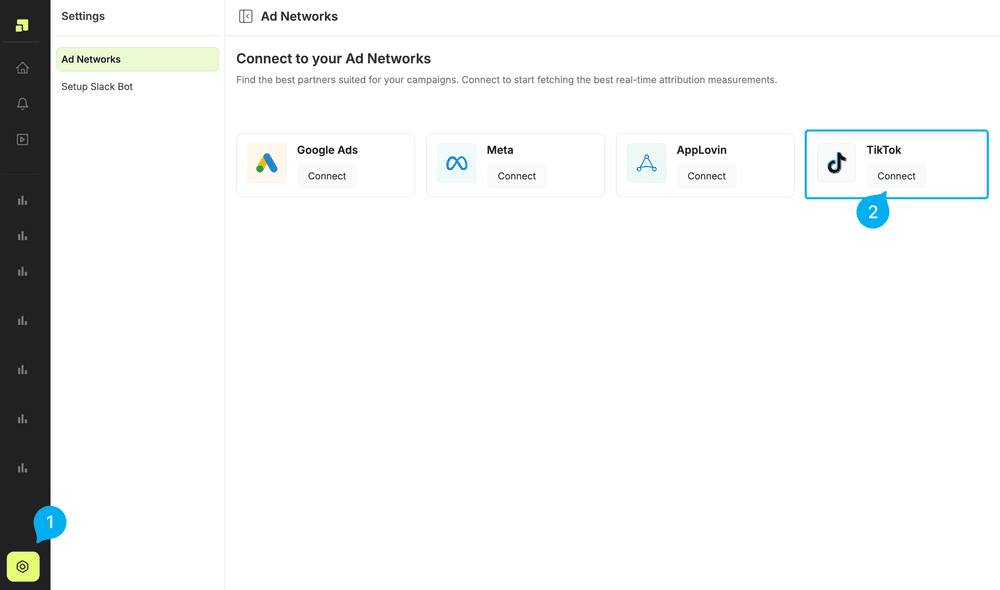
- In your Segwise dashboard, go to “Settings” > “Ad Networks”
- Click on Connect under TikTok
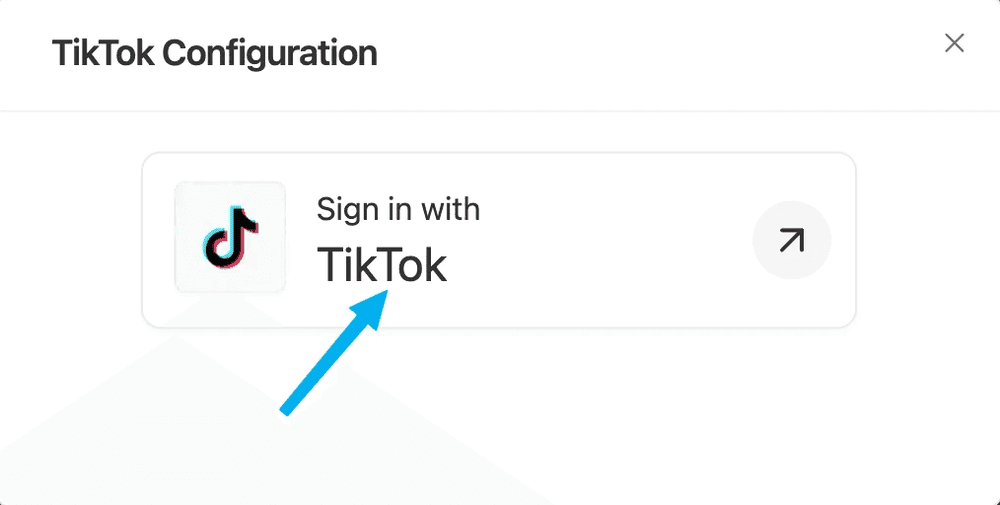
- Once the screen loads, click on the Sign in with TikTok button.
Step 2: Grant Access on TikTok
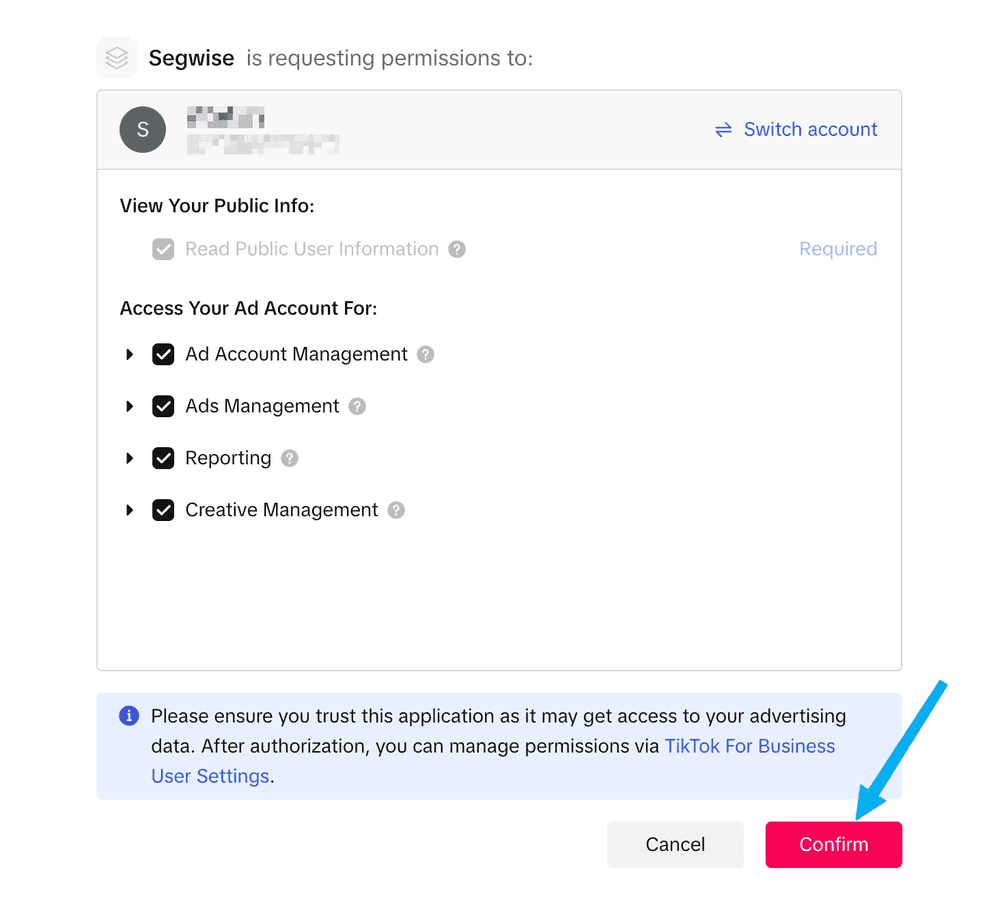
- Grant access to Segwise. We only take read-only permissions
Step 3: Choose TikTok Ad Account(s)
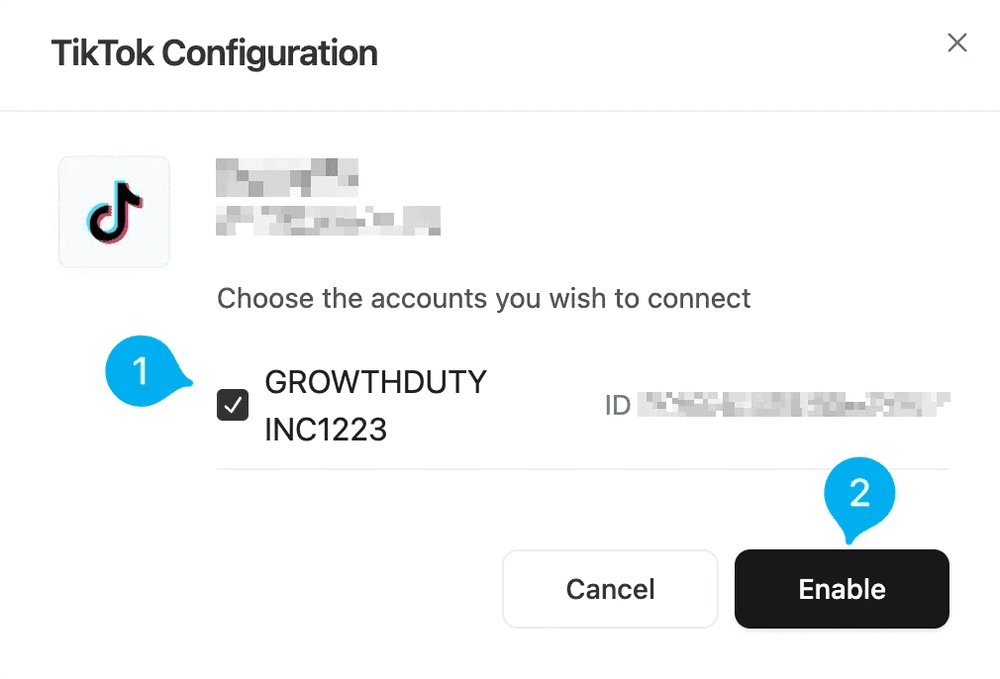
- Select all the TikTok Ad Accounts that you use to run ads for your app:
Ready to analyze your TikTok creatives?
Connect your data and let Segwise tag, analyze, and surface your winning creatives.


