
Are you tired of making bulk edits without hurting your campaigns or violating Facebook’s algorithm?
It's a common problem for UA Managers and Growth Leads. A simple change can trigger a drop in your ROAS, disrupt the learning phase, or even get your ads disapproved. One wrong move, and your ads could lose momentum, affecting your campaign’s ROAS and performance metrics. The fear of disrupting the learning phase or violating Facebook's algorithm can leave you unsure of how to scale effectively.
This blog shows you a step-by-step way to bulk-edit Facebook ads, while keeping your performance intact. You'll explore expert tips to ensure your campaign remains strong, whether you're managing mobile game ads, e-commerce, or subscription apps.
Why Bulk Editing Matters in Facebook Ads?
Bulk editing in Facebook ads refers to the process of making changes to multiple ads, ad sets, or campaigns at once, instead of editing each one individually. For UA managers and growth leads, it’s a way to save time and optimize campaigns faster.
However, without careful planning, bulk edits can disrupt your ad performance, cause fluctuations in ROAS, or even trigger Facebook's algorithm to reset the learning phase, impacting overall campaign success.
Here are a few reasons why it is a game-changer for performance marketing: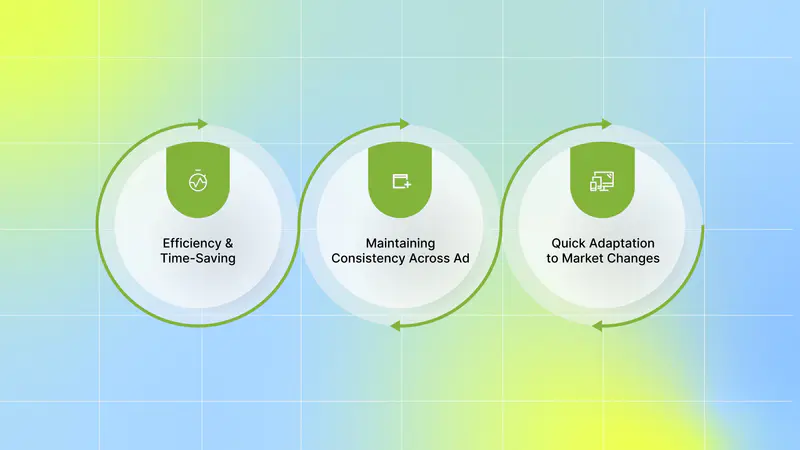
Efficiency and Time-Saving: It helps you manage your high-volume campaigns more efficiently. Instead of spending hours tweaking individual ads or ad sets, you can make changes across many ads with just a few clicks.
This means less time spent on manual work and more time focusing on strategy, testing, and scaling your campaigns.
Maintaining Consistency Across Ad: Consistency is key to any successful campaign. Bulk editing ensures that changes, whether they’re related to budget adjustments, copy updates, or targeting refinements, are applied uniformly across all ads.
This helps avoid inconsistencies that could confuse Facebook’s algorithm, preventing potential performance issues and ensuring that your campaigns stay aligned with your objectives.
Quick Adaptation to Market Changes: User acquisition doesn’t wait for changes to be made manually. If you need to shift your targeting due to market changes, bulk editing lets you do that instantly across multiple campaigns.
This agility ensures your campaigns remain relevant and responsive, especially in fast-moving industries such as mobile games and DTC e-commerce.
By utilizing bulk editing, you can optimize your campaigns faster, scale efficiently, and maintain the consistency needed to drive sustainable user acquisition.
Once you understand why bulk editing is important, the next step is to learn how to do it correctly in Facebook Ads Manager.
Also Read: Meta Ads Library vs Segwise Competitor Tracking: Creative Visibility With Performance Intelligence
How to Bulk Edit Facebook Ad Campaigns in Ads Manager
Bulk editing in Facebook Ads Manager allows you to update multiple campaigns at once without making changes individually. When done correctly, it helps you move faster while keeping performance stable.
Here are the exact steps to bulk-edit Facebook ad campaigns safely in Ads Manager.
1. Log in to your Facebook Ads Manager account.
2. From the left-hand menu, choose Campaigns.
3. Use the checkboxes to select multiple campaigns, ad sets, or ads you want to update. 
4. Select Edit at the top. A right-hand panel opens where you can edit areas such as Budget, Optimisation, and Creative for all of your ads at once. 
You can also select Edit to open a drop-down menu that lets you jump straight to the areas you want to change. You can also navigate to Campaigns, Ad sets, and Ads. You can also tick the boxes on the content you want to display and use the search bar.
5. Select Publish when you are ready.
Before making edits at scale, it’s important to know which changes are safe and which ones can impact delivery.
What You Can and Can’t Edit in Bulk
When managing your user acquisition campaigns, it is crucial to understand which changes will trigger a reset in Facebook’s delivery and performance. Not every edit will reset your performance, but some adjustments can significantly impact your results. Here's what you can and can’t safely edit in bulk.
What You Can Edit in Bulk Without Resetting Performance

Budget, Schedule, and Bid Cap: You can adjust these settings across multiple ad sets without worrying about resetting delivery. This means you can quickly scale up high-performing ads or adjust your budget to optimize results without affecting how your campaign runs.
Tracking Parameters: Fixing UTM tags, updating links, or adding campaign codes is a safe edit. These updates will help you track performance more effectively and ensure that your campaigns are organized for better reporting, without interfering with delivery or performance.
Names, Labels, and Custom Metrics: Renaming ads or adding custom labels for better organization is safe. This won’t impact how your campaigns perform, but it can make your account easier to navigate, helping you stay on top of key metrics and ad performance.
What Might Trigger a Reset
Creative Swaps: Changing the creative (like swapping out images or videos) is a major change that could reset the learning phase. If you’re testing a new creative, it’s often better to create a new ad rather than modify an existing one.
Knowing when to edit, when to duplicate, and when to launch a fresh ad requires creative-level performance insights. This is where tools like Segwise help you make that call using real data instead of guesswork.
Our AI Creative Tagging automatically identifies and tags creative elements like hook dialogs, characters, colors, and audio components across images, videos, text, and playable ads to reveal their impact on performance metrics like IPM, CTR, and ROAS. Moreover, with our tag-level performance optimization, you can instantly see which creative elements, themes, and formats drive results across all your campaigns and apps.
Copy Changes: Tweaking the headlines or descriptions in your ads could also trigger a reset. Facebook needs to relearn how the new copy performs, which could impact delivery, especially if the changes are significant.
If one ad uses a headline format that doesn’t match the rest, or if tracking parameters don’t align, Meta may treat those as separate assets. That can mess with optimization.
Audience Updates: If you change your audience targeting, such as adjusting age, location, interests, or behaviors, it could be seen as a major shift in your campaign.
This is because Facebook has already optimized your ad for the original audience, and changing it means Facebook’s algorithm will need to learn again. It’s best to be cautious with audience updates, especially when running ads at scale.
How to Stay Safe
Facebook helps you by providing warning alerts when you make changes that could impact delivery or performance history. Keep an eye on the triangle alert icon; if you see it, take caution. This icon is a clear sign that the change you’re about to make might lead to a reset in performance, potentially wasting your ad spend.
By understanding what you can and can’t safely edit in bulk, you’ll be able to scale your user acquisition efforts without the risk of upsetting your campaigns. When in doubt, make incremental changes and monitor performance closely to ensure your campaigns keep running smoothly.
Once you know what you can and can’t edit in bulk, the next step is to follow a few essential tips to avoid costly mistakes.
Tips to Follow to Avoid Common Bulk Editing Mistakes
Even small mistakes can hurt performance when you're editing ads at scale. You know that managing large campaigns requires precision. Filters, version control, and missing context can waste ad spend and disrupt your campaigns.
Here are a few tips to remember during bulk editing of your Facebook ads:
Back Up Original Data: Always export your ads before making any bulk changes. By backing up your data, you create a safety net that allows you to roll back to the original version if something goes wrong. This is especially important when making significant adjustments to multiple ads or campaigns.
Check Your Filters: Double-check that you’re editing the right group of ads. One wrong filter could lead you to change the wrong campaign, causing performance issues that might be difficult to recover from. Be meticulous about the filters you apply to ensure you're editing only what you intend.
Don’t Overwrite Top Performers: It can be tempting to tweak high-performing ads just to fix small issues like a headline or description. However, changing top performers can reset the learning phase or disrupt what’s already working. If an ad is performing well, leave it as is or create a new variant to test against it instead of modifying the original.
Track Your Variants: When running A/B tests or multiple creative versions, it’s crucial to use clear naming conventions to keep your test groups organized. This will help you quickly identify and compare performance across different ad sets. Without a proper naming system, it can be easy to mix up which creative is performing best and waste valuable time and resources.
Monitor Changes Post-Edit: After making bulk edits, it’s crucial to monitor the performance closely. Track metrics like CTR, ROAS, and conversion rates to ensure the changes didn’t negatively impact your campaigns. If you notice a decline, be ready to adjust quickly or revert to the original settings.
By following these tips, you can avoid common mistakes and keep your user acquisition campaigns running smoothly. The key is to stay organized, cautious, and data-driven, so you can scale your campaigns without risking performance.
Next, to bulk edit confidently and scale without risk, you also need to understand why data should guide every creative change.
Also Read: Implement and Optimize Facebook Ad Tools for 2025
Why Data-Driven Creative Decisions Matter in Bulk Editing
When you’re bulk editing Facebook ads, one common issue is creative mismatch. Swapping a new image or video across multiple ads may not align with the original size, placement, or audience. Even one poorly matched asset can disrupt performance across the entire batch.
This doesn’t mean creative swaps should never happen. It means they should happen intentionally. Performance data helps you decide when to launch a new ad instead of editing an existing one, and which elements are safe to iterate on without resetting learning. With clear signals, you avoid blind swaps and make changes that support how the algorithm is already optimizing.
Here’s why data-driven creative decisions matter during bulk edits:
Avoid unnecessary learning phase resets by knowing when to edit versus duplicate ads.
Protect top-performing creatives and focus edits only on underperformers.
Identify exactly which creative elements to change (hook, visual, CTA, or format).
Scale winning creative patterns confidently across campaigns.
Reduce wasted spend by cutting weak variations early and prioritizing what works.
In short, data-driven creative decisions turn bulk editing from a risky shortcut into a controlled optimization process, helping you scale user acquisition without hurting performance.
That’s why having the right platform to connect creatives with performance data makes all the difference.
How Segwise Uses Data to Guide Creative Edits
Data-driven creative decisions are essential because they allow you to make informed changes that are based on actual campaign performance, not just what seems like a good idea at the time. Without leveraging data, you risk disrupting Facebook’s algorithm, resetting the learning phase, and wasting budget on underperforming ads.
Making creative changes safely requires knowing exactly which elements are underperforming. This is where creative-level analytics platforms like Segwise help.
By integrating directly with Facebook, Segwise empowers you to make smarter decisions using creative-level performance data. Rather than editing creatives blindly, Segwise uses detailed performance data to guide your decisions, helping you optimize your ads without jeopardizing your campaign performance.
Here's how Segwise helps:
Creative Tagging: Segwise uses powerful, multi-modal AI to automatically identify and tag creative elements such as hook dialogs, characters, colors, and audio components across all types of ad images, videos, text, and playable ads.
This enables you to see how each element impacts key performance metrics like IPM, CTR, and ROAS. With this level of detail, you can understand exactly which creative components contribute to your campaign's success.
Tag-Level Creative Element Mapping: Segwise goes beyond surface-level performance tracking. It lets you see which specific creative elements are driving results. For example, you might discover patterns like "this hook dialog appears in 80% of top-performing creatives."
With complete MMP attribution integration, you get a clear, data-backed understanding of how different creative elements, themes, and formats perform across all your campaigns and apps, so you can focus on what works.
Data-Backed Creative Iteration: The platform helps you iterate on your creatives based on actual performance data from both ad networks and MMPs. This allows you to scale winning ads and avoid underperforming creatives.
With data-backed decisions, you can move away from guesswork and focus on optimizing creative elements that contribute to better ROAS, CPA, and conversion rates.
Creative Fatigue Detection: Segwise continuously monitors your creative performance and detects signs of fatigue. Automated monitoring identifies when performance metrics and spend share start to decline, allowing you to catch fatigue early.
This means you can act quickly to refresh your creatives before it starts impacting your budget allocation or overall campaign results.
Creative Intelligence-Driven Generation: Segwise also enables you to auto-generate new ad creative variations based on winning creative elements. Using the insights it gathers from your campaigns, Segwise identifies which hooks, CTAs, visual styles, and characters perform best.
In minutes, you can generate ready-to-test images and videos, making it easier to launch new variations and keep your ads fresh without the need for a large team.
Data-Backed Creative Iterations: By generating creative variations based on actual performance data, Segwise ensures that your edits are aligned with your campaign goals.
Whether you need to improve ROAS, reduce CPA, or optimize conversion rates, Segwise’s Creative Tagging and Analytics agents provide you with the data you need to confidently make the right creative decisions.
By leveraging performance data at every stage of the creative process, Segwise enables you to optimize your Facebook ads more effectively, avoid common pitfalls, and make smarter edits that drive better results, without risking your campaign performance.
Also Read: How Segwise Uses Creative Tagging to Improve Ad Results
Conclusion
Bulk editing Facebook ads can save time, improve efficiency, and ensure consistency across your campaigns. However, it also comes with risks. Blindly making changes can trigger learning phase resets, affect ROAS, or disrupt campaign performance. By using data-driven creative decisions, you can confidently edit ads, scale successful campaigns, and avoid unnecessary mistakes.
Segwise helps you make smarter creative decisions by providing data-backed insights into which creative elements are driving performance.
With Segwise’s powerful AI creative tagging and creative analytics, you can identify underperforming creatives and make impactful edits, all while protecting your ad performance. Segwise connects directly with your Facebook by going to Segwise Dashboard → Settings → Ad Networks → Connect under Meta → sign in → select your Facebook Ad Accounts.
Once integrated, segwise offer a streamlined approach to optimizing your campaigns and driving better results. Segwise is an AI-powered creative analytics platform that connects creative elements (hooks, dialogs, visuals, formats, etc.) directly to business outcomes (ROAS, CPA/CPI, LTV, IPM, conversion rates), so teams stop guessing what works and start scaling creatives with data-backed confidence. With fatigue tracking, you can catch fatigue before it impacts your budget allocation and campaign results.
So, are you ready to make smarter, data-driven creative decisions for your Facebook ads? Start your free trial and optimize your campaigns, avoid costly mistakes, and improve your user acquisition strategy!