
You deal with long reports, unclear tests, and names that all look different. That slows you down and makes it hard to see which creative truly works. A clear campaign naming convention stops that. Consistent names make it fast to filter, join, and compare creative runs across platforms, so you spend time on tests and fixes instead of cleaning data.
In the middle of the funnel, you need to pick the best creative and scale it without calling false winners. When names are unclear, test setups break, spending is misread, and you get noisy signals that hide real winners. A steady naming rule helps you spot true lifts in installs, engagement, and retention.
Keep names short, repeat the same parts in the same order, and include a fixed date style, variant ID, and a test tag. That small discipline lets you pull apples-to-apples comparisons, join creative IDs to your asset library, and feed clean inputs into any tagging or analytics pipeline. Modern creative tagging tools can automatically add granular labels, so your analysis scales.
In this blog, we'll give you short, practical rules you can use right away, ready-to-use name templates and examples, and a simple workflow to run fair tests and scale winning creatives.
What Is a Campaign Naming Convention?
A campaign naming convention is a fixed pattern you add to every campaign or ad name so anyone looking at it can understand key details right away. It makes it easier to sort, filter, and compare campaigns across platforms without stopping to decode what each one means.
This works best when you rely on short codes for the essentials channel, creative type, offer, or date. These compact labels keep names tidy, prevent sensitive information from leaking into UTM parameters, and keep your reporting clean across tools. With a consistent pattern, automated dashboards and cross-platform reports can connect your campaigns smoothly without extra cleanup.
How does this differ from tags and UTMs? Campaign names stay inside ad managers. Tags and UTMs live on your links and flow into your analytics setup. Names help you manage campaigns inside platforms; UTMs help you track user behavior, sessions, and conversions after the click. Both matter, but each plays a different role in maintaining the reliability of your data.
Why a Campaign Naming Convention Matters for Creative Analysis
When your naming stays consistent, you can understand performance more quickly and avoid confusion as your tests scale.
Here’s what that looks like:
You can filter and find campaigns within seconds.
Test setups are clearer, so results match what you intended to compare.
Anyone reviewing the account understands the structure without having to dig through old notes.
You avoid mix-ups that lead to duplicate tests or broken data.
A steady naming pattern lets automated reports group your creative results by hook, format, or offer without manual sorting. This helps you notice winning directions across channels and reduces cleanup in your warehouse or reporting tools. With clean joins and consistent text fields, spotting trends becomes much easier as your testing pace increases.
With the impact on analysis established, it helps to break down the pieces that make a name clear, compact, and easy to filter across tools.
Also Read: Top 5 Creative Reporting Tools Every Digital Agency Needs in 2025
Core Components of a Naming Convention
Your naming structure works best when each part is short, consistent, and placed in a predictable order. This keeps names readable inside ad platforms and lets dashboards and spreadsheets sort accurately.
Here are the fields to include, along with the ideal sequence for fast filtering:
Channel (short codes): Use 2–3 letter codes like FB, IG, GL, TT. Short channel codes keep names compact and make cross-platform grouping simple.
Objective (campaign goal code): Add a tight code for the goal: AW (awareness), TR (traffic), CV (conversion). Match this to the ad manager objective so automated reports can group by intent.
Geo (not mandatory): start with the short region code (e.g., US, US-CA, US-NE). Putting it at the front makes it easy to sort or search by country, state, or market without having to use tricky filters.
Audience (concise descriptor): Use short tags like Cold, Retarget, Warm, L1 (for lookalike 1%). Replace long or sensitive targeting strings with short tokens to avoid leaking details in UTMs or dashboards. Keep a shared mapping for token meanings.
Offer/Creative Type: Label the pitch or format: Discount, Playable, Demo_Carousel. Add a short seasonal tag when you need to spot limited-time winners (BlackFri, Spring).
Date/Launch: Pick one consistent date style. YYYYMMDD (e.g., 20250421) is precise. If you prefer grouping, use Q32025. Pick one and stick to it for clean sorting.
Placement: platform placement or inventory shorthand (Feed, Stories, Reels, Search, Display). This makes it easier to compare performance between placements without opening the ad level. Example: Reels or Search.
Bid / Bidding strategy: short code for the bid approach (e.g., MaxConv, tCPA, tROAS, ManualCPC). This is useful when testing bidding methods or running mixed strategies across similar campaigns. Example: tCPA.
Format: creative format and aspect ratio shorthand (Video_15s, Img_1x1, HTML5, Playable). This is helpful for creative-level performance analysis, separate from the offer. Example: Video_15s.
Creative ID/Variant: Use V1, V2, or IMG_A to mark the exact creative. This is critical for tracing A/B lineage and telling which asset produced the result.
Asset ID / Library ID: canonical asset identifier (internal library ID, DAM slug, or platform creative ID). Use this when you need a direct pointer to the master asset (helps audits and automated joins to your creative library). Make this unique per file. Example: ASSET_1234 or IMG-2025-6789.
Test Tag (optional): Label experiments: T1, CTRL, MVT1. Keep test IDs stable so reports can automatically join experiments.
Unique ID (optional): A short numeric slug (1234) helps when you sync with asset libraries or internal trackers.
Bringing these parts together, a single pattern keeps your team aligned and makes your reports easier to interpret.
Recommended Naming Template & Examples
Stick to a single canonical pattern so everyone writes names the same way.
Canonical template:
CHANNEL | GOAL | GEO | AUD_TYPE | AUD_DETAIL | OFFER_FORMAT | YYYYMMDD | PLACEMENT | BID | FORMAT | VARIANT | ASSET_ID | TESTTAG | UNIQUE_ID
Example (Full):
FB | CV | US-CA | LAL | L1_1pct | Demo_Carousel | 20250421 | Reels | tCPA | Video_15s | V2_IMG_A | ASSET_1234 | T1 | 1234
Meaning:
- FB = Facebook
- CV = Conversion goal
- US-CA = United States, California
- LAL = Lookalike audience type
- L1_1pct = Lookalike 1%
- Demo_Carousel = offer + creative type
- 20250421 = launch date (YYYYMMDD)
- Reels = placement
- tCPA = bidding strategy
- Video_15s = format + duration
- V2_IMG_A = creative variant
- ASSET_1234 = library asset id
- T1 = test tag (optional)
- 1234 = unique numeric id (optional)
Example (Short):
IG | TR | IN | Cold | Site30d | Playable | Q22025
Short variant omits placement, bid, asset ID, and optional IDs. Use the full template for reporting and the short one when speed matters.
A steady pattern like this keeps everything readable, sortable, and simple to maintain as your setup expands. With that baseline in place, you can now shape the specific parts that make ad names clear and consistent.
Essential Elements for Ad Names
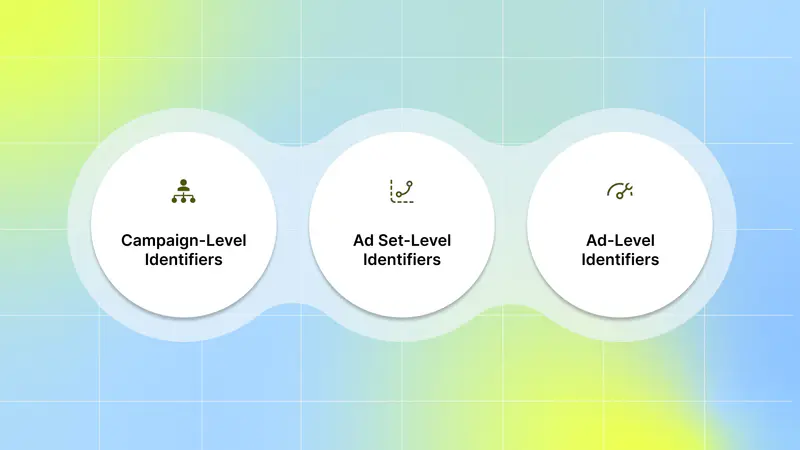
A good name carries a few key bits of information in the same order every time. Keep the order consistent across platforms so you can filter and compare quickly. Think of the name as a compact row in your reporting table: each part is a column you may want to slice by later.
1. Campaign-Level Identifiers
What to include:
CHANNEL | OBJ | AUD | OFFER_FORMAT |(optional) DATE or TESTTAG
You want the campaign name to show: where the money runs, what goal you’re chasing, who you’re reaching at a high level, and what offer or hook is used.
Why this order: Channel and objective make cross-platform and cross-goal reporting simple. The audience can offer help when you look for performance patterns across different creatives or landing pages.
Example format (read left → right):
- FB_Awareness_US_NewUsers_FreeTrial_2025Q2
- GAds_Installs_US_Warm_AprPromo
Two short naming options:
Short (compact): FB_Installs_US_Free; quick to type, easy to scan.
Detailed (full): FB_Installs_US_18-24_Cold_FreeTrial_30d_202505; better for filtering and historical review.
Use the compact version for day-to-day naming if you keep a separate sheet that expands the codes. Use the detailed version when you need one-line clarity inside large accounts.
2. Ad Set-Level Identifiers
What to include:
Specify audience, bid strategy, and budget code (if you track budgets by ad set). These are the levers you control at this level, and they meaningfully influence test design and analysis.
At this level, define who you’re reaching and how the system allocates spend. This helps you diagnose performance differences across audiences, bidding approaches, or budget tiers without clutter from variables you don’t directly manage.
Ad set naming is most helpful when it captures the core testing dimensions:
Audience type: Lookalike, remarketing, interest-based, broad, CRM segments
Audience granularity: % size for lookalikes, recency window for remarketing, age brackets
Bid approach: MaxBid, CostCap, TargetROAS, or any custom logic your team tracks
Budget grouping: Internal codes for pacing, funding source, or experimental splits
- Automation context: Use brief flags such as AdvPlus or PMax only when the campaign type automates ad-set controls.
This avoids mixing platform automation with user-controlled variables while still signaling how delivery decisions are handled.
Why this matters:
Ad set-level identifiers act as the “control panel” for performance interpretation. When structured cleanly, they let you:
Compare the same creative across different audience types
Troubleshoot under- or over-delivery
Spot efficiency differences between bid strategies
Maintain consistency across teams, brands, or regions
Run controlled experiments by adjusting one dimension at a time
Because audience and bidding have the strongest causal impact on results, they deserve priority in naming. Adding only the components that materially affect your tests keeps ad-set names readable and avoids noise.
Example formats:
- 18-24_Lookalike_1%_MaxBid
- 25-34_Engagers_CostCap_Bud05
Example formats using automation flags:
18-24_Lookalike_1%_AdvPlus_MaxBid ← Advantage+ flag
25-34_Engagers_PMax_CostCap_Bud05 ← Performance Max flag.
Short vs full option:
- Short: LKA1_MaxBid ; for speed, paired with a lookup file.
- Clear: LKA1_18-24_CostCap_B5 ; better for quick reads and debugging.
After defining the audience and bid/budget details, the ad name drills down into the exact creative you’re testing.
3. Ad-Level Identifiers
What to include:
Creative format, variant, headline/caption shorthand, asset ID, or code
This is where you pin the exact creative. Include format (V for video, S for static), a short variant tag (A/B/C), and a small caption or hook code.
When to include a creative ID vs an asset library link:
Use a creative ID (short numeric or alphanumeric code) in the ad name when you need fast lookups inside your ad platform or reporting pipeline. This works well if you sync names with your asset management system.
Use an asset library link only in your documentation or a tracking sheet; ad platforms don’t handle long links well inside ad names. Keep the name compact and put the full URL in a separate asset column in your spreadsheet or asset tool.
Example ad names and breakdowns:
V_A_A+30s_H1_ASSET123 → Video, Variant A, 30-second hook, Headline 1, Asset ID 123.
S_B_Carousel_Hook2_ASSET045 → Static carousel, Variant B, Hook 2, Asset ID 045.
How to use the asset ID:
Add the asset ID in the ad name when you need quick joins between the ad report and your creative library. If you already have a central creative tag in a project management or DAM (digital asset management) tool, reference that short tag here and keep the full URL in the DAM entry. This keeps the ad name readable while preserving traceability.
Seeing these parts in action helps you picture how the structure works across different campaign types.
Examples of Campaign Naming Conventions

Below are clear examples you can use right away, giving you both quick names and full names depending on how much detail you want to surface inside your account.
1. Prospecting (new users)
Short: FB_Installs_US_Cold_Free
Detailed: FB_Installs_US_Cold_18-24_LKA1_FreeTrial_202506
The short version works well when you expand codes in a sheet. The detailed one fits better when you want everything in one view during analysis.
2. Retargeting (people who engaged)
Short: GAds_Retarget_US_Web_30d
Detailed: GAds_Retarget_US_Web_Viewed7s_LowEngage_Offer10Off_202506
Tag the lookback window (30d, Viewed7s) so you can compare timeframes across platforms.
3. Reengagement (lapsed users)
Short: FB_Reengage_US_Lapsed
Detailed: FB_Reengage_US_Lapsed_30-90d_PushNotifPromo_T1
Calling out the lapsed range helps you match the message and bid method to the group you want to bring back.
4. Promo / Limited Time Offer
Short: IG_Promo_US_Hol30
Detailed: IG_Promo_US_Hol30_Cold_CreativeV2_20%_Ends20251231
Always add an end date or promo code in the detailed name so reporting clearly separates the promo period.
5. Cross-platform Testing (same creative across channels)
Short: XPlat_Test_V1
Detailed: FB|IG_GAds_TikTok_Test_V1_Video30s_HookA_ASSET045
Use a clear delimiter (here, a pipe |) to show this campaign spans platforms. Keep the ad-level asset ID for quick joins to your creative library.
6. Seasonal / Quarter-based
Short: FB_Installs_US_SPRING
Detailed: FB_Installs_US_SPR23_Cold_LKA2_FreeTrial_Q2_2025
Use quarter or month codes (Q2_2025, 202505) for easy sorting in reports.
By using clear lines like these, your tracking becomes easier, your reporting becomes cleaner, and your future creative tests become far simpler to repeat. When you stick to one structure, everything fits together neatly, making your next decisions feel lighter and more confident.
Having the formats is one thing; turning them into a smooth everyday process is what keeps your setup consistent.
Improve Your Naming Workflow
Start with one clear naming system and make it the default for every campaign, ad set, and creative. When names follow the same order and codes, you can split that field into columns, build pivots, and create saved filters that refresh automatically. That makes reports easier to read and cuts the time you spend cleaning data.
Step-by-step flow you can adopt now:
Agree on the structure: Fix the order and allowed values (for example: channel → goal → geo → audience type → audience detail → offer → date → placement → bid → format → variant → asset ID).
Backfill active assets: Add name fields and a human-readable decode column in one shared sheet so anyone can read short codes.
Add naming to templates: Make launch templates that generate names from dropdowns or small lookups so new campaigns follow the rule automatically.
Patch and enforce at scale: Use a tool that finds and fixes naming mismatches before the data reaches dashboards. Some platforms offer automatic name governance to return clean names to ad networks.
Build filtered views: Split the name into columns in your reports and save views for the slices you check every day (offer-by-format, audience-by-CPA, etc.).
Once the workflow is stable, automation can significantly reduce the manual effort required for creative tagging and reporting.
Segwise lets you import your creative and performance data so you don't have to rely on strict naming rules to get insights. Its multi-modal AI automatically identifies and tags elements across images, video, text, and playable ads, for example, hooks, characters, backgrounds, audio cues, and CTAs, removing the need for manual tagging.
It can extract values from your existing file names and naming conventions (nomenclature tagging), and provides 20+ standard tag categories while allowing you to add custom tags specific to your workflow. Those tags are linked to performance metrics (IPM, CTR, ROAS, CPI, etc.), so you can see which creative elements actually move results.
Segwise connects to 15+ ad networks and data sources via no-code integrations and supports enterprise security standards, giving you unified, performance-connected creative labeling without extra engineering work.
If you want, keep short names in your workflow. Segwise will build the richer, metric-linked tags behind the scenes.
How this speeds up your workflow:
Your naming rules stay simple and short. Segwise reads those names and automatically adds granular tags.
You can split name fields in a sheet or BI tool and join Segwise tags to performance metrics without manual tagging.
With automated tags and integrations, your pivot tables and dashboards update faster and require less manual work.
Once names and tags are reliable, you can move quickly from spotting a signal to confirming a winner with proper tests.
Also Read: Why Creative Tagging Matters for Mobile Game Marketers in 2025
Find Creative Winners with Clean Naming
When names and tags are in place, finding the best creative becomes routine. Use name filters to shortlist candidates, then apply fair-test rules to confirm winners.
Quick recipes to find top creatives:
Offer + Format for an audience: filter OFFER = FreeTrial and FORMAT = Video, then sort by CPA or ROAS.
Recent set only: filter DATE >= 20250601 to avoid stale results.
Audience + element: filter AUDIENCE = LKA1 AND TAG = Playable and rank by installs per mille (IPM) or ROAS.
Paste-ready examples you can use in a sheet or BI tool:
Spreadsheet filter: Offer equals "FreeTrial" AND Format equals "Video" AND Geo equals "US"
SQL for BI:SELECT creative_id, ROAS, CPA FROM ad_report WHERE offer='FreeTrial' AND format='Video' AND geo='US' ORDER BY ROAS DESC LIMIT 50;
Pivot setup: split the ad name into columns [Channel, Objective, Geo, Audience, Offer, Date, Placement, Format, Variant, Asset] then use Offer + Format as row groups and ROAS/CPA as values.
Why Segwise Makes These Steps Faster and Safer:
Segwise links creative tags directly to performance data. Its core strength is automatic, multimodal tagging at the asset level across visuals, audio, text, and playables, letting you filter elements like “hook = testimonial” or “color = blue” and instantly see performance impact across audiences and channels.
It can support naming-based tagging, too, but manual nomenclature is only helpful if teams maintain consistent structures. The real advantage comes from automated tagging, which removes the dependency on naming discipline.
With unified creative + performance data and automatic element-level tagging, you can analyze and iterate creatives in one place and generate data-backed variants without manual work. This cuts time spent on organization, reduces errors, and speeds up decisions on what to scale.
Fair-test rules to include in names:
Same objective: compare creatives only under the same campaign goal.
Comparable budgets or normalized spend: ensure spend is similar or report normalized metrics.
Identical audience definitions: audience tags in names must match exactly.
Close start dates: keep launch dates within a narrow window to avoid seasonal bias.
Naming for apples-to-apples checks:
Include test tags and dates so you can pull pairs quickly:
FB|CV|Cold|Demo_V1|20250510|T2 vs
FB|CV|Cold|Demo_V2|20250510|T2
The names show the same platform, goal, audience, and launch date, while only the variant changes. That helps you trust the comparison.
As with any structure, a few recurring issues can trip teams up if they aren’t on the lookout. Common Pitfalls to Watch For:
Winners can change over time; re-check top creatives after wider windows.
Small spend or few conversions create noisy signals; set minimum thresholds before calling a winner.
Don’t rely on a single metric; consider cost, conversion rate, ROAS, and retention together.
After you confirm a winning creative, use the same naming and tagging system to scale that creative across channels while keeping tracking and reporting clean.
Conclusion
A clear, enforced campaign naming convention turns campaign names from noisy strings into reliable data columns you can join with creative tags and performance metrics. That clarity speeds up fair tests, reduces report cleanup, and gets teams focusing on which creative elements actually move business outcomes. Make one pattern the default, backfill active campaigns, and bake naming into launch templates so analysis scales without extra manual work.
If teams still have to guess which asset or test created a signal, Segwise fixes that gap by extracting tags from your existing names (nomenclature tagging), auto-tagging images, video, text, and playable ads, and mapping those tags straight to performance.
Start a Free Trial to turn names into analytics-ready tags you can query at scale.
FAQ's
1. How do I keep names short while still allowing them to be traced across platforms?
Use compact, standard tokens (e.g., FB, CV, L1) plus a single lookup sheet that expands those tokens into full meanings; keep a short template for live use and a full template for reporting.
2. What’s the safest way to backfill old campaigns with a new naming scheme?
Run an audit to map existing patterns, then add decoded columns or tags (don’t overwrite raw historical fields) and use scripts or bulk edits to populate the new fields.
3. Can campaign names break attribution or analytics?
Names themselves won’t break attribution if you keep UTMs correct, but avoid putting Personally Identifiable Information (PII) or long targeting strings in names since those can leak into reporting. Keep names internal and short.
4. How do I enforce naming rules automatically at scale?
Use platform rules, API scripts, or a naming-governance tool to validate and normalize names on create/import so mistakes never reach dashboards. You can pair that with Segwise, which pulls in creative and performance data through no-code integrations, reads whatever naming pattern you already use, and applies consistent, performance-linked tags during import, giving you clean, analysis-ready data without strict naming enforcement.
5. How should I handle multi-country or multi-language accounts?
Standardize on short geo tokens (US, US-CA), one date format (YYYYMMDD), and a single language for codes (usually English); keep a shared decode sheet so local teams can translate when needed.