
Key Takeaways
Smart Spending: Your Facebook ads budget should match your UA goals—not random guesses. Intentional spend leads to stable CAC, stronger ROAS, and faster learning.
Signal Quality: Budgets that are too low or spread across too many ad sets weaken signal strength, slowing optimization and inflating costs.
Creative Impact: Scaling weak or fatigued creatives burns budget fast. Test first, validate performance, then allocate more to proven winners.
Optimization Flow: Use CBO, bidding strategies, geo-based allocation, and gradual scaling to keep your UA funnel stable without triggering learning resets.
Data Advantage: Platforms like Segwise provide data that help you understand which creatives, hooks, and elements drive results so you shift budget earlier, catch fatigue faster, and scale with confidence.
Ever raised your Facebook ad budget and watched ROAS tank instead of improving?
Many UA teams and advertisers increase budgets, hoping for more installs, but CAC climbs. Others cut budgets too early, accidentally killing winning campaigns. And the worst part? One wrong budget move can burn thousands, stall user growth, and kill momentum in your acquisition funnel. And when you're juggling installs, conversions, and creative testing, even a small budget mistake can undo weeks of work.
This blog shows you how to allocate your daily Facebook ad budget effectively, avoid costly mistakes, and use smart budget strategies that actually support your UA goals across mobile games, DTC brands, and subscription apps.
Why a Smart Facebook Ad Budget Is Crucial
Your Facebook ad budget is the amount you choose to spend each day to win installs, purchases, or subscriptions. It controls how often your ads enter the auction, how many users you can reach, and how quickly Meta’s algorithm learns which audiences and creatives drive performance. A smart budget isn’t about spending more; it’s about spending intentionally so you get reliable, scalable user acquisition results.
Here are the key reasons why your budget strategy matters: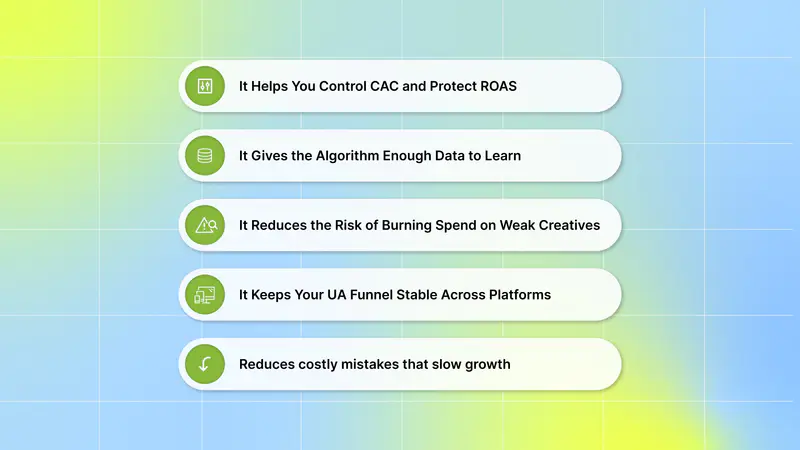
1. It Helps You Control CAC and Protect ROAS
If your daily budget is too low, Meta can’t optimize properly. If it’s too high, you pay more for the same users. Finding the right budget helps you keep CAC stable and maintain the ROAS targets your team is responsible for.
2. It Gives the Algorithm Enough Data to Learn
UA campaigns need a steady flow of impressions, clicks, and conversions to exit the learning phase. A strategic budget ensures the algorithm receives enough signals to deliver to users who actually convert, not to random clicks that waste spend.
3. It Reduces the Risk of Burning Spend on Weak Creatives
When your budget is poorly allocated, fatigued creatives keep running, and strong creatives don’t get enough spend. A smart budget helps you allocate money to the ads that attract high-quality users.
Once you integrate your Facebook ad accounts to Segwise, the platform analyzes creative performance and highlights early signs of fatigue, making it easier to stop overspending on weak ads and shift budget to stronger performers.
With tag-level performance optimization, you can instantly see which creative elements, themes, and formats drive results across your campaigns and apps. Moreover, with fatigue tracking, you can also set custom fatigue criteria and monitor creative performance across Facebook, Google, TikTok, and other major ad networks, helping you catch fatigue early before it impacts your ROAS.
4. It Keeps Your UA Funnel Stable Across Platforms
Your Facebook budget impacts how your campaigns perform across all acquisition channels. A stable budget helps you maintain consistent installs, purchases, and subscriptions instead of sudden spikes or drops.
5. It Helps You Avoid Costly Mistakes That Slow Down Growth
Without a clear budget strategy, you might increase spending too fast, pause winning campaigns too early, or spread your budget too thin across ad sets. Each mistake slows down learning and delays your growth goals.
Before deciding how much to spend each day, it’s essential to look at the factors that influence cost and overall performance.
Also Read: How to Optimize UA Budget Allocation In Mobile Advertising in 2025
Factors to Consider Before Setting a Daily Budget
Before you decide how much to spend each day, you need a clear understanding of what you want your campaigns to achieve and how Facebook will use your budget to reach the right users. Your goals, audience size, and creative strategy all shape how much budget you need to get stable, scalable UA results.
Here are the key factors to think about before you set your daily budget:
1. Campaign Objective
You need to be clear about your goal before choosing a daily budget. Are you trying to drive installs for a mobile game, generate first purchases for a DTC brand, or push trial sign-ups for a subscription app? Your objective decides how aggressively Facebook should spend and how much budget you need for consistent results.
2. Target Audience Size & Quality
Your daily budget must match the audience you're trying to reach. If your audience is too broad, your budget may be spread thin. If it's too narrow, your costs may rise quickly. When you understand age, interests, behavior, platform usage, and intent, you can choose a budget that helps Facebook find the users most likely to convert.
3. Geographic Location
Different regions come with different CPM and CPI levels. If you target Tier-1 countries like the US, UK, or Canada, you should expect higher costs and plan a bigger daily budget. If your UA strategy includes multiple geos, you may need separate budgets for each region to avoid overspending in cheaper geos and underspending in priority markets.
4. Ad Placement
Facebook offers placements like Feed, Reels, Stories, and Audience Network. Each placement has different costs and conversion patterns. For example, Stories and Reels often give cheaper impressions, while Feed placements may bring more qualified conversions. Your daily budget should reflect where you expect the best user acquisition results.
5. Ad Format
Facebook offers various ad formats, such as images, videos, carousels, and collection Facebook ads. Each ad format has different costs and potential reach, so it's essential to choose the right format for your ad campaign.
6. Bidding Strategy
Your bidding strategy will impact your daily budget. Facebook offers two primary bidding strategies: cost per click (CPC) and cost per impression (CPM). Understanding which bidding strategy is best for your campaign will help you set your daily budget more effectively.
The next step is understanding how Facebook actually spends that budget.
How Facebook Daily Budgets Work
When you set a daily budget, you’re telling Facebook how much you want to spend on average each day. Facebook may spend more on days when your audience is active and conversions are cheaper, and spend less when performance is weaker. The goal is to use your budget efficiently throughout the week so your results remain stable.
And if you have turned on ad set budget sharing, which allows up to 20% of your daily budget to be shared with other ad sets, you may spend up to 75% more than the total of your daily budget plus the maximum shared budget per day. Your charges will average out over a calendar week (Sunday to Saturday). That means that for every week, ending Saturday at midnight, you won't spend more than seven times your daily budget.
For example,
If your daily budget is $100, Facebook may spend up to $175 on high-opportunity days. If ad set budget sharing is enabled, the spend may increase to $210. On slower days, it may spend much less than $100. But across the full week, your total spend will not go over $700 (or $840 if budget sharing is enabled).
Now, it’s time to apply strategies that turn that knowledge into better performance.
Strategies to Allocate Facebook Ads Budget
To get the best results from your Facebook spend, you need a smart allocation strategy that supports learning, protects ROAS, and helps you scale without wasting money. Your budget should flow toward the audiences, creatives, and funnel stages that deliver the highest-quality users.
Here are the strategies you can use to allocate your Facebook ad budget more effectively:
1. Allocate More Budget to High-Intent Campaign Objectives
Conversion-focused objectives such as installs, purchases, or trial sign-ups typically require larger budgets because Facebook requires more data to optimize. If you underfund these campaigns, the algorithm won’t learn fast enough, and your costs will rise. Give these objectives priority when allocating spend.
2. Split Budgets Based on Funnel Stage
Your top-of-funnel ads (awareness, broad testing) can run on smaller budgets, while retargeting and bottom-funnel campaigns need higher budgets to convert warm users.
This helps you control CAC and maintain a balanced acquisition pipeline. For DTC brands, this structure ensures you don’t overspend on cold traffic while ignoring users already close to converting.
3. Test Creatives Before Scaling
Don’t scale a creative before proving it works. Start by testing several hooks, formats, and concepts on small budgets. Once a creative shows stable performance and low CAC/CPI, then move more budget into it. This helps you avoid putting large budgets into ads that can’t scale.
If you want a platform that integrates with your Facebook ad accounts and automatically analyzes which creatives, hooks, and elements drive performance, Segwise helps you validate winning concepts.
Segwise is an AI-powered creative analytics and generation platform that helps UA and performance marketing teams understand which creative elements drive performance, when creatives start fatiguing, and where budgets should shift before results drop.
Our powerful AI creative tagging automatically identifies and tags creative elements such as hook dialogs, characters, colors, and audio components across images, videos, text, and playable ads, revealing their impact on performance metrics like IPM, CTR, and ROAS. So teams stop guessing what works and start scaling creatives with data-backed confidence.
4. Use CBO for Multi-Audience Campaigns
When running multiple audiences or creative variations, let Campaign Budget Optimization (CBO) distribute your budget. Facebook automatically pushes more spend to the best performers and reduces spend on weak ones. This saves you time and keeps your budget focused on what actually converts.
5. Set Minimum and Maximum Spend for Ad Sets
To prevent Facebook from overspending on the wrong ad set, use spend limits. Set a minimum budget for testing new creatives and a maximum budget for experimental segments. This keeps your campaign balanced and avoids sudden spikes in spend that can hurt performance.
6. Reallocate Spend When Fatigue or Costs Increase
When your frequency rises, or your CPA starts climbing, it’s a sign that your creative is fatiguing or your audience is exhausted. Instead of letting the campaign burn through your budget, shift spend toward fresher creatives or new audience segments. This keeps your UA costs stable and prevents sudden performance drops.
7. Allocate More Budget to Your Best Geos
If certain countries or regions deliver cheaper installs or higher LTV, allocate more of your daily budget to them. Tier-1 geos may cost more but often bring higher value, while Tier-2 or Tier-3 may deliver volume. Adjust your budget to pay for both efficiency and quality, depending on your UA goals.
With these strategies in mind, here’s how to set your Facebook ads budget the right way.
How to Set Your Daily Facebook Ads Budget
Mastering your Facebook ad budget is key to running profitable UA campaigns. In Ads Manager, you can control how much you spend, how Facebook distributes your budget, and how fast the algorithm learns what works.
Here’s the step-by-step process to set your daily budget:
Step 1: Define your campaign goals
Before setting a budget, decide what you want your campaign to achieve. Your goal determines how much you spend and how Facebook optimizes your delivery. Facebook offers the following campaign objectives to choose from:
Awareness.
Traffic.
Engagement.
Leads.
App Promotion.
Sales.
Step 2: Set Up Your Target Audience
Your audience controls your cost. This means you can set the location where you want to show your ads, the age range of your audience, and other specifics you want to include. These options are found under ‘Audience controls‘ and ‘Advantage+ audience‘ in the ‘Ad set‘ section.
Step 3: Enable campaign budget optimization
Turn on Advantage Campaign Budget to let Facebook automatically shift your budget toward the best-performing ad sets.
Step 3: Choose your budget type
You can choose between a Daily Budget or a Lifetime Budget depending on your UA needs:
Daily budget: A daily budget is the average amount you want to spend per day. Facebook may spend slightly more on strong days and less on slower days, but your weekly total won’t exceed 7× your daily amount. Use this for always-on UA campaigns that require stable daily volume.
Lifetime budget: A lifetime budget is the total amount you want to spend for the full duration of the campaign. Facebook distributes your spend over your schedule, but you may spend more on high-performing days. Use this for short promotions, seasonal sales, or fixed-duration campaigns.
Step 5: Select Your Bidding Strategy
Your bidding strategy tells Facebook how to spend your budget and what type of users to prioritize. Choosing the right bid method helps you control costs, protect ROAS, and reach users most likely to convert.
Highest Volume: The ‘Highest volume‘ strategy gets you as many results as possible within your budget. Facebook automatically bids to maximize the number of actions (e.g., views or conversions) your ads generate. This option focuses on volume over cost-efficiency. This technique is beneficial for campaigns where the main goal is reach or engagement.
Cost Per Result (CPR) Goal: With this method, you set a target cost for each desired outcome, such as a website click or app install. Facebook works to achieve that goal while staying within that cost target. This strategy helps you balance cost-efficiency with performance. Use this if you have a specific cost per action in mind and want to control your spending.
ROAS Goal: The ‘ROAS goal‘ technique is focused on getting the best return for your investment. You set a target revenue you want to generate for every dollar spent on ads. Then, Facebook will prioritize actions that are most likely to generate the earnings you expect. This strategy is ideal for eCommerce campaigns or any campaign focused on ROI.
Bid Cap: This approach gives you full control over the maximum amount you’re willing to pay for each ad. You set a cap for your bids, and Facebook will try to stay within that limit to get you the most results possible. Use this if you want to make sure you’re not overpaying for ad placements.
Step 6: Test Performance and Scale Your Budget Slowly
After your campaign goes live, begin your A/B test with a small budget to test various elements of your campaign. Run A/B tests consistently to refine your ad strategies and ensure you’re always optimizing for the best performance.
Track your key metrics daily so you can spot what’s working and what’s wasting spend. When you find a winning ad set, increase your budget gradually to keep performance stable and avoid resetting the learning phase.
But even well-planned budgets can fail if you overlook a few common issues that derail optimization.
Common Budget Mistakes Teams Should Avoid

Even with a proper budget plan, small errors in setup or scaling can hurt your UA performance fast. By avoiding them early, you protect your ROAS and keep your acquisition funnel growing smoothly.
Here are the most common budget mistakes you should avoid:
1. Increasing Budgets Too Quickly: Scaling your budget too fast resets the learning phase and makes your costs spike. Instead of doubling budgets overnight, increase slowly so Facebook can adjust without hurting performance.
2. Spreading Budget Across Too Many Ad Sets: Running too many ad sets with small budgets weakens signal quality. Facebook struggles to learn, and none of your ad sets get enough data to optimize properly. Instead, consolidate your ad sets so each one receives enough budget to generate meaningful signals.
3. Scaling Weak Creatives or Audiences: If a creative or audience hasn’t proven stable performance, scaling will only make your costs worse. Always validate performance before increasing spend.
4. Not Setting Spend Limits in CBO Campaigns: Without minimum or maximum spend limits, CBO may push too much budget toward a single ad set. Proper limits protect your spending and keep your campaign balanced.
5. Ignoring Creative Fatigue and Rising Frequency: When your frequency increases and your CPA starts climbing, it's a clear sign that your creative is wearing out. Rotate new creatives regularly to keep performance stable. By integrating with Segwise, you can catch fatigue before it impacts your budget allocation and campaign results.
Also Read: Using Cost Caps to Find Winning Ads and Optimize ROI in 2025
Conclusion
Allocating your Facebook ad budget effectively is one of the most important skills for stable, scalable user acquisition. By choosing the right objectives, understanding audience costs, setting realistic budgets, using CBO smartly, and scaling slowly, you can avoid performance spikes and wasted spend. A clear budget strategy protects ROAS across campaigns.
If you’re looking for an AI-powered platform that integrates with Facebook to collect data and reveal which elements drive results, Segwise is built for you.
Segwise offers direct integration with Meta (Facebook). Just go to Dashboard → Settings → Ad Networks → Connect under Meta. From there, sign in, select your Pages, Businesses, and Facebook Ad Accounts, and enable them for full creative analysis across your campaigns.
By gathering insights from Facebook, Segwise helps you spot winning creatives faster, detect fatigue early, and understand exactly which elements influence ROAS, allowing you to scale your budget with clarity. Segwise delivers creative analytics and performance marketing insights across Facebook and all major ad networks to help you scale winning ads and cut budget-wasting losers.
With data-backed creative iteration, you make creative decisions based on real performance data from both ad networks and MMPs, allowing you to scale winners confidently and avoid ineffective concepts. With fatigue detection, you can catch performance decline before it impacts budget allocation and campaign results.
So, are you ready to eliminate wasted spend and double down on winning campaigns? Start your free trial and unlock AI-powered creative and performance insights!
FAQs
1. What’s a good rule of thumb for testing new creatives?
Allocate a portion of your total budget (e.g., 10–20%) to test new creative concepts before scaling them, ensuring you don’t spend large amounts on unproven assets.
2. What’s the ideal budget to start with for Facebook ads?
There’s no one-size-fits-all number, but many advertisers start with at least a modest daily spend ($5–$20+) to give Facebook enough data to optimize without overspending.
3. How does audience size impact my budget needs?
Larger audiences require more budget to collect enough impressions and conversions for the algorithm to optimize effectively, while very small audiences might cost more per action if the budget isn’t paced well.