
Ever wondered why your Google Ads performance suddenly drops even though your budget, bids, and creatives haven’t changed?
That silent dip often isn’t a market shift; it’s your own campaigns competing against each other. When multiple ads fight for the same keyword, they cannibalize each other, steal impressions, and drain budget, and your best campaigns get buried before they ever get a fair chance to scale. This internal fight can quietly destroy your UA efficiency before you even catch it.
This blog shows you how to identify, fix, and prevent keyword cannibalization in Google Ads so your campaigns stop competing internally and start scaling cleanly across your mobile game, DTC brand, subscription app, or agency portfolio.
What Is Keyword Cannibalization in Google Ads?
Keyword cannibalization happens when two or more of your own campaigns or ad groups compete for the same keyword, causing Google to choose between your ads in every auction. Thai cause your ads end up bidding against each other.
For a UA team, this means wasted spend, confused signals, and fewer installs or purchases, even when your creatives and targeting are strong.
Knowing what keyword cannibalization is makes it easier to identify the symptoms.
Signs to Look For
When your Google Ads start competing with each other, the symptoms usually show up before you notice the real cause. If your numbers feel unstable even though nothing changed in your strategy, keyword cannibalization may be the reason.
Here are the signs to watch for:
Sudden CPC spikes without any bidding changes.
Fluctuating keyword positions across campaigns.
Search terms triggering multiple ad groups at the same time.
Strong ads are losing impression share for no clear reason.
Higher spend but fewer installs, purchases, or subscriptions.
Inconsistent results during creative tests or scaling phases.
Once you recognize the warning signs, the next step is understanding the different types.
Also Read: How to Use Google Ads Lookalike Audiences to Reach High-Intent Users
Types of Keyword Cannibalization in Google Ads
Keyword cannibalization can appear in different ways inside your Google Ads account, and each type affects your UA performance differently. When you understand these patterns, you can quickly spot where your budget is leaking and address the issue before your best campaigns lose momentum.
Here are the types you should watch for: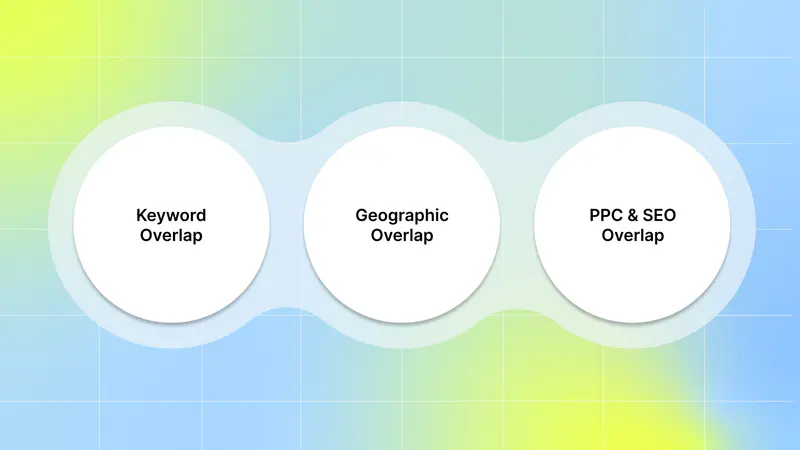
1. Keyword Overlap
Keyword overlap happens when multiple campaigns or ad groups target the same or very similar keywords. This splits impressions, confuses Google’s auction system, and forces your ads to compete with one another rather than with your competitors. As a UA manager, this means unstable CPCs, mixed signals during creative testing, and wasted spend across your portfolio.
For example,
If you’re a DTC skincare brand, and you target “vitamin C serum” in both:
A broad prospecting campaign, and
A product-specific campaign for your hero serum.
Both campaigns will enter the same auction. Google will rotate your ads unpredictably, making it hard for you to control spend or measure creative performance. This results in mixed signals, wasted budget, and inaccurate creative testing.
2. Geographic Overlap
Geographic overlap happens when different campaigns target the same locations, which is common if you're running broad UA campaigns or managing multiple regions for different products, games, or clients. This leads to:
Campaigns are battling each other in the auction.
Confusing performance metrics.
Wasted regional budget.
Mixed location-specific messaging.
For example,
If you’re a mobile game UA manager, and you run:
One campaign targeting New York City, and
Another national campaign targeting the United States.
Both campaigns will compete for users searching or browsing in NYC. So instead of one strong campaign winning cleanly, your account pays twice to fight itself for the same audience.
3. PPC and SEO Overlap
PPC and SEO overlap happens when your paid ads compete with your organic rankings for the same high-intent keywords. For UA teams, this doesn’t just affect spend; it also affects how your creatives perform. When both paid and organic listings appear for the same keyword, Google can show users mixed messages, especially if your ad creative highlights a different offer, feature, or value prop than your organic result.
For example,
If you’re a subscription app, and your brand keyword (e.g., “Calm sleep app”) already ranks in the top 1–2 positions organically, running ads on that same keyword can cause your paid and organic listings to appear together.
If your paid ad highlights a different offer (“Get 40% off annual plans”) while your organic result uses a different message (“Improve your sleep in 7 days”), users get mixed signals. This reduces CTR, increases clicks that may have come for free, and complicates your creative testing.
Once you understand the types, you can start applying the right solutions to prevent them.
Strategies and Tools to Avoid Keyword Cannibalization
These strategies help you control how Google matches your keywords, how your creatives appear, and how your UA budget scales across campaigns. Each one removes internal competition so your strongest campaigns get the visibility they deserve.
Here are the most effective approaches:
1. Use Negative Keywords to Control Traffic Flow
Negative keywords are one of the most effective ways to prevent your campaigns from bidding on the same queries. By blocking certain keywords in lower-priority campaigns, you let your main acquisition campaigns own the high-intent traffic. This gives you cleaner data, stronger creative insights, and more efficient spend.
For example,
If you're running a DTC beauty brand and you want your “retinol serum” product campaign to own that keyword, add “retinol serum” as a negative in your broad skincare campaign. This ensures only your best product page and creatives compete in that auction, not your generic ads.
2. Refine Your Match Types to Manage Triggered Queries
Match types determine how tightly your keywords match user searches. Broad match often triggers too many overlapping queries, while phrase and exact match give you better control. By assigning specific match types to specific campaigns, you decide where each search goes instead of letting Google decide for you.
For example,
If you run a meditation app, keep "meditation app" as an exact match in your main conversion campaign. Use phrase match, such as "best meditation app," in your discovery or creative testing campaign. This ensures both campaigns don’t trigger for the same search query and compete internally.
3. Set Exclusive Geographic Targets Across Campaigns
Overlapping locations cause campaigns to fight for the same users in the same region. When each campaign has its own location boundaries, you avoid internal bidding issues and ensure your messages stay relevant to the region. This is especially important for multi-country scaling or agency client management.
For example,
If one campaign targets Canada, make sure the global campaign excludes Canada. This prevents the two campaigns from competing in the same auction when Canadian users search for your target keywords.
4. Align PPC With Organic Rankings and Your Creative Strategy
When your organic rankings already dominate certain keywords, you don’t need paid ads competing for the same traffic. Also, if your organic content already heavily features a specific creative angle, repeating it in your paid search ads wastes an opportunity to test new ideas. Let PPC focus on new keywords and new creative messages that drive incremental growth.
For example,
If your organic blog already ranks high for “best vitamin C serum” use your Google Ads budget on keywords like “brightening serum for dark spots” or competitor product names. And instead of repeating your organic headline, test new angles like “Fades Hyperpigmentation in 7 Days” or “Dermatologist-Approved Formula.”
5. Automated Keyword Overlap Analysis
Automated overlap analysis tools help you detect keyword conflicts before they drain your budget. These tools scan your campaigns, find duplicate or competing keywords, and show you where your ads are entering the same auction. This gives you visibility into conflicts you might miss during manual checks, especially when managing large volumes of creatives and campaigns.
For example,
If you're managing five clients and each has hundreds of keywords, automated overlap tools can instantly flag when two campaigns, like a prospecting campaign and a retargeting campaign, are bidding on the same search terms. This helps you fix issues before they inflate CPCs or distort your performance reporting.
6. Predictive Modeling
Predictive modeling helps you estimate which campaigns are likely to overlap before you even launch them. By simulating how new keywords, match types, or creatives might perform, you can identify potential conflicts early. This is especially useful when you test new concepts or scale aggressively during peak seasons.
For example,
If your predictive model shows that adding “holiday skincare gift set” in a new campaign will overlap with your evergreen “skincare gift” keywords, you can adjust your structure before launch. This ensures your holiday traffic flows to the right campaign and prevents your ad CPCs from spiking due to internal competition.
7. Dynamic Campaign Optimization
Dynamic optimization systems adjust bids and budgets based on near-real-time performance signals. When these systems detect internal competition, they automatically shift spend toward the campaigns performing best for that keyword. This reduces impression splitting and keeps your UA strategy efficient as conditions change.
For example,
If both your “Free Trial” campaign and your “Paid Upgrade” campaign start triggering for the keyword “best meditation app,” dynamic optimization can automatically shift budget toward the campaign driving lower trial-to-paid conversion costs, preventing both from competing for the same user.
To fix the issue at its root, you need to identify the specific areas where internal competition occurs.
Also Read: Google Play Privacy Sandbox Implementation and Measurement Guide
How to Diagnose Google Ads Keyword Cannibalization
Before you fix keyword cannibalization, you need to spot where it’s hiding inside your account. Most UA teams notice the impact on their results long before they see the cause. Here are ways that help you find the exact places where your ads are competing with each other:
1. Utilize the Google Ads Search Terms Report
Think of the Search Terms Report as your investigation tool for spotting internal competition. It shows you the exact queries that triggered your ads and whether those queries were matched by multiple campaigns or ad groups. Here’s how to use it:
Go to Keywords in your Google Ads account.
Click Search terms to open the report.
Look for search queries that trigger ads from more than one campaign or ad group.
Pay special attention to high-volume or high-cost terms showing up across different account sections.
To dig even deeper, export the report. Sort by search term to quickly see which queries appear across different campaigns. This helps you identify moments when your DTC product ads waste budget by bidding against themselves.
2. Analyze Performance Metrics
Unexpected shifts in your metrics are often early signs of cannibalization. Watch for:
Sharp CPC increases.
Drops in CTR.
Lower conversion rates.
Fluctuating impression share.
If these changes appear right after launching a new campaign, adding keywords, or starting creative tests, there’s a good chance your campaigns are overlapping. Set up custom alerts in Google Ads so you're notified the moment something unusual happens. This lets you react fast before your UA efficiency takes a major hit.
3. Use Third-Party Tools for Cross-Channel Analysis
Tools like SEMrush and Ahrefs help you see whether your paid and organic traffic are fighting each other, especially for branded or high-intent keywords. These tools make it easier to understand where your paid strategy might be duplicating your strong organic presence.
Here’s how to use them:
Enter your domain into the tool.
Check where your paid and organic keywords overlap.
Identify keywords where you’re paying for traffic you already rank well for.
To get even more value, create custom o reports. These highlight the keywords where you should reduce spend, redirect budget, or switch to new creative angles.
The next step is strengthening the best practices that keep your campaigns clean and scalable.
Best Practices for Performance Marketers
When you manage fast-moving UA campaigns, preventing keyword cannibalization isn't a one-time fix; it's an ongoing habit. Strong best practices keep your account clean, your CPC stable, and your creative tests accurate.
Here are the practices you should follow consistently:
1. Review Your Search Terms Weekly: Check which queries are triggering multiple campaigns. This helps you catch overlap early, especially when you’re testing new creatives or launching seasonal campaigns.
2. Keep a Clean, Non-Overlapping Keyword Map: Document which campaign owns which keywords. This prevents your team from accidentally duplicating terms across new ad groups or experiments.
3. Separate Creative Testing From Scaling Campaigns: When new creatives mix with proven ones, Google may shift traffic unpredictably. Keep your creative tests in their own campaign to keep your scaling efforts stable.
4. Refresh Negative Keywords Regularly: Every time you launch a new campaign, add or update negatives. This ensures your campaigns don’t steal impressions from each other.
5. Track CPC and Impression Share Closely: If either metric changes suddenly, it may signal internal competition. Early detection saves budget and keeps your top campaigns healthy.
6. Centralize Creative and Keyword Insights: Keep all creative learnings, hooks, winning keywords, and performance notes in one place. This helps your team stay aligned across markets, channels, and campaign types.
7. Monitor and Adjust for Seasonal Trends: Seasonal spikes can intensify keyword overlap. Review performance ahead of peak periods like holidays or launches, and restructure or apply exclusions 2–3 weeks before high-traffic times. This helps you keep control when auctions get more competitive.
8. Incorporate AI-Powered Optimization: AI tools and Smart Bidding can help you detect and reduce keyword conflicts automatically. Start small with automated bidding strategies like Target CPA or Max Conversions, then expand once you trust the results and understand how AI distributes traffic across campaigns.
Conclusion
Keyword cannibalization can quietly drain your ad budget, limit your scale, and distort your learnings without you realizing it. By understanding the signs, identifying the different types of overlap, and using structured strategies across keywords, geos, and creatives, you can regain control of your campaigns. With the right habits in place, your campaigns stay aligned, predictable, and efficient no matter how fast you’re growing.
But reducing keyword cannibalization is only half the story. To truly improve your UA results, you also need complete visibility into which creatives drive ROAS. That’s where an AI-powered platform like Segwise comes in. With its AI creative tagging and creative analytics, you can finally understand which hooks, visuals, dialogs, and concepts actually drive ROAS across your entire funnel.
Our AI creative tagging automatically organizes images, videos, text, and playable ads to reveal which creative elements impact performance. Moreover, with tag-level performance optimization, you instantly see which themes, formats, and creative patterns deliver results across all your campaigns.
So, if you want to see how creative insights can transform your UA result, start your free trial now!
FAQs
1. Can keyword cannibalization affect Quality Score?
Indirectly, if internal competition lowers CTR or relevance, Quality Scores can drop, leading to higher CPCs and poorer ad performance. (General PPC principle reflected across PPC community discussions, e.g., cannibalization effects on auction dynamics.)
2. Is cannibalization more significant for branded terms?
Often, yes, because branded keywords may already be winning organically or have high search intent, making paid-paid or paid-organic overlap costly without incremental value.
3. Do automated bidding strategies help prevent keyword cannibalization?
They can help by adjusting bids dynamically and reducing internal competition, but you still need structure, negative keywords, and clear campaign boundaries for the best results.