
Why do your Google Ads keep spending thousands, but your conversions stay flat?
Most growth and user acquisition teams fall into the trap of showing ads to “similar” users who never convert. The result? Wasted budget, dropping ROAS, and a creative strategy that feels like guesswork. Every click looks promising until you realize you’ve been chasing low-intent audiences that were never going to buy, install, or subscribe in the first place.
This blog will show you exactly how to use Google Ads lookalike audiences to fix that. Here, you’ll learn how to create google lookalike audiences from your top-performing users, build high-intent lookalikes, and scale campaigns that drive consistent growth.
What Is Google Ads Lookalike Audience?
A Google Ads Lookalike Audience is a group of new users who share similar traits and behaviors with your best-performing customers or players. It helps Google identify people who are most likely to engage and take action, expanding your reach to high-intent users without wasting ad spend. In short, it’s Google’s way of turning your top user data into a growth engine for better performance and scale.
For you, this means aligning your creative strategy with what already works. Here are a few reasons they matter:
By focusing on users who share traits with your top converters, you can make every dollar count and drive stronger campaign results.
This precision targeting increases your ROAS and ensures your ads reach the right people at the right time, users most likely to take action.
When you show your top-performing creatives to audiences modeled after your best users, you get faster feedback on what works and can double down on winning hooks and visuals.
Now that you know what a Google Ads lookalike audience is, it’s important to understand how it stands apart from other targeting methods.
Also Read: Google Ads Benchmarks: What You Need To Know
How do Lookalike Segments Differ From Other Targeting Options?
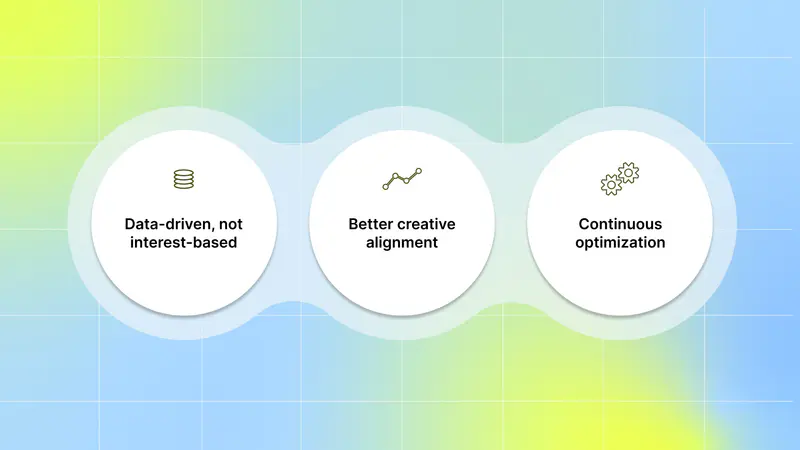
Most marketers rely on standard targeting methods such as demographic targeting, interest-based audiences, or custom intent segments, but these often depend on assumptions rather than real user behavior. Instead of guessing who might engage, lookalike audience uses your own first-party data to find people most likely to convert.
This means your winning ad concepts are shown to users who respond to them, improving performance without extra testing. Here are the key differences that make lookalike segments more effective for user acquisition:
Data-driven, not interest-based: Targets users most likely to take action, not just those browsing or exploring.
Better creative alignment: Lets you reuse visuals, hooks, and messages from top-performing ads that already resonate with similar audiences.
Continuous optimization: Google refines these segments as user behavior evolves, helping you grow sustainably while maintaining quality and intent.
With the Segwise Creative Analytics feature, you can analyze performance at the tag level to reveal which specific creative elements, such as hook dialogs, visuals, or characters, are consistently driving ROAS. Segwise brings all your Google Ads data into one place, so you can scale winning creative strategies with clarity and confidence.
Once you know why lookalike segments outperform other targeting methods, the next step is setting them up the right way to capture high-intent users.
How to Create Lookalike Audiences for Your Google Ads
The process starts with your first-party data and ends with ads that reach high-intent users at scale. For the best results, you should also use creatives that already perform well for that audience segment, so your ads instantly connect with similar users.
Here are the key steps to create lookalike audiences for your campaigns:
Access the Audience Manager: First, sign in to your Google Ads account and make sure you have the right permissions to manage audiences.
Start a Demand Gen campaign in Google Ads: lookalike segments are created within campaign settings when you build audiences.
Add an audience at the ad group level: Navigate to the "Audiences" section within your ad group settings.
Click “New Audience” in the Audience dialog box.
Select "Lookalike Segment" (or click in the "Add or create Lookalike segment" search box).
Name your Lookalike segment with a descriptive name for easy tracking and reporting.
Select one or more seed lists: choose audiences made up of your top converters (e.g., high-LTV players, frequent buyers, engaged subscribers).
Choose the target locations where you want Google to find similar users (e.g., the United States, Canada).
Pick a similarity level:
Narrow for the closest match to your seed list
Balanced for a mix of similarity and reach
Broad for a larger reach but slightly lower similarity
Save the segment and launch your campaign: give Google a couple of days to populate and optimize the lookalike audience before performance fully stabilizes.
By following these steps, you give Google the best first-party signals and pair them with creatives that already resonate with similar users, making your campaigns more efficient and impactful in reaching high-intent converters.
Once your lookalike audiences are set up, the next step is how you use and refine them to reach users with clear intent.
Key Strategies to Target High-Intent Users With Lookalikes
Building a lookalike audience is only half the job; the real results come when you align those segments with the right creative strategy. When you optimize both, your campaigns attract users who look like your best converters and respond to the same creative cues that made those ads perform in the first place.
Here are the top 5 strategies to make your lookalike segments perform better:

1. Start with a High-Quality Seed Audience
Your lookalike’s accuracy depends on the quality of your seed list. Use data from your highest-value users, players who keep playing, buyers who repurchase, or subscribers who renew. This helps Google find new people who mirror their intent and engagement patterns.
Use ad creatives that initially attracted these top users; similar audiences will respond well to the same visuals, hooks, or product angles.
2. Match Creatives to Audience Behavior
Each lookalike audience behaves differently. A DTC shopper may respond to lifestyle visuals and product demos, while mobile gamers might engage more with gameplay footage or rewards-based messaging.
Align your ad visuals, storylines, and CTAs with the behaviors and motivations of each segment. For instance, show “win moments” or “progress visuals” for gamers and “product transformations” or “before-and-after stories” for DTC brands.
3. Test Audience Size and Similarity
Not all lookalikes perform the same. Narrow segments (1–2%) tend to convert better because they closely resemble your top users, while broader segments (5–10%) are great for scaling reach.
Use more personalized, data-driven creatives for narrow audiences and broader, awareness-driven creatives for larger segments. This keeps your messaging relevant at every scale.
4. Refresh and Reuse Winning Creatives
User behavior evolves, and so should your lookalikes. Refresh your seed audience every few weeks with your latest converters, and reuse your top-performing creatives for those new segments.
Don’t reinvent ads every time, iterate based on what’s proven. Keep the same successful hook, visual theme, or CTA, but adjust pacing or format to maintain freshness.
5. Analyze Creative Performance by Lookalike Segment
Not all creatives resonate equally across audiences. Break down your data to see which creative elements (like dialogue, visuals, characters, or offers) perform best in each lookalike group.
Use this insight to brief your team to build new creative variations around elements that consistently perform within specific audience types. You can integrate your Google Ads with Segwise to fetch these creative insights. With custom dashboards and reports, you can create automated reports that show how creative decisions affect ROAS across all your campaigns.
By combining strong data signals with insight-driven creatives, you can turn Google’s lookalike segments into a high-performing growth engine reaching users who don’t just click, but actually convert and stay.
Even with a strong strategy in place, many UA teams lose performance because of small mistakes.
Common Mistakes to Avoid
Even with a strong lookalike strategy, it’s easy to lose performance if your data or creatives don’t align with user behavior. Avoiding a few common pitfalls can save you wasted budget and keep your campaigns optimized for quality conversions.
Here are the mistakes you should watch out for:

Using weak or mixed seed data: Don’t build lookalikes from all user data; focus on your top converters, not everyone who clicked or installed once. The stronger your base data, the more precise your new audience will be.
Reusing generic creatives: Showing the same ad to all lookalike groups reduces impact and creates fatigue. Tailor your creatives to each group and offer what led them to convert. With Segwise, you can catch fatigue before it impacts your budget and results.
Ignoring audience size and similarity settings: Choosing overly broad lookalikes can dilute performance. Start narrow (1–2%) to focus on intent, then expand as you test and scale.
Not refreshing your seed lists: Audience behavior changes fast. Keep updating your seed data with recent high-intent users to help Google stay aligned with your most valuable traits.
Skipping creative analysis: Don’t assume one creative works for all. Review which visuals, dialogues, or offers perform best across each segment and double down on what actually drives conversions.
By avoiding these mistakes, you’ll ensure your campaigns remain efficient, scalable, and user-focused.
Also Read: Unlocking Google Ads Transparency Center: A Pro's Guide to Analyzing Competitor Ads
Conclusion
Using Google Ads Lookalike Audiences the right way can completely shift how you approach user acquisition. Instead of guessing who might convert, you now have a method to reach people who behave exactly like your best users. And when you pair those lookalike segments with high-performing creatives that already work for those audiences, you unlock a powerful growth loop that drives higher ROAS.
If you want to go a step further and turn this process into a repeatable, scalable engine, Segwise can help. From automated creative tagging to performance mapping and fatigue detection, it’s built for the creative and UA team working together.
Segwise integrates directly with Google Ads for seamless performance analysis. To connect your account, go to Dashboard → Settings → Ad Networks → Connect under Google Ads. Click the “Sign in with Google Ads” button and choose the Google account linked to your organization’s ad account. Grant the requested permissions, then select the specific Google Ads account you want Segwise to sync with.
Once connected, Segwise pulls in campaign data and enables full creative analysis across all your ads, helping you understand which creative elements actually drive performance among high-intent users.
With AI creative tagging, you can automatically identify and tag creative elements like hook dialogs, characters, colors, and audio components across images, videos, text, and playable ads to reveal their impact on performance metrics like IPM, CTR, and ROAS.
Moreover, with tag-level performance optimization, you can instantly see which creative elements, themes, and formats drive results across all your campaigns. Its fatigue-tracking feature catches fatigue before it affects your budget allocation and campaign results.
So, are you ready to turn your creative data into clear insights? Start your free trial today!
FAQs
1. Can lookalike audiences be used in all Google Ads campaign types?
Lookalike audiences are primarily available for Demand Gen campaigns; outside of that, they may show as “Eligible Limited” and won’t work the same way.
2. How large should my seed list be before creating a lookalike audience?
For effective modeling, ensure your seed list includes enough conversions in Google Ads. Combining multiple seed lists often improves lookalike creation.
3. How long does it take for a lookalike audience to populate and start serving ads?
After creation, it can take 1–3 days for Google to collect enough data and start serving ads to your lookalike audience effectively.
4. Can I combine lookalike targeting with other audience layers?
Yes, layering lookalike segments with in-market or custom intent segments helps refine reach to users who share similar traits and have active intent.
5. Is geographic targeting important for lookalike audiences?
Yes, Google builds lookalikes for the selected locations, so mismatches between your seed list’s region and campaign targeting can affect delivery and results.