
You may see ROAS numbers rise or fall and feel unsure whether ad performance really changed or if measurement did. A Facebook attribution window decides which clicks or views Meta credits to an ad, and that choice alone can make reported ROAS look very different, even when creative, budget, and targeting stay the same. Simply put, different windows create different counts, and different counts change ROAS.
If you rely on ROAS to judge creatives, scale budgets, or pause ads, this creates real risk. A short window can make strong ads look weak. A longer window can make average results look better than they truly are. In 2025, this matters even more as Meta continues to tighten and align reporting across Ads Manager, APIs, and testing tools. When you don’t know which window your numbers come from, comparisons stop being reliable.
Knowing how the Facebook attribution window works helps you trust your numbers and avoid the wrong decisions on ads that are actually working.
In this blog, we’ll explain what a Facebook attribution window does, how recent Meta changes affect reporting, why ROAS shifts when windows change, and how to choose and test the right window so your results stay clear and reliable.
What Is a Facebook Attribution Window?
A Facebook attribution window is the period of time Meta uses to decide whether a conversion should be credited to an ad. If someone sees or clicks an ad and completes an action within that window, Meta may count the conversion as driven by the ad.
Attribution windows work in two ways:
Click-based attribution: credits conversions that happen after someone clicks an ad
View-based attribution: credits conversions that happen after someone sees an ad without clicking
Common options include 1-day click and 7-day click. In some accounts and objectives, a 1-day view window may also be available, subject to privacy and optimization constraints. The window you select directly affects how many conversions Meta reports and how ROAS appears in Ads Manager.
Shorter windows emphasize fast decisions and immediate intent. Longer windows capture delayed conversions, which is common for apps where users install first and convert days later. This is why ROAS can look strong under one window and weaker under another, even when actual performance has not changed.
The key idea is simple: attribution windows do not change user behavior. They change what Meta counts.
Where to Find and Change Attribution Settings in Meta Ads Manager
Attribution settings live at the ad set level in Meta Ads Manager.
To find them:
1. Open Ads Manager
2. Select a campaign
3. Click into an ad set
4. Choose Edit
5. Open Attribution Setting (expand advanced options if needed)
This is where you select the click and view window used for that ad set.
If your goal is analysis rather than setup, use Compare Attribution Settings from the Columns menu. This view shows the same results under different attribution windows, allowing you to see how reported conversions and ROAS change without modifying the campaign.
Important Behavior to Keep in Mind
Changing attribution settings for reporting updates what you see in Ads Manager. It does not always change how a live ad set was optimized during delivery. In many cases, Meta optimizes delivery based on the attribution setting and conversion event selected when the ad set is created, and changing reporting windows later does not retroactively change optimization behavior.
In 2025, Meta continues to limit and standardize which attribution windows are available in reporting and APIs. Some longer or legacy windows may not appear in exports or automated dashboards. Always confirm which attribution window your reports are using before comparing results.
A simple habit helps avoid confusion: document the attribution window next to every ROAS number you share. That small step prevents misinterpretation and saves time during performance reviews.
Once you understand how attribution affects reporting and optimization, it helps to review which options Meta currently supports and how recent platform changes may affect your data.
Also Read: Understanding Marketing Attribution: A Complete Guide
What Windows Are Available in 2025 and Platform Changes to Watch
Before you look at ROAS or make budget decisions, it helps to understand which attribution windows Meta actually supports today and how recent platform changes affect what you see in Ads Manager and your reports.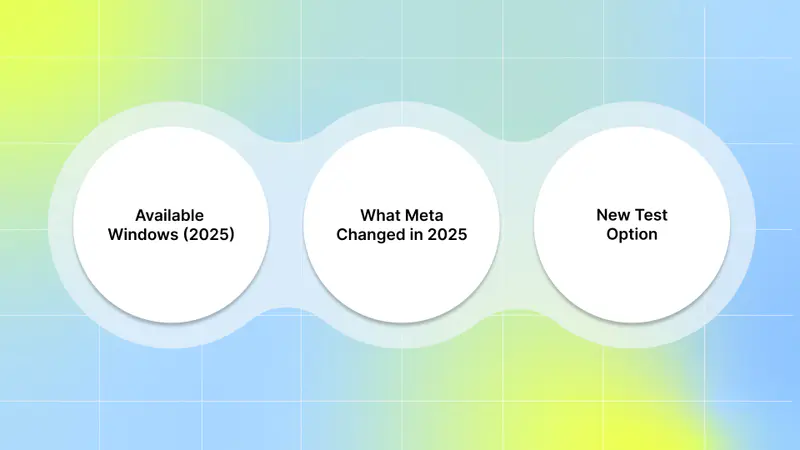
Available windows (2025): Meta currently supports rule-based windows, such as 1-day click and 7-day click. Longer windows, such as 28-day click and 7-day view, were deprecated after iOS 14 due to privacy constraints and are no longer available in standard Ads Manager or API reporting. Use the Compare Attribution Settings tool to see side-by-side results for those windows.
What Meta changed in 2025: Meta updated the Ads Insights API behavior (June 10, 2025) to improve parity with Ads Manager, changing how attribution fields and breakdowns are returned unless unified attribution flags are explicitly set. That means some fields and windows you used to get via the API can be returned differently unless you use the new unified attribution flags in API requests. Plan for this when you feed dashboards or automated reports.
New test option: Meta launched an Incremental Attribution option in 2025. It’s designed to show conversions likely caused by your ads (lift-based measurement) instead of simply counting everything inside a time window. This is not just another window; it’s a different approach worth testing when you need clearer causal estimates.
Confirm the exact windows your account and API return today before you compare ROAS numbers across months. That small check keeps your 2025 reporting grounded in what Meta is truly counting.
Knowing which windows exist is useful, but the real question is how those choices change what ROAS looks like in practice.
Also Read: Understanding Attribution Modeling in Marketing
Why Attribution Window Choice Changes Reported ROAS
If ROAS ever looks better or worse without any real change in spend or creatives, the attribution window is usually the reason, and understanding why prevents false conclusions.
Counting rules change the numerator: Short windows (e.g., 1-day click) count conversions that occur quickly after a click. Longer windows (such as 7-day click) capture more conversions that occur days after the initial interaction. More counted conversions → higher reported ROAS (all else equal).
Reporting vs. delivery are not always the same: When you change the reporting window in Ads Manager, you change what the dashboard shows. You don’t always change how Meta was optimizing delivery for that live ad set. Often, the optimization window is set when the ad set was created, so adjusting reporting can give a different view without changing how ads were served. If you want Meta to optimize differently, you may need to create a new ad set or campaign with the desired setting.
Incremental vs. rule-based: different math, different ROAS: Incremental Attribution estimates causal lift by comparing exposed and control groups, rather than counting all conversions within a time window. Expect reported conversions and ROAS to look different (often lower volume but more “causal”) compared with classic click/view windows. That can help you avoid over-crediting.
Note: On mobile apps, OS-level privacy systems (such as ATT and SKAdNetwork) limit user-level attribution and introduce delayed or modeled conversions. This means attribution windows can look different across Meta, SKAN, and internal analytics, not because performance changed, but because measurement did. Always label ROAS by both attribution window and measurement source.
ROAS is never a single truth; it’s a result shaped by the window you choose. When you treat attribution as part of the metric, not an afterthought, you read performance with far more confidence. To make this concrete, let’s walk through a simple example that shows how the same performance can appear very different across two attribution windows.
Also Read: What Is a Good ROAS Benchmark for Facebook Ads?
A Step-by-Step Example Showing Attribution Window Impact
Here’s a simple comparison you can run without changing your campaign setup.
Setup
One ad set
Same creative, audience, budget, and dates
Results viewed under two different reporting attribution windows
Results
1-day click view:
Spend: $500
Revenue counted: $1,000
ROAS: 1,000 ÷ 500 = 2.0
7-day click view:
Spend: $500
Revenue counted: $1,500
ROAS: 1,500 ÷ 500 = 3.0
Nothing changed in delivery. The difference came entirely from how conversions were counted. The longer window captured conversions that occurred days after the initial click, whereas the shorter window did not.
This comparison shows how easy it is to misread performance:
Short windows can hide real downstream value and lead to early pauses
Longer windows can make performance look stronger in the short term if conversions take time to happen
After running a comparison like this, review how long users typically take to convert in your own app data. Use shorter windows for fast feedback and longer windows for full payback analysis. Always label reports with the attribution window used so results stay clear during reviews.
That single habit keeps ROAS conversations grounded and aligned. Seeing the difference in numbers is helpful, but the next step is to decide which window makes sense for your app and conversion timeline.
Also Read: Guide to Understanding Ad Attribution Models
How to Choose the Right Attribution Window for Your App
Choosing the right Facebook attribution window is about matching how people actually decide to convert in your app, not about a “best” setting for everyone.
Pick the window that fits how long it takes a user to act. Short windows, such as a 1-day click window, work well when people convert quickly after seeing an ad. Longer windows, like a 7-day click window, capture users who take a few days to decide. Meta still supports these common windows in Ads Manager and lets you compare them in the UI.
Check two things before you lock it in:
1. User timeline: Look at your app data to see the median time from first ad interaction to a conversion.
2. What your reports show: Use Ads Manager’s Compare Attribution Settings or exports so you see how reported conversions and ROAS change across windows. That keeps you comparing apples to apples.
Also, be aware of platform limits. Since June 10, 2025, Meta has changed how the Ads Insights API returns attribution data. That can affect automated dashboards and exports, so confirm that your BI tools request the same attribution flag you see in Ads Manager.
Choose a window that mirrors your user journey, then lock that choice into your reporting and dashboards so every ROAS figure you share is tied to the same Facebook attribution window. Once you’ve narrowed down a window that fits your user journey, testing it in a structured way helps confirm that your reporting reflects reality.
Tests and Experiments UA Teams Should Run
Run quick, low-risk tests that prove how much your chosen Facebook attribution window changes reported results without breaking live delivery. Three practical tests you can do right away:
1. Reporting comparison (no changes to campaigns):
Open Ads Manager → Columns → Compare Attribution Settings.
View the same date range under 1-day click and 7-day click. Record conversions and ROAS side-by-side. This compares counting rules while delivery stays identical.
2. Optimization check (if you need a true delivery change):
If you want Meta to optimize for a different window, duplicate the ad set and set the desired optimization window at creation. Compare learning and later performance, not just reported conversions. Meta typically optimizes based on the attribution setting chosen at ad set creation, so comparisons should focus on post-learning performance, not just early reported ROAS.
3. Incremental test (causal check):
If available, run Meta’s Incremental Attribution or a lift test to see how many conversions were truly caused by ads versus simply correlated with them. Incremental methods often show lower volume but stronger causal evidence.
Keep tests simple and repeatable: same date range, same creative set, and a clear note of which Facebook attribution window you used. Save results next to the window name so everyone reading the report knows what the numbers mean.
Use these three tests as your routine: compare reporting windows, validate optimization behavior when needed, and run causal checks to separate real lift from surface-level counts.
Attribution windows don’t exist in isolation. The way your ads communicate value plays a big role in when conversions happen and how they get counted.
How Creatives Interact With Attribution Windows
Creative changes the timing of conversions, and that timing affects what the Facebook attribution window counts, so creative choices matter for how ROAS looks.
Short, action-focused creatives (clear call-to-action, simple landing flow) often drive fast clicks and quick conversions. Those wins show up in shorter windows as immediate ROAS. Longer, awareness-style creatives (story-driven video, brand messaging) often influence decisions that happen days later; these add to results counted in longer windows and view-through attribution. Apps often show a mix: installs now, purchases later.
What to do with that knowledge:
Segment creatives by intent. Track performance separately for immediate-response ads and for longer-lead ads.
Match windows to creative goals. Use a 1-day click window for fast-action creative and a 7-day click window for awareness or education creative.
Label results. Always show the Facebook attribution window alongside ROAS, so creative teams know whether the numbers reflect fast wins or downstream value.
When you pair the right creative with the right attribution window, you stop arguing over numbers and start tuning what actually moves people through your app’s funnel.
Conclusion
Choosing the right measurement approach is about making decisions you can trust. A Facebook attribution window shapes how ROAS is reported, but it does not explain why results change when you switch from a shorter to a longer window. The real insight often sits one layer deeper.
When reporting ROAS shifts, the next step is to identify which creatives are driving the delayed conversions. This is where Segwise fits naturally. Segwise integrates with Meta Ads and leading MMPs via APIs, pulling creative and performance data from the same campaigns you review in Ads Manager. Using multimodal AI, it automatically tags and groups creative elements such as visuals, messaging, and formats, and links them to outcome metrics across Meta and your MMP. That makes it easier to see which creatives perform immediately and which deliver value over time under different Facebook attribution window settings.
Used alongside Ads Manager and your existing measurement stack, Segwise helps turn attribution changes into clear creative insights, so scaling and optimization decisions are based on evidence rather than assumptions.
Start a Free Trial to see how your creatives perform across attribution windows and gain clarity on what truly drives ROAS.