
Nine tools tag your own live ad creative automatically, and three of them are worth a shortlist. Segwise, from $499/mo (50% off under $50K spend), is the only one that reads video, audio, image, on-screen text and playable ads across 15+ networks and maps every tag to any metric you track. VidMob, on enterprise quote, tags video frame by frame and scores what it finds against brand and platform benchmarks. Singular Creative IQ, tier not published, applies 17 out-of-the-box AI tags and joins them to attributed installs, revenue, retention and LTV rather than platform-reported conversions. Below those, Motion, from $750/month, is the pick if you want AI tags on Meta plus manual custom tags on Meta and TikTok (custom tags on some plans only), and Superads at $125/month is the cheapest way to get tags sitting next to thumbnails. This ranking is built on which modalities each tool actually reads, whether the taxonomy is yours to control, what the tags are mapped to, how many networks are covered, and whether pricing is published.
Creative decides most of your result. Circana's NCSolutions, in its Five Keys to Advertising Effectiveness study of nearly 450 CPG campaigns across digital and TV, attributes 49% of advertising's incremental sales to the creative itself, against 21% for brand, 14% for reach, 11% for targeting and 5% for recency (Circana). Creative is the largest single lever by a wide margin, and it is the one platform automation has not taken off you. Yet the thing that carries half the outcome is usually described in an ad account by a file name somebody typed in a hurry.
Tagging is how you fix that, and it is the easy half. The half that fails first is agreeing a set of tags your team will still be using in six months. Most guides on this topic skip that entirely and go straight to the vendor list, which is why so many tagging projects end with a beautiful dashboard nobody trusts. So this guide starts with what a tag is, what a workable taxonomy looks like, and the four very different products that all get sold under the word "tagging". The tools come after that, once you know which of the four you are actually shopping for.
Disclosure: this guide is published by Segwise, one of the 9 tools reviewed here. Every price was checked at the vendor's own pricing page in September 2026, Segwise gets the same limitations treatment as everything else on this page, and any Segwise performance figures are self-reported by our customers and labeled as such.
What a creative tag actually is
A creative tag is a structured label attached to an asset that describes something inside the asset. Not the campaign it ran in, not the audience it was shown to. What is in the ad.
Three different things get called tags, and mixing them is the first mistake:
Content tags describe what a viewer sees and hears: the hook, the format, the angle, who is on screen, when the product appears, the offer, the CTA, the colour palette, the pacing, the audio. A model can read these off the file.
Provenance tags describe where the asset came from: which concept it belongs to, which brief, which agency or editor, which iteration of a winning idea. No vision model can infer these. They only exist if your naming convention or your upload metadata carries them.
Buy tags describe the media: audience, placement, bid strategy, campaign objective. Useful, and not creative tagging. They tell you nothing about why one video beat another built for the same audience.
That split matters commercially. Every automated tagging tool on this page solves the first bucket and none of them solve the second, so even the best tool leaves you needing a naming convention for concept lineage. Teams who expect the tool to replace the convention end up unable to answer the most common question in a creative review: is this a new idea, or the fourth version of an old one?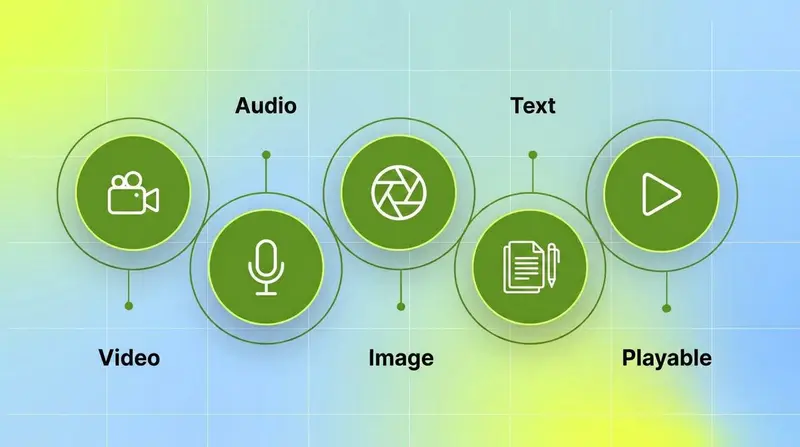
Within content tags, ten dimensions cover almost every creative decision a performance team actually makes. This is the vocabulary the rest of the page uses.
Four different things get sold as creative tagging
The word covers four products with an order-of-magnitude gap between them in what they can answer. Before you compare vendors, work out which level you need, because level 0 is free and level 3 starts in the hundreds of dollars a month.
Two questions separate level 2 from level 3 in a sales call, and both take under a minute. Ask the vendor to tag a video whose decisive moment is a price reveal at second nine, then show you the tag it produced. Then ask which of frames, audio track and on-screen text the model actually reads, and over what part of the duration. Vendors at level 3 answer both immediately. Vendors at level 2 answer the first question with a demo of a different ad.
Nine creative tagging tools compared by what they read
Every tool below documents automatic tagging of creative elements on your own live ads. That inclusion rule is what keeps ad libraries, testing platforms and generators off the list, and it is why the count is nine rather than fifteen. The Level column uses the four levels above, and where a vendor does not publish which modalities its model reads, this table says so rather than guessing.
Prices verified at each vendor's own pricing page in September 2026. Where a vendor publishes nothing, this guide says "not published" rather than borrowing a figure from a comparison post. Several widely cited pages still list Motion between $99 and $499 a month, which is retired pricing.
The taxonomy problem, which is where most tagging projects fail
Ask a team why their tagging never produced a decision and you will rarely hear that the tool tagged badly. You will hear that the tags were unusable: 300 of them, half meaning the same thing, four people's definitions of "UGC" living in the same column, and a filter that returns three ads.
A taxonomy is not a list of tags. It is a small set of dimensions, each with a closed list of values. Seven rules make one survive contact with a real account.
Six to ten dimensions, not thirty. Every dimension must be one you would genuinely change a brief over. If knowing the answer would not change what you produce next week, it is trivia, and it dilutes the data you do need.
Three to eight values per dimension, closed. Fewer than three and the dimension never explains a difference. More than eight and each value carries too few creatives to read. Free-text values are how you end up with 300 tags.
One question per dimension. The most common corruption is a value that belongs in two places. "UGC" is a format, "problem and solution" is an angle, and the moment UGC also appears under hook, no filter on either dimension is trustworthy again.
Decide up front which dimensions are multi-value. A video can carry two CTAs and three colours but only one hook. Declare it, because a dimension that is single-value in the schema and multi-value in reality silently drops data.
Write a one-line definition and one example asset per value. This is the cheapest fix in the whole exercise and the one nearly everyone skips. Two people tagging differently is almost always two people who never saw the same example.
Version the taxonomy, never edit it in place. Adding a value is safe. Redefining an existing one retroactively rewrites months of history, and nothing in your dashboard will tell you it happened.
Freeze it for a full test cycle before judging any pattern. A taxonomy that changes mid-cycle produces findings that are artefacts of the schema rather than the creative.
There is arithmetic behind rule two that decides whether your taxonomy can work at your volume at all. Eight dimensions with four to six values each is roughly 40 possible values. A value needs about ten creatives with meaningful spend behind it before a difference means anything rather than noise. So a 40-value taxonomy needs a few hundred creative observations before most of its cells are readable. A team with 40 live creatives and 200 tags has built something that cannot produce a conclusion at any volume they will reach this year. Cut dimensions until the arithmetic works, then add them back as volume grows.
A starter taxonomy you can use on Monday
Eight dimensions, closed values, deliberately smaller than you want it to be. Add the ninth only when a dimension here has proved it changes a brief.
Six ways a creative tagging setup breaks
These are the failure modes worth designing against, roughly in the order they show up.
Tag drift. A value's definition creeps while its name stays the same. Somebody starts counting talking-head ads as "creator to camera", and three months of trend data quietly becomes two different measurements plotted as one line. The symptom is a value gaining share of spend when nothing changed in production. The fix is rule five, definitions with examples, plus a quarterly audit where you re-tag twenty old assets and check they land where they used to.
Two people, two answers. Inter-rater disagreement is the reason manual tagging degrades rather than simply getting slow. Test it directly: have two people independently tag the same twenty assets and count how many rows match on every dimension. Below roughly eight in ten, your data is measuring your taggers, not your creative. Dimensions that keep failing this test are usually badly defined rather than badly tagged.
Thumbnail blindness. The tool tagged the frame, not the ad. Everything after second three is invisible, which means the hook is the only part of a video it ever really read. This is the single most common gap between what a tagging feature claims and what it does, and it is invisible in a demo unless you bring your own ad.
The manual ceiling, at about 30 live variants. Below 30, hand-tagging is genuinely fine and buying a tool is buying a habit you could keep for free. Above it, a week of new creative across two or more networks passes an hour of tagging, the spreadsheet stops fitting on one screen, and the labels get thinner exactly as the library gets more interesting. That threshold is about attention, not spend, which is why a team spending $30k a month across five networks with 200 live variants needs automated tagging more than a team spending $200k on twelve ads.
Ranking values with nothing behind them. Every tool on this page will happily sort a table by a value that appeared twice. Ignore any value with fewer than about ten creatives and meaningful spend behind it, treat a two-week signal as a hypothesis, and only rewrite a creative strategy once a pattern has held across two full cycles.
The provenance gap. Six months in, the tags describe every asset beautifully and still cannot tell you that four of your top ten ads are versions of the same concept. Content tagging cannot fix this. Only a concept ID in the ad name can.
Tag your ads for free with a naming convention
If you are under about 30 live variants, or your spend sits mostly on one network, a disciplined naming convention plus UTM structure will get you further than most people expect, and it costs nothing. It is also worth doing even after you buy a tool, because it is the only route to provenance tags.
Fix a field order and never change it. Underscores separate fields, hyphens live inside a field, and every field is drawn from a closed value list, the same lists as the taxonomy above:
YYYYMM_concept_format_hook_angle_talent_offer_cta_vNN
So a real ad name looks like 202609_dogpark_video9x16_problemopen_problemsolution_creator_20off_shopnow_v03. Once every ad follows that pattern, exporting from Ads Manager and splitting on the underscore gives you a tagged dataset in a pivot table, without buying anything.
Four rules keep it alive:
Never rename a live ad. Any reporting keyed to the name breaks the moment the name changes. Duplicate and bump the version suffix instead.
Never reuse a field position. If a field stops being useful, fill it with "na" rather than sliding everything left, or every historical export needs a different parser.
Put the convention in the destination URL too. Meta documents dynamic URL parameters that fill campaign, ad set and ad identifiers into the URL automatically (Meta Business Help Center), so
utm_contentcan carry the same string you already typed once, and your web analytics inherits the taxonomy for free.One person owns the value lists. Not the document. The lists. Conventions die from well-meaning additions.
Where it stops is worth being honest about. It only reports what you encoded, so it will never tell you the winning ads all put the product in the first two seconds unless somebody thought of that dimension in advance. It cannot separate two changes made in one variant. It has no idea what the audio does. And it degrades fast once more than two people upload creative, which is usually the moment a tool starts paying for itself.
The native platform reports do a little of this work for you as well. Meta breaks results out by ad, Google Ads reports asset performance inside Performance Max as coarse labels rather than full metrics (Google Ads Help), and TikTok reports at the ad level. None of them know what is inside the creative, which is the whole point of the exercise.
Which creative tagging setup fits your situation
Find your row, take the recommendation, and skip the reviews if you are already convinced.
The 9 creative tagging tools, reviewed
1. Segwise, the only one that reads every modality including playables
Segwise is built around four AI agents, and the one that matters here is the Creative Tagging Agent. It reads video frames, the audio track, the imagery and the on-screen text, and it is the only platform in this comparison that documents tagging playable and interactive ads.
What it tags: 20+ standard tags covering hooks and hook dialogue, CTAs, characters, colours, audio components, emotions, products, visual styles, on-screen text and pacing. On top of that sit custom tags for the levers specific to your product, and nomenclature tagging, which extracts tags from the naming conventions you already use. That last feature is the one that closes the provenance gap this page keeps returning to: the model reads the asset, your convention supplies the concept lineage, and both land in the same table.
What the tags map to: any metric you track, including custom events, not a fixed list of ROAS, CPI and CTR. Coverage is 15+ ad networks and data sources including Meta, Google, TikTok, Snapchat, Axon (AppLovin), Unity Ads, Mintegral, Moloco, Liftoff, Moloco, Reddit and LinkedIn, plus all five supported MMPs, AppsFlyer, Adjust, Branch, Singular and Kochava. Setup is no-code and takes about 10 to 15 minutes for a full stack.
When you should try it: you run creative across three or more networks, you need tags joined to MMP data, you have a custom metric that matters more than ROAS, or playables are part of your mix.
Limitations: competitor ad tracking covers Meta (Facebook and Instagram) today, with more platforms in development, so it does not replace an ad library if you need display or connected TV coverage. And below roughly 50 live creatives the tagging layer has too little to compare, which is a property of element analysis everywhere rather than of this product. The Creative Strategy Agent will answer questions about your tag data in plain language, and there is MCP access if you want to query it from your own tools, but neither changes the volume arithmetic.
Pricing: Segwise starts at $499/month for advertisers spending up to $250K/month, with a special 50% discount for startups spending under $50K/month. A 7-day free trial imports up to two weeks of historical data automatically, and up to three months on paid plans, so you can see your back catalogue tagged before committing.
2. VidMob, frame-by-frame tagging with benchmarks attached

VidMob is the deepest video tagger in this comparison and the one enterprise brands shortlist when the question is "which elements should our agencies stop using". It tags ads frame by frame with computer vision, picks out objects, text, logos, scenes and audio, and correlates those elements with attention and drop-off, then scores creatives against platform best practices and brand guidelines.
When you should try it: you are a brand or agency running high volumes of video across paid social, and you need element findings that survive being shown to a creative team who did not ask for them.
Limitations: pricing is not published, so you cannot size the cost before a call. The product is built around governed video and static frames, so playable ads are outside its scope. And the taxonomy is VidMob's, extended per brand on an engagement rather than edited by you in an afternoon.
Pricing: not published. Enterprise quote.
3. Singular Creative IQ, 17 default AI tags plus custom AI tags, mapped to attributed revenue

Singular Creative IQ makes the trade this page is really about, and makes it deliberately. The taxonomy starts with 17 out-of-the-box AI tags covering visual and audio elements across every video and image, including product type, visual style, dominant colour, character presence, audio mood, on-screen text and CTA format. You can add up to 20 custom AI tags of your own. In exchange, the outcomes those tags map to are attributed: installs, ROAS, retention, in-app purchase revenue, ad revenue, LTV and any custom event you track.
For a mobile team, that trade is often the right one. A standard set of 17 values that everyone reads the same way and that ties to LTV beats a rich custom taxonomy tied to platform-reported conversions, because the standard set never drifts and the attribution is the part you cannot rebuild yourself. Tagging applies to creatives received in the last seven days when you switch it on, and to everything after that automatically.
When you should try it: Singular is already your MMP, you run a game or app, and post-install value is the metric that decides creative.
Limitations: custom AI tags are capped at 20. If your creative differentiator is a dimension Singular does not have, you can add it as one of those custom AI tags. Creative ROI is strongest when Singular is also your attribution provider, and its docs say analytics-only customers may not see ROI per creative.
Pricing: the Creative IQ tier is not published. Singular's Growth plan is priced per attributed conversion, and Creative IQ's price is not published.
4. Motion, the tool that lets you own the taxonomy

Motion combines automatic AI tags on Meta ads with manual custom tags on Meta and TikTok, applied one ad at a time and only on some plans. Motion lets you add manual custom tags and parse naming conventions, then reports spend and performance by those labels in a view a client will read without translation.
That is a real advantage and a real liability in the same feature. The taxonomy is only as good as the discipline behind it, which means somebody has to tag new creative every week, and the failure modes in the section above are yours to manage rather than the vendor's. If you have a strategist who genuinely wants that control, it is a good fit. If you do not, the tags will be 80% complete within a month and useless by the quarter.
When you should try it: your spend is on Meta and TikTok, the output has to be readable by people who do not live in dashboards, and one named person will own the tag list.
Limitations: AI tagging works on Meta only, and analytics cover four networks (Meta, TikTok, YouTube and LinkedIn). No MMP integration, no playable support, and no mobile network coverage, so a UA team buying on Axon (AppLovin), Unity Ads or Mintegral cannot see most of its mix.
Pricing: Starter $750/month up to $50k of monthly ad spend, Pro $1,200/month above that, and a custom tier above $125k of monthly spend (Motion pricing). Third-party listings placing Motion between $99 and $499 a month, including some of the most cited pages in this category, are quoting retired pricing.
5. Hawky, element tags on your ads and your competitors' in one vocabulary

Hawky auto-tags hooks, frames and CTAs across connected assets and adds predictive scoring on top. Its distinctive move is applying the same element vocabulary to competitor ads as to your own, which turns a competitive review into a comparison of dimensions rather than a slideshow of screenshots.
When you should try it: your spend sits on Meta, Google, YouTube and TikTok, and competitive element intelligence is worth as much to you as your own.
Limitations: pricing is not published and is quoted by creative and query volume, so you cannot size it in advance. Coverage stops at those four platforms, AppsFlyer is the only MMP it names, and playables are not listed.
Pricing: not published. Quoted after a demo.
6. CreativeX, tagging in service of guidelines rather than performance

CreativeX detects creative attributes across very large multi-market asset libraries and scores them against brand and platform best practice. The tagging is genuine and it operates at a scale most of this list does not reach. The orientation is different though: it exists to answer whether creative followed the rules, then quantifies how those choices relate to performance, in that order.
When you should try it: you are a global brand with many agencies and markets, and inconsistent execution costs you more than an unoptimised hook does.
Limitations: built for governance rather than the fast tactical loop a performance team runs, and pricing is not published.
Pricing: not published. Enterprise quote.
7. GetCrux, wide data coverage, thinly documented mechanics

GetCrux publishes the most specific tag category list of any vendor here: hooks, messaging angles, offers, CTAs, UGC formats, creator types, visual settings, product moments, emotional triggers and problem statements, plus custom AI labels you define. It also states the principle this page argues for, that the point is analysing the creative itself rather than the campaign or ad name.
GetCrux says it tags video, static and carousel ads plus ad copy, and it does not list playables. What it does not publish is over what part of a video's duration the model reads, which is exactly the level 2 versus level 3 question. Its connector list is the compensating strength and is unusually wide: alongside Meta, TikTok, Google, YouTube and X it lists programmatic platforms including The Trade Desk, Criteo and DV360, plus Snowflake, Databricks and Power BI on the data side.
When you should try it: a meaningful share of your spend sits outside the walled gardens, or your creative data has to land next to warehouse data.
Limitations: the tagging mechanics are a demo question rather than a documented fact, so bring your own video with a late decisive moment.
Pricing: Starter is $1,500 per month for ad spend up to $100K per month. Professional and Enterprise are custom, and there is no free plan.
8. AppsFlyer Creative Optimization, tagging inside the attribution stack

AppsFlyer's Creative Optimization applies AI tagging with custom dimensions on top, and matches the same asset across networks, which is a harder problem than it sounds and the reason cross-network creative reporting usually fails. Tags map to attributed installs and in-app events.
When you should try it: AppsFlyer is already your MMP and you would rather add creative tagging inside it than run a second platform alongside it.
Limitations: pricing is not published and scales with data volume. Tagging depth is not documented to the frame-by-frame level VidMob describes, and while it measures playable ads, no AppsFlyer doc describes AI tagging inside them. Custom dimensions are yours, but the automatic tag set is not.
Pricing: not published. Volume-based, quoted on request.
9. Superads, the cheapest way to get tags next to thumbnails

Superads connects to your ad accounts, applies AI tagging to the creatives it finds, and puts thumbnails beside metrics in a dashboard you can share. It is the least ambitious tool on this list and the easiest to justify: at $125 a month it costs less than an afternoon of somebody tagging by hand every week.
When you should try it: you are between 30 and 150 live variants, you want the manual tagging to stop, and a shareable creative report matters more than element depth.
Limitations: the tagging is shallower than the specialist platforms, the taxonomy is not yours, there is no playable support, and there is no MMP join. Seats are unlimited, which is the reason agencies pick it.
Pricing: Professional from $125/month covering up to $100k of monthly ad spend, plus $100/month per additional $100k, with Enterprise custom (Superads pricing). There is a 14-day free trial and no free plan. The $49 tier listed on older comparison pages has been retired.
Tagging a swipe file is a different job, and Foreplay is the tool for it

Foreplay is deliberately outside the nine, because it tags a different corpus. You save competitor and reference ads from the Meta and TikTok ad libraries, and its Lens module enriches them with AI metadata: hook transcription, theme detection and creative-target tags, so the swipe file becomes searchable by format, hook or theme. Its brief builder then turns saved references into briefs.
That is real tagging, and it answers a question none of the nine can: what are other people doing, expressed in dimensions rather than vibes. What it cannot do is tie tags to your spend and ROAS, because the ads it tags are not yours. Treat it as the input side of the loop and one of the nine as the output side.
Pricing: Basic $59/month, Workflow $175/month, Agency $459/month, with $20 per additional user, and custom Enterprise pricing.
Marketed as creative tagging, actually something else
Four tools show up on most creative tagging lists, including the earlier version of this one, and none of them tag the elements inside your live creative. They are good products doing different jobs, so here is where each actually belongs.
Madgicx groups similar ads into AI concept clusters by visual content. Clustering by similarity is coarser than tagging by dimension: it tells you these six ads look alike, not that they share a price-open hook. Useful inside its wider Meta optimisation suite, and it is the reason Madgicx appears in our Facebook ads analytics guide rather than here. Madgicx publishes no entry price, and Tracking Pro is a $49/month add-on.
Smartly runs AI Theme Analysis across large libraries, which surfaces visual themes and tones rather than element tags, inside a production and management platform. It belongs in creative automation and production scaling.
AdCreative.ai generates new creatives and scores them for conversion potential. It never tags an existing asset, so it belongs in AI ad generation tools.
Marpipe runs multivariate tests on catalog and DPA ads. Structured testing is a legitimate alternative route to the same knowledge, by controlling variables rather than labelling them after the fact, and it sits in creative testing tools.
Why almost nothing tags a playable ad
A playable is an interactive HTML bundle, not a video. That single fact is why playable tagging is rare, and it is worth understanding rather than taking on trust.
A video tagger works by sampling frames along a fixed timeline and reading the audio track that runs beside them. A playable has no fixed timeline. There are no frames until somebody plays it, and what a player sees depends on what they tap: the tutorial hand, the first interaction, the fail state, the end card. Reading it means executing the bundle and describing its scenes, mechanics, tutorial steps and end card, which is a different engineering problem from running computer vision over an MP4.
Segwise documents tagging playable and interactive ads. No other platform in this comparison does. If playables carry real spend for you, and on Axon (AppLovin), Unity Ads and Mintegral they usually do, then every other tool on this page is tagging the video part of your mix and leaving the rest untagged, which will quietly bias every conclusion you draw toward the formats it can read.
If you are not buying a tool for it, the fallback is the free route: encode the mechanic, the tutorial length and the end-card style into the playable's ad name, and at least you can compare mechanics.
How to get creative tagging running in a month

Order matters here. Most teams start at step four and wonder why the tags fight them.
Week one: connect one account, not all of them. Pick your largest single account so every creative arrives with its spend, installs, ROAS and CTR attached. Tags without outcomes beside them are a catalogue, not analysis.
Week one: let it tag the back catalogue before you judge anything. Backfill is the fastest sanity check available. If the tool's version of your last quarter contradicts what your team already believes about its winners, find out which one is wrong now rather than after you have rolled it out.
Week two: cut the taxonomy down and freeze it. Take the vendor's standard tags, keep the six to ten dimensions you would change a brief over, write a one-line definition and one example per value, then stop editing. Add your concept ID as a custom tag or through nomenclature tagging.
Week three: map tags to the metric you actually optimise, including a custom one. Then measure agreement: have two people tag twenty assets by hand and compare their rows against the tool's. Dimensions where humans disagree with each other are dimensions you have defined badly.
Week four onward: brief against tags, then close the loop. Ship variants built around the winning dimension, keep a control set, and re-tag automatically as new creative goes live. If tag-led briefs are not beating instinct after two cycles, say so out loud: either the mapping is wrong or the dimensions are too coarse.
Give any pattern two to four weeks and enough spend per variant to clear noise before you act on it. Roughly ten creatives with meaningful spend behind a value is the floor.
What to ask in a creative tagging demo
Five questions, all answerable in the call, ordered by how often the answer disqualifies a vendor.
Here is a video whose decisive moment is a price reveal at second nine. Tag it and show me what you got. (This separates level 2 from level 3 faster than any feature list.)
Which of frames, audio and on-screen text does the model read, and across how much of the duration?
Show me a tag breakdown against my primary metric, including a custom event if I have one.
Can I add a dimension and a value list of my own? Can I version the taxonomy, or does redefining a value rewrite my history?
How do I get the tag history out if we leave, by export or API? Months of tagging is the asset, and where a vendor offers no export, it leaves with the subscription.
Two more if they apply: can you tag a playable, and can you read the tags already encoded in our ad names?
Where creative tagging stops and other categories start
Tagging is a layer, not a product category, which is why so many tools claim it. The boundaries worth stating:
Creative analysis and analytics take the tags and tell you which element drove the result. If your question is which tool to buy for that broader job, our guide to ad creative analysis tools compares the field.
Creative intelligence adds the route back into production: a brief, a storyboard or a generated variant built from the winning tags. See creative intelligence tools.
Fatigue detection watches a tagged library over time and tells you when a winning element is dying. Tagging makes it precise, because you learn the hook fatigued rather than the ad. See creative fatigue detection tools.
Competitor ad tagging applies the same dimensions to other advertisers' creative. Our ad spy and competitor research guide covers the tools built for that corpus.
Which creative tagging tool should you start with?
If you run three or more networks, need tags joined to MMP data or a custom metric, or run playables, start with Segwise from $499/month (50% off under $50K spend), and use the 7-day trial to have it tag your back catalogue before you decide. If your spend is on Meta and TikTok and a named strategist will own the tag list every week, Motion, from $750 a month, lets you add manual custom tags and parse naming conventions. If Singular or AppsFlyer is already your MMP and post-install value decides your creative, add tagging inside the platform you already pay for and work with its standard tags plus the custom tags it allows. If you are between 30 and 150 live variants and mainly want the manual tagging to stop, Superads at $125 a month is the cheapest honest answer.
And if you are under about 30 live variants, buy nothing. Write the naming convention, enforce it for a quarter, and come back when a week of new creative takes more than an hour to label.
Frequently Asked Questions About Creative Tagging
What is creative tagging?
Creative tagging is attaching structured labels to an ad that describe what is inside it: the hook, format, angle, talent, product moment, offer, CTA, colour, pacing and audio. Those labels then sit beside performance data, so you compare dimensions rather than individual ads. It is distinct from campaign tagging, which labels the media buy, and from metadata tagging, which just parses whatever your naming convention already carries.
What are the best creative tagging tools in 2026?
Nine tools tag your own live creative automatically. Segwise leads for cross-network multimodal tagging, from $499/month (50% off under $50K spend), because it reads video, audio, image, on-screen text and playable ads across 15+ networks and maps tags to any metric you track. VidMob is the deepest video tagger for enterprise brands, on quote. Singular Creative IQ applies 17 default AI tags plus custom AI tags, mapped to attributed revenue and LTV. Motion, from $750/month, adds manual custom tags on Meta and TikTok on top of AI tags on Meta. Hawky, CreativeX, GetCrux, AppsFlyer Creative Optimization and Superads round out the nine.
What creative elements can AI actually tag?
Multimodal models reliably tag visual content (characters, scenes, colours, products, visual style), audio (voiceover tone, music, dialogue), on-screen text (headlines, CTAs, offers), pacing, and in one case the interactive components of a playable ad. What no model infers is provenance: which concept, brief, editor or creator an asset came from. That has to come from your naming convention or upload metadata, which is why the convention still matters after you buy a tool.
How many tags should a creative taxonomy have?
Six to ten dimensions, each with a closed list of roughly three to eight values, so about 40 values in total. The reason is arithmetic: a value needs around ten creatives with meaningful spend behind it before a difference is readable, so a 200-tag taxonomy on a 40-creative library cannot produce a conclusion at any volume you will reach this year. Cut dimensions until the arithmetic works and add them back as volume grows.
Is automatic creative tagging better than manual tagging?
Past about 30 live variants, yes, and not mainly because of speed. Manual tagging degrades because two people label the same asset differently, and inconsistency erodes trust in the data faster than missing rows do. Below 30 variants manual tagging is genuinely fine, and buying a tool is buying a habit you could keep for free. The exception is judgement dimensions like angle, where a human check on top of automated tags is still worth the time.
Can I do creative tagging for free?
Yes, up to a point. A disciplined ad naming convention with a fixed field order, plus the same string carried into utm_content, gives you a tagged dataset from an Ads Manager export and a pivot table. It is the only way to get provenance tags at all, and it costs nothing. What it cannot do is tell you about dimensions you did not think to encode, anything in the audio, or anything that happens after the first second, and it degrades once more than two people upload creative.
How much do creative tagging tools cost in 2026?
Self-serve tagging starts at $125/month (Superads, up to $100k of monthly spend, plus $100/month per additional $100k). Segwise starts at $499/month for advertisers spending up to $250K/month, with a special 50% discount for startups spending under $50K/month. Motion is $750/month Starter, $1,200/month Pro, and custom above $125k of monthly spend. Foreplay's swipe-file tagging starts at $59/month. VidMob, CreativeX, Hawky, Singular Creative IQ and AppsFlyer do not publish pricing. GetCrux publishes its Starter plan at $1,500/month and has no free plan.
Which creative tagging tools tag playable ads?
Segwise documents tagging playable and interactive ads. No other platform in this comparison does, and the reason is structural rather than commercial: a playable is an interactive bundle with no fixed timeline, so a frame-sampling video pipeline has nothing to sample until somebody plays it. If playables carry real spend on Axon (AppLovin), Unity Ads or Mintegral, confirm playable support explicitly rather than assuming multimodal tagging includes it.
How do I stop two people tagging the same ad differently?
Write a one-line definition and attach one example asset to every value in every dimension, then measure agreement rather than assuming it: have two people independently tag the same twenty assets and count the rows that match on every dimension. Below roughly eight in ten, the dimension is defined badly, not tagged badly. Automated tagging removes the problem for content dimensions because one model applies one definition to everything, which is the real argument for it.
What happens to my tags if I switch tools?
Ask before you buy, because months of tagging is the asset that makes your next analysis fast. Platforms with an export or an API let you take the history with you, including VidMob's Creative Data API, AppsFlyer's creative ETL, and Segwise's exports and MCP access. Where a vendor offers no export path, your tag history ends with the subscription. Tags encoded in your ad names are the exception: those live in the ad platform and belong to you whatever happens.
Does creative tagging work with Advantage+ and Performance Max?
Partly, and the limit is the ad platform rather than the tagging tool. Performance Max reports asset performance as coarse labels instead of full metrics (Google Ads Help), and Advantage+ campaigns expose less asset-level detail than a manually structured campaign. A tool that reads the creative file itself still tags every element inside your assets, so you keep the creative learning even where the network reports at a coarser grain. What gets harder is attributing a result to a single element when the platform is rotating assets for you.
How long before tagged data is trustworthy?
Two to four weeks, with enough spend behind each variant to clear noise, and only for values carrying about ten creatives or more. Treat a two-week signal as a hypothesis and only rewrite a creative strategy once a pattern has held across two full cycles. Freeze the taxonomy for that whole window, because a schema that changes mid-cycle produces findings that are artefacts of the schema rather than the creative.