
Updated July 2026.
What if you could test dozens of creative combinations on Meta without duplicating ads or wasting setup time?
As a creative strategist, you're constantly under pressure to launch more creatives, test faster, and keep acquisition costs under control. Manually building every creative combination slows you down, limits experimentation, and makes scaling feel messy. By the time you identify a winning combination, the market has already moved on.
This blog explores what Facebook dynamic creative optimization is, why it matters, how to set it up correctly in Meta, and practical strategies to improve your campaign results.
The payoff is well documented. AppsFlyer's State of Creative Optimization report, which analyzed 1.1 million video ad variations across 1,300 apps and $2.4 billion in ad spend, found that dynamic, personalized creative drove IPM (installs per mille) lifts of up to 33% on ad networks and 65% on social, plus Day 7 retention gains of 17% for gaming and 15% for non-gaming apps. That same report shows how concentrated spend has become: the top 2% of creatives absorb 53% of gaming budgets and 43% of non-gaming, which is exactly why testing more combinations efficiently matters.
What Is Facebook Dynamic Creative Optimization?
Dynamic Creative Optimization is an approach to ad testing where different creative elements are combined and tested automatically to identify which variations drive better performance.
In Meta (Facebook/Instagram) Ads, this is done with the Dynamic Creative feature, which lets you upload multiple videos, images, headlines, primary text, and CTAs in a single ad and let Meta find what works. Meta AI then automatically mixes and matches these assets and delivers the combinations most likely to drive installs, purchases, or subscriptions.
Next, it's important to understand how Dynamic Creative Optimization differs from standard creative testing.
Also Read: Creative Optimization Insights Report
How Meta DCO Differs From Standard Creative Testing
Standard creative testing relies on manually launching A/B tests with separate ads or ad sets for each variation. This approach is slow, requires constant setup, and limits how many ideas you can test, especially at scale.
With Meta Dynamic Creative, you upload a batch of assets once. Meta then tests multiple creative combinations behind the scenes without manual duplication or complex account structures. Instead of testing one variable at a time, you can explore multiple combinations faster while keeping setup simple.
Once you understand how Meta DCO compares to standard testing, the next question is where it fits best.
When to Use Meta Dynamic Creative in Your Campaigns
Meta Dynamic Creative works best when you want to test and scale creatives quickly without adding complexity. It's especially useful when you:
Have multiple creative assets to test.
Run broad or open targeting campaigns.
Want creative personalization without building separate ads.
Need delivery to adapt as performance signals evolve.
For example, a DTC ecommerce brand can upload different product visuals, messages, and CTAs into one dynamic creative ad. Meta then delivers combinations that resonate better with first-time shoppers versus returning users without separate ads for each audience.
With the right use cases in mind, it's worth looking at the benefits Dynamic Creative brings to Meta campaigns.
Why Use Dynamic Creative Ads?
Dynamic Creative Ads help you test more variations with less manual effort. Instead of building every ad combination yourself, you let Meta handle creative delivery while you focus on scaling user acquisition.
Here are the key reasons why Dynamic Creative Ads matter for Meta ads: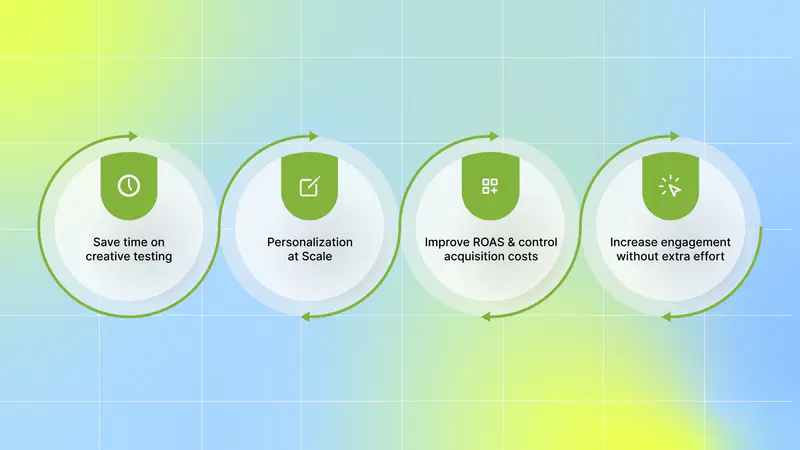
Save time on creative testing: Dynamic Creative removes the need to manually build and manage dozens of ad variations. You can test multiple videos, headlines, and hooks in one setup and move faster.
Personalization at Scale: Meta automatically delivers the creative combinations most likely to resonate with each user, helping you attract higher-quality installs, purchases, or subscriptions.
Improve ROAS and control acquisition costs: By prioritizing better-performing combinations, Dynamic Creative helps shift spend toward ads that drive stronger user acquisition results.
Increase engagement without extra effort: Testing multiple combinations increases the chances that users see creatives that grab attention, leading to better engagement and conversion rates.
The next step is setting it up correctly in Meta so testing stays clean and scalable.
How to Set Up Ads With Dynamic Creative in Meta
A clean Dynamic Creative setup helps you avoid cluttered campaigns and speeds up creative experimentation. It also ensures Meta has clearer signals to test creative combinations more effectively and drive better user acquisition results.
Here are the steps to set up ads using Dynamic Creative in Meta:
1. Create a New Campaign
Go to Ads Manager and click + Create. Choose your objective (Awareness, Engagement, Traffic, Leads), then click Continue.
2. Enable Dynamic Creative at the Ad Set Level
During ad set setup, find the Dynamic Creative option and toggle it on. This allows you to upload multiple creative assets later.
3. Choose Your Ad Format
At the ad level, select one of the supported formats:
Single image or video.
Carousel.
4. Upload Creative Assets
If you selected Single image or video as your ad format, in the Ad creative section, click either Select images, Select videos, or Create video.
If you clicked Select images or Select videos: Either search and select existing media or click + Upload to add new media. Then, click Continue.
If you clicked Create video: Select a template style or start by adding media to turn your images into a video. Click Edit and then Create video.
If you selected Carousel as your ad format, in the Ad creative section, click Add images. You can only add images to your carousel ad.
5. Complete the Ad creative section
(Optional) Add headline and description. You can click + Add headline option.
Enter the website URL that you want people to visit.
(Optional) Add a display link that you want to show on your ad.
(Optional) Under Call to action, use the drop-down menu to choose the call-to-action button for your ad. You can click + Add another option to include call-to-action buttons.
You can upload:
Up to 5 headlines.
Up to 5 primary text options.
Up to 10 images or videos.
Up to 5 descriptions.
Up to 5 call-to-action buttons
6. Preview Creative Variations
Use the Ad Preview and Advanced Preview options to see how different combinations may appear across placements.
7. Publish Your Campaign
Once everything looks good, click Publish and let Meta begin testing creative combinations automatically.
With the campaign structure in place, small creative choices can make a significant difference in results.
Tips to Get Better Ad Results from Meta Dynamic Creative
Dynamic Creative performs best when you give Meta clear, high-quality inputs to test. Strong asset choices lead to faster learning, more reliable performance signals, and more efficient user acquisition at scale.
Here are the key tips to get better ad results from Meta Dynamic Creative Optimization:
1. Choose Assets That Work Well Together
You can upload up to ten assets, but more isn't always better. Focus on quality over quantity and include only assets you believe can perform well when combined. If you're limited on visuals, start by testing multiple headlines or primary text options to generate meaningful variation without diluting performance.
2. Test Multiple Call-to-Action Buttons
Your CTA plays a direct role in driving installs, purchases, or sign-ups. Test different options, such as Install Now, Shop Now, or Learn More, to understand what prompts users to act. Small CTA changes can have a noticeable impact on conversion rates, especially in user acquisition campaigns.
3. Reach the Right Users with Proper Tracking
Dynamic Creative works best when Meta has strong performance signals. Make sure Meta Pixel (for web) or app tracking is set up correctly so conversions are measured accurately. Better tracking helps Meta optimize delivery toward users who are more likely to convert.
4. Keep Text Short and Easy to Scan
Users scroll quickly through Facebook and Instagram feeds, stories, and explore. Clear, concise copy is easier to process and performs better than long explanations. Focus on one key message per text asset to keep combinations clean and effective.
5. Design Visuals with a Single Point of Focus
Simple visuals grab attention faster and translate better across different creative combinations. Avoid cluttered designs and make sure the main message is instantly clear. Adding subtle motion like looping or light animation can help your creative stand out in crowded feeds.
6. Hook Viewers in the First Few Seconds of Video
The first few seconds determine whether users keep watching or scroll past. Show your most compelling message or visual immediately, and reinforce your brand toward the end. Keep videos short, ideally under 15 seconds, to maintain attention and reduce drop-off.
7. Match Aspect Ratio to Placement
Deliver each asset in the ratio that fits its placement: 9:16 vertical for Stories and Reels, 1:1 square for the feed, and 16:9 landscape for in-stream and rewarded video. Supplying the right dimensions keeps your best combinations from being awkwardly cropped and gives Meta cleaner creative to work with across every placement.
8. Start With ABO, Then Graduate to Advantage+
Launch new Dynamic Creative ad sets under Ad Set Budget Optimization (ABO) so each set gets a controlled budget while Meta learns which combinations work. Once clear winners emerge, shift spend to Campaign Budget Optimization (Advantage+ campaign budget) and let Meta concentrate budget on the proven assets. This staged approach protects your testing budget during the learning phase and scales efficiently afterward.
These tips help UA teams, DTC brands, subscription apps, and agencies run cleaner tests, learn faster, and drive stronger results from Meta Dynamic Creative campaigns.
Better inputs improve results, but real growth comes from learning why certain creatives win.
How to Analyze Ad Creative Performance Beyond Meta's Dashboard
Meta's dashboard shows you which ads are performing at the ad or ad set level, but it doesn't break down results by creative elements. You can see which ads performed well, but you can't easily answer questions like:
Which hook or opening visual drove the most installs?
Which headline or message consistently appears in high-ROAS combinations?
Which visual styles perform well initially but fatigue quickly?
Which creative elements attract high-LTV users, not just cheap installs?
For UA teams, growth leaders, and agencies, this lack of visibility makes it hard to turn dynamic creative results into repeatable learnings. You end up refreshing creatives based on surface-level performance instead of understanding what truly works, and that's where budget inefficiency and creative fatigue creep in.
Meta shows which asset combinations perform better. It doesn't break down performance at the creative element level.
This is where analysis beyond Meta's dashboard becomes critical. By integrating Meta with an AI-powered platform like Segwise, you unlock deeper creative-level insights instead of relying only on ad-level results. These insights show exactly which hooks, visuals, messages, and formats drive installs and conversions, not just which ads won.
Here is how Segwise integrates with Meta and offers creative-level insights beyond Meta's dashboard:
1. No code integration with Facebook Ads: With no-code integration, you can start analyzing creative performance without any engineering work. To set it up, go to the Segwise Dashboard → Settings → Ad Networks, click Connect under Meta Ads, sign in, and select your Ads account for full creative analysis.
2. AI-powered creative tagging: Segwise automatically identifies and tags creative elements like hook dialogs, characters, colors, and audio components across images, videos, text, and playable ads to reveal their impact on performance metrics like IPM, CTR, and ROAS.
3. Unified view for all your creative data: With Segwise, you don't need to jump between Facebook Ads Manager, Google Ads, TikTok, and your MMP dashboard. See creative-level ROAS, CPA, LTV, and conversion rates from all sources in one unified view.
4. Tag-level creative element mapping: You can see which specific creative elements drive performance. Also discover patterns like "this hook appears in 80% of top-performing creatives" with complete MMP attribution integration.
5. Creative fatigue tracking: You can catch performance decline before it impacts budget allocation and campaign results. You can also set custom fatigue criteria and monitor creative performance across Facebook and all major ad networks, to catch fatigue before it impacts your ROAS.
In short, Segwise turns Meta performance data into clear, actionable creative insights to help you move from testing faster to scaling smarter.
Also Read: Understanding Creative Intelligence: Examples and Insights
Conclusion
Dynamic Creative Optimization helps you test more ideas, move faster, and reduce manual work in Meta campaigns. Instead of building endless ad variations, you can let Meta combine assets, learn from performance signals, and surface winning creative combinations. When used correctly, Meta Dynamic Creative becomes a powerful lever for improving ROAS, controlling acquisition costs, and scaling user acquisition across games, DTC, subscription apps, and agency accounts.
However, to truly scale, you need to understand why certain creatives work. That's where AI-powered platforms like Segwise come in.
Segwise is an AI-powered creative intelligence platform that helps mobile game studios, DTC brands, subscription apps, and performance marketing agencies optimize creative performance at scale. It unifies creative data from 15+ ad networks and MMPs, and delivers actionable insights that directly improve creative ROAS. By integrating directly with Meta, Segwise delivers creative-level insights that go beyond standard ad-level reporting.
Segwise AI creative tagging automatically tags key creative elements such as hooks, visuals, characters, and audio across ad formats (images, videos, text, and playable ads) and maps them directly to performance metrics like IPM, CTR, and ROAS. Also, with tag-level performance optimization, you can instantly see which creative elements, themes, and formats drive results across all your campaigns and apps. Moreover, with built-in creative fatigue tracking, Segwise catches performance decline before it impacts budget allocation and campaign results.
So, if you want to stop guessing and start scaling with confidence, start your free trial and see how creative-level analytics can help you turn faster testing into smarter growth!
FAQs
What common mistakes should I avoid with Meta Dynamic Creative?
The frequent ones are uploading too many low-quality assets, which dilutes learning, inconsistent branding across combinations, weak or missing conversion tracking, and ignoring frequency so ad fatigue sets in. Keep the asset pool tight, brand every variation consistently, confirm your tracking is firing, and watch for fatigue as combinations age.
How does Meta Dynamic Creative handle privacy and iOS tracking?
Dynamic Creative relies on first-party and contextual signals, so it fits privacy frameworks like GDPR and CCPA. For iOS, set up SKAdNetwork and Meta's Aggregated Event Measurement, and map your coarse and fine conversion values before launch so Meta still receives usable optimization signals under Apple's privacy rules.
Can I use Dynamic Creative for goals beyond app installs?
Yes. The same setup drives purchases, subscriptions, sign-ups, and leads. Choose the campaign objective that matches your goal and let Meta optimize the creative mix toward that conversion.
How do I tell which creative element actually drove results?
Meta reports performance at the ad and ad set level, not by individual hook, headline, or visual. To see which elements win, connect Meta to a creative-level analytics platform like Segwise, which tags each element and maps it to metrics like IPM, CTR, and ROAS.