Are you also struggling to track the actions that actually matter for user acquisition?
If you’re only tracking basic events, TikTok’s algorithm is learning from weak signals. That means your budget gets pushed toward the wrong users, high-intent actions go unmeasured, and performance drops without a clear reason. For many UA and growth teams, this leads to scaling the wrong campaigns, missing early funnel intent, and burning spend before you realize what’s broken.
This blog covers what custom events on TikTok are, why they matter for user acquisition, and how to set them up the right way, so you can feed TikTok better signals and make smarter scaling decisions with confidence.
Why Do Custom Events Matter on TikTok?
A custom event in TikTok is a user action that you define and track beyond TikTok’s default events to measure what truly matters for user acquisition. TikTok’s standard events track surface-level actions like installs or purchases, but miss high-intent steps that show user quality and growth potential.
When those signals are missing, teams are forced to evaluate performance using only standard events, which often provide incomplete data and can lead to wasted spend.
Here are key reasons why custom events matter on TikTok: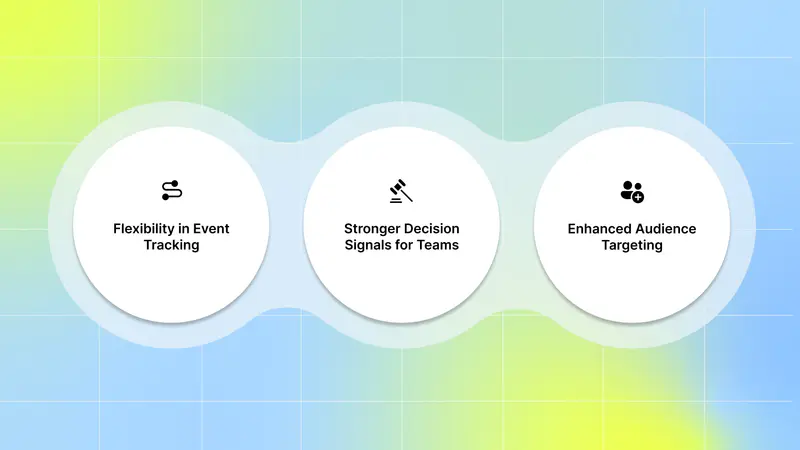
Flexibility in Event Tracking: Custom events let you track the actions that matter most to you. You’re no longer limited to TikTok’s default events.
Stronger Decision Signals for Teams: Custom events give UA teams clearer signals about user quality, helping them evaluate performance, build better audiences, and make smarter scaling decisions.
Enhanced Audience Targeting: You can build high-intent audiences based on meaningful actions, not just clicks or installs. This helps you reach users who are more likely to convert, pay, or retain.
If you want to know which creative elements are actually driving those high-intent actions, you need tools like Segwise. With tag-level creative element mapping, you can see which specific creative elements, themes, and formats drive results across all your campaigns.
Next, explore a few strict TikTok rules around how these events must be named.
Requirements For Custom Event Naming
Before setting up custom events, there are a few requirements to keep in mind. Here are the requirements for custom event naming:
The next step is making sure the technical foundation is set up correctly so those events can actually fire and be recorded.
Also Read: How TikTok Ads Manager Helps Marketers Build Stronger Campaigns
Technical Requirements to Set Up Custom Events on TikTok
Before you create custom events on TikTok, you need a few technical requirements in place so events fire correctly and send reliable signals for user acquisition. Without these basics, TikTok’s algorithm won’t learn from your data, no matter which setup method you use.
Here are the core requirements you need before setting up custom events on TikTok:
A TikTok Ads account with Events Manager access: You need access to TikTok Events Manager and edit permissions for the Pixel to create or modify custom events.
Google Tag Manager account (if using GTM): If you plan to use GTM, ensure your GTM container is installed on your site, and you have Publish, Edit, Approve, and Read permissions.
TikTok Pixel installed and verified: Set up the TikTok Pixel using a partner integration, such as Google Tag Manager, or manual installation. Make sure the Pixel is active and receiving data before adding any events.
Website or landing page access (direct or via GTM): You should be able to add tracking through Event Builder or manage tags and triggers using Google Tag Manager, depending on your setup.
Basic understanding of event structure and parameters: Know which user actions you want to track and how they map to your acquisition funnel. This helps keep event naming and parameters consistent.
Once these requirements are in place, you can confidently add custom events using Event Builder or Google Tag Manager and start feeding TikTok stronger signals to improve user acquisition performance.
Once these technical requirements are in place, the next step is ensuring TikTok can actually capture those user actions. This starts with setting up the TikTok Pixel correctly.
How to Set Up the TikTok Pixel Before Creating Custom Events
Before you can create custom events, you need a TikTok Pixel to capture user actions on your website or landing pages. TikTok Pixel is a piece of code that you can place on your website that allows you to share website events with TikTok. Without a properly set up Pixel, custom events won’t fire or be recorded correctly.
Here are the two ways you can set up the TikTok Pixel before creating custom events:
1. Set Up TikTok Pixel Using Event Manager
To set up TikTok Pixel:
Log in to TikTok Ads Manager and go to Tools.
Click Events Manager to enter TikTok Events Manager.
Click Connect data source.
Select Web.
Input your URL.
Select Partner integration or Manual setup as your connection method.Select your preferred third-party partner or manual connection method for your data connection.
Create and name your pixel. All events sent to this Pixel Code will appear under this Pixel.
2. Set Up TikTok Pixel Using Google Tag Manager (Advanced Setup)
To install TikTok Pixel through your Google Tag Manager account:
Login to your Google Tag Manager account.
Go to Templates.
Click Search gallery.
Search for the TikTok pixel template by TikTok.
Select Add to workspace.
Save and close the template editor.
Copy your TikTok pixel base code from Events Manager.
Go to your Workspace.
Click Tags.
Click New.
Name your Tag.
Click Tag configuration.
Click Custom HTML.
Paste the Pixel base code from TikTok in the HTML field.
Set the trigger to All Pages.
Once your TikTok Pixel is properly set up, the next step is to define and track the user actions that matter most to your acquisition goals.
How to Add Custom Events on TikTok
Once you create and verify your TikTok Pixel, you can start adding custom events to track the actions that truly matter for better measurement and analysis. Without adding these events correctly, your campaigns will continue to rely on weak data.
Here are the ways you can add custom events on TikTok:
1. Using the TikTok Events Builder tool in Events Manager
Once you've added the TikTok Pixel using Event Manager to your website :
In the setup method, choose Event builder.
Enter your URL.
Click Launch event builder. This will launch on your website in a new tab.
Click Add event.
Select Button clicks or URL visits to add events. Choose an option:
Button Clicks
Measure when a specific button or element is clicked. Once you select Button Clicks, the Event Builder highlights clickable buttons and elements:
Click Next.
Click the button or element you would like to measure or optimize and click Next.
Select the event type from the dropdown menu that best describes the action you would like to measure. For example, AddToCart.
Add parameters such as 'Value', 'Currency', 'Content ID', and 'Content Type', and click Confirm to save your changes.
Click Add event to set up additional events on your webpage.
Click Finish setup.
Your changes may take up to 30 minutes to be effective.
URL Visits
Measure when a URL with a specified keyword is visited. This method helps track actions on pages with consistent URL keywords, such as product detail pages, order confirmation pages, or a thank-you page after a purchase. Once you select URL Visits:
Click Next.
Select the Event type from the dropdown menu that best describes the action you would like to measure. For example, CompletePayment.
Specify the URL keyword for the page you want to measure. For example, 'thankyou'.
Add parameters such as 'Value', 'Currency', 'Content ID', and 'Content Type', and click Confirm to save your changes.
Click Add Event to set up additional events on your webpage.
Click Finish setup.
Your changes may take up to 30 minutes to be effective.
2. Using Google Tag Manager
To create TikTok Event Tags:
Go to your Workspace in Google Tag Manager.
Click Tags.
Click New.
Give your tag a name.
Select the TikTok pixel template.
Choose from 14 events and set a Trigger of your choice. Select the Google Tag Manager custom event you are invoking on your page.
Save your tag.
You can now track the chosen events on your website in Google Tag Manager.
Even with the right tracking setup in place, many growth teams still struggle to turn data into consistent performance gains.
Why Custom Events Alone Aren’t Enough for Growth
Custom events help you measure what users do, but they don’t explain why your ads perform the way they do. Custom events are crucial for detailed reporting and audience creation, although they are not applicable for campaign optimization.
You may know that a user started a trial or completed a level, but you still don’t know which creative message, hook, or visual influenced that action. Without this context, scaling decisions are still based on assumptions.
Here are the key reasons custom events alone aren’t enough for sustainable growth:
They show outcomes, not creative drivers: Custom events tell you a conversion happened, but not which ad element drove it. You’re left guessing which hook, format, or message to repeat.
They don’t reveal creative fatigue early: Event data often drops only after performance declines. Without creative-level insight, you spot fatigue too late, after spending has already been wasted.
They make creative iteration slower: When you can’t connect events back to creative elements, each new test feels like starting from scratch instead of building on what already works.
They limit smarter scaling decisions: You may scale campaigns that drive events, but without knowing why they convert, results often break at higher budgets.
They separate growth and creative teams: Event data lives in dashboards, while creative decisions happen elsewhere. Without a shared view, teams move slower and insights get lost.
This is why high-performing UA teams go beyond event tracking and connect custom events to creative insights, so growth decisions are backed by clarity rather than guesswork.
Closing this gap is what separates basic tracking from truly scalable user acquisition.
Also Read: How to Overcome TikTok Creative Fatigue
Bridging the Gap Between Event Data and Creative Performance
Tracking custom events tells you which users convert, but it doesn’t explain why they convert. To scale user acquisition efficiently, you need to understand which creative decisions, such as hooks, messages, visuals, or formats, consistently drive those high-intent actions.
That’s where AI-powered creative analytics platforms like Segwise come in. By connecting your ad performance data with creative elements, Segwise helps you see exactly which creative elements drive high-intent actions, so you can iterate and scale with confidence.
Here’s how Segwise fetches data and delivers creative-level insights for UA teams:
No-code integration with TikTok Ads: Segwise connects directly to your TikTok ad account with no engineering required. From the Segwise dashboard, go to Settings → Ad Networks → Connect under TikTok → sign in → select your Ad Accounts, and enable them for full creative analysis across your campaigns.
AI-powered creative tagging: Once connected, Segwise’s AI creative tagging automatically identifies and tags creative elements like hook dialogs, characters, colors, and audio components across images, videos, text, and playable ads to reveal their impact on performance metrics like IPM, CTR, and ROAS.
Tag-level creative element mapping: Instead of just knowing which ad won, you learn why it won. You can see exactly which specific creative elements drive performance. Discover patterns like "this hook dialog appears in 80% of top-performing creatives".
Creative fatigue tracking: Segwise helps you catch fatigue before it impacts your budget allocation and campaign results.
In short, Segwise helps you move from guessing to knowing by showing exactly which creative elements help you to drive high-intent actions. So you can test smarter, iterate faster, and scale growth with confidence.
Conclusion
Setting up custom events on TikTok is essential if you want to measure actions that actually matter for user acquisition. When you move beyond basic installs and clicks and start tracking high-intent user actions, teams gain stronger audience signals, making campaigns more predictable to scale. The right event setup helps reduce wasted spend and improves decision-making across your funnel.
But event tracking alone doesn’t explain why performance changes. To scale efficiently, you need visibility into which creative elements consistently drive the best results. Segwise directly integrates with TikTok and fetches creative performance data to help UA and creative teams understand what’s working.
And the best part? You don't need any code or manual tagging.
Its creative analytics and AI tagging connect creative elements (hooks, dialogs, visuals, formats, etc.) directly to business outcomes (ROAS, CPA/CPI, LTV, IPM, conversion rates), so teams stop guessing what works and start scaling creatives with data-backed confidence. Our fatigue tracking catches performance drops before it impacts your campaign results. And tag-level performance optimization instantly sees which creative elements, themes, and formats drive results across all your campaigns and apps.
So, if you’re ready to go beyond basic event tracking and turn creative performance into a growth lever, start your free trial and see how creative-level insights can help you scale TikTok campaigns with confidence!