
Updated July 2026.
Running ads is expensive, and guessing which creative will hit can waste both time and money. Fresh hooks get missed, top-performing ideas go unnoticed, and campaigns lose momentum before results show.
The real challenge lies in taking external examples and turning them into one focused change that drives measurable results. Google Ads Transparency provides a public view of live ads and key context, giving a clear reference to guide your creative decisions alongside your own data. Using Google Ads Transparency effectively can help you spot trends, understand what resonates, and plan tests that actually move the metrics that matter.
In this blog, we'll explore how to extract actionable insights from Google Ads Transparency, analyze competitor ads step by step, transform those observations into a focused test, and build simple routines to keep creative ideas fresh and measurable.
What the Google Ads Transparency Center Offers
The Transparency Center is a public tool where you can look up ads that run across Google Search, YouTube, and the Display Network. You can view active creatives, including when they ran and where they were shown. This helps you learn what others test and how top performers present messages and images.
You can also get advertiser details that Google requires when accounts complete verification. That makes it easier to tell whether an ad is from the brand itself or from a third party paying for the placement. In 2025, Google added clearer payer-name displays for verified accounts, allowing the funding source to be seen in the tool.
Beyond who ran an ad, the Center often shows the ad creative, landing URL, region, and date ranges, and whether the ad was labeled as political or used disclosure tags. That last piece became more visible as Google tightened rules on synthetic or altered content in political advertising. You can use those labels to spot trends and guard against risky creative approaches.
The tool is free and searchable by advertiser or domain. You can reach it directly at adstransparency.google.com or from the “About this ad” menu on many ads. Web guides and agency write-ups explain simple search tactics and practical workarounds for finding related campaigns.
Note: The Google Ads Transparency Center is not a full analytics dashboard. It gives snapshots and records that help you spot patterns, but they are not a substitute for your internal performance data.
After reviewing what the tool provides, the next step is to understand why it matters for anyone running paid campaigns.
Why Marketers Pay Attention to It
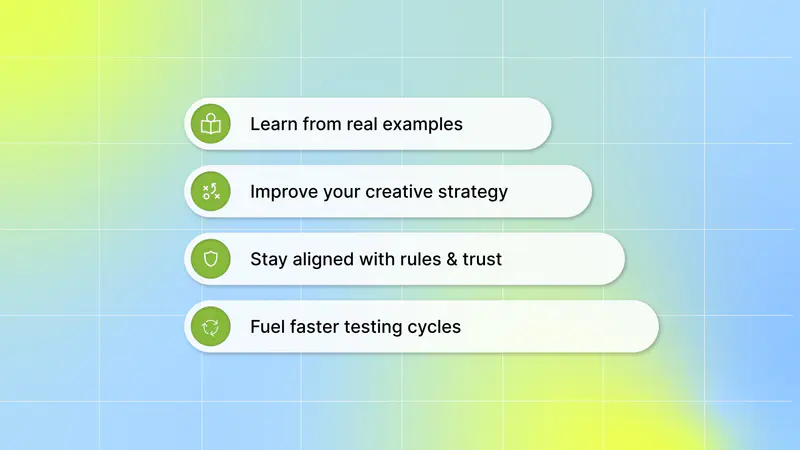
You can use Google Ads Transparency to make better creative choices and steer your campaigns with confidence:
1. Learn from real examples:
Find what works by seeing active ads from others in your space.
Spot formats and messaging that have resonated recently and might be worth testing.
2. Improve your creative strategy:
Compare styles across text, images, and video to inform your own designs.
Adapt ideas safely without copying actual scripts or claims.
3. Stay aligned with rules and trust:
See verified advertiser info, helping you avoid risky or unclear creative sources.
Use public records to check compliance with evolving Google policy and protect your reputation.
4. Fuel faster testing cycles:
Build better A/B variations knowing which creative elements are already in market.
Reduce guesswork when planning new creative concepts or hooks.
Google’s ad transparency tool gives you a window into live advertising activity at scale. You get real creative examples, clear advertiser labels, and placement context that can inform smarter, faster creative testing and planning.
Once you know its value, it helps to break down a simple way to pull useful creative insights from the tool.
Also Read: A Beginner's Guide to A/B Testing Ads for Optimization
How to Use the Transparency Center for Creative Research

Use this quick step-by-step flow to turn the Transparency Center into a simple, reliable source of creative insights:
1. Open the Transparency Center
Start at adstransparency.google.com or select “About this ad” on any Google placement. This brings you straight to the advertiser’s full library so you can study real examples.
2. Use Search and Filters to Focus Your View
Search by advertiser name, domain, keywords, country, or date range.
Apply the U.S. filter and recent time windows to see what’s active right now.
Sort through the results to surface ads that ran for longer periods or appear across several placements.
Narrow by platform when you only care about one placement. The filter row lets you limit results to Search, YouTube, Maps, or Display.
Pro tip: the first grid you see is only a sample. Click the “See All Ads” button at the bottom, then filter by text, image, or video to browse the advertiser’s full library.
3. Review the Creative Formats on Each Ad
Look closely at whether the ad is:
Search text
Display
Short-form video
In-stream
Bumper
Or another supported format
You’ll also see the landing link, which helps you understand the message path from ad to page.
Click into any ad and the Center shows three details worth logging: the ad format, the regions where it ran, and the last date it was shown. That last-shown date is the quickest way to separate an advertiser’s current bets from creatives they have already retired.
4. Spot the Patterns Worth Testing
Study multiple ads and identify repeating elements such as:
Hooks
Visual style
On-screen copy
CTA wording
Video length
These recurring signals often indicate creative ideas worth turning into structured tests.
With a few focused steps, the Transparency Center becomes a straightforward research tool that helps you see real examples, compare formats, and find repeatable patterns you can turn into creative experiments.
After gathering examples and spotting patterns, the key move is turning those findings into tests you can run in a controlled setup.
Turning Observations into Creative Experiments
Start with one clear observation from the Transparency Center and make it your testable change. For example, if you notice a recurring 3-second visual hook, design a version that uses a 1-second hook while keeping everything else the same. This keeps the test focused and lets you learn which element actually moves the metric you care about.
Example frameworks for forming hypotheses:
Format swap: If short video hooks appear often, test a 2-second opening versus a 5-second opening to see which holds attention and drives installs.
Message pivot: When many ads push the same benefit, test that benefit against an emotional angle to identify which message drives higher conversion.
Placement fit: If an asset is used mostly in short-form video, test a cut optimized for that placement against a static banner to confirm format fit.
Make the test plan practical and measurable: identify the single variable you will change, select one KPI (install rate, conversion rate, retention), set a clear sample size or run window, and run the variants in the same placement and audience to avoid confounding factors. Use Google’s reporting and your measurement tools to compare results fairly Accuracy here also depends on how conversions are being recorded in the first place; many teams end up revisiting their server side tracking Google Ads setup once they notice gaps between what a test shows and what Google is actually attributing..
Segwise fits into this workflow by helping you analyze your own creative performance once you’ve formed your hypothesis. While the Transparency Center gives you public examples to spark ideas, Segwise connects to your own Google Ads account data, not the Transparency Center, and uses AI to tag your creative elements like hooks, visuals, and copy elements, and maps those tags directly to your key performance metrics, and shows which patterns historically moved results.
This makes it easier to translate a Transparency Center observation into a sharp, test-ready hypothesis based on what has actually worked for you. With those element-level signals, you can pick the single change worth testing and interpret the outcome with more confidence.
With a testing approach in place, it’s easier to plug these insights into everyday processes across creative refresh cycles, competitor checks, and cross-channel work.
Also Read: Top Creative Analytics Tools for Successful Ad Campaigns 2025
Practical Applications for Performance Marketing Teams
Once you can see what others are running, the next step is to use that intel effectively. Here’s how to turn Transparency Center observations into practical wins:
1. Creative Refresh Planning
Treat the Transparency Center like a daily field report; it shows what others are running, so you can avoid stale angles and focus your next creative cycle.
See where fatigue lives: Scan the same advertiser’s ads across formats and note repeated headlines, visuals, or CTAs. If you find the same creative variants running for many weeks, it’s a strong signal that the creative might be getting tired and needs refreshing.
Find the newest hooks competitors use: Sort or filter by the most recent run dates and watch for new claims, benefits, or seasonal angles competitors add. Those fresh hooks reveal what they believe is working now. The Transparency Center surfaces last-run dates and formats so you can tell new from old.
Prioritize concepts with simple tests. Use observed patterns to rank ideas: test the newest headline angle first, then a changed visual style, and finally a different CTA. Start with quick, low-cost A/B tests (15–30% of your creative budget) focused on the top two ideas you found. Practicality beats perfection.
Build your creative backlog: Create a lightweight folder or spreadsheet to collect screenshots, ad formats, run dates, a short note on the hook, and why it stood out. Over time, the backlog becomes a ready-made refresh plan that maps to what’s working across the market. Guides and how-tos on the Center recommend treating it as a living library for inspiration and benchmarking.
2. Competitor Tracking Rhythms
A simple, repeatable rhythm makes the Transparency Center actionable rather than overwhelming.
Pick a review cadence that fits your market: Fast-moving consumer categories benefit from weekly checks. Slower, higher-consideration products can work on a monthly or seasonal rhythm. Adjust by how often competitors update creatives in your niche. Industry guides show different frequencies based on vertical speed.
Track creative launch pace and favored formats: Note how often competitors push new video versus static display or text-led search promos. High video churn suggests an emphasis on storytelling and experimentation; static-heavy feeds suggest optimization of established creative. The Center lists formats and last-run dates so you can quantify cadence.
Observe messaging shifts, not just new ads: Log the reasons behind message pivots, discount-led bursts, feature-first angles, or user-generated content pushes. These shifts indicate how competitors respond to market conditions (e.g., price wars, product updates, seasonal demand).
Keep a short change log. For each competitor, capture the date checked, any new creatives spotted, the format mix, and one implication for your strategy (e.g., “shift to UGC style next refresh”). A two-line log per check saves hours later and helps anticipate their next moves.
Mobile game teams get extra mileage here. The regions data shows where a rival studio is pushing installs, which can flag markets you have not tested yet. The format mix tells you whether they lean on rewarded video, playable ads, or static creatives. And watch for ads built around in-game events or limited-time offers; those usually point at a retention play, not just an install push.
Consistency beats completeness. A tidy weekly or monthly log turns raw ad files into predictive signals.
3. Support for Search, YouTube, and Cross-Channel Creative Work
Use what you see in the library to tighten messages and make creatives that work together across channels.
For search-focused work: Harvest language and value props you see in display and video ads and test similar short, benefit-led lines in your headlines and descriptions. If a competitor’s visual theme emphasizes speed or simplicity, mirror that benefit in search copy to create a consistent brand story across touchpoints. The center’s searchable ad text and shown creatives make this cross-pollination straightforward.
For YouTube teams: Study pacing, first 3–5 seconds, and CTA styles in video ads. Pay attention to how successful ads open (question, bold claim, demo) and whether they cut to product quickly or use storytelling. Replicate the structure that suits your goal (awareness vs. direct response) and brief editors with exact examples from the library. Industry posts explain that observing opening frames and pacing helps you reduce wasted seconds and lift watch-through rates.
For cross-channel consistency: Build simple creative templates that map to the patterns you observed: headline variants, thumbnail frame choices, and a single visual motif. When designers and copywriters get real examples from the Center, briefs become sharper and faster to execute. The Center works as a reference library to align teams on tone, visual cues, and CTAs.
Turn library finds into briefs: Attach screenshots or short timestamps from videos and write one-line direction; “Use this opening frame + value prop; shorten to 10 seconds; try CTA X.” Concrete examples speed production and reduce back-and-forth.
Real ad examples make briefs and cross-channel testing faster and less guesswork, with more impact. All these pieces come together once you apply what you’ve gathered in small, repeatable steps that feed your next set of creative decisions.
Also Read: Creative Optimization in 2025: Actionable Insights Report
Conclusion
You don’t need to overhaul your whole process. Treat the Google Ads Transparency Center as a simple, repeatable input: collect examples, log changes, and translate the clearest patterns into small, measurable tests. Over weeks, those small tests compound into better creatives, lower costs, and more predictable growth. Start with five saved ads and one test this week, that’s the simplest, highest-value step toward smarter creative work.
Google Ads Transparency becomes truly powerful when you use each observation to fuel one focused experiment and track one clean KPI. That tight loop turns raw visibility into practical learning you can act on quickly, helping you cut guesswork and steer your creative strategy with more confidence.
And when you’re ready to turn those insights into action, Segwise uses multimodal AI to automatically tag element-level creative variables such as hook scenes, first lines of dialogue, headlines, characters, influencer traits, CTA text and dialogue, audio cues across images, video, and playable/interactive ads. It then links those tags to your campaign KPIs (IPM, CTR, ROAS, CPA) across major ad networks, surfaces fatigue and variant-level signals. It provides clear, testable priorities based on what has actually moved the metrics.
You do not have to stop at analysis either. Segwise's Creative Generation Agent turns your winning elements into new image, video, and playable creatives, and the Creative Strategy Agent (AI Chat) answers plain-language questions about your creative data, like which hook style drove the most installs last month. Segwise also tracks competitor ads on Meta through its Competitor Tracking Agent, so the research habit you build in the Transparency Center carries over to your paid social work.
Start a Free Trial to see how Segwise turns your creative workflow into an insight-driven system you can rely on week after week.
FAQ's
1. What is Google Ads Transparency, and what can I see there?
Google Ads Transparency is a free, public hub that shows active ads across Google (Search, YouTube, Display), including creatives, formats, last-run dates, landing URLs, and advertiser info.
2. How can marketers use Google Ads Transparency for creative research?
Search and filter by advertiser, domain, date, or region to identify common hooks, formats, and pacing that competitors use, then borrow the idea (not the copy) to design focused tests.
3. Is the Transparency Center a replacement for my campaign analytics?
No, it’s a snapshot library for spotting patterns and ideas; you must validate any insight with your own performance data and controlled tests.
4. What changed recently about who’s shown as the ad “payer” in the tool?
In 2025, Google began displaying clearer payer-name details (payment profile or an editable payer name for verified accounts) so you can more easily identify who funded an ad.
5. How do I turn a Transparency Center find into a test that actually moves metrics?
Pick one clear variable from observed ads (hook, video open, CTA), choose a single KPI, run both variants to the same audience, and compare results. Small, focused tests reveal what truly works.
6. Can I see a competitor's ad spend or performance in the Transparency Center?
No. The Center shows the creative itself, its format, the regions where it ran, and the last date it was shown. There are no spend, impression, or conversion numbers, so pair what you find with your own campaign data before acting on it.