
Updated July 2026.
The best TikTok ads reporting tools in 2026 are Segwise, Superads, and Foreplay: Segwise for AI creative-level intelligence that ties each video to installs and ROAS, Superads for fast automated creative reporting, and Foreplay for organizing and analyzing ad inspiration. Below we compare nine tools across creative-level metrics, attribution, and pricing so you can pick the right fit.
Are you pouring budget into TikTok ads but can't tell which videos actually drive installs or sales?
If so, you're not alone. Running many tests, juggling raw exports, and watching shallow metrics can leave you guessing. That slows down the fixes you need and burns ad dollars while you wait for a clear winner.
TikTok is a place where creative drives outcomes: in 2025, an estimated 45.5% of U.S. TikTok users were expected to make a purchase on the platform, so knowing which videos convert matters more than ever. Also, platform ad activity and spend have grown sharply in recent years, making accurate creative-level measurement a business priority.
That's where focused TikTok ad reporting comes in. With the right tool, you can link each video to real results, spot when a creative is losing steam, and move budget to winners fast, without hours of spreadsheet work.
In this blog, we'll break down nine leading TikTok ads reporting tools and explain how each one handles creative-level data, attribution, and reporting. Then we'll outline the key features to compare ad variations and link them to installs or revenue. Finally, we'll share a clear, step-by-step framework for testing, scoring, and choosing the right tool with confidence.
What are TikTok Ads Reporting Tools?
Think of these tools as focused dashboards that pull your ad data out of the platform, clean it up, and show what matters for creative performance. They go beyond the basic campaign numbers you see in the ad manager by combining video-level metrics, creative labels, and spend so you can compare different ad versions side by side. TikTok's native interface gives you many metrics, but third-party reporting platforms collect, store, and structure that data so you don't have to.
What makes these tools different from raw exports or spreadsheets is how they present the data: Some advanced platforms automatically tag creative elements, link views and clicks to installs or purchases, and offer ready-made tables and charts you can share. Some tools store structured historical asset-level data independently of the native UI, making it easier to analyze long-term trends across reporting windows.
These tools free you from manual data wrangling and make it faster to spot which creative choices actually move business outcomes. Next, we'll cover why that matters for the work you do.
Why TikTok Ads Reporting Tools Matter
When you're testing multiple creatives at once, surface-level metrics are not enough. You need clear, creative-level insights that tell you what to scale, what to pause, and what to improve. That's where strong TikTok ad reporting makes a real difference.
You stop relying on gut feeling: Instead of guessing which video "feels" stronger, you can compare creatives side by side using view rates, CTR, CPA, and ROAS tied to each asset. That clarity helps you move the budget with confidence.
You catch fatigue early: TikTok performance shifts quickly. A good reporting tool shows performance trends over time, so you can spot declining CTR or rising CPA before wasted spend builds up.
You connect creative to revenue: It's not just about views. You need to see how each video drives installs, purchases, or leads. When creative data links directly to business results, scaling decisions become simple.
You build a repeatable testing system: Clear reporting helps you identify winning patterns, create new variations based on them, and test again. Over time, this turns creative testing into a structured growth engine instead of random experimentation.
In short, TikTok ads reporting helps you make faster, smarter creative decisions backed by real performance data. Next, let's look at the features that make a reporting tool truly useful.
Also Read: TikTok Ads Dashboard: Best Practices and Metrics That Matter in 2026
Key Features of TikTok Ads Reporting Tools
Now that it's clear why better reporting drives stronger creative decisions, the next step is knowing what separates a useful tool from a basic dashboard. Not all reporting platforms are built the same, so let's break down the features that truly make a difference.
Automated creative tagging: The tool reads your videos and labels elements such as opening hooks, product shots, text overlays, and spoken lines. This turns subjective notes into searchable tags you can filter and compare. Look for AI or rules-based tagging that handles video frames and audio.
Asset-level metrics: You need asset-level video metrics such as video view rate (e.g., 2s, 6s, or full views depending on format), average watch time, CTR, and conversion metrics tied to the exact creative file, not just campaign aggregates. Make sure the tool shows metrics normalized by spend (so a low-spend winner doesn't get buried).
Native TikTok integration & reliable data sync: A direct, no-code connection to the ad account reduces missing or delayed data. Check whether the tool supports scheduled syncs and how often it refreshes. Some platforms store a lifetime history of your activity after you connect, which is useful because native data can expire or be limited.
Fatigue and anomaly alerts: Automated alerts flag when a creative's performance deviates from normal variance or when the CTR/view rate drops suddenly. This helps you act fast before wasted spending builds up. Verify how the tool defines "fatigue" and whether thresholds are adjustable.
Cross-network comparison: If you run similar creatives on other networks, a good tool lets you compare them side by side so you can determine whether a creative's success is TikTok-specific or broadly effective. Make sure the tool maps metrics across platforms (e.g., watch rate vs. view rate).
Attribution and ROAS linking: You'll want installs, purchases, or revenue connected to the creative level. Check how the tool integrates with your attribution stack or whether it accepts post-back data so you can see spend to creative to result.
Quick, shareable reports & exports: Look for templated reports, white-label exports, or one-click CSV/Google Sheets exports so editors and stakeholders can get what they need without logging into the dashboard. Tools that automate delivery save a lot of time.
Collaboration & notes: The ability to leave notes on creatives, tag team members, and keep brief histories of hypotheses and test outcomes helps the whole team learn faster. Prefer tools that keep a simple audit trail alongside metrics. (Many leading platforms include this in their workflow features.)
Speed to insight & ease of setup: Finally, evaluate how long it takes to connect an account and get first insights. If the setup needs heavy engineering, you'll lose momentum. The fastest gains come from tools with no-code or plug-and-play integrations.
With these core capabilities in mind, it becomes easier to evaluate actual platforms. Below is a quick comparison of nine TikTok ads reporting tools worth considering, each built for slightly different workflows and priorities.
Also Read: How TikTok Ads Manager Helps Marketers Build Stronger Campaigns
Quick Comparison: TikTok Ads Reporting Tools in 2026
Pricing reflects publicly listed starting rates as of July 2026 and may vary by billing term, ad accounts, and data volume. Confirm current plans with each vendor.
List of 9 Best TikTok Ads Reporting Tools To Look For
Rather than searching for a single "best" solution, it's more useful to understand how different platforms are built and who they serve. Here are nine TikTok ads reporting tools to consider, each designed for a specific type of marketing workflow.
1. Segwise
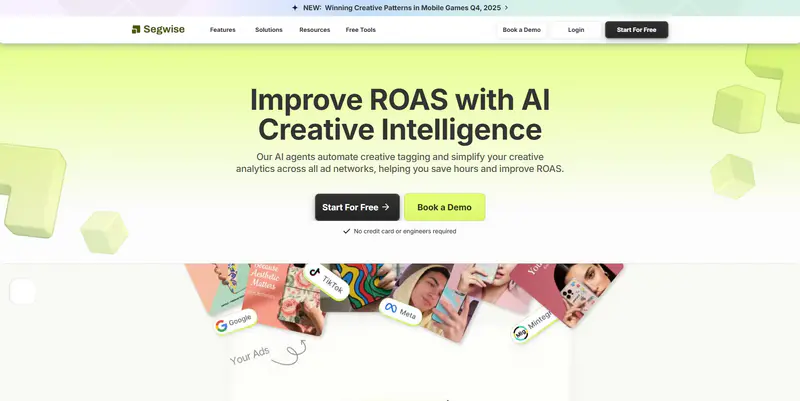
Segwise is an AI-powered creative intelligence platform that automatically tags video ads, links creative elements to conversion outcomes, imports historical data (up to 14 days on the free trial and up to 3 months for paid customers), and stores ongoing, synced creative performance across connected ad networks. It was built to make creative analysis fast so you can find which ad ideas actually drive installs or purchases, rather than sifting through raw campaign numbers. Segwise connects to 15+ ad networks and 4 MMPs (including AppsFlyer, Adjust, Branch, and Singular), and its multimodal tagging lets you move from insight to a clear test or production brief in minutes.
If your main goal is to spot winning creative patterns, reduce wasted tests, and hand clear briefs to editors, Segwise is designed around that exact workflow.
Best for:
When you need fast, repeatable creative insight tied to installs or revenue, and a platform that automates tagging, spotting fatigue, and feeding the production loop.
Key features:
Automated creative tagging: Multimodal AI reads frames, audio, and text to label hooks, product shots, overlays, and other creative signals so you can filter and compare at scale. Segwise is the only platform that also tags playable (interactive) ads.
Asset-level performance tied to conversions: view each video's watch rates, clicks, and installs or revenue (when linked to your attribution) so you see which ad files truly move business results.
Native fatigue detection: An always-on AI creative strategist flags declining creatives early, with fatigue thresholds you can configure to your own business logic.
Competitor tracking: Monitor competitor creatives (Meta only) to spot trends and gaps you can exploit for new tests.
AI creative generation: Generate data-backed creative variations, including playable ads, based on historically high-performing elements identified through tag analysis.
Direct TikTok Ads integration + MMP support: Quick no-code account connection and the option to import post-back or attribution data for ROAS at the creative level.
Pricing:
Segwise offers a 7-day free trial (no credit card required to start exploring), then tiered plans that depend on the number of ad accounts and data needs. Check the vendor for current plans.
Limitations:
Fewer features for organic social scheduling or community moderation (not relevant if you focus on paid creative measurement).
Competitor tracking currently covers Meta only.
Some teams prefer their own naming conventions at first, so you'll want a short setup step to align tags.
2. Superads
Superads is an AI-powered creative analytics and reporting platform built for paid social teams. It pulls ad and creative data into automated reports, generates AI creative breakdowns, and can schedule report delivery to Slack or email, which makes it a strong fit for teams that want fast, repeatable reporting without heavy manual setup.
Best for:
Teams that want automated, AI-assisted creative reporting and scheduled delivery across connected ad accounts.
Key features:
AI creative breakdowns: Automatically summarize what's driving performance across your creatives.
Unlimited custom breakdowns: Slice data by as many dimensions as you need and combine groupings freely.
Scheduled workflows: Automate daily, weekly, or monthly reports delivered via Slack channel, Slack DM, or email.
Pricing:
The Pro plan starts at $150/mo, priced by total monthly ad spend across connected accounts. A 14-day free trial is available.
Limitations:
Pricing scales with ad spend, which can rise for larger accounts.
Focused on reporting and breakdowns rather than end-to-end creative generation.
3. Foreplay
Foreplay is a creative research and workflow tool that lets teams save, organize, and analyze ads from the TikTok Creative Center, the Facebook Ad Library, and more. It is less of a pure asset-level performance reporter and more of an inspiration-to-brief workflow, helping creative teams build a shared, searchable library of winning ad ideas.
Best for:
Creative strategists and agencies that want to research, save, and organize ad inspiration into a structured workflow.
Key features:
Ad library saving: Save unlimited ads from the TikTok Creative Center and other ad libraries into organized boards.
Competitor tracking and creative analytics: Higher tiers add competitor tracking and analytics for scaling teams.
Team collaboration: Shared boards and tagging keep entire teams aligned around a common creative library.
Pricing:
Basic starts at $59/mo, Workflow at $175/mo, and Agency at around $459/mo, with roughly 15% off on annual billing.
Limitations:
Focused on creative research and organization rather than asset-level ROAS attribution.
Deeper analytics are gated to higher tiers.
4. VidMob
VidMob is an enterprise creative data platform that pairs AI-powered creative analytics with production workflows. It connects creative performance to campaign results and offers creative scoring that evaluates whether ads follow best practices before you scale them, which appeals to larger brands and agencies with heavy creative volume.
Best for:
Enterprise brands and agencies that want creative analytics tied to production workflows at scale.
Key features:
Creative scoring: Evaluate creatives against best practices and brand guidelines before scaling.
Cross-platform creative insights: Understand which creative strategies work best by audience, region, and platform.
Production workflow: Combine analytics with a network of creators for faster turnaround.
Pricing:
Custom / contact sales. VidMob does not publish standard tiered pricing.
Limitations:
Enterprise-oriented, so it may be heavier than smaller teams need.
No public pricing, which slows quick evaluation.
5. Sprout Social

Sprout Social is a broad social media management tool with TikTok reporting and profile analytics. It stores long-term profile performance data, supports cross-network reports, and offers team collaboration and publishing tools. Sprout focuses on social listening and content performance rather than creative-level ad analytics.
Best for:
Good choice if your focus is organic content scheduling, community work, or social reporting across channels, not the best fit if you need deep, automated creative-level ad analytics for paid tests.
Key features:
Profile analytics & lifetime post history: Track post performance, audience demographics, and engagement trends over time.
Cross-network dashboards: Compare organic performance across networks in one place.
Collaboration & publishing: Scheduling, asset libraries, and team workflows for content ops.
Pricing:
Standard starts around $199 per seat per month (annual billing), with Professional, Advanced, and custom Enterprise tiers above that.
Limitations:
Lacks automated multimodal creative tagging for paid ad files (the feature you'd want for rapid creative testing).
Not designed to tie creative variants directly to install-level ROAS in a marketer's attribution stack.
More expensive for full reporting capabilities than niche creative analytics tools.
6. AgencyAnalytics

AgencyAnalytics is a flexible reporting platform built for agencies. It centralizes campaign data from ad platforms, including TikTok Ads, into dashboards and client-ready reports. It focuses on white-label reports and agency workflows rather than automated creative element analysis.
Best for:
Useful if your main job is to produce client reports, white-label dashboards, or consolidate many accounts, less useful if you need automated creative tagging and AI-driven creative recommendations.
Key features:
Custom dashboards & templates: Build client-facing dashboards and automate report delivery.
TikTok Ads integration: Pulls campaign and ad metrics for reporting in one place.
API and data connectors: Flexible for agencies that combine many sources and build custom views.
Pricing:
Freelancer starts at $59/mo (annual), with Agency at $179/mo and Agency Pro tiers above; a per-client Core plan is also available from about $20 per client per month.
Limitations:
Doesn't focus on multimodal creative tagging (the capability that enables fast creative insight).
Creative fatigue or element-level analysis is limited compared with creative analytics platforms.
Export and templating are agency-first; creative audit workflows may need manual steps.
7. Iconosquare

Iconosquare is an analytics and scheduling tool for social teams that manage posts and measure engagement. It supports TikTok account analytics, scheduling, and basic reporting. Iconosquare helps with content planning and trend tracking, but is not positioned as a creative analytics engine for paid ad testing.
Best for:
Choose this if you prioritize organic posting, content calendars, and measuring post engagement over a paid-ad creative-testing workflow.
Key features:
Post scheduling and calendar: Plan and publish TikTok posts alongside other networks.
Content performance reports: Analyze engagement trends, best times to post, and long data retention on some plans.
Team collaboration: Asset libraries and user roles for content teams.
Pricing:
Launch starts at $33/mo, Scale at $69/mo, and Excel at $116/mo, with custom enterprise plans and annual discounts.
Limitations:
Lacks deep asset-level ad tagging and creative-to-ROAS linkage you need for paid creative testing.
Not built to track competitor-paid creatives at scale.
Reporting focuses on organic metrics, so paid-spend normalization and cohort tests are limited.
8. Reporting Ninja

Reporting Ninja is a report builder aimed at marketers and small agencies that need quick, automated, and attractive reports. It connects to TikTok Ads so you can automate dashboards and PDF reports, but it focuses on report creation rather than automated analysis of creative elements.
Best for:
Good when your priority is fast, automated report delivery, and you don't need AI-driven tagging or integrated creative recommendations.
Key features:
Drag-and-drop report editor: Build engaging reports and automate delivery.
Ad connectors: Pull TikTok Ads data for templated reports and scheduled exports.
Simple UI for agencies: Fast report setup with blocks for charts and KPI summaries.
Pricing:
Plans start at $20/mo with all connectors and features included; higher tiers ($40/mo, $70/mo) add capacity. A 15-day free trial is available.
Limitations:
Does not offer multimodal automated creative tagging and AI creative generation that speed up creative testing.
Creative-level ROAS linkage is limited unless you build custom connectors.
Less focus on competitor creative tracking compared to specialist creative analytics platforms.
9. TikTok Ads Manager and Creative Center
TikTok Ads Manager and the TikTok Creative Center are the platform's own free tools. Ads Manager gives you native campaign, ad group, and ad-level metrics, while the Creative Center surfaces trending videos, top ads, and creative insights. They are the baseline every advertiser has, though they lack automated creative tagging and long-term asset-level history.
Best for:
Teams that want a free starting point for native campaign metrics and creative trend discovery before investing in a dedicated reporting tool.
Key features:
Native campaign metrics: Track spend, impressions, clicks, CTR, and conversions directly in the ad account.
Creative Center trends: Explore top-performing ads, trending sounds, and hashtags for inspiration.
Free access: No additional cost beyond your ad spend.
Pricing:
Free.
Limitations:
No automated multimodal creative tagging or element-level analysis.
Native data retention can be limited, so long-term trend analysis is hard.
No cross-network comparison or MMP-based creative ROAS out of the box.
Now that you've seen what different platforms offer, the next step is narrowing the field. A structured decision process will help you avoid feature overload and focus on what truly supports your growth goals.
Also Read: Top 5 TikTok Ad Spy Tools for Finding High-Converting Creatives (2025)
How to Choose the Right TikTok Ads Reporting Tool
This is not about picking the tool with the longest feature list. It's about choosing the one that helps you move from creative insight to action faster.
Here's a practical way to decide:
Step 1: Define What Success Looks Like for Your Team
Write one clear outcome you need from the tool. Example: "Show which creative variants double installs at the same or lower CPA." Keep this statement visible during vendor talks.
Step 2: Must-Have vs Nice-To-Have
Make two lists:
Must-have: E.g., asset-level metrics, spend-normalized views, direct TikTok sync, ability to import attribution.
Nice-to-have: Automated tagging accuracy, cross-network comparisons, white-label exports, and AI creative suggestions.
This keeps conversations efficient and avoids feature-bloat.
Step 3: Short Vendor Questionnaire to Ask Sales
Ask each vendor these exact questions and record their answers:
How do you connect to TikTok Ads, and how often do you refresh data? (look for daily or better).
Do you store historical ad and asset data? If so, how long?
Can you show creative-level ROAS and accept MMP post-backs?
How does your creative tagging work, and what's the accuracy or sample?
What fatigue or anomaly detection methods do you use, and how are alerts delivered?
What export formats and automated reports do you support (CSV, Sheets, PDF, Looker Studio)?
Pricing model: per account, per seat, or based on data volume? Any overages?
Step 4: Run a Short Pilot
A short test tells you more than a long sales pitch.
Here's a simple structure:
Connect your TikTok account and confirm data pulls correctly.
Tag 8 to 12 recent creatives or review the platform's automated tags.
Compare performance by hook type, video length, or CTA.
Validate that conversion or revenue data connects properly.
Export two reports, one for your internal review and one for stakeholders.
If it feels slow or confusing during this short window, it will only get harder at scale.
Step 5: Use a Simple Scoring Model
Score each tool from 0 to 5 in these areas:
Data reliability
Depth of creative insight
Attribution clarity
Reporting and exports
Cost relative to value
Weigh what matters most to you. For many teams, data accuracy and creative insight should carry the most weight.
Before you commit, confirm that the vendor has strong data security and proper access controls. Ask about API rate limits and whether they require read-only access or broader permissions to your ad account. Confirm their service-level agreement on data refresh frequency and support response times. Finally, check what onboarding looks like. Will they actively help map your creatives and tags during setup, or are you expected to configure everything on your own?
These details protect your data and prevent surprises after launch. When you follow this process, you don't just choose a reporting tool; you choose a system that supports faster creative decisions and smarter budget allocation.
Frequently Asked Questions
What is the best TikTok ads reporting tool in 2026?
For creative-level intelligence, Segwise is the strongest pick because it auto-tags every video with multimodal AI, links creative elements to installs and ROAS, detects fatigue natively, and generates data-backed variations. Superads and Foreplay are strong alternatives for automated reporting and creative research, respectively. The best choice depends on whether your priority is paid creative analytics, client reporting, or organic social.
Which TikTok ads reporting tools are free?
TikTok Ads Manager and the TikTok Creative Center are free and give you native campaign metrics and creative trend data. Several paid tools also offer free trials, including Segwise (7-day), Superads (14-day), and Reporting Ninja (15-day).
How much do TikTok ads reporting tools cost?
Entry pricing ranges widely. Reporting Ninja starts at $20/mo, Iconosquare at $33/mo, AgencyAnalytics and Foreplay at $59/mo, Superads at $150/mo, and Sprout Social at $199/mo. Enterprise platforms such as VidMob use custom pricing. Confirm current rates with each vendor, as plans vary by billing term and ad volume.
What is the difference between a TikTok ads reporting tool and TikTok Ads Manager?
TikTok Ads Manager shows native campaign metrics but has limited history and no automated creative tagging. Dedicated reporting tools store long-term asset-level data, tag creative elements, normalize by spend, and connect creative performance to installs or revenue, which makes creative testing faster and more repeatable.
Can these tools connect creative performance to installs and ROAS?
Creative analytics platforms like Segwise can link each creative to installs, purchases, or revenue when connected to your attribution stack. Segwise integrates with 15+ ad networks and 4 MMPs (AppsFlyer, Adjust, Branch, and Singular) so you can see spend, creative, and outcome together. Reporting-only tools generally surface campaign metrics without deep creative-to-ROAS linkage.
Which tool is best for a creative team versus an agency?
Creative teams focused on winning-pattern discovery tend to prefer Segwise or Superads for creative analytics, and Foreplay for inspiration and research. Agencies that mainly produce client reports often prefer AgencyAnalytics or Reporting Ninja for white-label dashboards across many accounts.
Final Thoughts
A tight, outcome-first conclusion: clear, creative-level TikTok ads reporting is no longer a nice-to-have; it is the control center that turns scattered metrics into decisions you can act on. Prioritize a reporting approach that surfaces early winners and fatigue, ties creative signals to business outcomes, and feeds those learnings back into brief-ready tests so your team can scale what actually moves ROAS. Treat reporting as the engine that shortens the loop between insight, strategy, and production, keeping creative testing fast and repeatable.
Want to take your creative performance analysis even further? What if your reporting tool didn't just summarize data but actually surfaced what creative elements work best and suggested better creative directions?
Consider Segwise, a creative intelligence platform built for creative strategists that automates multimodal tagging, maps creative elements to conversion and ROAS, detects fatigue, and even generates data-backed creative variations so briefs go to production in minutes.
Start a Free Trial with Segwise to see how linking creative analytics with strategic testing accelerates your path from insight to optimized execution.