
The best creative automation tools for scaling ad production in 2026 are Segwise, Celtra and The Brief. Segwise (from $499/month, 7-day free trial) generates new statics, video and playables from the creative elements already winning in your account across 15+ ad networks, then tracks every asset it produces. Celtra (pricing not published) mass-produces and versions creative across 100+ media platforms and reports making more than 20 million ads a year for its customers. The Brief, the platform Creatopy rebranded to, starts at $29 per month and can edit 100 ads at once and resize and localize a whole campaign in a click. Every tool below is ranked on one job: how many finished, on-brand, placement-ready assets it gets out of the door each week, and how much manual work each one still costs you.
Segwise is an AI creative-analytics and generation platform that auto-tags every element across 15+ networks and generates new statics, video and playables from the elements already winning in your account.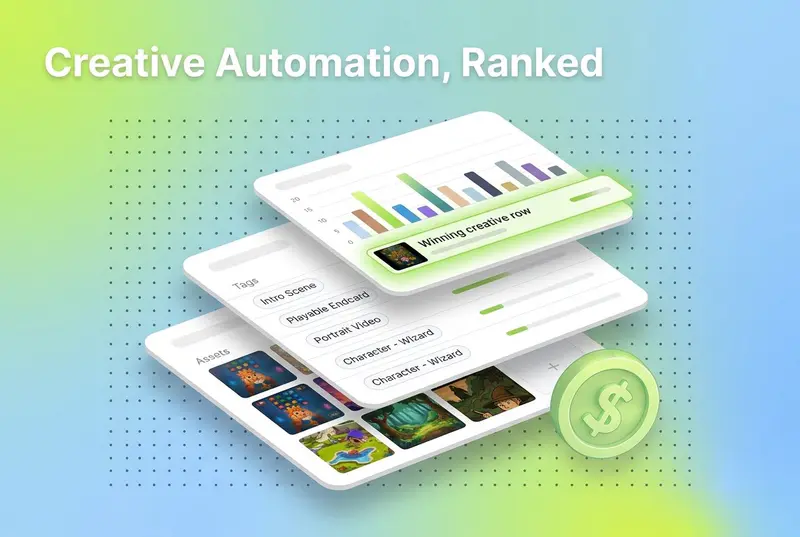
If your catalog has grown past a few hundred SKUs, or your test roadmap demands dozens of new ad variants every week, manual production is the bottleneck. Designers get swamped, approvals drag, and half your catalog stays unadvertised because nobody has time to resize and relaunch it.
The squeeze is worse than a normal capacity problem, because creative is also the lever that moves the numbers most. Circana's NCSolutions, in its Five Keys to Advertising Effectiveness study of nearly 450 CPG campaigns across digital and TV, attributes 49% of advertising's incremental sales to the creative itself, against 21% for brand, 14% for reach, 11% for targeting and 5% for recency (Circana). Creative is the largest single lever by a wide margin, and it is the one platform automation has not taken off you. So the thing you cannot produce fast enough is the thing your results depend on.
Creative automation tools remove that constraint. They hold your brand rules in a template, take structured input (a spreadsheet, a product feed, an API call, or a set of winning creative elements), and produce every size, language and placement variant you need without a designer rebuilding each one. This guide reviews the 9 that do it best, then hands you a decision table, a hidden-costs list, and the workflow lean teams actually run. Prices were read from each vendor's own pricing page in September 2026, and where a vendor publishes nothing, this page says so instead of guessing.
Also read How to Turn Winning Ads Into New Variations, Automatically.
Disclosure: this guide is published by Segwise, one of the 9 tools reviewed here. Every price was checked at the vendor's own pricing page in September 2026, Segwise gets the same limitations treatment as everything else on this page, and any Segwise performance figures are self-reported by our customers and labeled as such.
Creative Automation vs Dynamic Creative Optimization: Which Problem You Actually Have
These two categories get sold as the same thing and they are not. They fix opposite ends of the same pipeline, and buying the wrong one is the most common expensive mistake in this market. Read the symptom column and pick your side before you look at a single tool.
The practical test: if the asset is finished before the auction, it is creative automation. If the asset is assembled during the auction, it is DCO. Feed-driven catalog platforms such as Hunch and Confect sit on the DCO side of that line for exactly this reason, which is why they are not ranked here.
What Scaling Creative Production Actually Means
The phrase gets used two ways, and only one survives contact with a real ad account.
The wrong version is mass-producing lookalikes. Take one design, spin out fifty headline swaps, push them into ten placements, and call it 200 creatives. You get volume with no signal. Most of it never performs, and when something does win you cannot say which part won. That is not scale, it is expensive noise.
The version that works has three properties. It starts from evidence, so the variants carry elements that already perform rather than fresh guesses. It is reproducible, so the same input always produces the same on-brand output at every size. And it is tracked, so this week's results become next week's input. The difference is a printing press versus a feedback loop.
None of this means firing designers. It means taking 200 near-identical resizes off their desks so they can work on the concepts that need a human. The goal is not more ads. It is more winners, produced faster than your current winners fatigue.
How Many Finished Assets Your Test Plan Actually Needs
Most teams underbuy because they count concepts instead of assets. The real number is concepts multiplied by placement sizes multiplied by markets, and it grows faster than headcount ever will. Find your row, then buy for the output column rather than for the concept column.
Two things fall out of that table. First, the jump from one market to five is a bigger production shock than doubling your concepts, because it multiplies rather than adds. Second, past roughly 500 finished assets a month, the input method matters more than the editor: a tool you drive from a spreadsheet or an API will beat a nicer canvas you have to click through.
How These 9 Creative Automation Tools Were Judged
Every tool here was scored against the same six questions, and pricing was read from each vendor's own pricing page in September 2026 rather than lifted from other roundups.
Bulk input method. Can you drive it from a spreadsheet, a feed, a form or an API, or does someone have to click every variant into existence?
Formats out. Static, video, animated GIF, HTML5, playable, print. A tool that stops at static is a partial answer if you run video.
Brand lockdown. Can a non-designer generate 300 assets without breaking the layout, the logo placement or the type?
Localization and versioning. How much work is the fifth market, and does the layout survive a German headline?
Where the assets land. Direct publishing to ad accounts, a DSP feed, or a zip file you upload yourself.
Whether production is aimed at anything. Volume without a read on which elements perform is the failure mode this whole category is famous for.
The 9 Creative Automation Tools Compared
Two of these are not really platforms. Placid and Bannerbear are endpoints you call, which makes them the cheapest way to reach high volume if you have an engineer and the wrong choice if you do not. There is a section on that trade-off below.
Which Creative Automation Tool Fits Your Situation

Find the row that describes you. The thresholds are the ones that actually change the answer.
The last row is the one teams skip and then regret. A production platform will happily manufacture 2,000 assets built on an assumption nobody checked. Knowing which hook, CTA and visual style already earns its impressions is what turns that volume into results instead of spend.
The 9 Best Creative Automation Tools for Scaling Ad Production
1. Segwise: Best for producing variants from the creative elements already winning in your account
Segwise is an agentic creative intelligence and generation platform. Most tools on this list are faster hands: you tell them what to build and they build a lot of it. Segwise decides what is worth building first, then builds it, then checks whether it worked. That order matters, because production speed pointed at the wrong concept just scales waste.
Connect your ad accounts and Segwise pulls creative and performance data from 15+ ad networks including Meta, Google, TikTok, Snapchat, Axon (AppLovin), Unity Ads, Mintegral, Moloco and Liftoff, plus all five supported MMPs: AppsFlyer, Adjust, Branch, Singular and Kochava. Its multimodal Creative Tagging Agent labels every element in every asset (hooks, characters, CTAs, on-screen text, audio, visual style) and maps each tag to any metric you track, not just ROAS. The Creative Generation Agent then produces net-new statics, video, AI-UGC-style ads and playables built around the elements that are earning, and exports them in every aspect ratio each network wants. Setup is no-code and takes about five minutes, or 10 to 15 minutes to connect every source.
Key features
Creative Generation Agent that produces statics, every video type, AI-UGC-style ads and playables, plus scene-by-scene video storyboards, with prompt-based editing and multi-format export for each network.
Element remixing that combines proven hooks, CTAs, characters and visual styles from across several different winners into one new asset, rather than reworking a single source.
Creative Tagging Agent covering video, audio, image and text, and the only one on the market that tags playable (interactive) ads.
Creative Strategy Agent (AI Chat) that answers questions about your creative data in plain language and also drafts creative briefs and concepts, so the brief is written from evidence instead of a blank page.
An MCP that lets you query your own Segwise data from the AI tools your team already uses.
Fatigue tracking with custom thresholds and early warning alerts, so you know when to swap a variant before performance drops.
Asset clustering that groups ads sharing underlying footage, so you can isolate which hook or overlay caused a performance gap between two near-identical variants.
Closed-loop tracking: every generated asset is auto-tagged once live, so next month's production input is this month's result.
When you should try it
You are running 50 or more creatives across more than one network and your bottleneck is both halves of the problem at once: you cannot produce enough variants, and you are not sure which variants deserve the effort. Mobile game studios, DTC brands, subscription apps and growth agencies are the core fit, and it is the only tool here that produces playable ads. Published customer stories include Medialicious, Influence Mobile, Mode Mobile and Namma Yatri.
Limitations
Segwise is not a design canvas. It will not do pixel-level layout, motion editing or print, so a brand team producing an HTML5 display suite or a CMYK poster still needs a design tool alongside it. Competitor tracking covers Meta only for now, with other platforms in development. And the platform is deep, so a single small account running under 20 active creatives will leave most of it unused.
Pricing
Segwise starts at $499/month for advertisers spending up to $250K/month, with a special 50% discount for startups spending under $50K/month. There is a 7-day free trial, which backfills up to two weeks of history; paid plans backfill up to three months.
Features worth exploring: creative analytics, creative tagging, creative generation, fatigue tracking.
2. Celtra: Best for enterprise mass production with market versioning and governance

Celtra calls itself a creative operating model rather than a design tool, and the numbers it publishes explain why: more than 20 million ads created annually, more than 104 billion impressions delivered annually, and more than 450 enterprise customers, with named brands including Nike, McDonald's, Adidas, Toyota, Unilever and Spotify. If your problem is 15 markets, four agencies and a brand team that has to sign off on all of it, this is the category standard.
The thing Celtra does that mid-market tools do not is separate the two roles cleanly. Creative teams build toolkits that define what may change and what may not; marketers and regional teams then activate campaigns inside those constraints without a designer in the loop. Output covers display, rich media, video and social, and deploys to 100+ media platforms.
Key features
Toolkits that lock brand and design standards while leaving defined fields editable, so regional activation cannot break the layout.
Multi-market versioning and localization designed for simultaneous global rollout rather than sequential market builds.
Live-data creatives that update against pricing, inventory and market shifts.
Pre-launch creative scoring and element-level performance intelligence.
Approval workflows, permissions and role-based governance across internal teams and agency partners.
Deployment to 100+ media platforms, including rich media and display formats most social-first tools cannot produce.
When you should try it
You are an established brand with creative operations spanning several markets, languages and agency partners, and governance is as much of the problem as throughput. Below that scale it is more platform than you need.
Limitations
Enterprise only, with a bespoke quote and a professional-services-shaped implementation. Teams without a dedicated creative ops or ad ops owner reliably underuse it. For a performance team whose whole world is Meta and TikTok statics, most of what you pay for is governance you will never switch on.
Pricing
Not published. Celtra states plainly that it does not use tiers or rate cards and builds a bespoke package by the solutions you need and the volume you require, quoted on production volume and impressions.
3. Smartly: Best for building, approving and launching high-volume paid social in one system

Smartly is a dual-purpose platform, and it is worth being precise about which half puts it on this page. Smartly Creative is a production line: modular image and video templates, product feed inputs, bulk variant build, enterprise approval routing, then direct publishing. That is the production-scaling job. Smartly also does delivery-time assembly, which is a different purchase and is covered on our DCO tools guide.
What large advertisers buy it for is the absence of handoffs. The team that builds the 400 variants is working in the same system that approves them and pushes them live, across social, connected TV (200+ streaming services), video and open-web DSPs. Fewer exports, fewer naming mistakes, one audit trail.
Key features
Smartly Creative, with modular templates that adapt across formats, placements and platforms from one master build.
Feed-based creative that keeps price, availability and product name current in the produced assets.
Enterprise approval workflows, permissions and audit controls, which is the part that decides whether 400 variants actually ship.
Direct cross-channel publishing to social, CTV, video and the open web from the same interface.
Smartly Media, Intelligence, Synapse and Brand Pulse modules if you want buying and measurement in the same contract.
When you should try it
You are an enterprise or upper mid-market advertiser with dedicated media ops headcount, high paid social volume, and a governance requirement across markets. It is the strongest answer here when production and publishing genuinely need to live in one platform.
Limitations
Implementation is heavy, the minimum commitment rules out small teams, and design-led teams often find a modular template system less pleasant than a real canvas. Because production and media sit in one contract, the platform is hard to leave once your campaign structure depends on it.
Pricing
Not published, and no self-serve tier exists. Smartly sells custom enterprise contracts, commonly structured against media spend. Third-party roundups quote specific monthly minimums; those numbers do not come from Smartly, so treat them as hearsay and get a written quote at your own volume.
4. The Brief: Best for bulk editing and one-click resize and localization

The Brief is Creatopy, renamed. That matters when you shop, because roundups still list the two as separate products and they are one company: creatopy.com now redirects to thebrief.ai. What you get is the mature banner and template engine with an AI agent layer on top, and the production core is the reason it belongs here rather than on a generation list.
Two specific capabilities do the work. You can select and edit up to 100 ads at once, which turns a "change the offer on everything" request from an afternoon into a minute. And one-click resize and localize regenerates text variations while preserving layout and fonts, so a campaign built for one market becomes five without reformatting.
Key features
Bulk create and bulk edit of up to 100 ads simultaneously.
One-click resize and localize that keeps layout and typography intact across languages.
HTML5 animation for display without writing code, inherited from the older design product.
Brand kits that keep logos, fonts and colors synced so output looks designed rather than templated.
Publishing to Meta and Google from inside the tool, plus standard export.
AI agents that research, generate, launch and report, which is the newest and least proven layer.
When you should try it
Your tax is reformatting, not concepting. You run many placements and several markets, and you want one affordable tool that produces, resizes, localizes and launches. It is the best value on this list between roughly 50 and 500 assets a month.
Limitations
The rebrand has drawn user complaints about performance and plan clarity, and the agent features are much newer than the design core, so buy it for the production engine and treat the agents as upside. It also has no read on which of your produced variants perform, so pair it with an intelligence layer if you want the volume aimed at something.
Pricing
Pro $29 per month (billed annually at $348, single seat, 250GB storage, 5 brand kits). Ultra $79 per month (1TB, 20 brand kits, 100,000 ad impressions a month). Team $49 per seat per month for 2 to 10 seats. Enterprise custom with usage-based billing for 11+ seats. All plans include the full ad studio, AI generation and export with no separate credit system, and there is a 7-day free trial with no card.
5. Bannerflow: Best for HTML5 display, DOOH and multi-market versioning

Bannerflow is the specialist for everything that is not a social feed. Its Creative Studio takes a blank-canvas approach rather than template-only, so you keep layout and motion control, then scales that design across every banner size, region and channel. Output reaches display, social, digital out-of-home, in-store retail signage and affiliate placements, which is a wider surface than any other tool on this list.
Worth correcting a common claim: Bannerflow does now ship dynamic ads driven by product feeds and a DCO module, alongside AI localization and translation and real-time editing of live campaigns. Older comparisons (including our own earlier version of this page) said it had neither. If the delivery side is what you are shopping for, read the DCO tools guide before you decide between Bannerflow and a decisioning-first platform.
Key features
Creative Studio with full layout and motion control for HTML5 and video, not just template fills.
Ad versioning that scales one creative across every format and size automatically.
AI-powered localization and translation for regional rollouts.
Dynamic ads driven by product feeds, plus a DCO module for automated testing.
Real-time campaign management, so you can change a live banner without a republish cycle.
Publishing and scheduling across display, social, DOOH, in-store screens and affiliate.
When you should try it
Display and rich media are a real share of your spend, you run several regions, and you need publisher-ready or DSP-ready output rather than a zip of social sizes. It is also the only tool here that covers physical screens.
Limitations
Pricing is not published and the buying process starts with a demo, which slows evaluation. It is heavier than a self-serve tool for a team whose output is entirely Meta and TikTok statics, and cost rises as you add feed and retargeting modules.
Pricing
Not published anywhere on the site. Demo or contact only.
6. Abyssale: Best for spreadsheet-driven output with brand rules locked

Abyssale solves the version of this problem where a designer and a marketer have to coexist. The designer builds a multi-format Design once, with locked brand elements, custom fonts and editable layers. After that, anyone (or any connected system) can populate it with product, campaign, audience or localization data, and the output is on-brand by construction rather than by review.
The input flexibility is the real differentiator. The same Design can be filled by Quick Generation, by a spreadsheet, by a dynamic image URL, by a shareable form someone outside your team fills in, by a no-code integration, or by the REST API. It is also the only tool on this list that produces print-ready CMYK PDFs alongside its digital formats, which matters if the same campaign has to reach a poster.
Key features
Reusable multi-format Designs with locked brand elements, editable layers, custom fonts and predefined output settings.
Six ways in: Quick Generation, spreadsheet generation, dynamic image URLs, shareable forms, no-code integrations and a REST API.
Output across static images, video, animated GIF, HTML5 banners, web PDFs and print-ready CMYK PDFs.
Multi-model AI image generation and editing for backgrounds, product visuals and concept variations, placed inside the controlled layout rather than replacing it.
AI Auto-Focus, background removal and copy translation, so a resize does not crop the subject out or break the headline.
Projects, sharing, contextual feedback and approval workflows for client or stakeholder review.
When you should try it
Production is the bottleneck, you need controlled variations across formats, products, languages, markets or clients, and you already handle media buying somewhere else. Strong fit for ecommerce brands, agencies and creative ops teams, and for developers who want an API without an enterprise contract.
Limitations
Abyssale stops at production. There is no media buying, no campaign distribution and no element-level read on which variants earned their spend, so it does not tell you what to make next. Format coverage is also tiered: video and GIF start at Pro, and HTML5 and print CMYK PDF start at Suite, so check your format list against the plan before you price it.
Pricing
Start $12 per seat per month, Pro $36, Suite $60, Enterprise custom. Every plan includes monthly generation and AI credits, with extra credits at $0.01 each that never expire. 14-day free trial, no card required.
7. Placid: Best for putting asset generation inside your own product or workflow

Placid is not a platform your marketing team logs into every day. It is a template endpoint. You design the template in its editor once, then generate images, PDF pages and short video by calling a REST API, hitting a URL, or wiring it to Zapier, Make, n8n, Airtable, Webflow or WordPress. Placid also exposes an MCP, so an AI tool can generate assets from your templates directly.
The credit maths is published and simple, which is rare enough in this category to be a buying reason: one image costs 1 credit, one PDF page costs 2, and every 10 seconds of video costs 10. Previews are free and unlimited, watermarked. There are no overage fees; when credits run out, generation stops rather than billing you.
Key features
REST API and URL API, plus an MCP and integrations with Zapier, Make, n8n, Airtable, Webflow and WordPress.
Template editor and Studio for dynamic templates with unlimited variations from one design.
Image, PDF and short video output from the same template system.
Mobile SDK from the entry tier, if the generation has to happen inside an app.
Free unlimited watermarked previews, so you can test layout logic without spending credits.
When you should try it
Someone on your team writes code or lives in an automation tool, and the assets need to appear as a side effect of something else happening: a new SKU, a new listing, a new blog post, a new user milestone. For always-on production triggered by data, an endpoint beats a canvas.
Limitations
There is no performance layer at all, no ad account connection, and no opinion about what a good ad looks like. Video is short-form only. And it is genuinely a developer tool, so a marketer without engineering support will get further with The Brief or Canva.
Pricing
Credit-based across four tiers: Basic at 500 credits a month, Pro at 2,500, Business at 25,000 and VIP at 100,000, with the API and every integration available on all of them. Placid publishes the allowances and the credit costs above; the plan rates did not render when we checked its pricing page in September 2026, so confirm the current rate for your tier rather than trusting a figure copied from an older roundup. Free trial credits, no card required.
8. Bannerbear: Best for no-code automations that produce assets on a trigger

Bannerbear occupies the same slot as Placid and is worth comparing directly, because the difference is not features but pricing shape. Bannerbear publishes flat monthly prices against API credit allowances, which makes it easier to budget when your volume is steady and less forgiving when it spikes.
In practice it is the tool scrappy ecommerce teams use to make production disappear into an existing workflow. A new product row in Airtable becomes a set of social sizes. A Shopify listing becomes a "new arrival" post pack. A customer milestone becomes a personalized GIF for an email. Nobody opens a design tool at any point.
Key features
API-driven generation you can call from your own store, internal tools or back end.
Native connections to Make, Airtable and Zapier for set-and-forget recurring production.
Dynamic video and animated GIF output, useful for personalized email and social.
One data input fans out into dozens of social dimensions simultaneously.
When you should try it
You want recurring asset production wired to an event rather than a person, you are comfortable in Make or Zapier, and predictable flat pricing matters more to you than credit flexibility.
Limitations
It is a technical tool with no performance dashboard and no view of which produced assets worked. There is no brand governance layer of the kind Celtra or Abyssale provide, so consistency depends on your templates being right. Credit ceilings are hard, so a seasonal spike means a plan change.
Pricing
Automate $49 a month for 1,000 API credits, Scale $149 for 10,000, Enterprise $299 for 50,000. Free trial is 30 API credits, no card required, and you can change or cancel plans at any time.
9. Canva: Best for a small team producing volume without a designer
Canva earns a place on a serious list for one feature: Bulk Create. Upload a CSV, connect its columns to text and image fields in a design, and Canva produces one finished asset per row. That is the same mechanic Abyssale and The Brief charge more for, inside a tool your team already knows and half your freelancers already own. Magic Switch then reformats a design across sizes, and Magic Studio's editing tools handle background expansion and object removal on product shots.
It is the honest answer for a founder or a two-person marketing team producing under 50 assets a month. Below that volume, a dedicated creative automation platform is a cost with no return.
Key features
Bulk Create, which turns a CSV into a batch of finished designs in one pass.
Magic Switch, which reformats one design into other placements and formats.
Magic Studio editing (expand, edit, remove background) for adapting product photography.
Brand Hub, which stores logos, fonts and colors so bulk output stays consistent.
When you should try it
You are producing under 50 finished assets a month, you have no designer, and speed matters more than governance. It is also a reasonable staging post: use it until the volume table above puts you past 50 assets a month, then move.
Limitations
Canva has no connection to your ad performance data, so ROAS, CPI and creative fatigue are invisible inside it. There is no API-grade automation, no feed input, no market-versioning workflow, and no approval routing built for agencies. Localization is manual, one language at a time.
Pricing
Bulk Create and the Magic Studio tools require a paid plan. Canva prices per seat and publishes current rates on its own pricing page; check there rather than a roundup, because the plan structure has changed more than once.
API-First Production: When a Template Endpoint Beats a Platform
Three tools here (Placid, Bannerbear, and Abyssale on its API) sell the same thing in a different shape: a template you call instead of a template you click. It is the cheapest route to high volume and the wrong choice for most marketing teams. The dividing line is who owns the trigger.
A pattern that works well: run the endpoint for everything repetitive and rules-based (catalog refreshes, localization passes, recurring social) and keep a platform seat for campaign work that needs judgement. Paying enterprise seat prices to generate 1,800 near-identical product cards is the most common way teams overspend in this category.
Tools You Will Be Pitched as Creative Automation That Solve a Different Job
Every tool below is good. None of them is a production-scaling tool, and earlier versions of our own coverage mixed several of them into this ranking. Here is where each actually belongs, so you can shortlist properly instead of comparing things that were never alternatives.
If you came here looking for one of those, the linked page is the better read. If you came here because you genuinely cannot get enough assets built, stay on this one.
Hidden Costs to Check Before You Sign
The sticker price in this category is rarely the price. These are the five places the number moves, all taken from published terms rather than anecdote.
How to Scale Creative Production Without Adding Designers, Step by Step
Going from 20 to 200 campaigns is not about working two designers harder. It is about moving where the work happens. This is the sequence lean teams run.
Audit what is already working. Tag your existing creatives and map each element to a metric before you produce anything new. You cannot scale a winner you have not identified, and manual tagging is where most teams stall, so this step has to be automated.
Write the brief from the data. When you know which hook style and CTA drive installs, the brief writes itself, down to scene-by-scene storyboards a producer or a generation tool can execute.
Produce the master, not the variants. Build one approved design with brand rules locked and every changeable field defined. This is the step that decides whether the next 400 assets need a designer.
Fan it out from structured input. Drive the template from a spreadsheet, a feed or an API so every size, language and placement comes out in one pass. Use the volume table above to pick the input method your numbers actually require.
Launch, auto-track, and feed the results back. Push assets live and let the system tag and track each one against your success criteria, so this month's output becomes next month's input. Without this step you have a printing press, not a system.

Give it one full fatigue cycle before you judge it. Two to four weeks of spend on the first batch is the minimum before the tag-to-metric read is stable enough to build the next brief on, and less than that will have you chasing noise.
When You Do Not Need a Creative Automation Tool
Three situations where the honest answer is to keep your money.
You produce fewer than 15 or 20 finished assets a month. A designer with a good template file and Canva on a paid plan is faster than any onboarding you would sit through, and cheaper than every platform on this list.
You run one market and one placement. Most of the price of these tools is versioning and localization. If nothing multiplies, there is nothing for the multiplier to do.
Your bottleneck is upstream. If concepts are what you lack, more production capacity makes the problem worse: you will manufacture more variations of an idea that was never working. Fix the read on what performs first, then buy the throughput.
There is also a fourth case worth naming: if your assets are fine and the wrong ones keep reaching the wrong people, you have a delivery problem, not a production one. That is the DCO purchase, not this one.
What to Ask in a Creative Automation Demo
Push on these six things in a single walkthrough. Every one of them is a place where demos look better than the product.
Bring your own brand assets and your real headline lengths, and ask them to build the master live. Watch what happens to the layout when a German headline is 40% longer than the English one.
Ask for a 100-row spreadsheet run in front of you, then look at the output at 100%. Text readability after an automated resize is where most tools quietly fail.
Ask which formats sit on which plan. Video, HTML5 and print are commonly gated a tier or two above the price you were quoted.
Ask for a written cost at your expected monthly volume, including credits and seats. Vagueness here is a signal, not a scheduling problem.
Ask exactly how assets reach your ad accounts: native publishing, a DSP feed, or a zip you upload. The last one is a person's job you have not budgeted for.
Ask what the tool knows about how the assets performed. If the answer is nothing, plan for a second tool that does, and price the pair.
Which Creative Automation Tool Should You Start With?
Start from the volume table, not from the feature lists. Under 50 finished assets a month, Canva Bulk Create or The Brief Pro at $29 will cover you and anything larger is waste. Between 50 and 500, The Brief or Abyssale driven from a spreadsheet is the sweet spot on price and control. Past 500, the input method decides it: Placid or Bannerbear if you have an engineer, Bannerflow if the output is display and DOOH, Celtra or Smartly if you have 10 or more markets and a creative ops owner to run them.
Then decide the other half, which is what the volume is aimed at. A production platform will make whatever you tell it to make, several thousand times. If you want the pipeline to produce statics, video, AI-UGC-style ads and playables built from the hooks and CTAs already earning in your account, and to keep tracking every asset it produces so the next batch is better, Segwise is built for exactly that loop.
Looking for Tools That Assemble Variants at Delivery Time?
This page is about getting assets built. If your question is which variant should reach which person, that is a different stack: feed-driven assembly, audience signals and decisioning at impression time. Read the 9 best dynamic creative optimization tools for Hunch, Confect, Smartly's delivery side and the programmatic platforms.
If you need net-new creative from a prompt or a product page rather than versions of an approved design, read the best AI ad generation tools. And if you want to know which elements in your existing ads are doing the work before you scale any of them, start with the best ad creative analysis tools.
Also read AI UGC vs Human UGC for Meta Ads: Which One Drives ROAS?
Frequently Asked Questions about Creative Automation Tools
What are the best creative automation tools for scaling ad production in 2026?
The 9 best are Segwise, Celtra, Smartly, The Brief, Bannerflow, Abyssale, Placid, Bannerbear and Canva. Segwise leads for producing variants from the creative elements already winning in your account across 15+ networks. Celtra and Smartly are the enterprise standards for governed mass production. The Brief at $29 a month is the best value for bulk editing, resizing and localization. Abyssale, Placid and Bannerbear cover spreadsheet and API-driven output, and Canva Bulk Create is the right answer under 50 assets a month.
What is the difference between creative automation and dynamic creative optimization?
Creative automation finishes the asset before the auction. You take one approved design and produce every size, language and placement variant you need, then launch them. Dynamic creative optimization assembles the asset during the auction, composing a variant per impression against a product feed and audience signals. If your complaint is that you cannot build enough, you want creative automation. If your complaint is that the wrong variant keeps reaching the wrong person, you want DCO.
How much do creative automation tools cost in 2026?
The self-serve band runs from about $12 per seat a month (Abyssale Start) to $79 a month (The Brief Ultra), with API tools priced by credit: Bannerbear from $49 a month for 1,000 credits, Placid by monthly credit allowance. Enterprise platforms including Celtra, Smartly and Bannerflow publish no pricing at all and quote against production volume, impressions or media spend. Segwise starts at $499/month for advertisers spending up to $250K/month, with a special 50% discount for startups spending under $50K/month, with a 7-day free trial. Watch the format gates: video, HTML5 and print are commonly on higher tiers than the headline price.
How many ad variants do I actually need to produce each month?
Multiply concepts by placement sizes by markets. Four concepts across four aspect ratios in one market is 16 finished assets, which a designer can handle. Eight concepts across four sizes in five markets is 160, which needs one-click resize and localization. Twenty concepts across six placements in five markets is 600, at which point you should be driving a template from a spreadsheet or an API rather than clicking export.
Which creative automation tool is best for mobile game studios?
Segwise, for one concrete reason: it generates and tags playable ads, the interactive format nothing else on this list produces, alongside statics and every video type. It also connects to the networks gaming UA actually runs on, including Axon (AppLovin), Unity Ads and Mintegral, plus AppsFlyer, Adjust, Branch, Singular and Kochava, so the production loop and the IPM read live in the same place.
Which creative automation tool is best for DTC and ecommerce brands?
It depends on whether your problem is catalog scale or campaign volume. For campaign volume, The Brief and Abyssale produce and localize at a sensible price, and Segwise decides which variants are worth producing. For catalog output driven by a product feed, look at the feed-driven platforms on our DCO guide instead, because their assembly happens against the feed. Many DTC teams end up running one of each.
Which creative automation tool is best for performance marketing agencies?
Agencies need multi-account separation, client approval routing and a report the client will read. The Brief Team at $49 per seat covers small agencies, Celtra and Smartly cover the enterprise end with proper governance, and Segwise adds multi-brand creative intelligence across 15+ networks so every account gets a production plan grounded in its own data rather than the agency house style.
Can creative automation tools replace my design team?
No, and the teams that get the most out of them do the opposite. These tools remove repetitive work: resizing, localizing, versioning, catalog refreshes. Concepting, art direction, motion craft and brand decisions stay human. The realistic outcome is that a designer stops producing 200 near-identical exports and starts producing the handful of concepts that need judgement.
Is Creatopy the same as The Brief?
Yes. Creatopy rebranded to The Brief, and creatopy.com now redirects to thebrief.ai. Some comparison pages still list them as two separate products, which inflates their tool counts. It is one company and one platform.
Do I need a separate tool to know which produced variants worked?
Usually yes, and it is the gap most buyers discover in month two. Of the tools here, only Segwise reads element-level performance and feeds it back into production. Celtra and Smartly report at the campaign and creative level inside their own systems. Abyssale, Placid, Bannerbear and Canva have no performance view at all, so budget for a creative analysis layer alongside them.
How long does it take to get a creative automation tool producing?
Self-serve tools are same-day: a template built and a spreadsheet run in an afternoon. API tools take as long as your engineer needs, usually a few days for the first working pipeline. Enterprise platforms are a project, with template libraries, brand rules, approval chains and feed cleanup, and a realistic first production run is weeks rather than days. Segwise connects in about five minutes for a single source and 10 to 15 minutes for everything.
What is the most common mistake when buying one of these tools?
Buying throughput before knowing what to produce. A platform that can make 2,000 assets a month will faithfully make 2,000 assets built on an assumption nobody tested, and the reporting will show you spend without telling you which element failed. Establish the read on which hooks, CTAs and visual styles perform, then buy the volume to exploit it.