
Here's the workflow: clean your product image, animate it with Kling or Runway, layer a hook and CTA in CapCut, export in the right aspect ratio. Total time from static PNG to launch-ready video ad: under 30 minutes.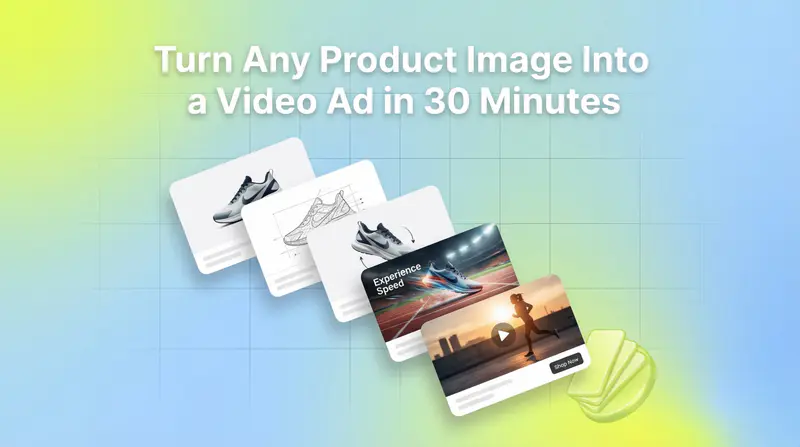
That's the short version. The rest of this post breaks down every step with the exact tools, prompts, and settings that actually work.
Video ads drive 35-50% higher click-through rates than static images on Meta, and up to 3.2x better performance than statics on TikTok, according to MHI Media's analysis of Q4 2025 campaigns and RocketShip HQ. Traditional video production typically costs $500 to $3,000 per finished minute depending on complexity, more from an agency, less from a freelancer. AI production tools bring that down to $0.50 to $30 per minute, with an 80% reduction in production time.
Most performance marketers already have dozens of polished product images sitting in a shared drive. This post turns that archive into a production pipeline.
TL;DR
Video ads deliver 35-50% higher CTR than statics on Meta, and up to 3.2x better on TikTok (MHI Media, RocketShip HQ)
AI tools reduce video production time by 80% and cost by up to 95% compared to traditional methods
The core stack: background removal tool + Kling AI or Runway Gen-3 + CapCut (Midjourney is optional)
The most reliable Kling workflow uses a start frame and end frame to lock the animation path and prevent product warping
Motion prompts should describe camera behavior and physics, not just what you want to happen
For mobile: always export in 9:16. For feed: 1:1 or 4:5. Resize to multiple aspect ratios from one source
Also read TikTok Ad Best Practices to Improve Ad Performance
Why now?
The gap between static and video ad performance is well-documented. Video generates 35-50% higher CTR on Meta, and on TikTok the difference is 3.2x in favor of video, per RocketShip HQ.
The barrier was always production. Filming, editing, motion graphics, voiceover: a single video ad took days. Now it takes 20-30 minutes.
Headway, a Ukrainian EdTech startup, is a widely cited example of a team that built an AI-only creative pipeline using Midjourney and HeyGen — producing animated video ads at scale without filming anything.
The tool stack

You need tools in four categories. There's flexibility within each.
For image preparation: Photoroom (background removal plus AI enhancement, works well for product photography), Adobe Firefly or Remove.bg (background removal), Midjourney (if you want to generate a cleaner or stylized base image from scratch).
For image-to-video generation: Kling AI (best for product shots with physical objects, preserves label text, good physics), Runway (most accessible, good Motion Brush controls for selective animation), Pika Labs (faster, more experimental, good for creative treatments), Veo 3 or Hailuo 2.0 (newer options with strong realism).
For audio: ElevenLabs or Murf (AI voiceover), Artlist or Epidemic Sound (licensed background music).
For final edit and export: CapCut (the go-to for UA teams: templates, auto-captions, CTA overlays), Premiere Pro or DaVinci Resolve (if you want more control).
You don't need all of these. The minimum viable stack is Photoroom plus Kling plus CapCut.
Step 1: Prepare your source image

The quality of your source image determines the quality of your animation. AI video models will animate whatever they're given, including backgrounds you don't want moving, text that warps, and artifacts that get amplified.
What you want going into the animation tool:
- Clean, high-resolution image (1080p or higher)
- Product clearly visible, no clutter behind it
- Background removed entirely or very simple (white, gradient, blurred lifestyle scene)
- Label text readable if it's part of the brand
The preparation steps:
1. Upload to Photoroom or Remove.bg and remove or replace the background.
2. If you want the product in a lifestyle scene, use Photoroom's AI staging feature or Adobe Firefly to generate a background around the clean product shot.
3. Crop to your target aspect ratio before animating: 9:16 for Stories and TikTok, 1:1 for feed, 4:5 for Meta feed.
For Kling's start/end frame workflow (covered in Step 2), save two versions of your prepared image at this stage: one for the starting position and one for the end position. Small adjustments to product angle, zoom level, or tilt give the animation a clear path to follow.
Step 2: Animate with Kling AI
Kling produces the most controllable results for product images. Its image-to-video mode lets you set a start frame and end frame, which locks the animation path instead of letting the model guess what should move.
The basic Kling workflow:
Open Kling at klingai.com and go to Image-to-Video.
Upload your start frame (the prepared product image).
Upload your end frame (slightly different angle, zoom, or position).
Write your motion prompt.
Set duration: 4-6 seconds works best for product ads. Longer clips increase warping.
Generate.
Motion prompt structure: The prompt controls camera behavior and physics. It should describe how things move, not just what you want to see. Good structure:
"[Camera movement], [physics description], [environment behavior]. Product stays in frame. [Lighting note]."
Working examples:
- "Slow zoom in, subtle product rotation left, water droplets on bottle surface reflect light. Product stays sharp. Studio lighting, white background."
- "Handheld UGC-style, slight natural sway, powder spills from product opening, soft morning light. Authentic, realistic."
- "Camera orbits product slowly from left to right, ingredients float in background, product label stays legible. Dark premium background."
Settings that matter: Keep motion intensity low to medium (high intensity warps labels and edges). Use the latest Kling version available for best product consistency. For looping ads, use the same image for start and end frame with a slight rotation, then loop the clip in CapCut.
If you want selective animation where only the background moves and the product stays still, Runway's Motion Brush is better. Upload your image, paint the areas you want to animate (background, steam, water, fabric), leave the product unpainted. Runway animates only what you tell it to.
Step 3: Add audio
Silent videos get scrolled past. Auto-captions help, but audio lifts retention.
For voiceover:
Write your script first. For a 15-second ad, that's 30-40 words. For 30 seconds, 70-80 words.
Upload to ElevenLabs or Murf and select a voice that matches your brand (warm and conversational usually outperforms authoritative and polished for DTC).
Generate and download as MP3.
For background music: keep it low in the mix so voiceover and on-screen text lead. Artlist and Epidemic Sound have unlimited licensing for ad use. CapCut has a built-in music library that's licensed for social media.
If you're not using voiceover, make sure your captions carry the full message. A lot of users watch with sound off on Meta and TikTok.
Step 4: Edit and assemble in CapCut
CapCut is where the ad comes together. The Kling clip is your visual foundation. Now you add the performance layer.
Assembly workflow:
Import your Kling clip.
Add hook text in the first 2-3 seconds. This is the most important frame. Use large, readable text that states the problem or benefit directly ("Your ads are boring. Fix that in 30 minutes.").
Layer your voiceover or background music.
Auto-generate captions (CapCut does this in one click; check and clean them up).
Add your CTA in the final 3-5 seconds (text overlay plus logo).
Export.
Export settings by platform:
- TikTok / Instagram Reels / Stories: 9:16, 1080x1920, 15-30 seconds
- Meta Feed: 4:5 or 1:1, 1080x1350 or 1080x1080, 15-30 seconds
- YouTube Shorts: 9:16, up to 60 seconds
- Google App Campaigns: export multiple formats (9:16, 16:9, 1:1) since Google's algorithm picks the best fit
CapCut lets you duplicate the timeline and resize to different aspect ratios in a few clicks. One edit session should produce three or four versions for different placements.
Step 5: Test variations before scaling

The point of a fast production workflow is to test more. Generate three to five versions with different hooks, motion styles, or product angles. Not one video that you hope performs.
A testing framework:
- Change one variable at a time (hook text, opening frame, CTA)
- Let each variant run 3-5 days before making decisions
- Track thumb-stop rate (3-second view rate) as the leading indicator for hook performance
- Track video completion rate (VCR) to see where you're losing viewers
On TikTok, videos under 15 seconds outperform longer formats by 26-34%, according to RocketShip HQ. For Meta, 15-30 seconds is the sweet spot.
If you're running multiple variants at scale, tools like Segwise automatically tag your creative elements — hook text, motion style, CTA placement — and map each to thumb-stop rate and VCR, removing the manual spreadsheet work from the analysis loop.
Common mistakes that kill results
Animating before cleaning the image is the most common one. If the background is busy or the product has artifacts, the animation amplifies them.
Prompts that describe outcomes instead of physics don't give the model anything to work with. "Show the product looking amazing" tells it nothing. "Slow orbit right, product rotates 15 degrees, condensation on glass, soft backlight" does.
Long clips with high motion intensity almost always produce warping on product text and edges. Keep animations to 4-8 seconds.
Products floating in a nice background without any text or hook in the first two seconds don't stop scrolls. Add a text overlay. State something. Ask a question. Show the problem.
Exporting in one aspect ratio for all placements leaves performance on the table. Export at least 9:16 and 1:1 from every video you make. The resize takes five minutes.
Closing the creative loop
The AI workflow gets you to volume. Performance data tells you what to do with that volume.
When you can produce 10 video variants in a day instead of 10 in a week, the bottleneck shifts from production to analysis. Which hook is driving the highest thumb-stop rate? Which motion style is producing the best ROAS on TikTok versus Meta? Which product angle drives conversions on cold audiences?
Segwise handles that analysis automatically. It connects to your ad networks (Meta, Google, TikTok, Snapchat, YouTube, AppLovin, Unity Ads, Mintegral, IronSource) and MMPs (AppsFlyer, Adjust, Branch, Singular), auto-tags your creative elements using multimodal AI (hooks, motion styles, CTAs, visual formats, and playable ads) and maps every tag to performance metrics. Teams using Segwise get 20 hours per week back from manual tagging and analysis, and see up to 50% ROAS improvement by scaling what the data says works.
The AI production workflow creates the volume. Segwise tells you which variants to double down on — and its automated fatigue detection alerts you when performance is declining, so you know when to refresh creative before ROAS drops.
Frequently asked questions
What's the best AI tool for animating product images?
Kling AI is the most reliable for product shots because its start/end frame workflow prevents warping on text and edges. Runway Gen-3 is a strong alternative if you want selective animation using the Motion Brush. For a faster, simpler workflow with less control, Pika Labs or CapCut's built-in AI video features handle straightforward animations.
How long should an AI product video ad be?
For TikTok: under 15 seconds outperforms longer formats by 26-34% (per RocketShip HQ). For Meta Feed: 15-30 seconds. For Stories and Reels: 15-20 seconds. Keep the animated clip itself to 4-8 seconds and loop it or cut between angles in editing.
How do I stop the product label from warping in AI video generation?
Use Kling's start/end frame workflow with a small, controlled movement between frames. Keep motion intensity low or medium. Short clip durations (4-6 seconds) produce less warping than longer clips. Avoid prompts that call for extreme camera movements like dolly zooms or wide pans.
Do I need to film the product at all?
No. You can go entirely from product images to animated video ads. For higher authenticity, some teams blend AI animation with short UGC-style clips, but for initial testing and volume production, product images alone are enough.
What's the minimum resolution for a source image?
1080p (1920x1080 or 1080x1920 depending on orientation) as a baseline. Higher resolution gives the model more to work with and produces sharper output. For products with small text on labels, higher resolution matters a lot.
Can I use this workflow for mobile game ads?
Yes. For mobile games, the source material is usually in-game screenshots or character renders rather than physical product photos. The animation workflow is the same: upload to Kling or Runway, prompt for camera behavior, edit in CapCut with hook text and an app store CTA. For playable ads specifically, Segwise is the only creative analytics platform that auto-tags and maps playable ad elements to performance data — useful once you're running volume across both video and playable formats.
How do I maintain brand consistency across multiple AI video ads?
In Midjourney, use the --sref (style reference) parameter to lock visual style across base images. In Kling, consistent motion prompts and the same lighting descriptions produce consistent aesthetics. Build a prompt library for your brand and reuse it across production runs.
What platforms perform best for AI-generated video ads?
TikTok shows the largest performance gap between video and static (3.2x), so it's the highest-return starting point. Meta (Facebook and Instagram) shows 35-50% higher CTR for video over static. Google App Campaigns accept multiple formats and the algorithm picks the best match automatically. Submit 9:16, 16:9, and 1:1 versions.