
Tracking competitor ads on Meta means going beyond what the free Ad Library shows you. For PPC and UA teams, it means watching which creatives competitors scale, spotting messaging shifts early, and connecting creative patterns to actual performance signals. Segwise does this at the element level, tagging competitor hooks, visuals, and CTAs alongside your own performance data so the same intelligence layer powers both sides.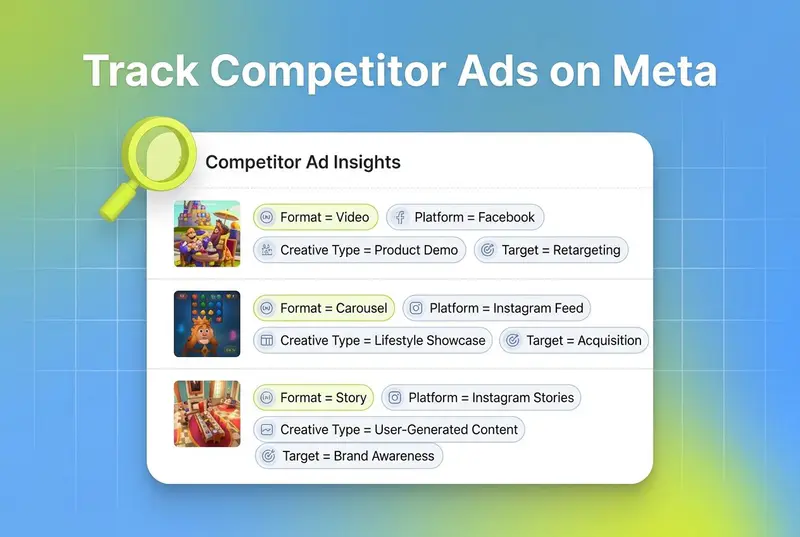
The question every PPC marketer eventually asks
If you run paid social, you have probably typed some version of this search: "is there a tool that lets me follow brands in the Meta Ad Library the way I follow people on Instagram?" A thread on r/PPC put the same question to thousands of other marketers last fall, and the replies confirmed what most of us already suspected. There is no native "follow" button inside Meta's transparency tool. There are only workarounds, and most of them involve opening a spreadsheet, saving screenshots, or paying for a third-party platform.
The frustration is real. According to Gartner's 2025 CMO Spend Survey, marketing budgets are flat at 7.7% of revenue and 59% of CMOs say their budget cannot cover their strategy. Paid media still absorbs 31% of spend. That means every competitor insight you miss is money you probably could have saved, and every competitor hook you catch a week late is a test you already lost.
This guide is for PPC and UA managers who have moved past the "what is the Meta Ad Library" stage and want a direct answer to a practical question: how do you actually track competitor ads on Meta in 2026, what are the real options, and which ones earn their line in your stack?
Key takeaways
The Meta Ad Library is free and essential, but it has no follow/watchlist feature, no performance data, and no cross-platform view. It tells you what creatives exist, not which ones work.
The commercial API is restricted. Meta only exposes political and social-issue ads globally, plus all ad types in the EU and UK under DSA rules, according to Meta's Ad Library API documentation. Everything else is browser-only.
Creative fatigue has accelerated. A single ad concept now burns through its audience in 2 to 3 weeks, down from 6+ weeks two years ago, according to Meta's own analytics team. Watching competitor launch cadence is no longer optional.
Third-party tools fall into three buckets: swipe files for inspiration (Foreplay), ad spy databases for research (AdSpy, BigSpy, PowerAdSpy), and creative intelligence platforms that connect competitor ads to your own performance data (Segwise).
The right pick depends on your job. Creative teams want saveable swipe libraries. PPC managers want creative launches mapped to performance. Growth leaders want both in a single view.
Also read Meta Ads Related Media: Silent Spend Trap Marketers Need to Watch
Why the Meta Ad Library alone is not enough
To be clear, the Meta Ad Library should be the first stop for any PPC team researching competitors. It is free, public, and indexes every active ad across Facebook, Instagram, and Messenger. You can visit facebook.com/ads/library, select a country, switch to "All ads," and type any brand name to see their live creative inventory.
There are a few tricks the power users rely on. Sorting by start date reveals long-running ads, which Shopify's guide to the Ad Library points out is the best free proxy for performance. Advertisers do not keep paying for ads that flop. You can also filter by media type, region, and platform, and early in 2026 Meta added impression volume sorting so you can see which creatives competitors are actively scaling in the EU.
That is where the utility ends. Here is what the Ad Library does not do.
It does not let you follow a brand. There is no notification, no RSS feed, no watchlist. If you want to see what a competitor launched this morning, you type their name, you scroll, you compare against last week in your head.
It does not show performance. As BrandSearch's competitor analysis guide puts it, you can see a competitor running 47 ads but have no idea which ones are driving conversions. There are no impressions, no spend bands, no CTR, and no ROAS for commercial ads outside the EU and UK.
It does not work cross-platform. The Ad Library is Meta-only. TikTok has its own Creative Center, LinkedIn has an ads library, Google has a transparency tool, and none of them talk to each other.
The API is even more limited. For commercial ads outside the EU and UK, the Meta Ad Library API only returns political and social-issue ads. Even where the API does work, rate limits are undocumented and responses are capped at 2,000 ads per page, according to Swipekit's API teardown. If your plan was to script a nightly pull of every competitor's creative and stash it in a database, that plan dies at the authentication step for most advertisers.
So the honest answer to the Reddit thread is: no, Meta does not give you a native way to follow brands. The question is whether you build one yourself, pay someone else who already has, or pick a tool that solves a bigger problem than tracking alone.
What "following a brand" on Meta actually requires
Before evaluating tools, it helps to separate what most PPC teams want from what sounds like the same thing. There is a real difference between watching a brand and analyzing a brand, and most tools lean one way.
Watching means catching launches. You care about when a competitor spins up new creative, changes their hook, or pulls a campaign. The frequency is hourly or daily. The value is speed.
Analyzing means understanding patterns. You care about which creative elements a competitor is doubling down on, which angles they have tested and dropped, and where the messaging white space sits. The frequency is weekly or monthly. The value is depth.
Watching without analysis turns into a swipe file of ads you never open again. Analysis without watching turns into a retrospective of what your competitors did last quarter while you were writing the deck. The tools that matter for serious PPC work do both, or they integrate cleanly with something that does.
Creative fatigue is the reason this matters right now. Meta's own analytics team has published research showing that about 19% of ad impressions are seen more than five times in a single 30-day window, and that addressing fatigue can improve conversion rates by an average of 8% on high-fatigue cases. Meta Business Help flags this internally too, and in 2026 the average mobile advertiser sees a winning concept fatigue in 2 to 3 weeks of heavy spend. If your competitor's new creative is landing faster than your detection cycle, you are already behind. This is where automated fatigue tracking earns its keep alongside competitor monitoring.
The four ways PPC teams actually track competitor ads on Meta
From the replies in the Reddit thread and conversations with UA managers across gaming, DTC, and subscription apps, competitor tracking in 2026 tends to fall into one of four workflows.
1. Manual Ad Library browsing plus a spreadsheet — Best for small watchlists and light cadence
Still the most common setup. A PPC manager keeps a list of 10 to 40 competitor brands, opens each one in the Ad Library on Monday morning, takes screenshots of new creative, and drops them into a shared sheet or Notion board. The cost is time, not money. The cost is also inconsistency, because manual reviews skip brands when the week gets busy, and they miss ads that launch and pause between checks.
This workflow works if you only track a handful of brands and your creative tests are monthly. It breaks fast once you scale.
2. Web page monitoring tools — Best for free change alerts on a handful of brands
Services like Visualping watch a URL and alert you when it changes. You paste in a competitor's Ad Library page, set the frequency, and get an email when new ads appear. This is the closest thing to a free "follow brands" feature, and for teams with small budgets and a handful of competitors, it does the job.
The tradeoff is that page-change monitoring is noisy. A typo update in Meta's UI can trigger an alert. You still get no tagging, no performance signal, and no structured archive. You get speed without depth.
3. Dedicated ad spy tools — Best for pre-launch research and angle validation
Tools like AdSpy, PowerAdSpy, and BigSpy index tens or hundreds of millions of ads across Meta, TikTok, YouTube, and other networks. AdSpy alone claims more than 150 million Facebook and Instagram ads indexed, according to Proven SaaS's 2026 roundup. You can search by keyword, landing page tech, demographic guess, or engagement signal, and filter to competitors of interest.
Where ad spy tools shine: research. If you are launching a new vertical, validating a product idea, or hunting for creative angles before you brief, AdSpy-style databases are the fastest way to see what is already in-market. Where they fall short: they are not built for ongoing performance intelligence. The engagement metrics are estimates, not your actual numbers, and nothing connects what you spy back to what works for you.
Pricing for these tools ranges from around $49 a month for Foreplay's basic plan to $389 a month for agency tiers, with AdSpy and similar platforms sitting in the $100 to $300 a month range.
4. Creative intelligence platforms with built-in competitor tracking — Best for performance-linked competitor intelligence
This is the newer category, and it is where the Reddit question often actually points. Creative intelligence platforms ingest your own ad performance from Meta, TikTok, Google, and your MMP, and treat competitor tracking as a layer on the same data stack. Instead of two tools (one for your ads, one for theirs), you work in one interface where a competitor hook and your own hook are tagged and compared using the same taxonomy.
Segwise is the most developed example in this category for mobile apps, DTC brands, and performance marketing agencies. Its Competitor Tracking Agent monitors Meta competitor ads, applies the same multimodal AI tagging it uses on your own creatives, and surfaces gap analysis across hooks, CTAs, visual styles, and messaging themes. The same platform pulls creative and MMP data from 15+ networks (Meta, Google, TikTok, Snapchat, YouTube, AppLovin, Unity Ads, Mintegral, IronSource) and MMPs (AppsFlyer, Adjust, Branch, Singular), so you can see a competitor's rising hook style next to your own CPI and ROAS trend in the same dashboard.
This is a different job than swiping ads. It is closer to the workflow a UA manager actually runs: "our 30-second gameplay hooks are starting to fatigue, which competitors are launching new hooks this week, and what element are they leaning on?"
How to pick the right approach for your team
The right answer depends on what job you are actually trying to do. A few patterns from talking to PPC leads:
If you track fewer than 10 brands, refresh weekly, and work in one platform, stick with the Ad Library plus Visualping or a similar watcher. Pay for the watcher, keep the Ad Library as your primary source, and accept that you will miss some short-lived tests. It is the cheapest honest setup.
If you are a creative strategist or a brand team hunting for inspiration, a swipe tool like Foreplay is usually the right call. Chrome extension, board-based organization, easy collaboration with the creative team. You are not trying to measure performance; you are building a moodboard with structure.
If you are running paid social across Meta, TikTok, Google, and AppLovin, with an MMP, and your team is tagging creatives to figure out what is working, a creative intelligence platform that does competitor tracking inside the same stack is the version that actually pays for itself. Benchmarking Gartner's finding that 49% of CMOs now cite time efficiency as the top ROI driver from AI, consolidating competitor and own-ad intelligence into one tool is where the hours come back.
If you are an agency managing multiple client accounts, you probably need both: a swipe tool for creative briefs and a creative intelligence platform for client reporting and portfolio-level insights. Do not force either into the other's job.
A practical weekly competitor tracking workflow

This workflow is synthesized from the Reddit thread replies and UA manager playbooks. Adapt the cadence to your test velocity.
1. Define the watchlist. Pick 5 direct competitors. Cap it. A bloated watchlist is the most common reason competitor tracking dies inside a team.
2. Set a recurring check. Monday morning, 30 minutes. Use the Ad Library's "Page Transparency" route (visit the brand's Facebook Page, scroll to the Page Transparency section, click "See all" next to "Ads from this Page"). Sort by start date. Note new launches.
3. Screenshot or export. Save the creative. If you use Foreplay, its Chrome extension handles this. If you use Segwise, competitor ads get pulled and tagged automatically so you skip this step.
4. Tag what you save. At a minimum: hook type, CTA, visual style, emotional tone, value prop. Consistent tags are what turn a screenshot folder into an analyzable dataset. Manual tagging eats time, which is why most teams stop doing it. Automated multimodal tagging is the single biggest unlock for keeping this discipline alive.
5. Map to your own performance. Look at the competitor hooks that show up repeatedly. Cross-reference against your own top-performing creative tags. Where are they doubling down on angles you have not tried? Where are they repeating things you already know are fatigued?
6. Brief. Use the gap analysis to inform next week's creative brief. This is where competitor tracking actually pays for itself, not in the screenshots but in the briefs.
Common pitfalls marketing teams hit
Tracking a dead list. Most watchlists are built once and never pruned. Competitors shift and your tracked set goes stale. Refresh quarterly.
Treating engagement as performance. Likes, comments, and shares on competitor ads are not conversions. A long-running ad is a better performance signal than a viral one.
Confusing a swipe file with intelligence. A folder of 400 screenshots is a graveyard. Intelligence requires tagging, categorization, and cross-reference to your own data.
Skipping non-Meta platforms. TikTok creative often shows up on Meta a week or two later. Ignoring TikTok means you miss the trend before it arrives in your core channel.
Ignoring the fatigue window. Creative fatigue now hits in 2 to 3 weeks. If your competitor tracking cycle is monthly, you are studying creatives that are already fatiguing by the time you brief.
The bottom line
Following brands in the Meta Ad Library the way you follow people on Instagram is not a feature Meta offers, and it probably never will be. For PPC and UA teams, the real question in 2026 is not "where is the follow button?" but "how do I turn competitor creative visibility into decisions that show up in my own ROAS?" That is a tooling question, and the answer depends on how many competitors you watch, how cross-platform your stack is, and whether your team is ready to connect competitor intelligence to performance data in a single view instead of across five tabs.
For teams running serious paid social, the shift that actually moves numbers is from watching competitors in one tool and measuring your own ads in another to doing both in the same place, with the same tagging taxonomy, and the same creative intelligence layer on top.
Frequently asked questions
Is there a way to follow a brand in the Meta Ad Library like you follow someone on Instagram?
No. The Meta Ad Library has no native follow, watchlist, or notification feature, which is why the question keeps coming up on r/PPC. Workarounds include page-change monitors like Visualping for simple alerts, ad spy tools like AdSpy or BigSpy for searchable databases, or creative intelligence platforms like Segwise for tagging and performance-linked competitor tracking. Each answers a different job: speed, breadth, or depth.
Can the Meta Ad Library API pull all competitor ads automatically?
Not for commercial ads outside the EU and UK. According to Meta's official documentation, the public API only exposes political and social-issue ads globally, plus all ad types in the EU and UK under DSA requirements. Rate limits are undocumented and pagination caps at 2,000 ads per response. For systematic commercial ad monitoring, most teams rely on third-party tools like Segwise that scrape and tag the public library at scale.
What does it actually mean for a UA manager to "track" a competitor on Meta?
For UA managers, tracking means catching new creative launches fast enough to respond in a test cycle, tagging the creative elements (hook, CTA, visual style), and comparing those elements against your own top performers. Manual screenshots in a spreadsheet work for a few brands. Platforms like Segwise automate the capture, apply multimodal AI tagging, and sit the competitor data next to your own Meta, Google, TikTok, and MMP (AppsFlyer, Adjust, Branch, Singular) performance so the insight informs briefs instead of archives.
How is Segwise different from Foreplay or AdSpy for Meta competitor tracking?
Foreplay is built for creative inspiration and swipe file organization. AdSpy is a large ad database for research queries. Segwise is a creative intelligence platform that combines your own ad performance across 15+ ad networks and MMPs with competitor ad tracking, using the same multimodal AI tagging across both. The difference is that Segwise is designed to turn competitor ads into performance decisions, not just visibility.
How often should I check competitor ads on Meta?
At minimum weekly, ideally more often if your creative test cycle is fast. Meta's own research on creative fatigue shows that heavy audience overlap and repetition drive performance down quickly, and in 2026 a typical creative concept fatigues in 2 to 3 weeks. Monthly check-ins miss the window. Automated monitoring in tools like Segwise or Visualping replaces the manual cadence.
Can I see how much a competitor is spending on Meta ads?
Only for political and social-issue ads, where Meta discloses spend ranges. For commercial ads, you see creatives and run dates but no spend, impressions, or ROAS outside the EU and UK (where DSA rules force more transparency). Platforms like Segwise cannot disclose what Meta hides, but they infer signal from ad longevity, launch volume, and creative variety, which is closer to a "spend confidence" read than a hard number.
Do ad spy tools violate Meta's terms of service?
Reputable ad spy and creative intelligence tools operate on publicly available data from the Meta Ad Library, which Meta explicitly makes public for transparency. The tools most teams avoid are those that scrape private targeting or engagement data, since that does cross Meta's rules. Tools like Foreplay, AdSpy, and Segwise work from public library data, not from private Meta APIs, which is why they are legal and widely used by agencies and in-house teams.
What is the best free way to track competitor ads on Meta?
Meta's own Ad Library at facebook.com/ads/library, paired with a free-tier page monitor. Go direct, sort by start date, and refresh manually. This works if your competitor list is small and your cadence is light. Once you are tracking 15+ brands across multiple networks, the manual workflow usually fails and a paid creative intelligence platform like Segwise starts to earn its line.