
Updated July 2026. Meta's April 2026 update, now fully rolled out across Events Manager, brought two changes to its advertising measurement stack: an AI-assisted Meta Pixel that automatically enriches event data with product and page details, and a one-click Meta-enabled Conversions API setup that removes the developer work traditionally required for server-side tracking. As of July 2026 the one-click Conversions API is live for eligible accounts and the AI Pixel's 30-day review windows have largely closed, so the feature is now active by default on most existing Pixels. For UA managers and growth leaders, this means better signal quality without the engineering overhead, and a measurable cost efficiency advantage (Meta reports 17.8% lower cost per result for advertisers using Conversions API for web events). Segwise complements this shift by translating the richer event data into creative-level intelligence, so teams know which ads are actually winning across Meta and every other channel.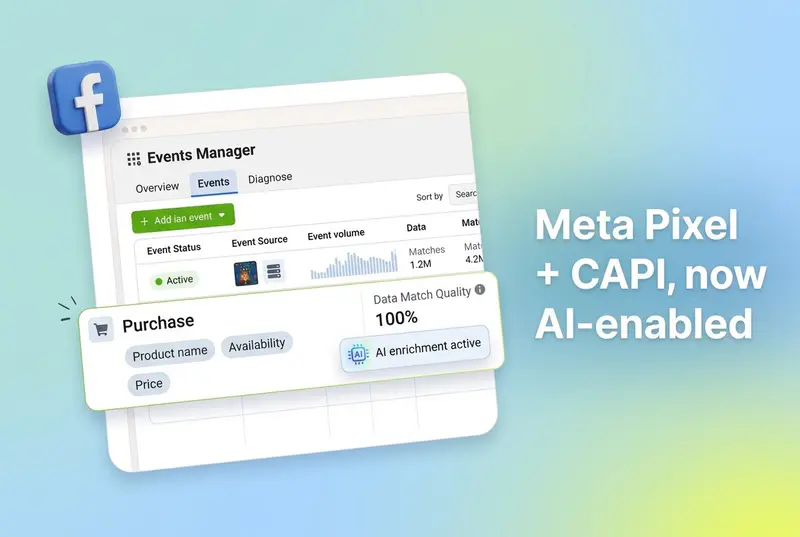
Introduction
On April 15, 2026, Meta announced two significant updates to its advertising measurement infrastructure: an AI-assisted upgrade to the Meta Pixel, and a simplified one-click setup path for the Conversions API. Both changes are framed around reducing the technical complexity that has historically separated well-resourced advertisers from those with leaner teams.
If you run campaigns on Facebook or Instagram, these updates are worth paying attention to. The Meta Pixel is a piece of JavaScript code that website owners embed on their sites to report user behavior back to Meta, and the Conversions API (often shortened to CAPI) is a server-side tracking mechanism that sends event data directly from your servers to Meta. Both feed the same ad delivery engine, but each has historically required developer resources to set up and maintain.
What changed on April 15 is who can realistically access that infrastructure. The AI Pixel feature automates the manual work of keeping product and page data in sync with event tracking. The Meta-enabled CAPI option gives advertisers a server-side setup that Meta itself hosts and maintains, with no code to deploy. If you have been putting off a CAPI implementation because it felt like too much of a lift, this announcement changes the math.
This post breaks down what Meta shipped, what it means for your campaigns, and what to do in Events Manager now that the AI feature has rolled out on existing Pixels.
Key Takeaways
Meta announced AI-enhanced Meta Pixel and a one-click Meta-enabled Conversions API setup on April 15, 2026 (Meta for Business).
The AI-enhanced Pixel automatically attaches product names, availability, and business details to events, removing the need for developers to maintain that metadata manually.
Existing Pixel users get a 30-day notification window in Events Manager before the AI feature activates. You can adjust or turn it off at any time.
Access to the AI feature may not be available to advertisers in certain data source categories (Meta did not specify which, but this likely relates to sensitive-data classifications).
The Meta-enabled Conversions API is a one-click, no-cost, no-maintenance setup option, with Meta handling the server-side infrastructure.
Advertisers with Conversions API setups for web events have seen an average 17.8% lower cost per result versus those without.
Advertisers already using a partner integration or custom CAPI setup do not need to change anything. The new option is additive.
Meta is specifically targeting advertisers with low event coverage and advertisers who have not yet set up CAPI due to technical overhead.
Also read What Does It Cost To Run Meta Ads Without AI-Tools in 2026
What changed with the Meta Pixel
The Meta Pixel is a piece of JavaScript that website owners embed on their sites. Once installed, it reports user behavior back to Meta, things like page views, product views, add-to-cart events, and purchases. That behavioral data feeds Meta's ad delivery system, helping it decide which ads to show to which people and when.
The technology itself is not new. What changed is how advertisers enrich that event data. The new feature lets businesses use AI to automatically include additional page and product information with events shared with Meta. Specifically, the system can attach product names, availability, and business details to the event data that flows from a website to Meta's servers.
Why does that distinction matter? Meta's ad delivery system, like any machine learning system, benefits from context. When a retailer has 2,000 SKUs and a visitor browses a specific category, the pixel event alone (a page view) carries relatively little signal. Pair that event with structured product metadata, the name, the price, whether it is in stock, the category, and Meta's system has far more to work with when deciding which audiences to target and how to bid.
Until now, maintaining that product-level context required developers to update code whenever inventory, pricing, or product details changed. For large teams that is a manageable process. For a business with two people and no dedicated developer, it often simply does not happen.
How the AI enrichment works
The AI-assisted feature handles that synchronization automatically. Meta describes a mechanism where the Pixel itself uses AI to read page and product information at the time of the event, rather than relying on a developer to have embedded that information manually. Meta has not published technical documentation spelling out the exact machine learning approach, but the practical effect is that a page update (a product going out of stock, a price change, a new item added to a catalog) gets reflected in the event data without a code deployment.
Who gets access
Access to the feature is not universal. Access may not be available to advertisers that have certain data source categories. The company did not specify which categories are excluded, but the caveat is likely related to data sensitivity classifications, for example, advertisers in healthcare or financial services who operate under stricter data handling rules. Advertisers are responsible for complying with the Meta Business Tools terms when using the Pixel, including ensuring that sensitive data is not shared with Meta.
The 30-day notification window
Existing Meta Pixel users will not have the feature switched on without notice. According to the announcement, they will receive a notification with a 30-day window to review the feature before it is enabled. Advertisers can adjust or turn it off at any time through Events Manager, and they can also review and manage which specific data categories are shared. The opt-out is persistent. The feature does not reactivate automatically after being disabled.
By July 2026 those notifications have gone out across eligible accounts and most 30-day windows have already closed, which means the AI enrichment is now live on most existing Pixels. The 30 days was a review period, not an opt-in process, so advertisers who took no action had the feature enabled by default once that window closed. If you still have not reviewed it, open Events Manager now, because the feature is likely already active on your account.
The Conversions API: from technical project to one-click setup
The Conversions API (CAPI) is a server-side tracking mechanism that lets businesses send event data directly from their own servers to Meta, bypassing the browser entirely. Where the Pixel relies on JavaScript executing in a user's browser, the Conversions API operates at the infrastructure level. That makes it less susceptible to ad blockers, browser privacy restrictions, and Intelligent Tracking Prevention (ITP) policies. Meta has long recommended that advertisers use both in combination.
The performance case
The performance case for Conversions API adoption is quantified in Meta's announcement. Advertisers with a Conversions API setup for web events saw an average 17.8% lower cost per result compared to those without Conversions API. That is a material efficiency difference, and it has been enough to make CAPI a standard recommendation for any team managing Meta campaigns at scale.
A concrete example: a campaign spending $100,000 per month and achieving a 17.8% lower cost per result effectively delivers the same outcome volume for roughly $82,000, or equivalent volume gains on the same budget.
Why adoption has lagged
The problem has been implementation. Setting up a proper Conversions API configuration has historically required either direct server access and developer knowledge, or integration through one of Meta's third-party partner platforms like Shopify, WooCommerce, or similar. Neither path is trivial. Building a custom integration requires understanding Meta's server-side API, configuring authentication, mapping events correctly, and maintaining the integration over time as the API evolves. Partner integrations simplify some of that, but they still require the advertiser to have the right platform, the right plan, and someone who knows how to configure it.
What changes with Meta-enabled Conversions API
The new Meta-enabled Conversions API setup changes the equation. According to the announcement, this is a one-click option that requires no technical expertise, no costs, no ongoing maintenance, and will allow businesses to get set up in minutes. Meta describes it as a "Meta-enabled" setup, meaning Meta itself handles the infrastructure, rather than requiring the advertiser to provision servers or write code.
For advertisers already using a partner integration or a custom Conversions API setup, nothing changes. The new option is additive. Meta is specifically targeting two groups: advertisers with low event coverage (a metric visible in Events Manager that measures what proportion of conversions are being captured) and advertisers who have been aware of Conversions API but have not acted on it because the technical overhead felt too high.
The framing ("Meta-enabled" with no ongoing maintenance) suggests Meta is running the server-side infrastructure itself, acting as an intermediary that captures web events and forwards them to its ad systems. The practical implication is that advertisers no longer need to maintain their own servers or worry about API versioning when Meta updates the Conversions API specification.
Why this matters for UA managers and growth leaders
Taken together, these updates narrow the measurement gap between well-resourced advertisers and smaller teams. The AI-enhanced Pixel removes manual work from event enrichment, and the Meta-enabled CAPI removes the developer dependency from server-side tracking. If you have been running a base Pixel implementation for years without touching it, both changes will likely improve the quality of signal you are sending to Meta.
That has two practical implications. First, Meta's ad delivery optimization depends on event quality, and better event quality generally produces lower cost per result, higher conversion volume, or both. Meta's own 17.8% figure is the cleanest number to anchor on, and while individual results will vary, the direction is clear. Second, once your event signal improves, the question shifts from "am I tracking enough?" to "which creatives are actually working?". That is a creative analytics problem, not a measurement infrastructure problem.
This is where creative intelligence becomes the next bottleneck. When Meta has better data to optimize with, the algorithm starts sorting ads by creative quality faster. Teams that can identify winning creative elements (hooks, CTAs, visual styles, characters) across Meta and their other channels will iterate faster than teams still relying on campaign-level metrics. Segwise's creative analytics and AI creative tagging are built for exactly this. They unify creative data from Meta, Google, TikTok, Snapchat, YouTube, AppLovin, Unity Ads, Mintegral, and IronSource alongside MMP data from AppsFlyer, Adjust, Branch, and Singular, so you can see which creative elements drive results across every network you run on.
What advertisers should do now
For the AI-enhanced Pixel, the feature is enabled for existing users after a 30-day notification window. By July 2026 that window has closed for most eligible accounts, so the feature is likely already active on your Pixel. Because the 30 days is a review period and not an opt-in, any account that took no action now has the feature running by default. Open Events Manager to confirm its status and adjust it if needed.
A practical baseline: check Events Manager before and after the feature activates to establish a reference point for event quality metrics, including event match quality scores. Those scores measure how effectively Meta can match a pixel event to a Facebook or Instagram account, which directly affects targeting accuracy. An improvement in match quality after the AI feature activates indicates that the additional product and page data is being put to use.
For the Conversions API, the one-click setup path is available now for advertisers with low event coverage or no existing CAPI implementation. Advertisers already using a partner integration or custom server-side setup are not affected and do not need to take action.
A short checklist:
Open Events Manager and look for the new notification if you run the Meta Pixel on a website.
Decide whether to accept, adjust, or disable the AI enrichment feature within the 30-day window.
Review the data categories being shared and confirm nothing sensitive is flowing through (particularly if you operate in healthcare, finance, or any regulated vertical).
If you do not currently run Conversions API, check your event coverage metric and evaluate the Meta-enabled one-click setup.
Track event match quality, cost per result, and conversion volume for the four weeks after activation to measure impact.
How these changes fit the broader Meta measurement picture
These updates do not exist in a vacuum. Meta's ad delivery system has been moving toward more automation over the past two years. Advantage+ is now the default for new campaigns, and since May 19, 2026 Advantage+ Shopping and Advantage+ App campaigns can no longer be created or updated through the Marketing API, part of Meta's push to unify campaign setup around its automation stack. The measurement layer is now catching up to the delivery layer. Better event data, handled by Meta's own AI rather than by advertiser engineering teams, is a prerequisite for the algorithm to make the decisions it is increasingly expected to make. For a closer look at how that automation reshapes the creative side, see our breakdown of Meta Muse image generation in Advantage+.
For the marketing community, the 17.8% cost per result figure is the most immediately actionable number in the announcement. The Pixel AI enhancement is harder to quantify in advance because the improvement depends on the gap between the product information an advertiser was previously passing and what the AI can now add automatically. An advertiser with a well-maintained product feed and a custom CAPI setup may see minimal change. An advertiser who installed the base Pixel years ago and has not touched it since should see a more meaningful shift in event quality.
Restated briefly: Meta's April 2026 update moves event enrichment and server-side tracking from "developer project" to "one-click configuration," and that means smaller teams can operate with the same measurement infrastructure that bigger advertisers have been using for years.
Conclusion
Meta's Pixel and Conversions API updates shift the measurement baseline for every advertiser running on Facebook and Instagram. The AI-enhanced Pixel makes event enrichment automatic, the Meta-enabled Conversions API makes server-side tracking accessible, and the 17.8% cost per result delta is a concrete efficiency claim that translates directly to budget outcomes. If you have been holding off on CAPI because it felt like an engineering project, that objection is gone.
Once your event signal improves, the next variable that controls your performance is creative. Segwise gives you an always-on AI Creative Strategist that maintains full context across your Meta performance data (alongside Google, TikTok, Snapchat, YouTube, AppLovin, Unity Ads, Mintegral, IronSource, AppsFlyer, Adjust, Branch, and Singular), tags every creative element with multimodal AI, detects fatigue before budgets burn, and generates data-backed creative iterations. Teams using Segwise save up to 20 hours per week per app or brand and see a 50% ROAS improvement by identifying winning creative patterns and catching fatigue early.
Frequently asked questions
What did Meta announce for Pixel and Conversions API in April 2026?
On April 15, 2026, Meta announced two updates to its advertising measurement infrastructure: an AI-assisted Meta Pixel feature that automatically enriches event data with product names, availability, and business details, and a one-click Meta-enabled Conversions API setup that requires no technical expertise, no costs, and no ongoing maintenance. Both updates are available globally through Events Manager (Meta for Business). Segwise supports Meta as a first-class ad network integration, so creative-level insights from these richer Meta events flow into the same dashboard as Google, TikTok, Snapchat, YouTube, AppLovin, Unity Ads, Mintegral, and IronSource data.
What does the AI-enhanced Meta Pixel actually do?
The AI-enhanced Meta Pixel automatically attaches additional page and product information (product names, availability, and business details) to the events the Pixel sends to Meta. This removes the need for developers to manually maintain that metadata in code. The enriched event data helps Meta's ad delivery system make better targeting and bidding decisions. Existing Pixel users get a 30-day notification window in Events Manager before the feature activates, and they can adjust or disable it at any time.
What is the Meta-enabled Conversions API and how is it different from a normal CAPI setup?
The Meta-enabled Conversions API is a one-click option where Meta handles the server-side infrastructure for you, with no costs or ongoing maintenance. A traditional Conversions API setup requires either direct server access and developer knowledge, or integration through a third-party partner like Shopify or WooCommerce. The Meta-enabled option removes both paths in favor of a setup that takes minutes and does not require writing code. Advertisers with existing partner integrations or custom CAPI setups do not need to change anything. The new option is additive.
How do I set up Meta-enabled Conversions API for my business?
The Meta-enabled Conversions API setup is available now through Events Manager for advertisers with low event coverage or no existing CAPI implementation. You access it the same way you manage your Pixel in Events Manager. The setup is designed to take a few minutes, with no code to deploy and no server to maintain. Meta has positioned this as a one-click option, so expect a guided flow rather than a technical configuration. Once set up, you can track event match quality and cost per result alongside your other metrics to measure impact.
Will the AI Pixel feature be enabled automatically on my account?
Yes, for existing users with eligible data source categories. Meta will send a notification with a 30-day review window before the feature activates. Taking no action during that window means the feature turns on by default once the window closes. You can opt out or adjust the feature at any time through Events Manager, and you can review which data categories are shared. Advertisers in certain data source categories (likely sensitive-data verticals) may not get access to the feature at all.
How much of a performance difference can I expect from Conversions API?
Advertisers with Conversions API setups for web events saw an average 17.8% lower cost per result compared to those without. Individual results will vary based on your current event coverage, campaign type, and vertical, but the direction is consistent. The bigger the gap between your existing browser-side signal and a proper server-side implementation, the more meaningful the improvement tends to be. If you currently run a base Pixel only, you are likely to see the largest lift.
Does this change affect creative strategy or just measurement?
It affects both, though the direct change is to measurement. Better event data means Meta's ad delivery system can sort ads by performance faster, which effectively amplifies the importance of creative quality. Teams that can identify which creative elements drive results iterate faster than teams still working from campaign-level metrics. Segwise's creative tagging, fatigue tracking, and AI Chat give Meta advertisers (plus Google, TikTok, Snapchat, YouTube, AppLovin, Unity Ads, Mintegral, and IronSource advertisers, with AppsFlyer, Adjust, Branch, and Singular on the MMP side) a creative-level view of performance so the richer Meta data turns into sharper creative decisions.
What should I do first if I run Meta ads and have not touched my Pixel in a while?
Open Events Manager and check three things: whether you have received the AI Pixel notification, what your event coverage metric looks like for web events, and whether you are eligible for the Meta-enabled Conversions API. Review the data categories the Pixel is sharing so you are comfortable with what flows to Meta, then decide whether to accept, adjust, or disable the AI feature within the 30-day window. If event coverage is low and you do not have CAPI, try the one-click setup. The combination of better event enrichment and server-side tracking is where the 17.8% cost per result figure comes from.