
TikTok's Top Ads Dashboard is a curated library of real, high-performing TikTok ads inside Creative Center, filterable by region, industry, and objective, with a second-by-second frame analysis on every ad. For UA managers and creative strategists, that means a faster path to validated creative inspiration without scraping competitors manually or rebuilding briefs from scratch. Segwise pairs well with this workflow by turning those inspiration cues into tagged, measurable creative patterns once you start running variants in-platform.
Introduction
If you run paid social, you've probably had the same week we've all had: the team needs three new TikTok concepts by Friday, the existing creatives are showing fatigue, and "look at what's working" is more wish than process. TikTok's Creative Center has quietly turned into one of the most useful free inspiration tools on the internet for solving exactly that. Two parts of it matter most when you need ideas fast: the Top Ads Dashboard and Top Ads Spotlight.
This guide breaks down what TikTok's Top Ads One Pager documents about both surfaces, how each one works step-by-step, and how creative teams can plug the output into their normal workflow. Everything below is taken directly from TikTok's official documentation. If a detail isn't covered there, we say so.
The short version: Top Ads is a filtered, sortable feed of ads that have actually performed on TikTok. Top Ads Spotlight is the editorially curated shelf inside that same feed, with key metrics and a written breakdown of why each ad worked. Both live in the same place: CreativeCenter.TikTok.com → Inspiration.
Key Takeaways
Top Ads is a library of real high-performing TikTok ads that meet TikTok's performance thresholds and have advertiser authorization to appear publicly on Creative Center (TikTok Top Ads One Pager).
Ads are organized by region, industry, and objective, so you can filter inspiration to match your account context instead of scrolling generic "best of" lists.
Key Frame Analysis indexes performance 0–100 across every second of a video, with 100 being the peak metric point and 0 being the lowest. Useful for diagnosing exactly when hooks land or drop off.
Top Ads Spotlight is a curated set of standout examples with key metrics (Likes, CTR benchmark percentile, ad budget level) and a written synopsis of techniques used.
Access: CreativeCenter.TikTok.com → Inspiration → Top Ads Dashboard or Top Ads Spotlight.
No paid plan required for the documented features in the one-pager.
Also read about TikTok Creative Analysis: How Creator Partnerships and TikTok-Specific Content Drive Ad Performance
What Are "Top Ads"?
According to TikTok's official one-pager, Top Ads are "real TikTok ads that meet performance thresholds and advertiser authorization to appear on Creative Center." Two filters matter here:
The ad actually performed against TikTok's internal thresholds (the one-pager doesn't publish the specific numbers).
The advertiser opted in for the ad to be visible publicly.
So every ad in the Top Ads library is both proven and shareable. TikTok then organizes them by region, industry, and objective so you can filter and sort based on the metrics you care most about.
TikTok positions Top Ads as a "collection of high-performing ads from around the world, serving as a source of creative inspiration for advertisers to see how others have created TikTok ad content." In practice, it functions like a curated swipe file with metric backing, instead of a screenshot folder built off vibes.
Key Benefits of Top Ads (per TikTok's documentation)
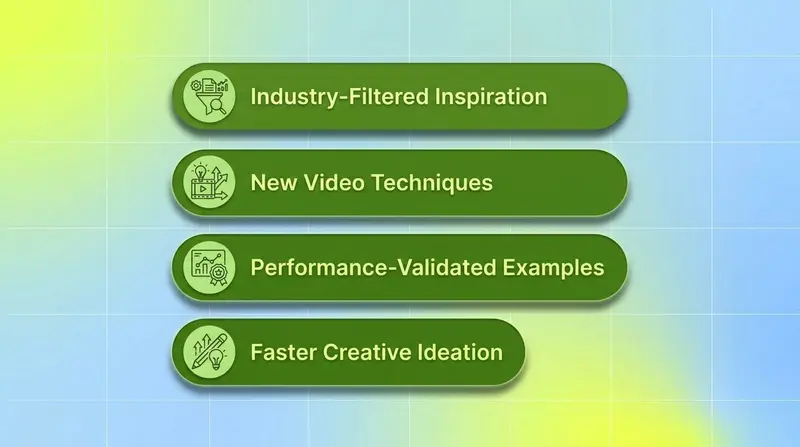
The one-pager lists four direct benefits:
Find creative inspiration from others in your region or industry.
Discover new video techniques and approaches so you can test and learn.
Evaluate a Top Ad's performance to see what made it tick.
Save time ideating for your next TikTok ad.
These mirror the standard creative strategist workflow: scan for ideas, validate that the idea has worked somewhere, then translate into a brief.
How to Use the Top Ads Dashboard
The one-pager documents a seven-step flow. Following it end-to-end takes about five minutes per industry exploration.
1. Find Top Ads in Your Region and Industry
Start at CreativeCenter.TikTok.com → Inspiration → Top Ads Dashboard. TikTok's documentation describes this as the entry point to the full Top Ads library.
2. Apply Filters to Narrow the Set
Filters let you hone in on more relevant Top Ads. The one-pager calls out region, industry, and objective as the core organizing dimensions. Filter early so the Key Frame Analysis you study later actually maps to your audience and goal.
3. Sort by the Metric You Care About Most
Sort ads according to the metric you care most about. The one-pager doesn't enumerate the full metric list available in-product, but the principle is clear: rank by the outcome that maps to your campaign, not just by what's most-liked.
4. Share or Favorite Standout Ads
Click the Link button to share a Top Ad with others or click the Star to favorite it to your profile. Favorites give you a personal shortlist to reference later when building creative briefs.
5. Click "See Analytics"
When an ad catches your eye, click See analytics to dig into its performance. The one-pager describes this as the gateway to the deeper ad details.
6. Watch the Ad and View Ad Details
The analytics view shows the ad's all-time performance metrics and background context, plus playback so you can see when performance metrics peaked during the video.
7. Read the Key Frame Analysis
This is where the dashboard earns its keep. Click on the ad metrics to see a second-by-second, frame-by-frame graph. Performance is indexed 0–100, with 100 being the peak point in the video and 0 being the lowest for the selected metric.
For creative teams, this is the most useful artifact on the page. It lets you isolate which moment of an ad drove the win: was it the first 1.5 seconds (hook), a mid-roll product demo, or the closing CTA card? You can then echo that beat structure in your own brief.
When you study a Top Ad's Key Frame Analysis, log the exact seconds where the metric peaks - those timestamps are your creative blueprint: what moment, what visual, what audio cue. Patterns across multiple winning ads in your industry become your next testing roadmap.
What Is Top Ads Spotlight?
Per the one-pager, Top Ads Spotlight exists to "make it simple to find the best examples of Top Ads" by curating standout cases. If Top Ads Dashboard is the full filtered library, Spotlight is the editorially picked shelf, with extra context on why each ad excelled.
Each Spotlight entry includes:
Key metrics: number of Likes, CTR benchmark percentile, and the level of ad budget for each spotlight.
A synopsis of the ad: a written breakdown of filming and engagement techniques, value propositions, and tips to consider.
A direct link to See Analysis on the Top Ads Dashboard for the deeper Key Frame view.
TikTok recommends visiting the page regularly to view the latest spotlights, which suggests rotating editorial content rather than a static list.
How to Use Top Ads Spotlight
The documented flow has six steps.
1. Browse and Filter the Latest Spotlights
Go to CreativeCenter.TikTok.com → Inspiration → Top Ads Spotlight to land in the curated feed.
2. Filter by Industry
Spotlight supports filtering by industry to see examples from key verticals relevant to your business.
3. Watch the Top Ad
View the content directly within the page, no jumping to TikTok required.
4. View Key Metrics
See the Likes count, CTR benchmark percentile, and a budget-level indicator for each spotlight. The CTR percentile in particular is helpful for sanity-checking whether an ad is genuinely outlier-good or just popular.
5. Read the Synopsis
Each spotlight includes a written explanation of why the ad stood out, covering filming techniques, engagement tactics, how value propositions are delivered, and practical tips to consider for your own creative.
6. Click "See Analysis"
For the full performance picture, click See Analysis to jump into the corresponding Top Ads Dashboard entry, where the Key Frame graph lives.
Why This Matters for Practitioners
The biggest gap on most performance teams isn't access to inspiration. It's access to inspiration that's been validated. A trending TikTok in your feed might be entertaining; it might not be an ad, and even if it is, you don't know whether it actually moved a metric. Top Ads solves that by limiting the library to ads that hit TikTok's performance thresholds and got explicit advertiser sign-off.
The Key Frame Analysis is the differentiator. Most "ad library" tools across the industry show you the ad and maybe surface-level metrics. The 0–100 second-by-second index lets you reverse-engineer the structural reasons a creative worked. Hook works at second one. Demo lands at second six. CTA card peaks at second eleven. That's the kind of frame-level signal creative strategists previously had to assemble manually.
For UA managers, Spotlight's CTR benchmark percentile is the other useful primitive. It contextualizes raw Likes against industry norms, which prevents the "viral but not converting" trap.
How This Fits Your Creative Workflow
A practical loop looks like this:
Use Top Ads Dashboard to pull 5–10 high-performing reference ads in your industry and objective.
Use Key Frame Analysis to isolate the timestamps where each ad's selected metric peaks.
Use Top Ads Spotlight to read the editorial synopsis on the cleanest 2–3 examples for the "why it worked" narrative.
Translate into a creative brief with explicit references: which hook structure, which mid-roll beat, which CTA pattern you're replicating.
Ship variants, then measure at the creative-element level, not just at the ad level.
That last step is where most teams stall. You can pull beautiful reference ads from Top Ads, ship four variants based on them, and still not know which specific element (the hook, the on-screen text, the music, the CTA card) actually drove the lift in your account. That's the gap creative intelligence tools are built to close.
Segwise plugs in here. The platform connects to TikTok, Meta, Google, Snapchat, YouTube, AppLovin, Unity Ads, Mintegral, IronSource, and to MMPs including AppsFlyer, Adjust, Branch, and Singular, then uses multimodal AI to automatically tag every creative element (hooks, CTAs, characters, visual styles, on-screen text, audio components) and map each tag to performance. So when you ship a TikTok variant inspired by a Top Ads reference, you can see exactly which tagged element drove the result, and which didn't. That turns "we saw a winner and copied a beat" into a repeatable pattern.
Limitations of Top Ads (per documentation)
A few honest caveats from what the one-pager does and doesn't say:
The exact performance thresholds an ad must hit to qualify aren't published.
The full list of sortable metrics inside the Top Ads Dashboard isn't enumerated.
Eligibility requires advertiser opt-in, so the library is a sample of high performers, not the universe.
The one-pager doesn't document a downloadable export or an API for Top Ads.
Treat Top Ads as a strong qualitative input. The quantitative loop, the one that ties what you see in the library to your own account's performance, needs to happen in your own analytics layer.
TikTok Top Ads in 2026: What Advertisers Need to Know
Top Ads Dashboard and Top Ads Spotlight together give you something the broader ad ecosystem has been thin on: a free, filterable, frame-level view of ads that actually performed on a major platform. If your team is shipping TikTok creative weekly, both surfaces deserve a place in the standard creative brief workflow, not just as one-off inspiration grabs.
The discipline that separates teams that scale on TikTok from teams that don't isn't access to references. It's the loop between reference, hypothesis, variant, and measured outcome. Top Ads gives you a stronger reference and hypothesis. Segwise closes the loop with creative-element-level performance data, fatigue tracking before budget burns, and AI-generated variants built on your winning tag patterns. Teams using Segwise report up to 20 hours per week saved on creative analysis, 50% ROAS improvement from catching patterns earlier, and roughly half the creative production time.
Frequently Asked Questions
What is the TikTok Top Ads Dashboard?
The TikTok Top Ads Dashboard is a free feature inside TikTok Creative Center that surfaces real high-performing TikTok ads, filterable by region, industry, and objective, with a second-by-second Key Frame Analysis graph for every ad (TikTok Top Ads One Pager). It's designed for creative inspiration backed by actual performance signal, not engagement vanity. Tools like Segwise, AppMagic, or Sensor Tower can supplement it for cross-network competitor and creative tracking.
What does "Top Ads" actually mean on TikTok Creative Center?
Top Ads are real TikTok ads that have met TikTok's internal performance thresholds and have advertiser authorization to appear publicly on Creative Center. TikTok organizes them by region, industry, and objective so advertisers can filter inspiration to their context. The exact performance thresholds are not published in the one-pager.
How do I access TikTok Top Ads Dashboard?
Visit CreativeCenter.TikTok.com, then go to Inspiration → Top Ads Dashboard. From there you can apply filters for region, industry, and objective, sort by the metric you care about, and click into any ad for analytics and Key Frame Analysis.
What is Key Frame Analysis on TikTok Top Ads?
Key Frame Analysis is a second-by-second, frame-by-frame graph showing how a selected performance metric tracked across the duration of a TikTok ad. Performance is indexed 0–100, with 100 being the peak point in the video and 0 being the lowest for the selected metric. It lets you pinpoint which moments of an ad drove the result.
What does this mean for UA managers and creative strategists?
It means free, validated reference material that you can map directly to your industry and objective, with frame-level signal you can translate into briefs. The catch is that Top Ads tells you what worked for someone else, not what's working in your account. To close that loop, you need creative-level performance data on your own ads, which is exactly what tools like Segwise (alongside alternatives like VidTao or PowerAdSpy for video benchmarking) are built to provide.
What's the difference between TikTok Top Ads Dashboard and Top Ads Spotlight?
Top Ads Dashboard is the full filterable library of high-performing TikTok ads with Key Frame Analysis. Top Ads Spotlight is an editorially curated shelf of standout examples inside that same library, with additional written synopses covering filming techniques, engagement tactics, value propositions, and practical tips. Spotlight is the shortcut; the Dashboard is the deep dive.
How can I use TikTok Top Ads to brief better TikTok creatives?
Pull 5–10 reference ads in your industry and objective from Top Ads Dashboard, study the Key Frame Analysis to log the seconds where each ad's metric peaks, read the Spotlight synopsis for the cleanest examples, then translate those structural patterns (hook style, mid-roll beat, CTA card) into your creative brief. Ship variants and measure at the creative-element level so you can isolate which patterns actually replicated in your account. Segwise's creative tagging automates that last step across TikTok, Meta, Google, and other networks.
Do I need a paid TikTok Ads account to use Top Ads?
The one-pager doesn't list a paid-plan requirement for the Top Ads Dashboard or Top Ads Spotlight features it documents. Both live inside Creative Center, which is broadly available to advertisers researching TikTok.
How often should I check TikTok Top Ads Spotlight?
TikTok specifically recommends visiting the Spotlight page regularly to view the latest spotlights, which suggests rotating editorial content. A weekly check fits most creative team cadences. Pair it with your in-account creative review so fresh references actually feed your next brief instead of getting bookmarked and forgotten.