
Shipping a playable ad in four weeks means choosing one game mechanic that tag-level data already validates, building it in a managed studio like Unity Playworks or AppLovin SparkLabs, and testing on the network that owns 59% of playable traffic (AppLovin) before you scale anywhere else. For UA teams, that compresses a process that usually takes six to eight weeks into a single sprint, and Segwise's playable ad tagging tells you exactly which mechanics, layouts, and CTAs to brief into the next build.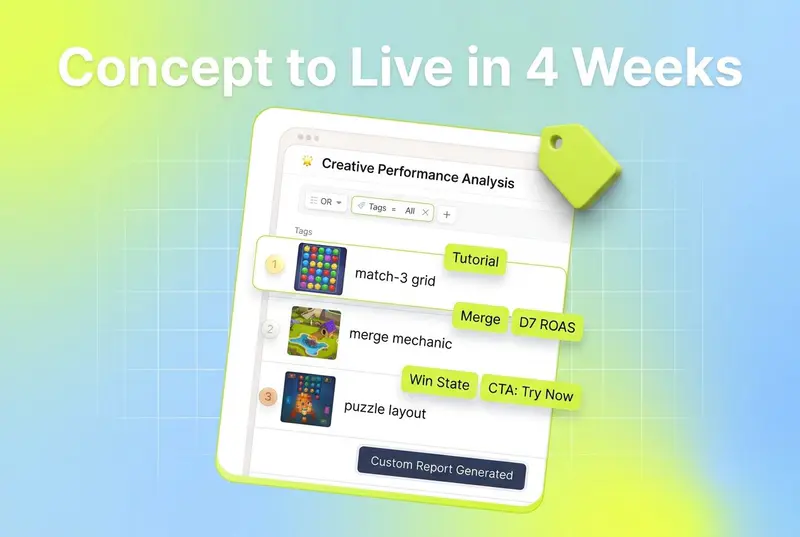
Playable ads stopped being a "nice to have" in the creative mix sometime last year. According to AppAgent's mid-year strategic review, the format hit a performance score of 191 in 2025, up from 164 the year before. That is a 16% jump, and it is happening while video benchmarks across mobile ad networks are flat or trending down.
Most UA teams I talk to know they should be shipping more playables. They are not, because the production process feels long and expensive: write a creative brief, find a vendor, wait two to four weeks, pay $3,000 to $5,000 per build, and then run a test that may not produce enough conversions to read. The version of this process I see working is shorter and cheaper, mostly because the tools have caught up.
This guide is the production playbook I would hand to a UA manager or creative producer starting from zero. Concepting, build tools, testing, distribution, cost, timeline, and what to iterate on after the first three creatives ship.
Also read How to Pre-test Creatives in 2026: 2 Simple Methods That Actually Work
Key takeaways
AppLovin controls 59% of playable traffic and 84% of new playable experiments, according to Apptica data published by AppAgent. If your test plan does not start there, you are ignoring six in ten potential players.
Playable performance scores hit 191 in 2025, a 16% increase over 2024 and the highest on record for the format (AppAgent, 2025).
92.5% of new playables in 2025 include embedded video, and 82.5% open with a lead-in video before the interactive layer starts.
85.4% of top-performing playables include tutorial prompts; 55.1% include a strong on-screen CTA like "Try Now" or "Download."
External playable production runs $3,000 to $5,000 per creative on a 2 to 4 week turnaround. Studios producing 5 or more playables a month see 60 to 80% cost reduction after moving in-house (AppAgent).
AppLovin's playable spec is a single HTML file, up to 5MB, per the Luna Labs AppLovin integration docs.
Statistical significance on a playable A/B test typically needs 50 conversions per creative in 4 days, or 100 in 7 days.
Why playables still beat video on certain networks
Video and playables are not interchangeable formats. They sit at different points in the funnel and they post different numbers on different networks.
Adjust's playable ads guide makes the install-side case directly: a Facebook case study on mobile games company Me2Zen showed playable ads driving a 50% increase in return on ad spend, triple in-app purchases, and a 9% decrease in cost per install versus prior video-only creative. Fintech app Lendi, using a playable refinance calculator, saw a 20% lift in incremental leads and a 66% decrease in cost per lead.
The reason this works is mechanical, not magical. A playable lets a user actually try a slice of the app before they install. The users who do install have already self-selected based on the mechanic they just played. Adjust reports that this is why playables tend to drive higher retention and lower uninstall rates than video alternatives.
The network distribution matters more than most teams realize. According to Apptica data in AppAgent's review:
AppLovin: 59% of playable traffic share. 84% of new playable experiments.
AdMob: 38%. Strong for Android and the Google ecosystem.
Unity Ads: 2%. Lower volume, but still valuable for gaming-specific audiences.
The takeaway is simple: AppLovin is where playables get tested at scale, and AdMob is where you go for Android distribution. Mintegral, Unity, and IronSource each have specific use cases (gaming-heavy audiences, hypercasual scaling, in-app bidding inventory), but if you are starting out, AppLovin is the default first network.
Why the network share matters for production planning - AppLovin, now Axon's playable spec (single HTML, 5MB) is the de facto baseline. Build for AppLovin first and most networks will accept the same package with minor exporter changes. Building for a smaller network first usually means a rebuild for AppLovin later.
Concepting: which game mechanic to feature
The most expensive mistake at the concept stage is picking the wrong mechanic. You burn a four-week production cycle on a mechanic that does not resonate, and you have nothing to test against on the next round.
There are two ways to pick a mechanic. One is intuition: a designer or producer says "let's do the merge mechanic this time." The other is to look at what your existing creative data says is already working, and brief a playable that doubles down on that.
For teams running creative analytics, the second route is faster and the win rate is higher. Segwise is the only platform that tags playable ads at the mechanic, layout, on-screen text, and CTA level. The Creative Tagging Agent maps each of those elements to performance metrics, so you can see which mechanics in your existing playables (or video ads) are driving installs and ROAS. You feed that brief into your build tool, and the build tool ships the creative.
That said, the 2025 production data gives you a starting point even if you do not have your own historical creative data yet. From AppAgent's review:
Mechanics that are working in 2025
Puzzle hybrids (word games, logic-based formats), particularly strong in India and China.
Simulations (farming, driving, life management). Intuitive and engaging without being overwhelming.
4X strategy mechanics streamlined for short play (base-building, resource management). These drive higher-quality installs in core mobile games.
Match-3, still in the top-performing genre list, despite traditional match-3 formats declining.
Merge mechanics with progression systems.
RPG elements in casual games.

Mechanics that are losing effectiveness
One-tap, swipe-to-win hypercasuals. Engagement depth is too shallow.
Classic match-3 in its traditional form. Performance is below 2024.
The anatomy of a high-performing playable (from the 2025 review):
Tutorial prompts present in 85.4% of top playables. Players need to be told what to do within the first two seconds.
Strong on-screen CTA in 55.1% of top playables. "Try Now" or "Download" still works.
49.7% open with a scene from a lead-in video (65.3% of those use edited snippets, not full replays).
46.5% include text overlays. 88.4% of that text is instructional, not emotional.
42.2% end in a complete win or fail state. 40% end mid-gameplay to create urgency. Among completed playables, 85.9% end in a win.
The "let players win" pattern is one of the most consistent in the data. If a player completes your playable and wins, they are more likely to click the CTA than if they fail and are forced to retry.
Pick one mechanic per playable - combining two mechanics ("merge plus puzzle") looks clever in a brief and almost always tests worse than either mechanic alone. Players need to grasp the loop in under five seconds.
Build tools: a head-to-head comparison
There are roughly five paths from concept to a working HTML5 playable. Each has different cost, speed, and creative control trade-offs.
1. Unity Playworks (formerly Luna Playable): Best for Unity studios that want to convert existing game code
Unity Playworks Plugin is a Unity extension that lets you build playable ads inside the Unity Editor, including reusing your existing game code. The Playworks Plugin converts the project to run on the Playworks Playable Game Engine in the browser.
The advantages here are real: you do not have to rebuild your game mechanics from scratch in JavaScript. Animations, particle systems, physics. Most of it ports. Per the Luna Labs documentation, the plugin supports performance estimation, asset size breakdown, and the Playground Fields system, which lets you spin up multiple variants of one playable in seconds.
For AppLovin specifically, Playworks exports a single HTML file under 5MB and integrates analytics through the Luna.Unity.Analytics.Applovin API. Standard events (ad load, ad ready, impression, engagement, click) are wired up automatically. You add challenge events like LogChallengeStarted, LogChallengePass25, LogChallengePass50, LogChallengePass75, and LogChallengeSolved at the right points in your playable, and AppLovin's reporting gets funnel-level data on every install.
Best for: Studios already in Unity. Mid-core and casual studios with three or more games in production.
2. AppLovin SparkLabs (Playable Studio): Best for studios advertising on AppLovin first
AppLovin's SparkLabs is the in-house playable production team at AppLovin. Per Adjust's playable ads guide, SparkLabs produces playables on a fast turnaround, often around two weeks, and the playables are pre-optimized for AppLovin's network.
This is the path most studios take when they want a managed service rather than a self-serve tool. You give SparkLabs the mechanic, characters, and brand guidelines, and they produce the build. The output is tuned for AppLovin's bidding logic and conversion benchmarks, which matters when 59% of your scale is going to come from AppLovin anyway.
Best for: Teams that have AppLovin as a major spend channel and want production speed.
3. Mintegral Playturbo and Mindworks: Best for Mintegral-heavy distribution
Mintegral runs an in-house creative studio called Playturbo (now part of Mindworks) that produces playable ads tuned for the Mintegral network. Mintegral's network is gaming-heavy, with strong inventory in hypercasual, midcore, and increasingly subscription apps in Asia. If a significant chunk of your scale is happening on Mintegral, getting playables produced by the network's own studio team cuts back-and-forth on technical compliance.
Best for: Studios with material Mintegral spend, particularly those scaling into APAC inventory.
4. Playable Maker (Google): Best for AdMob-focused testing
Google's Playable Maker is a self-serve tool for building HTML5 playables for the AdMob and Google Ads ecosystem. It is the cheapest path to a working playable on AdMob (which holds 38% of playable traffic share per AppAgent), and it works particularly well for non-gaming verticals testing playables for the first time.
The trade-off is creative ceiling. Playable Maker excels at simpler mechanics, and complex 3D or physics-driven playables generally need a Unity-based pipeline like Playworks.
Best for: Android-first apps, non-gaming advertisers, and first playable tests.
5. In-house production: Best for studios shipping 5+ playables a month
Per AppAgent's review, Socialpoint moved playable production in-house and now produces 5 to 8 playables monthly across three games, at significantly reduced cost. The cost reduction after initial setup runs 60 to 80%.
In-house benefits from AppAgent's review:
Rapid iteration capability (days vs. weeks for external vendors).
Direct creative control and testing flexibility.
Cost reduction of 60 to 80% after initial setup investment.
External vendor benefits, per the same review:
Immediate access to specialized playable expertise.
No internal resource allocation required.
Established network compliance processes for AppLovin, Unity, Mintegral, IronSource.
The break-even math is roughly: if you are producing 5+ playables a month, in-house is cheaper. Below that, the fixed cost of hiring a dedicated playable developer rarely pencils.
Best for: Studios with three or more games in active UA and consistent playable test volume.

Testing playables: what to measure and how
The biggest difference between teams that get playables to work and teams that don't is how they measure success in the first 7 days of a creative test.
Most teams default to CPI and CTR. Both are wrong as the primary metric for a playable.
The metrics that actually matter, per AppAgent's 2025 review:
Engagement metrics
Completion rate: percentage of users who finish the playable.
Time to engage: how fast users tap on the playable after impression.
Number of in-playable clicks.
Quality metrics
Day 7 ROAS. Playables for casual puzzle games deliver approximately 17% D7 ROAS when optimized correctly.
Retention correlation: how playable interaction time correlates with D1/D7 retention in the installed app.
Win vs. Loss CTR: whether users convert better after winning the playable or losing it.
Statistical thresholds
Minimum 50 conversions per creative in 4 days.
100 conversions per creative in 7 days for reliable results.
If a playable does not hit 50 conversions in 4 days, you do not have enough data to decide if it works. Either pause it and re-brief, or push more budget into it to force the test to read.
CTR is misleading on playables because users have to tap the playable just to interact with it. A high tap rate does not mean a high install rate. Use completion-to-install and CTR-after-win-state as your real funnel metrics.
Distribution: networks and exporters
Each network has its own technical spec. Build for AppLovin first and most other networks will accept the same package with exporter changes. The networks where playables actually run at scale:
AppLovin: single HTML file, up to 5MB (Luna Labs docs). Test in the AppLovin playable preview tool before submitting. AppLovin has built-in standard events (load, ready, impression, engagement, click). 59% of playable traffic. The default starting network.
Unity Ads: specs vary by exporter. Lower volume (2% playable traffic share), but valuable for gaming-specific audiences. Unity Playworks exports directly to Unity Ads spec.
Mintegral: gaming-heavy network. Strong APAC inventory. Mintegral Playturbo and Mindworks studios will produce network-compliant playables directly if you do not want to manage compliance in-house.
IronSource (LevelPlay): in-app bidding network for mobile gaming. Most studios use Unity Playworks or AppLovin SparkLabs builds and export via the relevant exporter.
AdMob (Google): 38% of playable traffic share. Strong for Android-first campaigns and Google ecosystem integration. Playable Maker is the lowest-friction tool here.
Meta: playables run on Facebook and Instagram inventory. Less of the gaming playable share than AppLovin or AdMob, but heavy in non-gaming verticals (finance, e-commerce). The Lendi case study in Adjust's guide, a refinance calculator playable that drove 20% incremental leads and a 66% lower cost per lead, ran on Facebook.
Cost and timeline: the realistic 4-week schedule
Most playable production estimates I have seen are either too optimistic (a vendor sells you on "two weeks!") or too cautious ("plan for six to eight"). The realistic four-week schedule looks like this.
Week 1: concept and brief
Day 1-2: Pull tag-level performance data from current creatives. Identify the top three mechanics, two on-screen text patterns, and two CTAs by D7 ROAS.
Day 3: Write the playable brief. One mechanic, one core loop, three to five interaction points, one CTA, win-state ending.
Day 4-5: Kick off with the build tool or vendor. SparkLabs or Mintegral Playturbo will quote ~2 weeks. Unity Playworks in-house teams will quote 5-8 working days.
Week 2: build and first internal test
Day 6-10: Asset production (sprites, animations, audio, on-screen text variants).
Day 11: First playable build. Internal test on real devices, not just the network preview tool.
Day 12: Fixes, usually around tutorial clarity, CTA visibility, and win-state timing.
Week 3: network compliance and submission
Day 13-15: Test in network preview tools. For AppLovin, the playable preview tool validates file size and click tracking. See the Luna Labs AppLovin docs for the full QA flow.
Day 16-17: Submit to AppLovin, Mintegral, Unity, IronSource. Most networks approve within 24-48 hours.
Day 18-20: Live test in low-budget creative test buckets. Pull early engagement metrics.
Week 4: test, read results, iterate
Day 21-24: Push budget to hit 50 conversions per creative in 4 days.
Day 25-26: Read results: D7 ROAS, completion rate, win-vs-loss CTR.
Day 27-28: Brief the next iteration. Lock in winning elements, change one variable, queue for next sprint.

Cost ranges (from AppAgent's review):
External production: $3,000 to $5,000 per playable.
In-house production (after setup investment): roughly $600 to $2,000 per playable, depending on scope.
Build tool licensing (Unity Playworks, etc.): varies by tier. See Playworks pricing.
Iteration playbook: what to change after the first three playables
If you are running playables seriously, you ship a new one every two to four weeks. The iteration loop is what compounds.
After three playables ship, you have enough data to do the first real read. The pattern that works:
1. Lock the winning mechanic, vary one element at a time.
If your puzzle-hybrid playable is outperforming your match-3 playable, the next two iterations stay in the puzzle-hybrid mechanic. You vary CTA placement, tutorial timing, or end-state (win vs. mid-gameplay), not the core loop.
2. Use tag-level data to brief the next mechanic when the current one fatigues.
A playable's performance score will decline 20% to 50% in spend share before the team notices, unless you are tracking fatigue patterns automatically. Segwise's fatigue tracking flags this decline early, so you get the signal before the playable burns through budget.
3. Test contextual video integration.
92.5% of new playables in 2025 include embedded video, and 82.5% start with a lead-in video. If your first playable was pure HTML interaction with no video lead-in, your next iteration should test a 3-second video opener that ties directly to the gameplay mechanic. AppAgent's data shows 68.1% of top playables tie the video's context directly to the gameplay below it.
4. Test win-state ending vs. mid-gameplay ending.
42.2% of top playables end in a complete state (win or fail); 40% deliberately end mid-gameplay to create urgency. These are roughly equivalent in performance, which means it is worth testing both endings on your specific mechanic and audience.
5. Track win-vs-loss CTR.
If your win-state CTR is 4x your loss-state CTR (it usually is), the design implication is to make winning more achievable, not to make losing more interesting.
The iteration loop is where Segwise's tag-level data compounds. The Creative Tagging Agent tags every playable element (hooks, CTAs, characters, visual styles, emotions, audio components), and the Creative Strategy Agent surfaces which tags are correlating with installs and D7 ROAS. You brief those winning tags into the next playable, and the build tool ships it.
Bottom line
A four-week playable production cycle is achievable if you concept from data, build on a managed tool, test against statistical thresholds, and iterate one element at a time. The playables that work in 2026 look different from the playables that worked two years ago: layered mechanics replace one-tap hypercasuals, video lead-ins are now standard, and tutorial prompts plus strong CTAs are non-negotiable.
The biggest unlock for most teams is closing the loop between performance data and the next brief. If your current creative analytics platform does not tag playable ads, the brief you hand to the build tool is guesswork. Segwise's playable ad tagging gives you the mechanic-level, layout-level, and CTA-level data to brief the next iteration with evidence instead of intuition. Teams running Segwise save up to 20 hours per week on creative analysis and tagging, and report a 50% ROAS improvement from catching fatigue earlier and doubling down on winning patterns. That is what compresses the production cycle from quarterly to monthly to weekly.
Frequently asked questions
How long does it take to produce a playable ad?
A realistic external production timeline is 2 to 4 weeks per creative (AppAgent), at $3,000 to $5,000 per playable. In-house teams using Unity Playworks or similar tools produce 5 to 8 playables a month after initial setup, at 60 to 80% lower cost per creative. AppLovin SparkLabs publishes a roughly two-week production timeline per Adjust's guide. Segwise's tag-level playable data shortens the concepting step by telling you which mechanics, layouts, and CTAs are already working in your account.
Which networks should I test playable ads on first?
Start with AppLovin (59% of playable traffic per Apptica via AppAgent) and AdMob (38%). Add Unity Ads, Mintegral, and IronSource once you have one or two playables performing on AppLovin. Meta is worth testing for non-gaming playables (finance, e-commerce), based on the Lendi case study in Adjust's playable guide. Tools like AppLovin SparkLabs, Mintegral Playturbo, and Unity Playworks build network-compliant playables directly; Segwise tags the resulting performance data so you know which mechanic to reuse.
What's the difference between Unity Playworks and AppLovin Playable Studio?
Unity Playworks (formerly Luna Playable) is a Unity Editor plugin you use to build playables in-house from your own game code, exporting to multiple networks (Luna Labs docs). AppLovin's Playable Studio (SparkLabs) is a managed production service: you brief AppLovin's team and they build the playable for you, tuned for the AppLovin network (Adjust). Playworks is the right choice for studios building 5+ playables a month with Unity assets. SparkLabs is the right choice for teams that want a managed service. Segwise tags playables built in either tool so you can compare which build path produced higher-ROAS creatives.
Why do playables outperform video on some networks?
Playables let a user try a slice of the app before installing, which self-selects for higher-intent users. Adjust's playable ads guide cites a Facebook case study where Me2Zen saw 50% higher ROAS, 3x in-app purchases, and 9% lower CPI from playables versus video. AppAgent's 2025 review shows playable performance scores hit 191 in 2025, the highest on record. The format works best on AppLovin and AdMob, which together hold 97% of playable traffic share. Segwise tags playable elements (mechanics, CTAs, layouts) alongside video creative, while most analytics platforms only tag video.
What is the file size limit for a playable ad?
AppLovin's spec is a single HTML file up to 5MB, per the Luna Labs AppLovin documentation. Most networks have a 5MB ceiling. Hitting that limit requires careful asset compression, particle system optimization, and animation baking. Unity Playworks publishes asset optimization and size breakdown tools to manage this. Once playables ship, Segwise tags the file's mechanics and elements (not the file itself) so you can correlate creative attributes to install performance.
How do I know if my playable A/B test has enough data to read?
A reliable read on a playable A/B test usually needs 50 conversions per creative in 4 days, or 100 conversions in 7 days (AppAgent). If a creative is under that threshold, push budget to force the test to read, or pause and re-brief. CPI and CTR are misleading metrics for playables; D7 ROAS, completion rate, win-vs-loss CTR, and retention correlation are the metrics that matter. Segwise's creative analytics dashboard tracks these metrics at the tag level across AppLovin, Unity Ads, Mintegral, IronSource, Meta, Google, TikTok, Snapchat, and YouTube, alongside AppsFlyer, Adjust, Branch, and Singular MMP data.
Should I produce playables in-house or use an external vendor?
In-house production is cheaper per playable (60-80% reduction after setup, per AppAgent) once you are producing 5+ playables a month. External vendors are faster to get started (no hiring), with established network compliance processes for AppLovin, Unity, Mintegral, and IronSource. Socialpoint's in-house pipeline produces 5-8 playables monthly across three games. Most studios start with external vendors and bring production in-house once volume justifies the fixed cost. Segwise's playable tagging works regardless of which production path you choose.
What game mechanics work best for playable ads in 2026?
Per AppAgent's mid-year 2025 review, puzzle hybrids, simulations (farming, driving, life management), streamlined 4X strategy, merge mechanics, and RPG elements in casual games are the top-performing playable formats. One-tap hypercasuals and classic match-3 are declining. The "let players win" pattern is consistent: 85.9% of top playables end in a win state. Segwise's Creative Tagging Agent tags playable mechanics, on-screen text, layouts, and CTAs at the element level, so you brief the next playable around your top tags rather than guessing which mechanic to try next.