
To tag ad creatives automatically in 2026, use a multimodal AI tool: Segwise auto-tags video, audio, image, and text across 15+ networks and maps every tag to performance, VidMob scores elements frame by frame, and CreativeX checks brand and best-practice compliance at scale.
Creative is the part of your ad account that actually moves numbers. Nielsen found that creative quality contributes as much to a brand's in-market success as all other factors combined, and a Nielsen study of 500 campaigns put creative's share of sales contribution at 47%, ahead of reach, targeting, and recency (Nielsen; Recast). Yet most teams still describe their creatives with a spreadsheet, a naming convention nobody follows, or nothing at all.
That gap is the problem this guide solves. If creative drives roughly half of your results but you cannot say which hook, color, character, or CTA is doing the work, you are optimizing blind. Manual tagging is the usual fix, and it does not scale. Tagging a few hundred assets by hand across Meta, TikTok, and Google eats entire days, and the labels drift the moment two people disagree on what counts as a "UGC hook."
Automatic creative tagging replaces that manual step. This guide explains what automatic tagging is, how the process works end to end, and which tools do it well, so you can pick an approach that fits your volume, budget, and stack.
Also read How to Scale Creative Production Without Hiring More Designers
What automatic creative tagging actually means
Automatic creative tagging is the process of using AI to read an ad and label its parts without a human doing it by hand. Instead of you typing "green background, dog, 3-second hook, 20% off" into a sheet, a model watches the video, transcribes the audio, reads the on-screen text, and attaches structured tags to the asset. Those tags then sit next to performance data so you can compare tags, not just ads.
It helps to separate three things that often get confused:
Automatic creative tagging labels the content of the creative: hooks, characters, colors, scenes, CTAs, emotions, audio, and on-screen copy.
Metadata tagging pulls structure from file names or campaign naming conventions. Useful, but only as good as your naming discipline.
Campaign tagging labels the buy: audience, placement, budget. That is not creative tagging, and it tells you nothing about why one video beat another.
Good automatic tagging covers the first bucket deeply, uses the second to enrich it, and connects both to metrics. What it does not do on its own is decide strategy for you. It gives you a clean, queryable map of your creative library so the strategy calls get easier.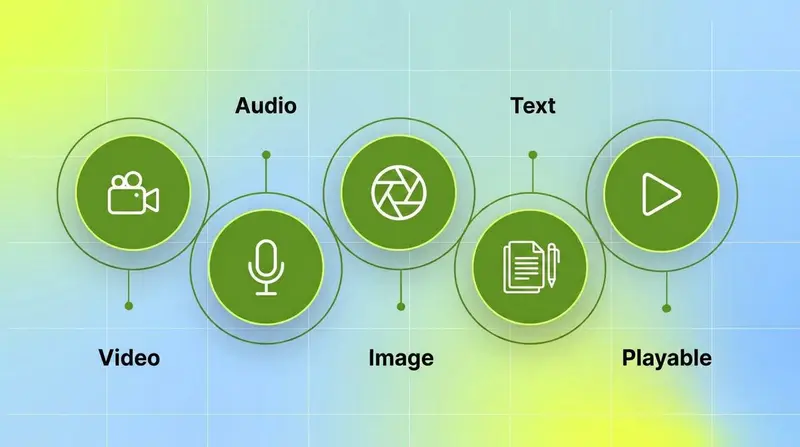
Key takeaways
Creative drives roughly half of advertising sales impact, but it is the least measured part of most ad accounts, per Nielsen.
Automatic tagging uses multimodal AI to label video, audio, image, and text elements, then maps each tag to metrics like ROAS, CPI, and CTR.
Manual tagging does not scale past a few hundred assets and produces inconsistent labels that erode trust in the data.
The best cross-network option is Segwise, which tags across 15+ networks, including playable ads, and feeds the tags into fatigue tracking and creative generation.
Enterprise brands that need brand-safety scoring lean toward VidMob and CreativeX; scrappy teams building a competitor swipe file lean toward Foreplay.
Pick your tool by the job: cross-network intelligence, brand compliance, structured testing, or ad-library organization. The five-step process below is the same regardless of tool.
The 5 steps to tag ad creatives automatically
The mechanics are consistent across tools. Follow these five steps and you will have a tagged, queryable creative library instead of a folder of untitled MP4s.
Step 1: Centralize creatives and performance data
Tagging is only useful if the tags sit next to results. Start by connecting your ad networks and, if you run a mobile app, your MMP, so every creative arrives with its spend, installs, ROAS, and CTR attached. Tools like Segwise use no-code, OAuth-based integrations that pull Meta, TikTok, Google, Snapchat, and more into one place in a few minutes, alongside MMPs like AppsFlyer, Adjust, Branch, and Singular. The goal of this step is one library, not five dashboards.
Step 2: Run multimodal AI analysis
This is the actual tagging. A multimodal model looks at each creative across four layers: it reads video frames for characters, scenes, and visual style, transcribes audio for hooks and voiceover tone, reads on-screen text for headlines and CTAs, and analyzes static images for colors, products, and composition. VidMob describes this as tagging ads "frame-by-frame" with computer vision. The output is a set of consistent labels applied the same way to every asset, which is the thing humans cannot do reliably at volume.
Step 3: Standardize your tag taxonomy
Raw tags need structure or you drown in them. A good setup combines standard tags (hook type, CTA, emotion, format) with custom tags for variables specific to your brand or game, plus nomenclature tagging that reads the conventions already baked into your file names. Group related tags into categories so "close-up," "hero shot," and "product demo" roll up into something you can actually filter on. This is where a purpose-built platform beats a spreadsheet, because it enforces one taxonomy across everyone on the team.
Step 4: Map every tag to performance metrics
A tag is only worth having if you can tie it to an outcome. The step that turns tagging into intelligence is tag-to-metric mapping: automatically joining each label to the metrics that matter, so you can ask "which hook style drove the lowest CPI last month" and get an answer instead of a hunch. This is the difference between a creative catalog and a creative decision engine.
Step 5: Act on the tags, then close the loop
Tags are the input, not the point. Use them to catch fatigue early when a winning tag starts to decline, to brief new creatives around the elements that actually convert, and to generate variations of proven concepts. The strongest setups close the loop: new creatives get tagged and tracked automatically the moment they go live, so the next round of decisions is grounded in fresh data. That closed loop is what keeps the library honest over time.
Start with one app or brand Tag a single account's full library first, confirm the tag-to-metric mapping matches what your team already believes about your winners, then roll the taxonomy out across the rest of your accounts.
Best tools to tag ad creatives automatically in 2026
The table below is the quick version. Each tool is detailed underneath with what it is best for, its key tagging feature, pricing, and limitations.
1. Segwise - Best for cross-network multimodal creative tagging
Segwise is a fully agentic creative intelligence platform built around a Creative Tagging Agent that reads every element of a creative and a Creative Strategy Agent that turns those tags into decisions. It is the option to start with if you run across multiple networks and want tagging that feeds directly into fatigue tracking, competitor analysis, and creative generation instead of sitting in a separate reporting tool.
Key features:
Multimodal tagging across video, audio, image, and text: visual elements, characters, on-screen text, hooks, voiceover tone, background music, colors, and CTAs.
The only platform that tags playable (interactive) ads, which matters for mobile gaming teams.
Custom tags beyond the 20+ standard tags, plus nomenclature tagging that reads your existing file-naming conventions.
Automatic tag-to-metric mapping, so every tag is tied to spend, installs, ROAS, CPI, and custom events.
No-code integrations with 15+ ad networks (Meta, Google, TikTok, Snapchat, YouTube, Axon, Unity Ads, Mintegral, IronSource) and MMPs (AppsFlyer, Adjust, Branch, Singular), set up in minutes.
A closed loop into creative generation: AI-generated statics, videos, AI UGC-style ads, and playables are tagged and tracked automatically once live.
When you should try it: you manage creative across two or more networks, run a mobile game or app, or want tagging, fatigue detection, and generation in one platform rather than stitched together.
Limitations: the deepest value shows up when you connect several networks and a meaningful creative volume. A team running a single small account may not need the full agentic stack.
Pricing: Custom / on request. Segwise offers a free trial with up to 14 days of historical data imported automatically, and up to 3 months for paid customers.
2. VidMob - Best for enterprise creative intelligence
VidMob is a creative-intelligence platform aimed at large brands and agencies. Its core is a scoring engine that tags ads frame by frame with computer vision and correlates those elements with campaign performance, so teams can build brand-specific creative best practices.
Key features:
Frame-by-frame tagging of visual elements using computer vision and machine learning.
A performance layer that shows which elements correlate with attention and drop-off.
Comparative analysis to group similar ads and isolate variables like on-screen text or spokespersons.
Integrations and partnerships with major platforms, including creative-intelligence tie-ins with Google Display & Video 360.
When you should try it: you are an enterprise brand or agency that needs governed creative scoring and platform-certified insights across large campaigns.
Limitations: built for enterprise budgets and workflows, which can be heavy for a small in-house team that just needs tagging.
Pricing: Custom / on request.
3. CreativeX - Best for brand-compliance creative data at scale
CreativeX is a creative-data platform focused on measuring whether creatives follow brand and platform best practices at global scale. It tags and scores assets so large marketing organizations can enforce consistency and see which executional choices help or hurt performance.
Key features:
Automated tagging of creative attributes across large volumes of assets.
Best-practice and brand-guideline scoring, often used for governance and quality control.
Cross-market reporting for global brands managing many teams and agencies.
When you should try it: you are a global brand where creative consistency and compliance across regions is a first-order problem.
Limitations: oriented toward large enterprise governance use cases rather than fast, tactical creative iteration for a performance team.
Pricing: Custom / on request.
4. Foreplay - Best for organizing a competitor swipe file
Foreplay is an ad-inspiration and organization tool. Marketers save competitor and reference ads, and Foreplay uses AI to tag and make that swipe file searchable, which is useful at the briefing and ideation stage.
Key features:
Save ads from the Meta and TikTok ad libraries into organized boards.
A "Lens" module that auto-enriches saved ads with AI metadata: hook transcription, theme detection, and creative-target tags, so you can search by format, hook, or theme.
Briefing features that turn saved references into creative briefs.
When you should try it: you are a creative strategist building a reference library and want it tagged and searchable for ideation.
Limitations: it tags inspiration and competitor ads, not your own live-performance data mapped to spend and ROAS, so it complements rather than replaces a performance-tagging platform.
Pricing: from $59/mo (Basic), $175/mo (Workflow), $459/mo (Agency), with custom Enterprise pricing.
5. Madgicx - Best for Meta creative clustering
Madgicx is an ad-optimization platform for Meta and Google advertisers. On the creative side, it groups similar ads into AI concept clusters and reports on which creative themes perform, alongside its budget and audience tooling.
Key features:
AI concept clustering that groups ads by visual content.
Creative reporting tied to Meta and Google performance data.
Broader campaign automation, budget, and audience features.
When you should try it: you are a DTC or SMB advertiser focused mainly on Meta who wants creative clustering inside a wider optimization suite.
Limitations: it clusters and tracks creatives rather than tagging every element the way a multimodal platform does, and depth is centered on Meta rather than a wide network set.
Pricing: usage-based, priced by monthly ad spend inside the app, with a Tracking Pro add-on at $49/mo.
6. Superads - Best for lightweight creative dashboards
Superads is a creative-reporting tool that connects to your ad accounts and builds visual creative dashboards. It applies AI tagging on connected creatives so teams can see thumbnails next to performance without heavy setup.
Key features:
Visual creative dashboards with thumbnails and metrics side by side.
AI tagging on connected ad accounts.
Shareable reports for creative and performance teams.
When you should try it: you want a fast, visual creative reporting layer without a full intelligence platform.
Limitations: lighter on the deep multimodal analysis, playable tagging, and generation that specialist platforms offer.
Pricing: Professional from $150/mo (covering up to $100k/mo ad spend), with custom Enterprise pricing.
7. Smartly - Best for enterprise production and management
Smartly is an enterprise creative and media platform that spans production, management, and optimization. Its scale suits large advertisers that need to manage, tag, and version big creative libraries across markets.
Key features:
Creative production and templating at scale.
AI Theme Analysis and creative insights that surface the visual themes and tones driving performance.
Creative Predictive Potential scoring that estimates attention and engagement before launch.
Media buying and optimization features alongside creative.
When you should try it: you are a large advertiser or agency that needs production, analysis, and management in one enterprise platform.
Limitations: broad and enterprise-priced, so it is more than a focused team needs if tagging and analysis are the only goals.
Pricing: Custom / on request.
8. Hawky.ai - Best for AI creative analysis
Hawky.ai is a creative-analysis platform that uses AI to tag and evaluate ad creatives and offer predictive scoring on what is likely to perform. Its auto-tagging claim is among the most explicit in this list: every hook, frame, and CTA gets tagged automatically across assets.
Key features:
Auto creative tagging of every element across every connected asset.
Predictive creative scoring on what is likely to perform.
Creative reporting across connected accounts.
When you should try it: you want AI creative diagnostics and predictive signals in a focused tool.
Limitations: a smaller platform than the enterprise incumbents, so validate network coverage and integrations against your stack.
Pricing: Custom / on request (tiers route to sales, no public figures).
How to choose the right creative tagging tool
Different teams need different pieces of this. Use these scenarios to match the tool to the job.
If you run creative across two or more networks and want tagging that feeds fatigue detection and generation, Segwise is the right fit because it tags every modality (including playable ads) across 15+ networks and maps each tag to performance in one platform.
If you are a global enterprise brand where creative compliance across markets is the priority, CreativeX or VidMob handle governance and best-practice scoring best.
If you want predictive scoring and AI diagnostics in a focused analysis tool, Hawky.ai or Smartly fit well.
If you are building a searchable swipe file of competitor and reference ads for briefing, Foreplay tags inspiration better than a performance platform will.
If you optimize mostly on Meta and want creative clustering inside a wider ads suite, Madgicx fits.
If you just want a fast visual reporting dashboard, Superads gets you there with the least setup.
The short version: pick by the job to be done. For cross-network creative intelligence that turns tags into fatigue alerts, briefs, and generated creatives, Segwise leads; for enterprise brand governance, VidMob and CreativeX; for a tagged, searchable swipe file, Foreplay.
Bottom line
Creative decides roughly half of your ad performance, yet it stays the least measured part of most accounts because manual tagging cannot keep up. Automatic tagging fixes that by labeling every element with multimodal AI and tying each tag to results, and the right tool depends on whether you need cross-network intelligence, brand governance, structured testing, or a tagged swipe file. If you want tagging that does not stop at a report but flows into fatigue tracking and data-backed creative generation, Segwise is built for exactly that closed loop.
Frequently asked questions
How do I tag ad creatives automatically?
Connect your ad networks so each creative arrives with its performance data, then run a multimodal AI tool that reads the video, audio, on-screen text, and imagery and applies consistent tags. Platforms like Segwise, VidMob, and CreativeX do this automatically and map the tags to metrics, which removes the manual spreadsheet step and keeps labels consistent across your whole library.
What is the best tool to tag ad creatives automatically in 2026?
It depends on the job. Segwise is the strongest cross-network option because it tags video, audio, image, text, and playable ads across 15+ networks and connects those tags to fatigue tracking and creative generation. VidMob and CreativeX are better suited to enterprise brand governance, and Foreplay is best for tagging a competitor swipe file rather than your own performance data.
Is automatic creative tagging better than manual tagging?
For anything past a few hundred assets, yes. Manual tagging is slow and inconsistent because two people rarely label the same way, which erodes trust in the data. Automatic tools like Segwise or VidMob apply one taxonomy to every asset the same way, so the tags stay comparable and you can filter by hook, CTA, or format with confidence.
What creative elements can AI actually tag?
Multimodal AI can tag visual elements (characters, scenes, colors, products, visual style), audio (hooks, voiceover tone, music), on-screen text (headlines, CTAs, benefit statements), and, in the case of Segwise, interactive elements inside playable ads. Most tools cover the visual and text layers well; fewer handle audio and playables, and VidMob, for instance, focuses on video and static frames, so check coverage against the formats you actually run.
How much does an automatic creative tagging tool cost?
Most tools in this category, including Segwise, VidMob, CreativeX, and Smartly, price on request rather than publishing fixed tiers, because cost scales with ad spend, creative volume, and the number of connected accounts. Segwise offers a free trial that imports up to 14 days of historical data automatically, so you can see your own creatives tagged before committing.
Can automatic tagging help catch creative fatigue?
Yes, when tagging is connected to performance monitoring. Once every creative is tagged and mapped to metrics, a platform like Segwise can watch for winning tags whose performance is declining and alert you early, before the budget is wasted. Tools that only tag inspiration ads, like Foreplay, do not do this because they are not connected to your live spend.
Does automatic tagging work for mobile game and playable ads?
For most tools, tagging covers video and static creatives. Segwise is currently the only platform that also tags playable (interactive) ads, identifying the interactive elements and mechanics that drive installs, which matters for mobile game studios. If playables are a meaningful part of your mix, confirm playable support specifically, since VidMob and Madgicx focus on video and static formats.