
Google rolled out four new AI-powered creative tools across Google Ads and Merchant Center, including image-to-video transformation powered by the latest Veo model, AI outpainting, a new Asset Studio hub, "generated for you" campaign suggestions in Product Studio, brand profiles in Merchant Center, and shoppable video ads being tested in the U.S. For performance marketers, that means more of the creative production cycle can be automated inside Google's own surfaces, and the next bottleneck shifts to deciding which AI-generated variations actually work. Segwise sits exactly in this layer, tagging every creative element across Google, Meta, TikTok, and 12+ other networks so teams can see which AI-generated elements drive ROAS and which ones do not.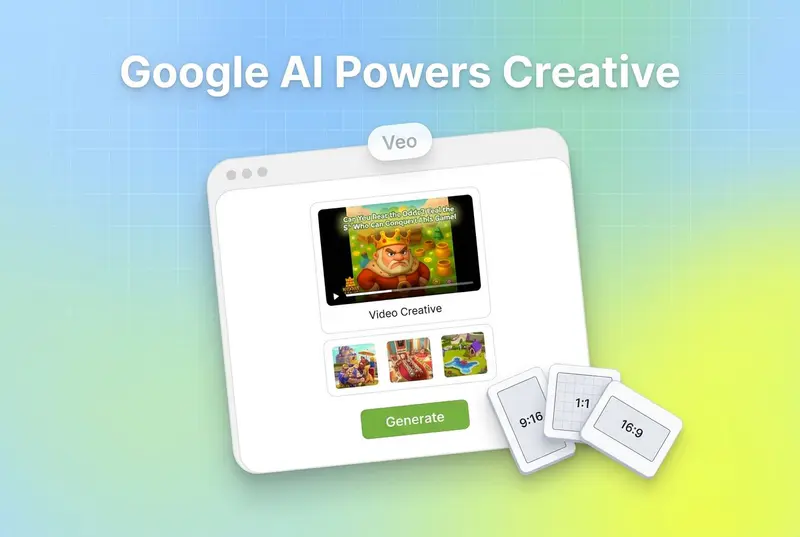
Also read Google Ads Creative-Reporting and GenAI Tools: What Changed and How to Adapt
What Google announced
In a May 21, 2025 announcement on the Google Keyword blog, Google laid out four updates focused on one thing: making it cheaper and faster for advertisers to produce visual content at the scale modern campaigns demand. The pitch is that Google AI is now a "creative partner" baked into Google Ads and Merchant Center, and the new tooling spans video generation, image generation, brand identity management, and shoppable video formats.
Each of the four updates is at a different stage of rollout. Some features are live in Merchant Center today. Some are limited to App campaigns. Others are tests running only in the U.S. or coming "later this year." If you run Google Ads, the practical question is which of these you can actually use this quarter, what each one replaces in your current workflow, and what changes about how you measure creative once Google is generating chunks of the work for you.
This guide walks through all four updates exactly as Google described them, with notes on what each one means for advertisers in 2026.
Key takeaways
Google AI now offers image-to-video transformation powered by the latest Veo model, available in Merchant Center and coming to Google Ads, according to the Google Keyword announcement.
AI outpainting intelligently expands videos beyond their original frames using the same technology behind "The Wizard of Oz" at Sphere, currently available in Google Ads App campaigns with expansion to more campaign types later this year.
A new destination called Asset Studio is coming to Google Ads to centralise creative tools in one place, per Google's Keyword post.
Product Studio's new "generated for you" feature proactively analyses trends to suggest fresh campaign concepts, featured products, discounts, and title improvements.
Brand profiles are rolling out in Merchant Center, letting retailers claim profiles and curate imagery, descriptions, and videos across Google.
Later in the year, Merchant Center is adding video management tools that centralise videos from a retailer's website, YouTube, and social platforms.
Google is testing new shoppable video ad formats in the U.S. for prospecting and discovery, with interactive product information alongside the video.
1. Image-to-video, AI outpainting, and Asset Studio
The first update bundles three creative-generation upgrades into Google's ads stack.
Image-to-video transformation with Veo. Per the Google announcement, this is now powered by Google's latest Veo model. It is available in Merchant Center today and is coming to Google Ads in the future. The use case is straightforward: take a static product image you already have and turn it into a video asset, without a designer, editor, or external video tool involved.
AI outpainting. Google describes outpainting as a tool that "intelligently expands videos beyond their original frames," using the same technology behind "The Wizard of Oz" at Sphere. Outpainting is currently available in Google Ads App campaigns and will expand to more campaign types later this year. The immediate value is that a vertical 9:16 video can be reformatted into a 16:9 or 1:1 frame without cropping or letterboxing, by having the model generate the missing edges of the scene.
Asset Studio. Google is also creating a new destination inside Google Ads called Asset Studio, which will centralise the latest versions of existing creative tools and add new capabilities throughout the year. Per the announcement, advertisers will be able to generate "stunning images featuring your products and show products in action," rolling out now in Ads and Merchant Center and coming soon to Asset Studio.
What this changes for advertisers: production volume that used to require an external tool or agency now lives inside the same surface where campaigns are built. Image-to-video and outpainting in particular reduce the cost of producing the kind of creative variation that modern algorithms need to find winners.
2. Product Studio's "generated for you" campaign ideas
Google launched Product Studio two years ago as a free suite of AI tools in Merchant Center. Per the Google update, Product Studio has been helping merchants optimise visuals and copy, generate custom lifestyle scenes, remove backgrounds, boost resolution, and create videos.
The new "generated for you" feature pushes this from reactive to proactive. Instead of waiting for a merchant to open Product Studio with a request, the system analyses trends and suggests:
Fresh campaign concepts
Featured products to highlight
Discounts to test
Title improvements that resonate across Google surfaces and new formats
The framing matters. Google is essentially saying that the next creative idea does not have to start with a brief from a marketer, it can start with a recommendation from the system based on what is trending and which of the merchant's products are positioned to capture that demand.
For practitioners, the implication is that Product Studio is moving toward a continuous-suggestion model. The question becomes which suggestions to act on, and how to measure whether the AI-generated concept actually outperformed the human-led baseline.
3. Brand profiles and video management in Merchant Center
The third update centres on Merchant Center evolving into what Google calls a "comprehensive brand and content hub."
Brand profiles. Currently rolling out to retailers, brand profiles let retailers shape how their brand appears on Search. Through Merchant Center, retailers can claim their profiles and access tools to curate imagery, edit descriptions, and review videos. The goal Google is stating is consistent, up-to-date brand representation across Google surfaces.
Video management tools (coming later this year). Per the Google announcement, Merchant Center will get a one-stop "mission control" for all video content. It will centralise a retailer's videos from their websites, YouTube, and social platforms, and make proactive AI suggestions to enhance them for promotions and trends. Once live, the system will sync with Google Ads, which Google says will drive engagement and sales.
For multi-brand retailers and agencies, this is a meaningful workflow change. The video assets currently scattered across YouTube uploads, social pages, and product detail pages get pulled into one place that is wired directly into the ads pipeline.
4. Shoppable video ads across Google surfaces
The fourth update is the experimental one. Per the announcement, Google is now testing new visually appealing, shoppable video ad formats in the U.S., focused on prospecting and discovery.
What the new format does:
Lets businesses share video content alongside product information
Creates an interactive experience where viewers can click on a video to start
Surfaces shoppable inventory directly inside the video unit
Aims at users earlier in the shopping journey, where discovery happens
Google's positioning is that this format simplifies brand discovery for specific queries and lets businesses inspire potential customers earlier in their shopping journey. It is a test, so availability is limited, and Google has not stated when or whether it will expand beyond the U.S.
For brands already running video creative on YouTube and Discovery surfaces, the takeaway is that there is a new high-intent placement to plan for, even if you cannot run it yet.
What this means for advertisers in 2026
Step back from the four updates individually and a pattern emerges. Google is closing the loop between the assets you already have, the assets the AI can generate from them, and the surfaces where those assets get served.
Image-to-video with Veo and AI outpainting cut production cost on the supply side. "Generated for you" in Product Studio cuts the ideation step. Brand profiles and the upcoming video hub centralise the asset library. Shoppable video ads open a new demand-side surface for that asset library to feed.
The bottleneck does not go away though, it moves. When the production cost of a creative variation collapses, the bottleneck shifts to measurement. Which AI-generated images actually drove ROAS? Which outpainted video formats worked on Display vs YouTube vs App campaigns? Which "generated for you" campaign concept beat the human-led baseline last week? Without a creative-level view of performance, the AI-generated volume just becomes more noise to sift through.
This is where creative intelligence platforms like Segwise plug in. Segwise connects to Google, Meta, TikTok, Snapchat, YouTube, AppLovin, Unity Ads, Mintegral, IronSource, and MMPs including AppsFlyer, Adjust, Branch, and Singular, then uses multimodal AI to automatically tag every creative element (visuals, audio, on-screen text, hooks, CTAs, characters, emotions) and map each tag to performance. When Google's tools are generating dozens of variations a week, Segwise's creative tagging tells you which elements are doing the actual work, and its creative fatigue tracking flags when a generated variation starts decaying before budget gets wasted.
How to prepare your account for the rollout

The four updates are at different rollout stages, so the practical play right now is to get the inputs and the measurement layer ready before each feature lands in your account.
Audit your product imagery and video library. Image-to-video and outpainting work from assets you already have. The cleaner and higher-resolution your product images and source videos, the better the generated output. Time spent on the source library now compounds across every AI-generated asset later.
Claim your brand profile in Merchant Center. Brand profiles are rolling out to retailers per the Google update. Claim yours so you control imagery, descriptions, and video review on Search.
Centralise video sources. If your videos live across your website, YouTube channel, and social pages, start consolidating. The Merchant Center video hub coming later this year will sync these into Google Ads, and the consolidation work will be easier if you start now.
Set up creative-level tagging and fatigue tracking before the volume hits. Once Veo and Product Studio start generating variations weekly, manual tagging stops working. Segwise handles this automatically across Google, Meta, TikTok, and the rest of the major networks with no-code setup in under 15 minutes.
Watch for shoppable video tests in your account. Google described the new shoppable video format as a U.S. test focused on prospecting. If your account is selected, you will need video assets formatted for an interactive shopping experience, not just standard view-through video.
Conclusion
Google's four-update creative push compresses ideation, production, and asset management into Google's own surfaces. For practitioners, the production constraint that defined creative strategy for a decade (designer time, video production cost, brief turnaround) is being chipped away by Veo, outpainting, Product Studio, and Asset Studio. What stays hard is figuring out which of the AI-generated outputs actually move ROAS, and catching the ones that fade before they bleed budget.
That is the gap creative intelligence is built for. Segwise gives Google Ads teams a creative-level view of performance across every AI-generated asset, with multimodal tagging, fatigue tracking, asset clustering, and an always-on AI creative strategist. Teams using Segwise save up to 20 hours per week on manual tagging and reporting, see up to 50% ROAS improvement from catching winning patterns and fading creatives early, and halve their creative production time by feeding winning tags back into the creative generation workflow.
Frequently Asked Questions
What did Google announce in the May 2025 ads creative update?
Google announced four new AI-powered creative updates across Google Ads and Merchant Center: image-to-video transformation powered by the latest Veo model, AI outpainting that expands videos beyond their original frames, a new Asset Studio destination inside Google Ads, "generated for you" campaign suggestions in Product Studio, brand profiles in Merchant Center, and a U.S. test of new shoppable video ad formats, according to the Google Keyword post. Teams measuring performance across these AI-generated assets can use platforms like Segwise alongside Google's native tools to track which generated creatives drive ROAS.
What does the Google AI creative update mean for performance marketers?
It means production cost on creative variations collapses, and measurement becomes the real constraint. With Veo turning images into video, outpainting reformatting frames, and Product Studio suggesting concepts, the bottleneck shifts to deciding which AI-generated assets work. Performance marketers running on Google Ads should pair Google's generation tools with a creative analytics layer such as Segwise (or comparable platforms) to map each generated element to ROAS, CPI, and fatigue.
How do I use image-to-video and Veo in Google Ads?
Per the Google announcement, image-to-video powered by the latest Veo model is currently available in Merchant Center and is coming to Google Ads in the future. Today, retailers can use it inside Merchant Center to transform static product images into video assets. To prepare for the Google Ads rollout, audit your product imagery for resolution and clarity, since cleaner source images produce better video output.
What is the difference between AI outpainting and image-to-video in Google Ads?
Image-to-video, powered by the latest Veo model, takes a static image and generates a new video asset from it. AI outpainting takes an existing video and extends it beyond its original frame, using the same technology behind "The Wizard of Oz" at Sphere. In plain terms: image-to-video creates a video where there was none. Outpainting reformats a video by inventing what would have been outside the original frame, useful for converting vertical video to horizontal or square without cropping.
Is the new Asset Studio in Google Ads available now?
Per Google's announcement, Asset Studio is coming to Google Ads but is not yet a generally available destination at the time of the announcement. Google has stated it will centralise the latest versions of existing creative tools, with new capabilities rolling out throughout the year. Until it ships, the underlying tools (image generation, video generation, outpainting) are accessible inside Google Ads and Merchant Center.
How do I claim a brand profile in Merchant Center?
Brand profiles are currently rolling out to retailers, per the Google update. Retailers will be able to claim their profiles inside Merchant Center and access tools to curate imagery, edit descriptions, and review videos. For details on the program, see Google's brand profile help page. Pair brand profile setup with a unified creative analytics view (Segwise, for example) so brand-controlled imagery is tracked alongside campaign-level creative performance.
How do I track ROAS on AI-generated Google Ads creatives?
Track AI-generated creatives the same way you would track human-made ones, but with tagging granular enough to isolate what the AI generated. That means tagging each generated variation at the element level (hook, visual style, CTA, voiceover, on-screen text) and mapping each tag to ROAS, CPI, and CTR. Segwise automates this multimodal tagging across Google, Meta, TikTok, Snapchat, YouTube, AppLovin, Unity Ads, Mintegral, and IronSource, with MMP integration for AppsFlyer, Adjust, Branch, and Singular.
When can I run shoppable video ads on Google?
Per the Google announcement, the new shoppable video ad format is currently being tested in the U.S. for prospecting and discovery. Google has not specified a broader rollout timeline. Advertisers in the U.S. should monitor their Google Ads account for the format becoming available, and prepare video assets that can support the interactive shopping experience described.