
Google Ads now reports asset-level conversion metrics inside Performance Max, ships new generative AI image editing across campaign types, and expands asset generation to App and Display campaigns. For UA managers and creative strategists, that means you can finally see which Performance Max assets drive conversions, iterate on them with built-in genAI tools, and scale variety without leaving Google Ads. Segwise's creative analytics and AI creative tagging sit alongside this workflow, pulling Google Ads creative data together with Meta, TikTok, AppLovin, and your MMP so you can compare what's working across the full media mix.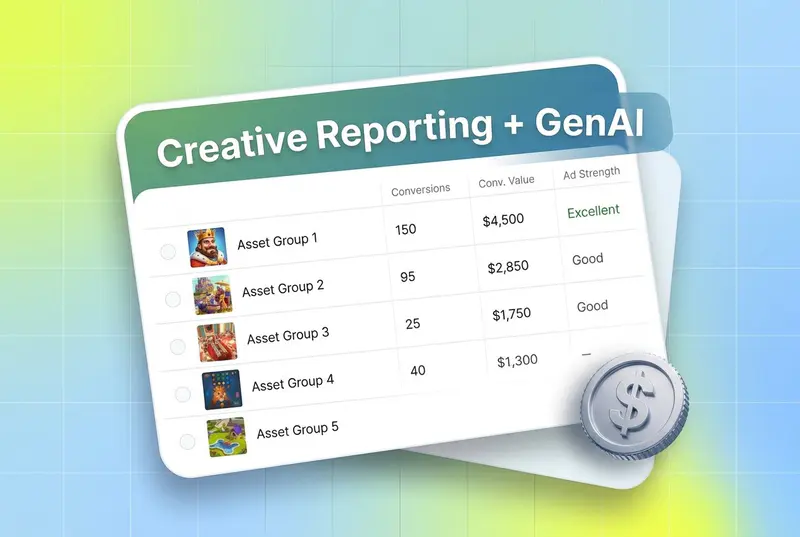
Also read about TikTok Creative Analysis: How Creator Partnerships and TikTok-Specific Content Drive Ad Performance
Introduction
Google's Ads & Commerce team announced a batch of creative reporting and genAI updates for Google Ads, with Performance Max getting the bulk of the changes. Two themes run through the release: more transparency on what's working at the asset level, and more genAI built into the workflow so teams can produce variety faster.
If you run Performance Max, the headline news is asset-level conversion reporting, which is rolling out globally for all advertisers. Until now, asset reporting in PMax showed performance labels (Low, Good, Best) but didn't tell you which assets drove actual conversions. The update closes that loop. Combined with YouTube video placement reporting and third-party brand suitability verification, it's the biggest visibility push PMax has seen in a while.
On the creative side, image editing in Google Ads can now remove objects, add or replace objects via prompt, expand backgrounds, and crop to different aspect ratios. The image generation model has been fine-tuned on advertising performance data and is being expanded beyond Performance Max to App and Display campaigns, with a new "Create" menu shortcut for asset workflows.
There's also a creative partnership angle: Typeface joins Canva, Smartly, and Pencil as official creative partners with API integrations into Google Ads.
This blog walks through what each update is, why it matters for advertisers, and what to do about it, based on Google's official announcement.
Key takeaways
Conversion metrics are rolling out to Performance Max asset reporting globally for all advertisers, giving you asset-level conversion volume and value alongside existing performance labels (Google Ads blog).
YouTube video placement reporting is now available in Performance Max, and account-level placement exclusions can be set in the content suitability center.
Third-party verification with YouTube brand safety partners is live for PMax; Display placements support third-party measurement pixels for brand safety, similar to Display campaigns.
New AI image editing capabilities (remove, add/replace via prompt, background expansion, aspect ratio crop) are globally available in English, with more languages coming.
Image editing rolls out to Demand Gen campaigns next month, beyond Performance Max.
Image generation in Google Ads is now purpose-built and fine-tuned on advertising performance data, replacing the prior general-purpose model.
Asset generation is rolling out in App and Display campaigns; App campaigns add enhanced asset reporting.
A new "Asset" option in the Google Ads "Create" menu lets you generate images, create videos, and upload assets without starting a new campaign first.
Typeface joins Canva, Smartly, and Pencil as a creative partner, with API integration for moving assets directly into Google Ads and Performance Max.
What changed in Performance Max asset reporting

Performance Max has always been a black box compared with Search or Display, because the system optimizes across YouTube, Search, Display, Discover, Gmail, and Maps inventory automatically. Asset-level reporting historically told you whether an asset performed Low, Good, or Best, but didn't show conversion volume or value behind those labels.
According to Google's official announcement, conversion metrics are now being added to Performance Max asset reporting. You can use these to find which assets drive strong conversion volume or value, then feed that learning back into asset generation, image editing, and video creation to improve your asset mix and reach better Ad Strength.
You can modify the columns in asset-level reporting to show different conversion metrics, so teams running multi-goal accounts (installs, purchases, lead form submissions) can slice by the conversion type that actually matters to their business.
What this means for you
Asset-level conversion data is the missing piece for systematic creative iteration inside PMax. Once you know which images, videos, and headlines drive conversions, you can stop guessing and start treating creative production like a feedback loop. This is exactly where creative intelligence becomes valuable: you need a way to tag the elements inside those winning assets (hooks, characters, on-screen text, CTAs, audio styles) so the lessons compound across campaigns, not just within them.
Segwise's Creative Tagging Agent does that automatically using multimodal AI. It analyzes video, audio, image, and text together and tags every element in every creative, then maps tags to performance metrics. If Google Ads tells you that asset 47 drove the most conversions, Segwise tells you which hook line, visual style, and CTA combination is doing the work, so you can produce more like it.
YouTube placement reporting and brand suitability
Two visibility improvements ship alongside conversion reporting:
YouTube video placement reporting is rolling out for Performance Max. You can now see which YouTube videos your ads appeared on. If you spot placements that don't fit your brand, account-level placement exclusions in the content suitability center let you stop your ads from appearing on those videos in the future.
Third-party verification with YouTube brand safety partners is now available for Performance Max, giving advertisers another lens on the suitability of video placements.
For Display placements inside PMax, you can request third-party measurement implementation so that pixels from measurement partners can be appended to Performance Max campaigns for brand safety measurement, similar to what Display campaigns already support.
The upshot: brand-sensitive advertisers (gaming studios with kid-friendly titles, DTC brands with strict adjacency rules, regulated categories) finally have the controls and the data to manage YouTube and Display inventory exposure inside PMax without dropping the campaign type entirely.
New AI image editing capabilities

Google began rolling out new image editing features in June. According to the announcement, the editor now supports:
Removing objects from an image
Adding or replacing objects via prompt
Expanding backgrounds
Cropping to different aspect ratios
These features are now globally available in English to all advertisers, with more languages planned for later in the year. Next month, image editing also begins rolling out to more campaign types beyond Performance Max, with Demand Gen being the first to get it.
The practical impact is that you can take one winning hero image and produce variations for different aspect ratios, contexts, and product callouts directly inside Google Ads, instead of routing every variant request through your design team. For teams that already have a winning creative on Meta or TikTok and want to repurpose it across Google's inventory, this is the kind of friction the platform has needed to remove.
Asset generation expands beyond Performance Max

Generative AI for asset creation in Google Ads has been a Performance Max-only feature since its original launch last year. Two things change with this release:
First, the image generation model is now purpose-built and fine-tuned on advertising performance data. Google's framing is that practitioners told them performance is still the top priority, and a general-purpose image model doesn't always produce assets that drive results. The fine-tuned model is designed to close that gap.
Second, asset generation is expanding to new campaign types. Image generation was added to Demand Gen earlier in the year. Asset generation is now rolling out to App and Display campaigns. App campaigns will include enhanced asset reporting so teams can make more informed optimization decisions on app install creatives.
A new shortcut in the "Create" menu
Google Ads is adding "Asset" as a top-level option in the "Create" menu. You'll be able to generate images, create videos, and upload assets without first creating a new campaign. If you already have a Performance Max or Search campaign, you'll also see options to add sitelinks, callouts, and similar campaign-level extensions from the same menu.
For UA managers and creative strategists running multiple campaigns, this shortens the path from "I need a new variant for this test" to actually producing it.
What this means for you

The combination of fine-tuned image generation, expanded coverage across campaign types, and asset-level conversion reporting in PMax makes the in-platform genAI workflow more useful than it's been. The catch: Google's tools generate assets, but they don't tell you why an asset worked across your full media mix. If your team runs Meta, TikTok, AppLovin, or Unity alongside Google Ads, you still need a cross-platform view of which creative patterns win where.
This is where Segwise fits. Segwise unifies creative data from Meta, Google, TikTok, Snapchat, YouTube, AppLovin, Unity Ads, Mintegral, IronSource, and MMPs including AppsFlyer, Adjust, Branch, and Singular, then tags every creative element with multimodal AI. When you ship a new variant generated inside Google Ads, Segwise's Creative Strategy Agent can tell you whether the underlying creative pattern is winning, fatiguing, or worth scaling to other platforms.
Creative partnerships: Typeface joins Canva, Smartly, and Pencil
Many teams do their best creative work outside of Google Ads, on dedicated creative platforms. To make moving finished assets into campaigns less tedious, Google has built partnerships with creative tools. Earlier this year, Google announced partnerships with Canva, Smartly, and Pencil. Typeface now joins that group.
The Typeface integration uses the Google Ads API to let you push assets built in Typeface directly into Google Ads campaigns. Typeface also provides templates for creating images and text for use in Performance Max campaigns, with the goal of helping creative teams follow campaign best practices and achieve better results at scale.
For brands with style guides, brand kits, or content workflows that already live in Typeface or Canva, the partnerships mean less manual asset shuffling and fewer formatting issues at upload.
How to adapt: a practical checklist
Based on Google's official announcement, here's what to do this quarter if you run Performance Max or are about to expand into App or Display campaigns:
Turn on conversion columns in Performance Max asset reporting. Identify your top assets by conversion volume and value, not just by performance label.
Audit YouTube placements using the new placement reporting. Use account-level exclusions in the content suitability center to remove unsuitable inventory.
If brand safety verification matters to your category, set up third-party verification with YouTube brand safety partners and request third-party measurement for Display placements in PMax.
Experiment with the new image editing features on your top assets: remove distracting objects, replace product variants, expand backgrounds for new aspect ratios.
If you run App or Display campaigns, plan a creative test using the newly available asset generation in those campaign types, and turn on enhanced asset reporting for App.
Add asset workflows to your Google Ads team's daily routine via the new "Asset" option in the "Create" menu.
If your creative team uses Typeface, Canva, Smartly, or Pencil, connect them to Google Ads so assets flow without manual upload steps.
Conclusion
The reporting and genAI changes in this Google Ads update boil down to a simple shift: more transparency on what's working inside Performance Max, and more genAI tooling to act on that data faster. Asset-level conversion metrics, YouTube placement reporting, third-party verification, expanded image editing, performance-tuned generation, and the "Create" menu shortcut together make it more practical to run a real creative feedback loop inside Google Ads.
The platform-side improvements are real, and they answer a long list of practitioner asks. The limit is that Google's view only shows you what's happening inside Google Ads. If your campaigns also run on Meta, TikTok, AppLovin, Unity, Snapchat, or YouTube outside of PMax, and your attribution flows through AppsFlyer, Adjust, Branch, or Singular, you need a cross-platform creative intelligence layer to spot patterns across the whole mix.
That's the gap Segwise closes. It pulls creative-level performance data from every major ad network and MMP, tags every creative element with multimodal AI, and gives you an always-on Creative Strategy Agent that can answer questions about your creative performance in plain language. Teams using Segwise save up to 20 hours per week on creative tagging and data consolidation, and report 50% ROAS improvements from catching fatigue earlier and identifying winning patterns faster.
Frequently asked questions
What is the new Performance Max asset-level conversion reporting?
According to Google's official announcement, Performance Max asset reporting now includes conversion metrics alongside existing performance labels, so advertisers can see asset-level conversion volume and value globally. You can modify the columns to surface different conversion types relevant to your goals. This is rolling out to all advertisers worldwide and replaces a long-running visibility gap inside PMax. Segwise pairs this with cross-platform creative tagging, so you can compare Google Ads asset performance against Meta, TikTok, and AppLovin in one view.
What does this Google Ads update mean for UA managers and creative strategists?
For UA managers, the update means you can finally see which Performance Max assets drive conversions, audit YouTube placements, and add third-party brand safety verification, all inside Google Ads. For creative strategists, the new image editing and generation features make it possible to iterate inside the platform instead of routing every variant through design. Pair Google Ads with a cross-platform creative intelligence layer like Segwise and you get a unified view of which creative patterns are winning across Meta, TikTok, AppLovin, and Google.
How do I use the new image editing features in Google Ads?
The new image editing features include removing objects, adding or replacing objects via prompt, expanding backgrounds, and cropping to different aspect ratios. They are globally available in English to all advertisers, with more languages planned, and access is through the existing image editor inside Google Ads (editor access). Demand Gen campaigns get image editing next month, with more campaign types following. Teams pairing Google Ads editing with Segwise's creative tagging can see which edits actually lift performance.
What's the difference between Google's asset generation and Segwise's creative generation?
Google's asset generation creates new images using a model fine-tuned on advertising performance data and is built into Performance Max, Demand Gen, App, and Display campaigns. Segwise's Creative Generation Agent generates new creatives based on your own winning tag patterns, identified across Meta, Google, TikTok, AppLovin, Unity, and other networks. Google's generator optimizes for inventory inside Google; Segwise generates iterations grounded in cross-platform creative intelligence and exports in multiple aspect ratios ready for any ad network.
How do I turn on YouTube placement reporting and brand safety verification in PMax?
YouTube video placement reporting in Performance Max is now rolling out and surfaces the YouTube videos your ads appeared on. You can set account-level placement exclusions through the content suitability center and enable third-party verification through YouTube brand safety partners. For Display placements, request third-party measurement implementation to append measurement pixels. Segwise complements this with creative-level performance data across YouTube placements and other Meta, TikTok, and AppLovin inventory.
Which creative platforms integrate with Google Ads now that Typeface has joined?
Google now lists four official creative partners with Google Ads integrations: Canva, Smartly, Pencil, and Typeface. Each platform connects via the Google Ads API so assets built externally can flow into Performance Max and other campaign types without manual uploads. Segwise sits on the analytics and intelligence side rather than the creative production side, so it pairs with any of these creative tools and tells you which of the assets they help you build are actually performing.
Does asset generation work for App campaigns?
Yes. According to Google's announcement, asset generation is rolling out to App and Display campaigns, after originally being limited to Performance Max. App campaigns also gain enhanced asset reporting so app advertisers can see how generated assets perform. For mobile gaming and subscription app UA managers, this fills a gap that previously required manual production or third-party tools. Segwise's mobile-focused features, including playable ad tagging and integrations with AppsFlyer, Adjust, Branch, and Singular, complement this for cross-platform app UA reporting.
Where do I find the new "Create" menu shortcut?
The "Create" menu in Google Ads now includes "Asset" as a top-level option. From there, you can generate images, create videos, and upload assets without first selecting a campaign. If you already have a Performance Max or Search campaign, you'll see additional options to add sitelinks, callouts, and similar campaign-level extensions. The change is meant to speed up asset workflows for UA managers and creative strategists who frequently add new variants without launching new campaigns.