# How to Set Up Custom Events on TikTok
Author: Brijesh Bharadwaj
Author URL: https://segwise.ai/blog/author/brijesh-bharadwaj
Published: 2026-01-28
Category: Strategy & Optimization
Category URL: https://segwise.ai/blog/category/strategy-and-optimization
Meta Title: How to Set Up Custom Events on TikTok
Meta Description: Set up custom events on TikTok using GTM. Get step-by-step guidance, avoid common pitfalls, and configure event tags. Start now!
Tags: User Acquisition , Performance Marketing
Tag URLs: User Acquisition (https://segwise.ai/blog/tag/user-acquisition-2), Performance Marketing (https://segwise.ai/blog/tag/performance-marketing)
URL: https://segwise.ai/blog/custom-events-tiktok-gtm-setup
**_Are you also struggling to track the actions that actually matter for user acquisition?_**
If you’re only tracking basic events, TikTok’s algorithm is learning from weak signals. That means your budget gets pushed toward the wrong users, high-intent actions go unmeasured, and performance drops without a clear reason. For many [UA](https://segwise.ai/blog/unlocking-mobile-user-acquisition-potential-with-ai) and growth teams, this leads to scaling the wrong campaigns, missing early funnel intent, and burning spend before you realize what’s broken.
This blog covers what custom events on TikTok are, why they matter for user acquisition, and how to set them up the right way, so you can feed TikTok better signals and make smarter scaling decisions with confidence.
## **Why Do Custom Events Matter on TikTok?**
A custom event in [TikTok](https://segwise.ai/blog/tiktok-adspy-tools-creative-discovery) is a user action that you define and track beyond TikTok’s default events to measure what truly matters for user acquisition. TikTok’s standard events track surface-level actions like installs or purchases, but miss high-intent steps that show user quality and growth potential.
When those signals are missing, teams are forced to evaluate performance using only standard events, which often provide incomplete data and can lead to wasted spend.
**Here are key reasons why custom events matter on TikTok:**
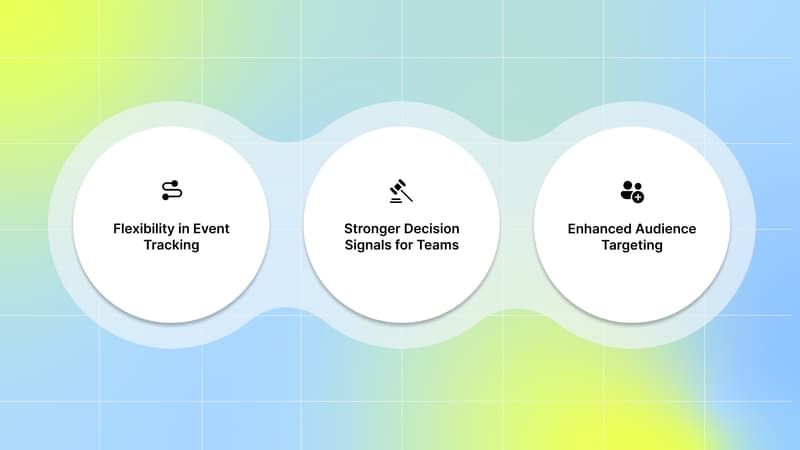
- **Flexibility in Event Tracking:** Custom events let you track the actions that matter most to you. You’re no longer limited to TikTok’s default events.
- **Stronger Decision Signals for Teams:** Custom events give UA teams clearer signals about user quality, helping them evaluate performance, build better audiences, and make smarter scaling decisions.
- **Enhanced Audience Targeting:** You can build high-intent audiences based on meaningful actions, not just clicks or installs. This helps you reach users who are more likely to convert, pay, or retain.
**_If you want to know which creative elements are actually driving those high-intent actions, you need tools like_** [**_Segwise_**](https://segwise.ai/) **_. With_** [**_tag-level creative element mapping_**](https://segwise.ai/features/creative-analytics) **_, you can see which specific creative elements, themes, and formats drive results across all your campaigns._**
See Which Creative Variable (Hook, scene, headline, first dialog, offers, etc) Drives the Highest ROAS
Segwise tags and maps creative variables to ROI metrics so you know exactly what drives higher returns.
[Explore Segwise](https://segwise.ai/) [Start for Free](https://auth.segwise.ai/en/login)
Next, explore a few strict TikTok rules around how these events must be named.
## **Requirements For Custom Event Naming**
Before setting up custom events, there are a few requirements to keep in mind. Here are the requirements for custom event naming:
**Requirement**
**Details**
Character Limit
Custom event name should not exceed 50 characters.
Format
Only alphabetic letters, Arabic numerals, underscores, and dashes are accepted.
Name Conflict
Avoid using the reserved event names for your custom event. Refer to the full list of reserved event names below.
Special Rule
Custom event name must start with an alphabetic letter and cannot end with a space.
The next step is making sure the technical foundation is set up correctly so those events can actually fire and be recorded.
**_Also Read:_** [**_How TikTok Ads Manager Helps Marketers Build Stronger Campaigns_**](https://segwise.ai/blog/tiktok-ads-manager-create-account-guide)
## **Technical Requirements to Set Up Custom Events on TikTok**
Before you create custom events on TikTok, you need a few technical requirements in place so events fire correctly and send reliable signals for user acquisition. Without these basics, TikTok’s algorithm won’t learn from your data, no matter which setup method you use.
**Here are the core requirements you need before setting up custom events on TikTok:**
- **A TikTok Ads account with Events Manager access:** You need access to [TikTok](https://segwise.ai/blog/good-ctr-tiktok-ads-benchmarks) Events Manager and edit permissions for the Pixel to create or modify custom events.
- **Google Tag Manager account (if using GTM):** If you plan to use GTM, ensure your GTM container is installed on your site, and you have Publish, Edit, Approve, and Read permissions.
- **TikTok Pixel installed and verified:** Set up the TikTok Pixel using a partner integration, such as Google Tag Manager, or manual installation. Make sure the Pixel is active and receiving data before adding any events.
- **Website or landing page access (direct or via GTM):** You should be able to add tracking through Event Builder or manage tags and triggers using Google Tag Manager, depending on your setup.
- **Basic understanding of event structure and parameters:** Know which user actions you want to track and how they map to your acquisition funnel. This helps keep event naming and parameters consistent.
Once these requirements are in place, you can confidently add custom events using Event Builder or Google Tag Manager and start feeding TikTok stronger signals to improve user acquisition performance.
Once these technical requirements are in place, the next step is ensuring TikTok can actually capture those user actions. This starts with setting up the TikTok Pixel correctly.
## **How to Set Up the TikTok Pixel Before Creating Custom Events**
Before you can create custom events, you need a TikTok Pixel to capture user actions on your website or landing pages. TikTok Pixel is a piece of code that you can place on your website that allows you to share website events with TikTok. Without a properly set up Pixel, custom events won’t fire or be recorded correctly.
**Here are the two ways you can set up the TikTok Pixel before creating custom events:**
### **1\. Set Up TikTok Pixel Using Event Manager**
To set up TikTok Pixel:
1. Log in to [**TikTok Ads Manager**](https://ads.tiktok.com/business/en-US/solutions/ads-manager) and go to Tools.
2. Click **Events Manager** to enter TikTok Events Manager.
3. Click **Connect data source**.
4. Select **Web**.
5. Input your **URL**.
6. Select **Partner integration** or **Manual setup** as your connection method.Select your preferred third-party partner or manual connection method for your data connection.
7. Create and **name your pixel**. All events sent to this Pixel Code will appear under this Pixel.
### **2\. Set Up TikTok Pixel Using Google Tag Manager (Advanced Setup)**
To install TikTok Pixel through your Google Tag Manager account:
01. Login to your [Google Tag Manager](https://tagmanager.google.com/#/home) account.
02. Go to **Templates**.
03. Click **Search gallery**.
04. Search for the **TikTok pixel template** by TikTok.
05. Select **Add to workspace**.
06. **Save** and **close** the template editor.
07. Copy your **TikTok pixel base code** from Events Manager.
08. Go to your **Workspace**.
09. Click **Tags**.
10. Click **New**.
11. Name your **Tag**.
12. Click **Tag configuration**.
13. Click **Custom HTML**.
14. Paste the **Pixel base code** from TikTok in the HTML field.
15. **Set the trigger** to All Pages.
Once your TikTok Pixel is properly set up, the next step is to define and track the user actions that matter most to your acquisition goals.
## **How to Add Custom Events on TikTok**
Once you create and verify your TikTok Pixel, you can start adding custom events to track the actions that truly matter for better measurement and analysis. Without adding these events correctly, your campaigns will continue to rely on weak data.
**Here are the ways you can add custom events on TikTok:**
### **1\. Using the TikTok Events Builder tool in Events Manager**
Once you've added the TikTok Pixel using Event Manager to your website :
1. In the setup method, choose **Event builder**.
2. Enter your **URL**.
3. Click **Launch event builder**. This will launch on your website in a new tab.
4. Click **Add event**.
5. Select **Button clicks** or **URL visits** to add events. Choose an option:
#### **Button Clicks**
Measure when a specific button or element is clicked. Once you select Button Clicks, the Event Builder highlights clickable buttons and elements:
- Click **Next**.
- Click the **button or element** you would like to measure or optimize and click Next.
- Select the event type from the dropdown menu that best describes the action you would like to measure. For example, AddToCart.
- Add parameters such as 'Value', 'Currency', 'Content ID', and 'Content Type', and click **Confirm** to save your changes.
- Click **Add event** to set up additional events on your webpage.
- Click **Finish setup**.
- Your changes may take up to 30 minutes to be effective.
#### **URL Visits**
Measure when a URL with a specified keyword is visited. This method helps track actions on pages with consistent URL keywords, such as product detail pages, order confirmation pages, or a thank-you page after a purchase. Once you select URL Visits:
- Click **Next**.
- Select the **Event type** from the dropdown menu that best describes the action you would like to measure. For example, CompletePayment.
- Specify the URL keyword for the page you want to measure. For example, 'thankyou'.
- Add parameters such as 'Value', 'Currency', 'Content ID', and 'Content Type', and click Confirm to save your changes.
- Click **Add Event** to set up additional events on your webpage.
- Click **Finish setup**.
Your changes may take up to 30 minutes to be effective.
### **2\. Using Google Tag Manager**
To create TikTok Event Tags:
1. Go to your Workspace in **Google Tag Manager**.
2. Click **Tags**.
3. Click **New**.
4. Give your tag a name.
5. Select the TikTok pixel template.
6. Choose from 14 events and set a Trigger of your choice. Select the Google Tag Manager custom event you are invoking on your page.
7. **Save** your tag.
You can now track the chosen events on your website in Google Tag Manager.
Even with the right tracking setup in place, many growth teams still struggle to turn data into consistent performance gains.
## **Why Custom Events Alone Aren’t Enough for Growth**
Custom events help you measure what users do, but they don’t explain why your ads perform the way they do. Custom events are crucial for detailed reporting and audience creation, although they are not applicable for campaign optimization.
You may know that a user started a trial or completed a level, but you still don’t know which creative message, hook, or visual influenced that action. Without this context, scaling decisions are still based on assumptions.
**Here are the key reasons custom events alone aren’t enough for sustainable growth:**
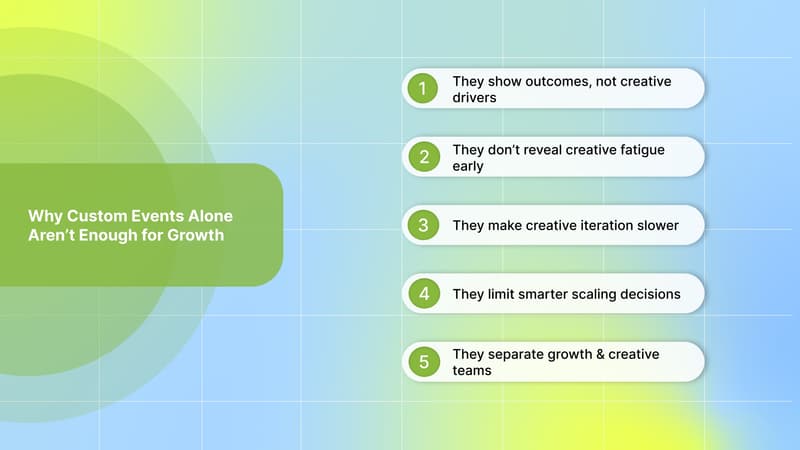
- **They show outcomes, not creative drivers:** Custom events tell you a conversion happened, but not which ad element drove it. You’re left guessing which hook, format, or message to repeat.
- **They don’t reveal creative fatigue early:** Event data often drops only after performance declines. Without creative-level insight, you spot fatigue too late, after spending has already been wasted.
- **They make creative iteration slower:** When you can’t connect events back to creative elements, each new test feels like starting from scratch instead of building on what already works.
- **They limit smarter scaling decisions:** You may scale campaigns that drive events, but without knowing why they convert, results often break at higher budgets.
- **They separate growth and creative teams:** Event data lives in dashboards, while creative decisions happen elsewhere. Without a shared view, teams move slower and insights get lost.
This is why high-performing UA teams go beyond event tracking and connect custom events to creative insights, so growth decisions are backed by clarity rather than guesswork.
Closing this gap is what separates basic tracking from truly scalable user acquisition.
**_Also Read:_** [**_How to Overcome TikTok Creative Fatigue_**](https://segwise.ai/blog/overcome-tiktok-creative-fatigue)
## **Bridging the Gap Between Event Data and Creative Performance**
Tracking custom events tells you _which users convert_, but it doesn’t explain _why_ they convert. To scale user acquisition efficiently, you need to understand which creative decisions, such as hooks, messages, visuals, or formats, consistently drive those high-intent actions.
That’s where AI-powered creative analytics platforms like [Segwise](https://segwise.ai/) come in. By connecting your ad performance data with creative elements, Segwise helps you see exactly which creative elements drive high-intent actions, so you can iterate and scale with confidence.
**Here’s how Segwise fetches data and delivers creative-level insights for UA teams:**
- **No-code** [**integration with TikTok**](https://segwise.ai/integration-docs/tiktok) **Ads:** Segwise connects directly to your TikTok ad account with no engineering required. From the Segwise dashboard, go to Settings → Ad Networks → Connect under TikTok → sign in → select your Ad Accounts, and enable them for full creative analysis across your campaigns.
- **AI-powered creative tagging:** Once connected, Segwise’s [AI creative tagging](https://segwise.ai/features/creative-tagging) automatically identifies and tags creative elements like hook dialogs, characters, colors, and audio components across images, videos, text, and playable ads to reveal their impact on performance metrics like IPM, CTR, and ROAS.
- [**Tag-level creative element mapping**](https://segwise.ai/features/creative-analytics) **:** Instead of just knowing which ad won, you learn why it won. You can see exactly which specific creative elements drive performance. Discover patterns like "this hook dialog appears in 80% of top-performing creatives".
- **Creative** [**fatigue tracking**](https://segwise.ai/features/fatigue-tracking) **:** Segwise helps you catch fatigue before it impacts your budget allocation and campaign results.
**_In short, Segwise helps you move from guessing to knowing by showing exactly which creative elements help you to drive high-intent actions. So you can test smarter, iterate faster, and scale growth with confidence._**
Catch Creative Fatigue Early with AI-Powered Creative Tracking
Segwise tags and maps creative variables to ROI metrics so you know exactly what drives higher returns.
[Explore Segwise](https://segwise.ai/) [Start for Free](https://auth.segwise.ai/en/login)
## **Conclusion**
Setting up custom events on TikTok is essential if you want to measure actions that actually matter for user acquisition. When you move beyond basic installs and clicks and start tracking high-intent user actions, teams gain stronger audience signals, making campaigns more predictable to scale. The right event setup helps reduce wasted spend and improves decision-making across your funnel.
But event tracking alone doesn’t explain why performance changes. To scale efficiently, you need visibility into which creative elements consistently drive the best results. [Segwise](https://segwise.ai/) directly [integrates with TikTok](https://segwise.ai/integration-docs/tiktok) and fetches creative performance data to help UA and creative teams understand what’s working.
**And the best part? You don't need any code or manual tagging.**
Its [creative analytics](https://segwise.ai/features/creative-analytics) and [AI tagging](https://segwise.ai/features/creative-tagging) connect creative elements (hooks, dialogs, visuals, formats, etc.) directly to business outcomes (ROAS, CPA/CPI, LTV, IPM, conversion rates), so teams stop guessing what works and start scaling creatives with data-backed confidence. Our [fatigue tracking](https://segwise.ai/features/fatigue-tracking) catches performance drops before it impacts your campaign results. And [tag-level performance optimization](https://segwise.ai/features/creative-analytics) instantly sees which creative elements, themes, and formats drive results across all your campaigns and apps.
**_So, if you’re ready to go beyond basic event tracking and turn creative performance into a growth lever,_** [**_start your free trial_**](https://segwise.ai/) **_and see how creative-level insights can help you scale TikTok campaigns with confidence!_**
## FAQs
Q: How does TikTok handle custom events if names conflict with reserved standard events?
A: TikTok will automatically map reserved names to standard events, so it’s important to pick names that don’t clash with predefined events, ensuring accurate tracking.
Q: What is the TikTok Pixel, and why do I need it before custom events?
A: The TikTok Pixel is a piece of tracking code that sends website or app user actions back to TikTok, serving as the foundation for both standard and custom event tracking. Without it, custom events won’t fire or be recorded.
Q: Do custom events increase the cost of running TikTok ads?
A: No, custom events are purely tracking configurations and don’t themselves cost money, although the data they generate can influence how you allocate your ad budget.
---
This blog is powered by Superblog. Visit https://superblog.ai to know more.
---