
A competitor ad spy with Claude and MCP works by connecting an ad-intelligence tool to Claude through the Model Context Protocol, so you can ask plain-English questions like "show me every supplements brand running founder talking-head ads in the past 30 days" instead of clicking through the Meta Ad Library by hand. For performance marketers, that turns hours of manual swipe-file research into a few-minute conversation. The catch is that spied creative tells you what competitors are running, not what is working, and never how any of it performs against your own funnel. Segwise's Competitor Tracking Agent closes that gap by tagging competitor ads with the same multimodal AI it uses on your account, so competitor creative attributes sit next to your real performance data.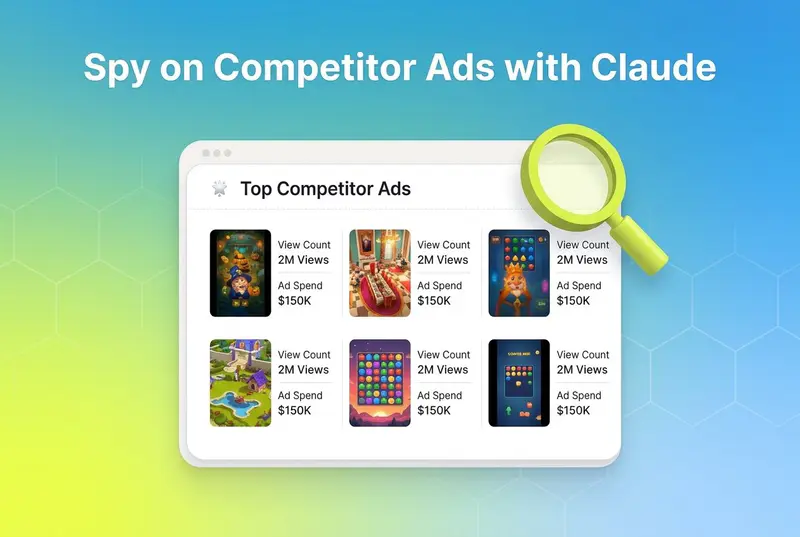
If you run paid social for more than one brand, you have probably felt this exact pain: rebuilding the same ad-research pipeline from scratch for every new client. Open the Meta Ad Library, type the competitor name, scroll, screenshot, paste into a deck, repeat. It is slow, it is manual, and by the time you have a swipe file the competitor has already rotated half their creatives.
Connecting Claude to an ad library through MCP removes most of that grunt work. You ask a question, Claude pulls the live ad data, and it hands back a structured breakdown of formats, messaging themes, and testing cadence. Marketers who set this up describe going from a multi-tool, multi-hour research slog to a single conversation that finishes in under half an hour, including setup.
This guide is the practical version of that workflow. It covers what the setup actually is, how to connect a Facebook Ads Library MCP server to Claude step by step, the exact prompt templates that pull winner patterns out of competitor accounts, and the one failure mode that quietly wrecks most spy-only workflows. It is written for UA managers, creative strategists, and agency operators who already know what the Meta Ad Library is and want a faster, repeatable way to mine it.
Also read How Marketers Use Google Ads Transparency to Analyze Competitor Ads
Key takeaways
A competitor ad spy with Claude + MCP connects an ad-intelligence tool (most commonly a Facebook Ads Library MCP server) to Claude, letting you query competitor ads in plain English instead of browsing manually.
MCP, the Model Context Protocol, is an open standard Anthropic introduced in November 2024 to connect AI assistants to external tools and data sources without custom code for every integration.
The most popular setup uses the trypeggy Facebook Ads Library MCP server, which exposes tools to look up a brand's platform ID, pull its live ads, and analyze ad images and videos.
Setup takes minutes: install the server, add a ScrapeCreators API key, drop the config into Claude Desktop, and restart. A practitioner walkthrough by NanoBits ran the full process in about 27 minutes.
The hard limit: the public Ad Library "shows what's running but not how it's performing," as Ryze AI notes. Spied creative has no spend, no ROAS, no CTR attached.
Spy data also samples incompletely. NanoBits captured only 25 of 41 ads for one brand and 49 of 210 for another due to API pagination, so volume comparisons can mislead.
Spy workflows answer "what are they running?" First-party creative analytics answers "what is working, for them and for me?" Segwise's Competitor Tracking Agent joins both, currently for Meta (Facebook and Instagram).
What a competitor ad spy with Claude + MCP actually is
Start with the protocol. MCP stands for Model Context Protocol. It is an open standard that Anthropic introduced in November 2024 to standardize how AI assistants connect to the systems where data lives, from content repositories to business tools. Before MCP, wiring an AI app to a data source meant writing a bespoke connector for every pairing. MCP gives you one common interface instead, so any MCP-aware client (Claude Desktop, Cursor, and others) can talk to any MCP server.
An ad spy "server" in this setup is just an MCP server that knows how to query an ad library. The widely used option is the Facebook Ads Library MCP server by trypeggy. Once connected to Claude, it lets you "search Facebook's public ads library for any company or brand, see what they're currently running and analyze their advertising." Under the hood it exposes a small set of tools: get_meta_platform_id resolves one or many brand names to their Meta page IDs, get_meta_ads pulls the live ads for those pages, and analyze_ad_image and analyze_ad_video break down the creative itself. The server pulls ad data through the ScrapeCreators API and uses a Google Gemini key for video analysis.
It helps to separate two different "Meta + Claude" categories, because they get confused constantly. A spy server like trypeggy's is read-only competitive research: it reads the public Ad Library and reports back. A management server like the pipeboard meta-ads-mcp is something else entirely, it exposes tools to launch campaigns, upload creatives, and change budgets inside your own account. This guide is about the first category. You are reading competitors, not touching anyone's campaigns.
So the full picture is simple. Claude is the interface. The MCP server is the bridge to the ad library. The ad library is the public data source. You ask, Claude queries, the server returns structured ad data, and Claude turns it into an analysis you can act on.
How to set up the spy workflow, step by step
This is the citable core of the workflow. The steps below follow the trypeggy server's own installation guide and the NanoBits walkthrough that ran it end to end.
Install Node.js. The server runs on Node, so install it from nodejs.org first and confirm with
node --versionin your terminal. (Python 3.12+ is the alternative path if you self-host the repo directly.)Get an ad-data API key. Sign up for ScrapeCreators and generate an API key. NanoBits notes the free tier ships with about 100 credits, which is plenty to test. This key is what the server uses to read the Ad Library.
Add a Gemini key if you want video analysis. Video breakdowns need a Google Gemini API key. Image and text analysis work without it, so this step is optional for a first run.
Install the MCP server. The fastest route is the Smithery installer, which wires the server into Claude Desktop for you:
npx -y @smithery/cli@latest install @trypeggy/facebook-ads-library-mcp --client claude. You can also clone the GitHub repo and run its install script.Drop your key into the Claude config. Open Claude Desktop, go to Settings, then Developer, then Edit Config. Add the
facebook-ads-library-mcpserver block toclaude_desktop_config.jsonand paste your ScrapeCreators key where the config marks it. Formatting matters here, so copy it exactly.Restart Claude and verify. Fully quit Claude Desktop and reopen it. Click the tools or search icon in the chat box and confirm the Facebook Ads Library tools are listed.
Test with one brand. Start a new chat and try something concrete like "Find me all current ads from [brand]." If Claude returns real ad data, you are connected and ready to research.
A practitioner version of this exact sequence took NanoBits roughly 27 minutes from nothing to a working competitive-analysis assistant. Most of that time is the one-time account and config work. Every research session after that is just a conversation.
If you would rather not manage keys or a local install at all, the trypeggy listing also points to a hosted version of the server that runs without separate setup. The trade-off is the usual one: less control, fewer moving parts.
Prompt templates for pulling winner patterns

Once connected, the quality of your research comes down to how you prompt. The templates below are adapted from the competitive-analysis tasks NanoBits tested and the monitoring workflow Ryze AI documents. Keep them in a notes file and swap in brand names. A useful habit borrowed from the tested prompts: end each one with "Stick to only the Meta Ad Library for your research" so Claude does not wander off into guesses.
1. Creative format and testing velocity
I run paid social for [your brand]. How many ads are [Competitor A] and [Competitor B] running right now? Give me each brand's split across video, carousel, and single image, and tell me which one is testing creative more aggressively. Stick to only the Meta Ad Library for your research. Return it as a downloadable table.
This surfaces how hard rivals are testing and where they are concentrating format spend. In the NanoBits test, this style of prompt exposed an 84% versus 24.5% video-focus gap between two competitors, which is the kind of imbalance that immediately suggests a creative bet.
2. Messaging and positioning gaps
What are the main messaging themes [Competitor A], [Competitor B], and [Competitor C] are using in their current ads? Group them into ingredient-led, results-led, lifestyle-led, and price-led. Quantify roughly what share each theme takes. Then point out the messaging white space none of them are occupying. Stick to only the Meta Ad Library for your research.
The goal is the gap, not the inventory. The white space (a theme everyone is ignoring) is usually the more valuable output than the list of what they are all already doing.
3. Long-running ads as a proxy for winners
Pull the active ads for [Competitor], sorted by how long each has been running. List the five longest-running creatives, describe the hook and format of each, and tell me what they have in common. Stick to only the Meta Ad Library for your research.
Advertisers do not keep paying to run ads that flop. Sustained run time is the closest free signal to "this is working," which makes longevity your best proxy when you have no spend data.
4. Seasonal and launch cadence
Look at [Competitor]'s ads from the last 90 days. When do they launch new creative batches, and do you see spikes tied to specific dates or promotions? Summarize their apparent launch calendar. Stick to only the Meta Ad Library for your research.
5. Batch competitive sweep
Compare the current advertising of [Competitor A], [Competitor B], and [Competitor C]. For each, give ad volume, dominant format, top three messaging themes, and one strategic takeaway. Finish with a single forwardable summary I can send my team. Stick to only the Meta Ad Library for your research.
These cover the four questions most teams actually ask: how hard are they testing, what are they saying, what is sticking, and when do they move. Treat the outputs as hypotheses to test, not conclusions to copy.
The failure mode nobody warns you about
Here is where most spy-only workflows quietly fall apart. The Meta Ad Library is a transparency tool, not an analytics tool. As Ryze AI puts it plainly, the Ad Library API "is public but doesn't include performance data, it shows what's running but not how it's performing." You can see that a competitor has forty video ads live. You cannot see which one is carrying their account, what it costs them, or what it returns.
That means a spied creative is a hypothesis, never a verdict. Run time hints at success, but a brand-awareness budget can keep a mediocre ad alive for months. Volume hints at testing intensity, but it can also mean a disorganized account spraying variations with no winner. Without spend, ROAS, or conversion data attached, you are reading shadows on the wall.
The sampling problem compounds it. In the NanoBits test, API pagination returned only 25 of a brand's actual 41 ads, and just 49 of another brand's 210. The team's own caveat is worth memorizing: messaging and format insights from the sample stayed valid, but "total volume comparisons and competitive pressure assessments should be interpreted with these sampling limitations in mind." If you benchmark your testing velocity against a number that is a quarter of reality, you will reach exactly the wrong conclusion about how aggressive you need to be.
And the deepest gap is that even perfect competitor data tells you nothing about your own account. The point of competitive research is not to admire what rivals run, it is to decide what you should run next, and that decision only pays off when competitor patterns are validated against your real performance. Spying tells you what the field is doing. Your first-party data tells you what wins for you. You need both, joined, or you are guessing with extra steps.
Pure spy workflows vs spy + first-party analytics
Both approaches have a place. The difference is what question each can actually answer.
The honest read: the spy workflow is an excellent top-of-funnel research tool. It is fast, cheap, and genuinely useful for spotting messaging white space and format bets. It just cannot close the loop on its own, because it has no idea what performs.
Where Segwise fits: closing the loop
This is the gap Segwise's Competitor Tracking Agent is built to close. It tracks competitor ads and applies the same multimodal AI Segwise runs on your own creatives, analyzing competitor hooks, CTAs, visual styles, and messaging patterns to reveal their creative positioning. Then it does the thing a pure spy workflow cannot: it sits inside the same platform as your creative analytics, so competitor creative attributes line up against your real performance data rather than floating free as screenshots.
In practice that means the loop runs end to end. Segwise's Creative Tagging Agent tags every creative element across video, audio, image, and text, then maps each tag to performance metrics. The Competitor Tracking Agent applies that same tagging to rival ads and runs gap analysis to surface angles competitors are not using and angles that are oversaturated. The always-on Creative Strategy Agent lets you ask, in plain language, how a competitor's hook style compares to your top performers, with full context across both data sets. You go from "they are running founder talking-head ads" to "founder talking-head hooks are driving their longest-running creatives, and the same hook tag is one of our top performers, so let's produce more."
One accuracy note, stated plainly: Segwise Competitor Tracking is currently Meta supported, covering Facebook and Instagram, with additional platforms in development. If your competitive research lives on Meta, which for most DTC and app advertisers it does, that is the surface that matters.
Bottom line
A competitor ad spy with Claude + MCP is one of the highest-leverage research setups a performance marketer can build in 2026. Connect a Facebook Ads Library MCP server, prompt it well, and you replace hours of manual swipe-file work with a half-hour conversation. Use it. It is genuinely good at what it does.
Just remember what it does not do. It shows you what competitors are running, not what is winning for them, and nothing at all about what works for you. The public Ad Library has no performance data and samples incompletely, so every spied creative is a hypothesis. The workflow only pays off when those hypotheses get validated against your own numbers, which is exactly the loop Segwise's Competitor Tracking Agent closes by joining competitor creative attributes to your real Meta performance data.
Frequently asked questions
How do I spy on competitor ads with Claude and MCP?
Connect a Facebook Ads Library MCP server, most commonly the trypeggy server, to Claude Desktop. Install Node.js, get a ScrapeCreators API key, add the server config to claude_desktop_config.json, restart Claude, and verify the tools appear. Then ask Claude in plain English to pull and analyze a competitor's live ads. A platform like Segwise offers a managed alternative that also ties competitor ads to your own performance data, currently for Meta.
What is MCP, and why does it matter for ad research?
MCP, the Model Context Protocol, is an open standard Anthropic introduced in November 2024 to connect AI assistants to external tools and data sources through one common interface instead of custom connectors. For ad research it matters because it lets Claude talk directly to an ad library, so you query competitor ads conversationally. Tools like the trypeggy server use MCP for spy research, while Segwise applies the same idea of unified data to join competitor and first-party creative intelligence.
Can a Claude ad spy show me how well a competitor's ads perform?
No. The public Meta Ad Library shows which ads are running but includes no performance data, so a Claude-based spy cannot tell you a competitor's spend, ROAS, or conversion rate. Long run times are the best free proxy for success, since advertisers rarely keep paying for losing ads. To connect competitor creative patterns to actual performance, you need first-party analytics, which is what Segwise's Competitor Tracking and creative analytics provide alongside spy-style data.
What is the difference between a Facebook Ads Library MCP and a Meta Ads MCP?
A Facebook Ads Library MCP, like the trypeggy server, is read-only competitive research that reads the public Ad Library and reports what rivals are running. A Meta Ads MCP, like the pipeboard meta-ads-mcp, manages your own account, launching campaigns, uploading creatives, and changing budgets. They solve different jobs. Segwise sits in a third category, creative intelligence, tagging both your ads and competitor ads and mapping them to performance.
Is the trypeggy Facebook Ads Library MCP free?
The trypeggy server is open source under the MIT license, and it reads ad data through the ScrapeCreators API, which has a free tier (about 100 credits to start). Video analysis additionally needs a Google Gemini API key. Costs scale with usage once you exceed the free tier. For teams that want competitor tracking joined to their own Meta performance data without managing keys, Segwise offers a managed Competitor Tracking Agent.
Why shouldn't I just copy a competitor's longest-running ad?
Because run time only suggests an ad is working, it does not prove it works for your audience, offer, or funnel. A brand-awareness budget can keep a mediocre ad alive, and the Ad Library samples incompletely, so your view is partial. Treat a long-running competitor ad as a hypothesis, then validate it against your own performance data. Segwise's creative tagging maps competitor hooks and formats to your real metrics so you test the right ideas instead of cloning blindly.
Does Segwise track competitor ads on TikTok or Google?
Segwise's Competitor Tracking Agent is currently Meta supported, covering Facebook and Instagram, with additional platforms in development. It applies Segwise's multimodal AI to competitor creatives to analyze hooks, CTAs, visual styles, and messaging, then runs gap analysis against your own creative data. For most DTC and app advertisers, Meta is where the bulk of competitive creative research happens, so the current coverage lines up with where the need is.