
The best PPC advertising software in 2026 is not one tool, it is six layers. Google Ads and Microsoft Advertising for buying (both free to use), Optmyzr from $209 a month or Adalysis for optimization depth, Semrush from $117.33 a month or SpyFu from $29 a month for competitive intelligence, Supermetrics from $39 a month plus the free Looker Studio for reporting, and Segwise from $499 a month for the creative layer none of the others touch. Sixteen tools are reviewed below, grouped by the job they do, with every price taken from the vendor's own pricing page in September 2026. A working solo stack can cost nothing at all. A mid-market one comes to about $1,000.
Global PPC spend keeps growing and campaign complexity is growing faster. More platforms, more campaign types, more automation layers, and somehow more manual work. Most teams have not grown headcount to match. The right software closes that gap, but only if you buy for the layer where your time is actually going.
Disclosure: this guide is published by Segwise, one of the 16 tools reviewed here. Every price was checked at the vendor's own pricing page in September 2026, Segwise gets the same limitations treatment as everything else on this page, and any Segwise performance figures are self-reported by our customers and labeled as such.
The Six Layers of a PPC Stack
Almost every tool sold as "PPC software" is doing one of six jobs. Naming the job first stops you comparing tools that were never alternatives to each other, which is how most PPC teams end up with two tools that report on the same problem and none that fixes it.
The campaign platforms. Where the money actually goes. Google Ads and Microsoft Advertising. Both are free to use and neither is optional if you are running paid search.
The free Google layer. Google Ads Editor for bulk work, Google Ads Scripts for custom automation, Looker Studio for dashboards. Three genuinely capable tools at no license cost, and the layer most teams skip straight past on their way to buying something.
Optimization and automation. Optmyzr, Adalysis, Opteo, Adzooma and WordStream. This is where the market is most crowded and where the price differences are largest for the least obvious reasons.
Cross-channel management at scale. Skai and Marin Software, though Marin is mid-acquisition as of September 2026. Only relevant above a spend level most teams never reach, and expensive mistakes below it.
Competitive and keyword intelligence. Semrush and SpyFu. Both sell estimates, which is fine as long as you treat them as estimates.
The two layers most stacks are missing. Supermetrics for the data pipeline, and Segwise for creative intelligence. Almost every specialist has layers one to five covered in some form. These two are the gaps.
Three PPC Stacks, Costed at Published Prices
This is the part nobody publishes, so here it is. Every figure is the vendor's own published rate as of September 2026, annual billing where the vendor publishes an annual discount. Ad spend is excluded, this is software cost only.
Two things fall out of this that are worth saying plainly. The jump from free to lean costs less than a single day of an agency's time, and the jump from lean to mid-market is driven almost entirely by two purchases: an automation platform and the creative layer. Nothing in between moves the number much.
All 16 PPC Software Tools Compared
Which Layer to Buy Next
Buy against the job you cannot do today, not the tool with the best demo. Teams that buy the wrong layer usually end up with better reporting on a problem they still cannot fix.
Layer 1: The Campaign Platforms
1. Google Ads
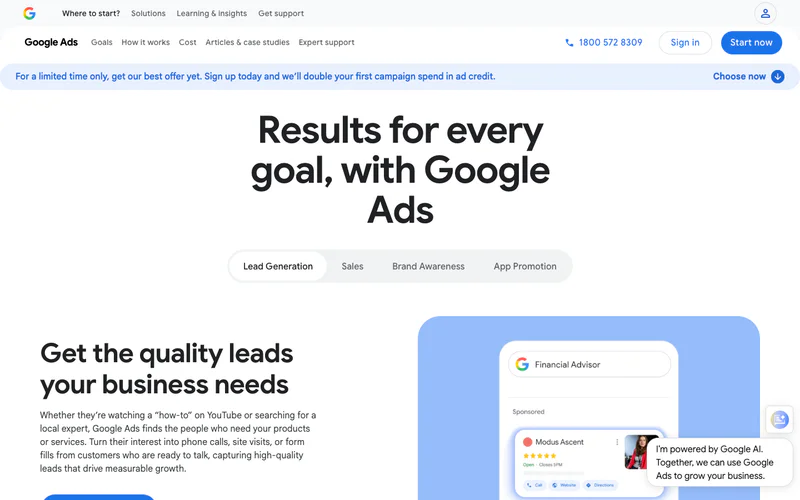
Google Ads is where search, display, video and shopping campaigns run, and if you are doing PPC you are already in it. What has changed is how much of the platform is now automation you configure rather than levers you pull: Smart Bidding, Performance Max and AI-generated assets are the default path, not the advanced one.
What matters most now: Smart Bidding across target CPA, target ROAS, maximize conversions and maximize conversion value; Performance Max running across Search, Display, YouTube, Gmail, Shopping and Discover from one campaign; Demand Gen for mid-funnel visual formats; and conversion tracking, which is the input that determines how well every one of those performs.
Limitations: it only shows you performance inside Google. Its view of how your Google campaigns interact with Meta or TikTok is close to nil. Performance Max in particular gives limited transparency into where budget actually went, which is the single most common reason teams buy a third-party tool at all.
Pricing: free to use. You pay only for clicks or impressions.
2. Microsoft Advertising

Microsoft Advertising covers Bing search, the Microsoft Audience Network, LinkedIn profile targeting and Copilot placements. It is routinely skipped, and the reason to look at it is not volume, it is competition: fewer advertisers bidding on the same query usually means a lower cost per click than the equivalent Google campaign. Treat any specific percentage you see quoted for that gap as an estimate and measure your own accounts.
What matters most now: LinkedIn audience targeting layered onto search campaigns, which gives B2B advertisers job title, industry, seniority and company-size targeting inside a search buy, and is a combination Google cannot match. One-click import from Google Ads means the setup cost is close to zero, so the test is cheap.
Limitations: volume is a fraction of Google's, and reporting and automation are less sophisticated. For mobile-heavy campaigns or younger audiences the management overhead may not pay for itself.
Pricing: free to use, pay per click.
Layer 2: The Free Google Layer Most Teams Skip
Three of the most useful tools in PPC cost nothing, and a surprising number of teams buy a paid platform to do a job one of these already does. Work through this layer before you spend anything.
3. Google Ads Editor

A free desktop app for bulk editing Google Ads offline, staging changes before they go live, and managing many accounts from one interface. Version 2.12 added total budget management, wider Performance Max asset group editing and deeper Demand Gen controls.
When you should use it: any account with more than about ten campaigns. Find-and-replace across ad copy, adding negatives to fifty campaigns at once, or a sitelink refresh at scale are all jobs the browser interface makes needlessly slow.
Limitations: Google Ads only, no real-time bidding control, and no cloud sync, so working across two machines needs care with files.
Pricing: free from Google.
4. Google Ads Scripts

JavaScript that runs inside Google Ads, fully supported by Google, and capable of most of what a paid rule engine does: budget pacing, custom alerts, Quality Score tracking, n-gram analysis for negative keyword discovery, bid adjustments on external signals. A large open-source library of ready-made scripts exists.
When you should use it: for the two or three narrow automations that no product covers well, alongside a paid platform for everything else. Not as a replacement for one.
Limitations: you need JavaScript, each script does one job, and there is no interface. The build-and-maintain cost exceeds a subscription for most marketing teams, which is exactly why Optmyzr exists.
Pricing: free, plus developer time.
5. Looker Studio

Free dashboarding with native connectors for Google Ads, Analytics and Search Console, third-party connectors for everything else, and shareable live links or scheduled email delivery. It is the visualization layer of most agency reporting setups, and it is why nobody needs a BI subscription to send a client a live dashboard.
Limitations: performance degrades on large datasets and complex calculated fields, and blended data across sources needs careful setup to avoid quietly wrong numbers. It is only as good as the data plumbing feeding it, which is the argument for Supermetrics below.
Pricing: free with a Google account. Looker Studio Pro adds service-level agreements and enterprise access controls at a published per-user rate.
Layer 3: Optimization and Automation Platforms
6. Optmyzr
Optmyzr is the category's default for teams that need automation and bulk optimization without engineering resource. It sits on top of Google Ads, Microsoft Ads, Amazon Ads, Meta and LinkedIn, surfaces optimization opportunities across accounts, and lets you apply them in bulk.
Key features:
Rule Engine. If-then automation without code: if CPA exceeds a threshold for three consecutive days, cut the bid; if impression share drops below a level, raise the budget. This is the reason most people buy it.
One-click optimizations. Bid adjustments, keyword additions, negative suggestions and ad copy improvements surfaced across accounts and applied in bulk.
Performance Max visibility. Asset group performance, audience signal analysis and placement data that Google does not expose inside Performance Max itself. If PMax carries a large share of your spend, this alone can justify the subscription.
PPC Investigator for root-cause analysis when a metric moves, plus Shopping campaign bid and product group tools, multi-account dashboards and LLM-assisted plain-language insights.
When you should try it: agencies with ten or more accounts, or in-house teams whose spend has outgrown manual management. The one-click workflow is where the hours come back.
Limitations: it layers on your ad platforms rather than replacing them, and the Rule Engine has a real learning curve, typically a few weeks before a team uses it fluently. Below roughly $10k a month on a single account, the native tools plus Google Ads Editor will do.
Pricing: Essentials starts at $209 a month and covers accounts spending up to $150k a month, with Premium above it and Enterprise custom. Pricing is set by an ad-spend selector rather than a flat rate card, annual prepayment takes 30% off, there is a 14-day free trial with no card, and a 30-day money-back guarantee on a first subscription. Third-party pages quoting $249 or $208 are out of date.
7. Adalysis

Adalysis is the analytical opposite of Optmyzr's breadth. Where Optmyzr automates across many accounts, Adalysis goes deep: continuous auditing, statistical ad and RSA testing, and Quality Score tracking on Google Ads and Microsoft Ads.
Key features:
Automated account auditing. Continuous scanning for underperforming campaigns, poor Quality Scores, disapproved ads, missing extensions and budget anomalies.
Statistical ad testing. Significance testing on ad copy and RSA experiments, with rules to apply winners once a test threshold is met. Responsive Search Ads hand Google control over which headlines run together, and this is the most systematic way to take some of it back.
Quality Score monitoring across expected CTR, ad relevance and landing page experience over time. Google documents that Quality Score affects ad rank and what you pay per click, so improving it lowers CPC; the size of that effect depends on your auction, and any specific percentage you see quoted for it is an estimate.
Bulk operations, custom alerts and systematic negative keyword discovery from search term waste.
When you should try it: in-house teams and freelancers on Google and Microsoft who want optimization depth per dollar. The unlimited-accounts and unlimited-users structure makes it unusually good value for a small agency.
Limitations: Google and Microsoft only, no Meta, TikTok, Amazon or social. The interface is functional rather than modern. If you need budget automation across social you will be adding a second tool.
Pricing: one plan, priced by your maximum monthly ad spend, with the same 40-plus tools, unlimited Google Ads and Microsoft Ads accounts and unlimited users on every tier. Six-monthly billing saves 10% and annual saves 15%. The trial is 30 days on the standard tier and extendable to 45 or 60 days on higher ones, which is the longest evaluation window of any paid tool here.
8. Opteo

Opteo watches a Google Ads account continuously and surfaces prioritized improvements, each with a projected impact, so a solo manager can run a structured fifteen-minute daily review instead of a vague weekly poke around. Slack delivery puts the improvements where the work already happens.
When you should try it: one to five Google Ads accounts, one person managing them, and a wish for a habit rather than a platform.
Limitations: Google Ads only and recommendation-only, nothing executes until you approve it. Not built for multi-account agency work.
Pricing: Basic is $129 a month for up to $25k monthly spend and 10 accounts, Professional $249 for $100k and 25 accounts, Agency $499 for $250k and 75 accounts, Enterprise custom. A free trial is available. Note that the spend ceiling, not the feature list, is what usually forces the tier upgrade.
9. Adzooma

Adzooma, part of ClickTech, offers automated performance monitoring, opportunity reports and one-click optimizations across Google, Microsoft and Meta, with a free forever plan and paid tiers above it. As a safety net for an account nobody is watching daily, it is genuinely useful and costs nothing.
Limitations: the recommendations are broad rather than account-specific. It will catch broad match leakage, an underperforming ad and a pacing problem. It will not surface the nuanced change that doubles your conversion rate. Treat it as a smoke alarm, not a growth engine.
Pricing: free forever plan with no card required, paid tiers above it.
10. WordStream
WordStream, now part of LocaliQ, exists to make Google Ads and Meta manageable for a business with no PPC specialist. The guided weekly workflow surfaces the most important actions in sequence and walks you through applying them, which removes the main reason small advertisers abandon their accounts: not knowing what to do next.
Key features: the guided weekly optimization workflow; a combined Google Ads and Meta dashboard; free keyword research tools; the free Performance Grader, which benchmarks an account and flags wasted spend in minutes and is worth running even if you never buy anything; and a basic landing page builder.
When you should try it: a small business where PPC is one of several responsibilities and simplicity is worth more than depth.
Limitations: the simplicity is also the ceiling. No Amazon, LinkedIn or retail media, basic reporting, and most teams outgrow it and replace it rather than adding to it. Paid plans bundle PPC with local SEO and social through LocaliQ, so PPC-only pricing is not on offer.
Pricing: not published. Quoted through LocaliQ based on spend and the bundle you take. The Performance Grader is free.
Layer 4: Cross-Channel Management at Scale
These two are the most commonly over-bought tools in PPC. They earn their price on channel count and retail media access, not on spend, so a single-channel advertiser spending a lot is usually better served by Optmyzr's higher tier.
11. Skai

Skai, formerly Kenshoo, is an enterprise platform covering paid search, paid social, retail media and app advertising from one interface, with portfolio-level bidding across channels rather than per-channel optimization. Celeste, its generative AI assistant, writes copy and produces recommendations in plain language.
What it is genuinely alone in doing: native retail media. Amazon Ads, Walmart, Instacart and Criteo retail in the same seat as search and social, which is the requirement for CPG and ecommerce brands whose media plan spans all of them.
When you should try it: enterprise advertisers running seven figures a month across several channels including retail media, who need unified budget pacing and one reporting layer.
Limitations: enterprise-only in practice, and implementation is a project rather than a signup. If you run Google with some Meta, the complexity is not worth it against Optmyzr.
Pricing: not published. Skai is sales-led with no rate card, and third-party contract benchmarks put it firmly in five to six figures annually. Ask for the platform fee as a percentage of media and the annual minimum separately.
12. Marin Software

Check its status before you shortlist it. As of September 2026 marinsoftware.com is an announcement page: Marin Software has been acquired by Zax Capital, the product pages are gone, the site promises "more updates on the way, including early access invites", and shareholder questions are directed to an administrator. The tier structure and prices below are what Marin published before that, and we have left them here because they are what you will be quoted against on older comparison pages. Confirm every one of them in writing before you sign anything, and treat a twelve-month commitment to a platform mid-transition as a real risk rather than a formality.
Marin Software was the cheaper way into cross-channel, and it is worth understanding what the entry tier actually is: a data unification layer, not an optimization platform. Connect tier aggregates campaign data from search, social, retail and display into one analytics grid with dashboards and daily refresh.
Key features by tier: Connect gives you 5 data sources, a 90-day backfill, daily refresh, and unlimited users and campaigns, on a month-to-month contract. Ascend adds unlimited data sources, a 365-day backfill, intraday refresh, white-labeled reporting, revenue data integration and preview access to optimization and forecasting. One adds full automation, dynamic campaigns and rules, keyword expansion, ad studies and longer data retention.
When you should try it: a performance team across several channels that needs unified reporting and optimization without Skai's commitment, and agencies that need white-labeled client reporting.
Limitations: the $500 tier is aggregation only, so if you are buying Marin for the bidding you are buying a custom-priced twelve-month contract, not a $500 tool. The interface feels dated, and retail media coverage is thinner than Skai's. On top of all of that, the acquisition above means nobody can currently tell you what the roadmap or the support model looks like in twelve months.
Pricing: Connect from $500 a month, month to month. Ascend and One are custom pricing on twelve-month contracts. Older pages quoting $1,000 and $2,000 for those two tiers are out of date; Marin no longer publishes a figure for either.
Layer 5: Competitive and Keyword Intelligence
Both tools here sell modeled estimates of other people's accounts. That is genuinely useful for planning and genuinely misleading if you treat it as measurement. Use them to form a hypothesis, then test it with your own money.
13. Semrush

Semrush is the default for keyword research and paid competitive intelligence. The Advertising Research module shows which keywords competitors bid on, their estimated spend, their live ad copy and their landing pages, which is the fastest way to build a baseline in a category you have not run in before.
Key features: the Keyword Magic Tool with volume, CPC and competition data; Advertising Research for competitor keywords, budgets, ad copy and landing pages; product listing ad research for ecommerce; position tracking across paid and organic; and Traffic Analytics for share-of-voice estimates.
When you should try it: when you are building campaigns in a new vertical, or running a quarterly competitive audit. For pure keyword research, Ahrefs is a comparable product at a comparable price and most practitioners pick one and stay.
Limitations: expensive for a solo practitioner, and the competitive data is estimate-based. Directional, not precise.
Pricing: the plan lineup was restructured, so check the tier names before comparing against an older article. Current published rates billed annually are SEO at $117.33 a month, Starter at $165.17, Pro+ at $248.17 and Advanced at $455.67, with up to 17% saved by paying annually and custom enterprise pricing above that. Semrush One is offered but its price is not published. Older references to Pro at $139 and Guru at $249 describe plans that no longer exist.
14. SpyFu

SpyFu has been running since 2006, and history is its actual product. Where Semrush gives you a broad current picture, SpyFu shows many years of competitor ad history: which keywords they bought and abandoned, their ad copy over time, and estimated budget trends.
Why that matters more than it sounds: a keyword a competitor has bid on consistently for two years is a much better hypothesis about profitability than current search volume. Volume tells you how many people search. Persistence tells you somebody is making money.
Key features: unlimited competitor keyword lookups, long-run historical PPC data by domain, competitor ad copy history, the Kombat three-way keyword overlap view, and domain comparison reports.
Limitations: the interface is dated, there is no mobile app, and data thins out on newer or smaller competitors with little ad history. Weaker than Semrush or Ahrefs for SEO work.
Pricing: Basic is $39 a month, or $29 a month billed annually. Pro with AI is $119 a month, or $89 billed annually, and Team and Agency tiers sit above. The plan names changed, so a reference to a "Professional" tier at $79 is describing an older lineup.
Layer 6: The Two Layers Most PPC Stacks Are Missing
By this point most specialists have layers one to five covered in some form. These two are where the gaps almost always are, and both of them are about the same underlying problem: the data is scattered, and the part of the ad you can still control is invisible.
15. Supermetrics
The most expensive recurring time sink in PPC is pulling numbers out of Google Ads, Microsoft, Meta and whatever else you run and reconciling them in a spreadsheet. Supermetrics solves it at the plumbing level: it connects the ad platforms to Google Sheets, Looker Studio, Power BI, BigQuery or Snowflake and keeps everything in sync on a schedule you set.
Key features: a very wide connector library across the marketing platforms; destinations spanning spreadsheets, dashboards and warehouses; scheduled refresh; prebuilt PPC reporting templates; and transformation options before load.
When you should try it: when manual reporting passes about two hours a week, or when a stakeholder needs a live dashboard rather than a Monday morning PDF.
Limitations: it is not a reporting tool, it is a pipe, so you still need Looker Studio or a warehouse at the other end. Cost climbs with the number of sources and seats you need, and some newer platform connectors can lag on sync.
Pricing: Starter from $39 a month billed yearly or $49 monthly, Growth from $159 or $199, Pro from $399 or $499, Enterprise custom, with about 20% saved on yearly billing and a 14-day trial with no card. Pricing is feature-based rather than usage-based: there are no credits or point systems, and what changes between tiers is the number of data sources, seats, destinations and refresh frequency. Older references to roughly $29 a month per data source describe a pricing model Supermetrics no longer uses.
16. Segwise
Every other tool on this page tells you which campaigns, keywords or ad groups won. Segwise tells you which elements inside the ads drove the win, and which ones are starting to decay. That distinction matters more every year, because as bidding and targeting move further inside the platforms' own automation, creative becomes the main variable you still control.
Key features:
Multimodal AI tagging. The Creative Tagging Agent reads video frames, transcribes audio, reads on-screen text and identifies visual styles, characters and emotional tone, then maps every tag to any metric you already track rather than only to ROAS or CPI.
Cross-network coverage. 15+ ad networks (Meta, Google, TikTok, Snapchat, Axon from AppLovin, Unity Ads, Mintegral, Moloco, Liftoff and more) plus all five supported MMPs (AppsFlyer, Adjust, Branch, Singular and Kochava). For Google specifically, that means knowing which YouTube and Display creatives are carrying their weight and why.
Playable ad tagging. One of very few platforms that tag playable, interactive ads, which is a format most of the analytics market cannot read at all.
Native fatigue tracking with thresholds you set, for example a 20% ROAS decline over seven days, alerting before spend accumulates on a creative that has already peaked.
Creative Strategy Agent (AI chat) for plain-language questions across your creative data, which also analyzes and drafts creative briefs and concepts. An MCP is available if you would rather query the data from your own tooling.
Creative Generation Agent producing static, all video types, AI-generated UGC-style video and playables from your winning tag patterns, plus video storyboards, with manual generation, hand edits, CTV support and export in any aspect ratio.
Competitor Tracking Agent tagging competitor ads with the same AI and running gap analysis on angles they are not using.
When you should try it: when you are spending seriously and your creative review still runs on gut feel or a spreadsheet. It is most valuable across three or more networks, where cross-platform creative patterns are impossible to see by hand.
Limitations: Segwise is a creative intelligence layer, not campaign management or bid optimization. You still need Google Ads and an optimization platform for account-level work. Competitor tracking currently covers Meta only, with more platforms in development. Setup takes 10 to 15 minutes with no engineering.
Pricing: Segwise starts at $499/month for advertisers spending up to $250K/month, with a special 50% discount for startups spending under $50K/month. There is a 7-day free trial that backfills up to two weeks of history, with up to three months on paid plans.
What to Ask on a PPC Software Demo

Which tier am I actually being quoted, and what is the spend ceiling on it? Almost every tool here tiers on ad spend or account count, so the price you were shown may expire the month you grow.
Does it connect to every network I run, and how long does historical data go back on import?
Can I build rules without code, and do they run across all accounts or only selected campaigns?
Can I see cross-channel performance in one view without exporting anything?
Can I understand why specific ads perform, not just which campaigns won?
Is there fatigue or anomaly detection that alerts me before performance drops, rather than reporting it afterwards?
How long does setup take, and is any engineering involved?
What is the trial, and can it be extended? Adalysis offers 30 days extendable to 60, Optmyzr and Supermetrics 14 days, Segwise 7 days. A tool that will not let you evaluate on your own accounts is telling you something.
Where the Adjacent Comparisons Live
This page covers the paid search and PPC stack. Three neighboring categories have their own comparisons, and keeping them separate is deliberate.
Meta ads management tools for the Facebook and Instagram side, which has a different tool market almost entirely.
AI optimization tools for programmatic advertising for DSPs and open-web display buying, which is a different purchase from a search management platform.
Marketing analytics platforms for cross-channel measurement beyond paid search, and ad creative analysis tools for the full comparison of the creative intelligence layer rather than one platform.
So Which PPC Software Should You Buy First?
If you are paying for nothing today, work through the free Google layer before you buy anything, because Google Ads Editor, Looker Studio and Adzooma's free tier remove a real share of the manual work at no cost.
If you already have the basics and one thing has to change, buy against where your hours are going. Reporting time buys Supermetrics. Bulk account work buys Google Ads Editor, for nothing. Optimization time buys Adalysis under $50k a month or Optmyzr above it. Competitive planning buys SpyFu at $29 a month before it buys Semrush at four times that.
And if your answer to "which creative element drove last month's best results" is a shrug or a spreadsheet, that is the gap, and no amount of bidding automation closes it. The stack most teams actually need in 2026 is a campaign platform, an optimization layer and a creative intelligence layer, which comes to roughly $1,000 a month at published prices. That is the number worth comparing against what a week of manual reporting costs you.
Frequently Asked Questions about PPC Advertising Software
What is PPC advertising software?
PPC advertising software is any tool that helps create, manage, optimize, analyze or report on pay-per-click campaigns. The category spans six distinct layers: the native campaign platforms (Google Ads, Microsoft Advertising), free native tooling (Google Ads Editor, Scripts, Looker Studio), third-party optimization platforms (Optmyzr, Adalysis, Opteo, Adzooma, WordStream), enterprise cross-channel platforms (Skai, Marin), competitive intelligence (Semrush, SpyFu), and the data pipeline and creative intelligence layers (Supermetrics, Segwise). They are not alternatives to each other.
Which PPC tool is best for small businesses?
Start with what costs nothing: Google Ads Editor, Looker Studio, Adzooma's free forever plan and WordStream's free Performance Grader. If PPC is one of several things you own and you want guided help, WordStream's paid platform is built for exactly that, though it is quoted through LocaliQ as a bundle rather than priced publicly. If you want optimization depth for the money, SpyFu at $29 a month annually plus Adalysis at its lowest spend band is a stronger stack than most $500 platforms.
How much should PPC software cost per month?
At published prices in September 2026: a solo stack can be $0, a lean stack $158, a mid-market stack around $985 to $1,035, and an enterprise stack $3,000 and up with at least two line items you have to negotiate. The costed breakdown is in the table above. As a rule of thumb, software should cost a small single-digit percentage of the media it manages; if it is more than that, you have bought a tier you do not need yet.
Optmyzr or Adalysis, which should I pick?
Spend and breadth decide it. Optmyzr's Essentials tier starts at $209 a month and is scoped for accounts up to $150k in monthly spend, and it covers Google, Microsoft, Amazon, Meta and LinkedIn with a rule engine and Performance Max visibility. Adalysis is Google and Microsoft only, priced by your spend ceiling, and gives you unlimited accounts and users on every tier with deeper ad testing and Quality Score work. Under $50k a month on search only, Adalysis usually gives more per dollar. Above that, or with more than a couple of channels, Optmyzr does.
Do I need an enterprise platform like Skai or Marin?
Only if you run several channels, and especially if retail media is one of them. Both earn their price on channel count and unified budget control, not on spend level, so a single-channel advertiser spending $300k a month is better served by a higher Optmyzr tier than by either. Note also that Marin's published $500 Connect tier is a data aggregation layer; the optimization features sit in Ascend and One, which are custom-priced on twelve-month contracts. And as of September 2026 Marin has been acquired by Zax Capital and its site carries no product pages, so if Marin is on your shortlist, verify what you are actually buying before you commit to a year of it.
What is the best free PPC software?
Google Ads Editor is the strongest free tool in the stack: offline bulk editing, multi-account management and staged changes that save hours with no license cost. Looker Studio is the best free reporting option once your data plumbing exists. Adzooma's free forever plan gives you monitoring and one-click fixes across Google, Microsoft and Meta. Google Ads Scripts is free too, but costs developer time, which for most marketing teams is more expensive than a subscription.
Do these tools work for Microsoft Ads as well as Google?
Some do and most do not, and it is worth checking before you buy. Adalysis covers Google and Microsoft on the same plan with unlimited accounts. Optmyzr covers Google, Microsoft, Amazon, Meta and LinkedIn. Adzooma covers Google, Microsoft and Meta. Opteo and Google Ads Editor and Scripts are Google only. Skai and Marin cover many channels including retail media. If Microsoft is a meaningful share of your spend, that filter removes several tools from the shortlist immediately.
What is the difference between bid management and PPC automation?
Bid management adjusts CPC, target CPA or target ROAS bids against signals, and the platforms now do most of it themselves through Smart Bidding. PPC automation is broader: rules, bulk optimizations, workflow actions and structural changes. The reason to buy a third-party tool in 2026 is rarely bidding, it is everything around the bidding, plus visibility into the campaign types Google reports on least, Performance Max above all.
What is the difference between a PPC management tool and a creative intelligence platform?
A PPC management tool works at the campaign, ad group and keyword level: creation, bids, budgets, reporting. A creative intelligence platform works inside the ad, on hooks, CTAs, visual styles, audio and playable mechanics, and tells you which of those elements drove performance and which are fatiguing. Both are useful and they solve different problems. Neither substitutes for the other, which is why the mid-market stack above contains one of each.
Is Segwise a PPC tool?
It is the creative intelligence layer of a PPC stack rather than a campaign management tool. It unifies creative and performance data from 15+ ad networks and all five supported MMPs, tags every creative element with multimodal AI, and maps those tags to the metrics you track, so you can see which creative variables drive performance and which are decaying. It does not create campaigns or manage bids. It explains why the campaigns you are managing perform the way they do, which is the question the rest of this list leaves open.
How do I evaluate PPC software before committing?
Use the trial on your own accounts, not a demo dataset, and give yourself one job to test rather than a feature tour. Check how fast it connects, whether historical data imports automatically and how far back, whether it covers your actual channel mix, and whether the automation depth matches how you really work. Then confirm the spend ceiling on the tier you were quoted, because on most tools here that ceiling, not the feature list, is what triggers the next price increase.