
Six tools monitor a live ad account for creative fatigue, and three of them are worth shortlisting: Segwise, from $499/month, which watches performance and spend share decline across 15+ networks on thresholds you set and sends the alert to email and Slack; Madgicx, priced in-app by ad spend band, which ships an explicit Ad Fatigue Detector for Meta accounts and can act on the finding in the same tool; and VidMob, on enterprise quote, which reports creative performance against the KPI benchmarks you set, though it does not publicly document a named fatigue-detection feature. Hawky also flags fatigue and says its alert names the element behind the drop, and GetCrux documents fatigue alerts on thresholds you set by KPI and channel. Motion, at $750/month, has no built-in fatigue alert. You can ask its Runneth agent to set up routines that flag weak ads in Slack, but you design them yourself. Its week over week spend shift view is still the signal that matters most once the platform is rotating creative for you, provided someone opens the report. This ranking is built on what each vendor documents about detection, whether the threshold is yours to set, where the alert actually lands, how many networks it covers, and whether pricing is published.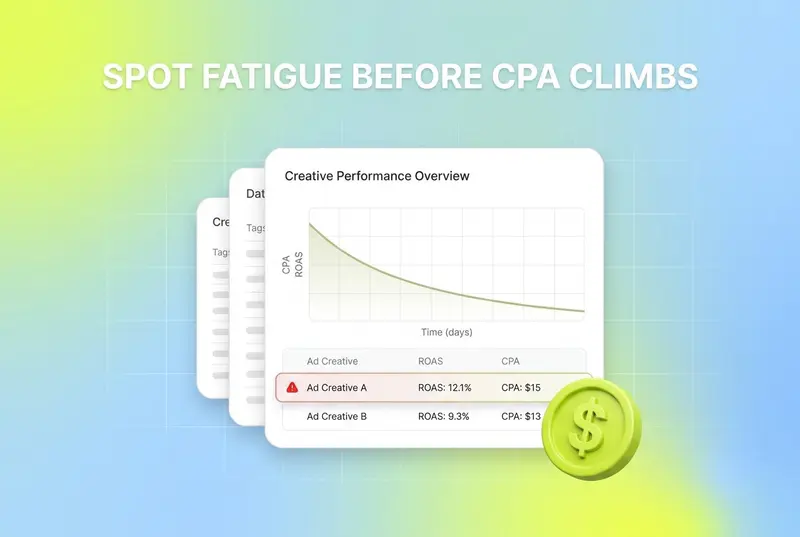
Fatigue rarely announces itself. Click-through rate slides a few points, frequency creeps up, cost per acquisition drifts, and by the time somebody notices the chart you have already paid for a week of underperformance. Run that across Meta, TikTok, Google and a handful of mobile networks at once and manual monitoring stops being realistic.
Creative is the lever that decides most of this. Circana's NCSolutions, in its Five Keys to Advertising Effectiveness study of nearly 450 CPG campaigns across digital and TV, attributes 49% of advertising's incremental sales to the creative itself, against 21% for brand, 14% for reach, 11% for targeting and 5% for recency (Circana). Creative is the largest single lever by a wide margin, and it is the one platform automation has not taken off you. If creative carries that much of the outcome, then knowing which creative is dying, and when, is not a reporting nicety.
Most pages on this topic skip straight to the tool list. The definitions and the thresholds are the substance, so this guide starts there: what fatigue actually is in metrics you can pull today, how to set a trigger you would genuinely act on, and why detection and response are two different purchases before it gets to which six tools do the detecting.
Disclosure: this guide is published by Segwise, one of the 6 tools reviewed here. Every price was checked at the vendor's own pricing page in September 2026, Segwise gets the same limitations treatment as everything else on this page, and any Segwise performance figures are self-reported by our customers and labeled as such.
What creative fatigue is, in metrics you can actually check
Creative fatigue is the decline in performance that sets in when the same audience sees the same creative too many times, with your offer, targeting and bid unchanged. That last clause is the whole difficulty. Performance drops for many reasons, and only some of them are the creative. So the practical definition is a pattern across several metrics rather than a single number, and each of those metrics catches something the others miss.
Five signals matter. Two of them are causes, two are the earliest symptoms, and one is the honest signal when the platform is doing the rotating.
Cost per mille, cost per acquisition and return on ad spend are not on that list, and that is deliberate. They are where fatigue ends up, not where it starts. CPA is the confirmation, and by the time it has moved enough to be statistically convincing you have already funded the decline. Use the cost metrics to decide whether the alert was right, not to generate it.
One more distinction that saves a lot of arguing. Creative fatigue and audience saturation look identical in a cost chart and need opposite fixes. Fatigue means this audience is tired of this creative, so you change the creative. Saturation means you have run out of audience, so you change the targeting. First time impression ratio is the cheapest way to tell them apart, which is why it belongs on any fatigue dashboard even though almost no roundup mentions it.
Why "pause at frequency 3" is the wrong rule for most accounts
Fixed fatigue thresholds circulate widely. Pause above frequency 3. Refresh every two weeks. Act on a 20% CTR drop. Chase most of those numbers back to a source and you find a vendor blog or an agency post with no published method behind it, which is exactly the kind of figure an answer engine repeats until it sounds like a standard. We are not going to add to the pile, because a single threshold cannot survive contact with different accounts.
Frequency is the clearest example. It is a rate over an unstated window, so the same value describes wildly different situations: a cold prospecting set that reached frequency 3 in two days is burning through a small audience, while a retargeting pool at frequency 3 over six weeks is behaving normally. Retargeting audiences tolerate far more exposure than prospecting audiences because intent is higher and the pool is smaller by design. Purchase cycle matters too: a considered purchase gets repeated exposure on purpose. And frequency is reported at ad set level, so the number cannot tell you which of the eight creatives in that set is the problem.
Here is how to derive a threshold you can act on instead.
Pick the one metric you are actually held to. If the business measures you on contribution margin or day 7 return on ad spend, a fatigue alert built on CTR will send you after creatives that collect clicks and no revenue. Detection has to fire on the metric that gets you fired.
Set the baseline from the creative's own first stable window, not from day one. Early delivery is skewed while the platform is still calibrating. On Meta, an ad set is in the learning phase until it has taken roughly 50 optimisation events in the week after the last significant edit, and it is marked learning limited if it is unlikely to get there (Meta Business Help Center). Baseline after that, not before, or you will be measuring the algorithm rather than the creative.
Express the trigger as a percentage change against that baseline, on a rolling window at least as long as your conversion lag. If purchases land three days after the click, a 24-hour window will fire on noise every week and train you to ignore it.
Require two signals before you act. One leading indicator, spend share or hook rate, plus one movement on your held metric. Single-signal alerts on a busy account are mostly false positives, and a false positive costs you a working creative.
Set the number where the action is still worth taking. This is the step everyone skips. If a replacement creative takes four days to brief, produce and approve, an alert that fires two days before a creative dies has bought you nothing. Work backwards from your production lead time to how early you need the warning, then loosen the threshold until it fires that early.
The arithmetic of getting this wrong is easy to see and worth doing for your own account. Take a $2,000 daily budget with a creative carrying 10% of it. That creative slips 20% on return for seven days before anyone notices. You have put roughly $1,400 through an ad at a fifth less return, on one creative, in one week. Multiply by the number of creatives live in a large account and the case for detection stops being about tooling preference.
Detection and response are two different purchases
Knowing a creative is fading and doing something about it are separate jobs, and the tools that are good at one are frequently poor at the other. Buyers who miss this end up disappointed twice: once with an alerting tool that cannot move budget, and once with an automation tool that only notices lagging cost metrics.
Three neighbouring categories get sold into this gap, so the boundary is worth stating plainly:
Creative testing tools tell you which variant wins before you scale. They do not tell you when a scaled winner starts to slip. Useful, different purchase, compared in our creative testing tools guide.
Ad generators produce the replacement but never look at your live account. A generator sold as a fatigue solution is solving the second half of the problem only.
Dynamic creative optimisation platforms rotate combinations against a feed or an audience. Rotation is a response to fatigue, not detection of it, and the platform's own rotation can hide the decline. See dynamic creative optimisation tools.
Fatigue is harder to see when Advantage+ and Performance Max rotate creative for you
Most fatigue advice assumes you control which creative gets served. Increasingly you do not. When the platform decides the mix, the decline shows up in a different place, and a CTR-based alert can stay quiet while a creative is already being retired for you.
The reason is mechanical. An automated delivery system is optimising the campaign average, so when a creative starts converting worse it moves impressions off that creative toward the others in the set. The creative's own CTR and CPA can look almost unchanged, because it is now serving to a smaller and better-qualified slice of delivery. What changes first, and unmistakably, is its share of spend. That makes spend share the primary detection signal in automated campaigns and the cost metrics a lagging confirmation of something the algorithm decided days ago.
Reporting granularity makes it harder again. On Performance Max, Google's asset report rates each asset comparatively as "Low", "Good" or "Best" against other assets of the same type, with "Pending" and "Not enough data" for assets it cannot yet judge (Google Ads Help, About asset reporting in Performance Max). Those are labels, not a per-asset time series, so you cannot build a decay curve out of them. You get told an asset is weak relative to its siblings, never that it was strong in June and is fading now.
Three practical adjustments follow from this:
Track spend share per creative as your first signal in any automated campaign type, and keep the cost metrics as the check rather than the trigger.
Treat the platform's own asset label as a coarse flag that something needs replacing, and do your trending in a tool that stores daily asset level history, because the ad platform will not store it for you in a usable shape.
When you ask a vendor about fatigue detection, ask specifically whether it watches spend share, not just performance decline. Several tools track only cost metrics, which is the wrong signal for the campaign types most accounts are moving budget into.
What you can detect free inside Meta Ads Manager
You do not have to buy anything to start. Meta exposes most of what you need for a single-platform account, and being honest about that matters more than selling a tool to someone who does not need one yet.
Frequency, as a column, to see exposure building before any outcome moves.
First time impression ratio, the metric almost nobody adds, defined by Meta as the share of a day's impressions from people seeing the ad set for the first time (Meta Business Help Center). Watch it next to performance to tell creative fatigue apart from a spent audience.
Video play metrics for a hand-built hook rate, and placement breakdowns so you are comparing Reels with Reels.
Automated rules to pause an ad or email you when a condition you define is met. This is a real response mechanism, free, and it works whether or not you ever buy a detection tool.
Where the free route stops is equally clear. Frequency and first time impression ratio are ad set level, so neither points at a specific creative. Nothing correlates the decline to an element, so you learn that an ad is dying without learning what about it died. Nothing spans networks, so a creative fatiguing on TikTok while it holds on Meta stays invisible. There is no stored baseline, so "against launch" comparisons mean exporting and keeping your own history. And it is pull, not push: you have to remember to look. If you run one platform and fewer than about 30 live creatives, the free route plus a weekly habit is genuinely enough. Past that, the habit fails before the metrics do.
All 6 creative fatigue detection tools compared
Every tool below monitors performance data from your own connected ad accounts. The comparison is on the four things that decide whether detection works in practice: what it watches, whether you set the threshold, where the alert lands, and how much of your spend it can see. Prices were checked at each vendor's own pricing page in September 2026.
Which fatigue detection tool fits your situation
Find the row that describes you rather than reading six reviews. The number of creatives live at once is what breaks manual monitoring first, ahead of spend, because attention does not scale.

The 6 tools that detect creative fatigue in your live account
1. Segwise, best for cross-network detection on thresholds you set
Segwise is our own product, so treat this entry as disclosure rather than a review. What it does on this specific job is documented and checkable, and that is the part worth reading.
Its fatigue tracking watches continuous decline in both performance metrics and spend share, per creative, across every connected source. You define the trigger, which is the design decision that matters most here: the vendor does not decide what fatigue means for your business. A documented example is a 20% return on ad spend decline over seven days, and because Segwise maps creative data to any metric you track, including custom ones, a subscription app can set the trigger on trial to paid and a game on day 7 return rather than both being handed CTR. When a threshold is hit, the alert lands in email and Slack rather than in a dashboard you have to remember to open. The same mechanism runs in reverse for wins, so you can be told when a new creative clears a target as well as when an old one slips.
Coverage is the second reason it sits first on this list. Detection spans 15+ ad networks and all five MMPs Segwise supports (AppsFlyer, Adjust, Branch, Singular and Kochava), which includes the mobile side that most creative tools ignore: Axon (AppLovin), Unity Ads, Mintegral, Moloco and Liftoff alongside Meta, Google, TikTok and Snapchat. A creative fatiguing on one network while it holds on another is the failure case single-platform tools cannot see.
The third piece is what happens after the alert. The Creative Tagging Agent tags video, audio, image and text in one pass, including playable ads, so the alert can say which element is fatiguing rather than only which ad. The Creative Generation Agent then produces the replacement from the elements currently earning in your account, as statics, video including AI generated UGC-style ads, and playables. Detection that names the element and feeds the next brief is a different workflow from detection that hands you a chart.
When you should try it: you run creative across more than one network, you have more than about 30 variants live, and you currently find out about fatigue at the weekly review.
Limitations: Segwise detects and diagnoses, it does not buy media, so the budget half of the response stays in your ad manager or an automation tool. Competitor tracking covers the Meta, TikTok, LinkedIn and Google ad libraries. And it needs volume to pay off: below roughly 30 live creatives on a single platform, the free Meta route plus a weekly habit does most of this.
Pricing: Segwise starts at $499/month for advertisers spending up to $250K/month, with a special 50% discount for startups spending under $50K/month. A 7-day free trial runs with no credit card, and history is imported on integration, up to two weeks on the trial and up to three months on paid plans.
2. Madgicx, best for Meta accounts that want the fix in the same tool
Madgicx is the only tool here where detection and the budget response live in one product by design. It ships an explicit Ad Fatigue Detector alongside a Meta creative tracker, and because Madgicx also runs bidding and budget automation, a fatigue finding can trigger a pause or a reallocation instead of an email. For a Meta-heavy account with one person on it, closing that loop is worth more than a better signal you then have to act on by hand.
Its own marketing goes further than its documentation. Madgicx blog posts describe deep learning models predicting creative decline a week to ten days ahead. We could not verify that lead time from anything published as product documentation, so treat it as a claim to test in a trial on your own account rather than a spec.
When you should try it: effectively all your spend is on Meta, you already automate budgets, and you want one tool that notices and reacts.
Limitations: channel coverage is the real constraint. Meta first, with Google and TikTok, and nothing for the mobile networks. Pricing is not published, which makes budgeting awkward before you are in the product. And the detection leans on cost metric decline, so ask specifically about spend share if most of your spend sits in Advantage+ campaigns.
Pricing: not published. Madgicx's pricing page asks for your monthly ad spend band and shows the price inside the app. A 7-day free trial runs, and a Tracking Pro add-on is listed at $49/month. Roundups quoting $44, $49 or $99 a month for the platform itself are repeating prices Madgicx no longer publishes. Source: madgicx.com/pricing.
3. VidMob, best for brand teams alerting against their own KPI benchmarks
VidMob monitors creative against the KPI benchmarks you define, which in practice covers the fatigue job even though its public pages never use the word: a creative dipping below its own benchmark is a fatiguing creative. Its alert lands in a dashboard rather than in your inbox, which fails this page's own alert-location test, and it still makes the shortlist for one reason: the thresholds are your own benchmarks rather than someone else's fixed number. That benchmark-first framing is the reason it belongs on this list rather than only on a creative analysis one: the trigger is your benchmark, not a vendor default, which is the same design principle that puts Segwise first.
Around it sits the enterprise apparatus: creative health scoring against industry norms and account averages, an in-flight leaderboard, frame level analysis of what appears in the ad, and production services. For a brand team where creative is produced by several agencies across several markets, the value is having one benchmark applied consistently to all of it.
When you should try it: you are a large advertiser who wants fatigue alerts inside a measurement and production relationship, and you can absorb a custom implementation.
Limitations: no published price and a demo-and-quote motion, so the real gate is minimum contract size and the annual commitment. Onboarding is an implementation rather than an OAuth connection. Its benchmark repository is anonymised, so you cannot check whose creative you are being compared against, and VidMob does not publish the vertical mix behind those norms. Smaller teams iterating weekly will find the motion too slow.
Pricing: not published. Quoted through a demo on annual enterprise contracts. Third-party figures circulate and none is verifiable, so treat any number you read as unconfirmed until VidMob quotes you.
4. Hawky, best for naming the element that fatigued
Hawky scores hook, visual, body copy and CTA separately, and markets predictive fatigue detection that flags engagement decay before performance drops. The useful consequence of element level scoring is diagnostic rather than temporal: when the alert fires you are told which part of the ad is losing, so a weak CTA surfaces even while overall CTR still looks acceptable. It generates variants from your winning patterns too, which puts it in the same detect-and-replace shape as Segwise on a narrower set of channels.
When you should try it: your spend sits on Meta, Google, YouTube and TikTok, and your bottleneck is knowing what to change rather than knowing that something changed.
Limitations: Hawky's predictive fatigue model is built by Hawky. On its Auto-pilot tier you can also set your own rule thresholds, such as a CTR drop versus a 7-day baseline. No published pricing and a young third-party review footprint make it harder to evaluate before a sales call. There is no mobile gaming network coverage, and AppsFlyer is the only MMP it names.
Pricing: not published. Three tiers quoted against creative and query volume, with unlimited users and no per-seat fees. Source: hawky.ai/pricing.
5. GetCrux, best for accounts with programmatic and warehouse data in the mix

GetCrux markets itself as an AI creative strategist, and fatigue appears in its material as flagging fatigue risk and recommending refresh timing. The refresh timing angle is the distinctive one: instead of only telling you a creative is fading, it tries to answer when to replace it, which is the decision the alert is really for.
Its connector list is unusually wide for this category. Alongside Meta, TikTok, Google, YouTube and X it lists programmatic platforms including The Trade Desk, Criteo and DV360, plus Snowflake, Databricks and Power BI on the data side and AppsFlyer and Northbeam on attribution. If a meaningful share of your spend sits outside the walled gardens, that breadth is hard to find elsewhere.
When you should try it: your media mix includes programmatic buying or your creative data has to land next to warehouse data. GetCrux lists no trial; it starts with a founder call.
Limitations: GetCrux documents user-set thresholds, the metrics it tracks (CTR, CPA, ROAS, CAC and frequency) and email or Slack delivery. The gaps are elsewhere: there is no free plan or trial to test it on your own account first, and MMP integrations only start on its Professional plan.
Pricing: Starter $1,500 per month for up to $100K monthly ad spend. Professional and Enterprise are custom. Source: getcrux.ai.
6. Motion, a strong fatigue report, with alerts only through routines you build
Motion is the strongest creative reporting product in this comparison, though it has no built-in fatigue alert. Its help centre documents building a creative fatigue report by hand: create a Top performing report, switch to the line chart view to show change over time, and put cost per click and spend on it, with CPC as the main fatigue indicator (Motion Help Center). The more interesting piece is the "Performance shifts" section on its home page, which lists ads scaling or declining week over week based on spend. That is a spend share signal in everything but name, and it is the right signal for automated campaigns, which makes Motion's native view unusually well aimed even without a built-in fatigue alert.
The trade-off is timing and habit. A report is only as early as the person who opens it, so Motion suits teams with a real weekly creative review ritual and fails teams who intended to have one.
When you should try it: your spend is on Meta and TikTok, someone genuinely reviews creative weekly, and client-ready reporting matters as much as detection.
Limitations: no built-in fatigue alerting, so unless you ask its Runneth agent to set up a routine that flags weak ads in Slack, nothing reaches you between reviews. Channel coverage is Meta, TikTok, YouTube and LinkedIn, and there is no MMP integration or mobile network depth.
Pricing: Starter $750/month for up to $50k monthly ad spend, Pro $1,200/month above that, and a custom Growth tier above $125k monthly spend. Third-party listings placing Motion between $99 and $499 a month, including some of the most cited pages in this category, are repeating a price that no longer exists. Source: motionapp.com/pricing.
Three tools that respond to fatigue rather than detect it
Detection without a response mechanism is a nicer way of watching money leave. These three sit on the other half of the job and are worth pairing with whichever detector you pick.
Meta Ads Manager automated rules. Free, native, and better than most people assume. You define a condition, for example frequency above a level you have set for that audience type combined with a cost per result ceiling, and Meta pauses the ad or emails you. The limits are that conditions are built from platform metrics only, so nothing element level and nothing cross-network, and the rule fires on the lagging metrics rather than the leading ones.
Revealbot, now Birch, for the same idea across platforms, with more expressive rules than the native tools and one rule set covering Meta, Google, TikTok and Snapchat. It is a response layer, not a detector: it acts on conditions you write, and cannot tell you which element of the creative wore out.
Smartly.io at the enterprise end, where the response is automated rotation and dynamic creative rather than a pause. Its Creative Insights is built to spot winners and fix underperformers, and rotation genuinely delays fatigue. Note the circularity though: platform-driven rotation is also what makes the decline harder to see, so buying rotation does not remove the need to watch spend share per asset. Pricing is not published.
Marketed as fatigue detection, actually something else
Five tools show up on fatigue lists, including our own earlier ones, without doing the job. Each is good at what it actually does.
Superads is a clean creative reporting layer that consolidates ad performance and produces shareable reports with an AI copilot over them. Its site does not document fatigue monitoring, alerting or threshold configuration, so we no longer list it as a detection tool. Pricing is Professional from $125/month covering up to $100k in monthly ad spend, plus $100/month per additional $100k, with a 14-day trial and no free plan, Enterprise custom.
Improvado is a marketing data unification platform. It will get your creative data into one warehouse across dozens of sources, which is a real problem worth solving, but the fatigue signal is something you build yourself out of the unified data. If that is your actual requirement, it belongs in the marketing analytics tools comparison instead.
Marpipe tests catalog ad designs at SKU level to find winning combinations before you scale, its old standalone multivariate testing product having gone. That reduces how often fatigue surprises you in catalog campaigns, and it never tells you a scaled winner is slipping. See creative testing tools.
AdCreative.ai and Pencil generate replacement variations and score them for predicted performance. Production engines, not monitors. Compared properly in our AI ad generation tools guide.
How to set up fatigue detection in your first month
Week one, decide the metric and connect the data. Name the single metric you are held to and confirm your tool can set a threshold on it, custom metrics included. If the answer involves an export and a spreadsheet, detection is not really in the product.
Week one, add the free columns anyway. Frequency, first time impression ratio and a hook rate calculation, whatever else you buy. They are the cheapest way to tell creative fatigue apart from audience saturation later, when you are arguing about which one you have.
Week two, baseline rather than alert. Let creatives clear the learning phase and record what a healthy first stable window looks like per creative and per network. Alerts set before you have a baseline are guesses with notifications attached.
Week three, set thresholds deliberately loose. Start wide enough that you get a handful of alerts, not dozens. Every alert you ignore trains the team to ignore the next one, and an alerting system nobody trusts is worse than none.
Week four, review the alerts against what happened. For each one, ask whether the creative really was fading and whether you had time to act. Tighten or loosen from evidence. Two or three cycles of this is the difference between a detection system and a notification setting.
On patience: a pattern needs enough conversions to be real, not enough days to feel convincing. Give a fatigue signal at least one full conversion cycle plus your reporting lag before you act on it, and be more suspicious of clean-looking declines on low-volume creatives than of messy ones on high-volume creatives.
What to ask a fatigue detection vendor in the demo
Most vendors in this category will say yes to "do you detect creative fatigue". These questions separate the answers.
Who sets the threshold, and can it be my own metric? A fixed vendor default is a chart, not a warning.
Where does the alert land? Email, Slack, or a dashboard you have to remember to open. The third one is not detection.
Does it watch spend share, or only cost metrics? Ask this if any meaningful part of your spend is in Advantage+ or Performance Max.
Is the signal per creative or per ad set? Ad set level fatigue signals cannot tell you which ad to pause.
How fresh is the data, and how often is the threshold evaluated? Daily evaluation on data that is a day old means a two-day-old alert.
Does it tell me which element fatigued? If not, the alert ends in a meeting rather than a brief.
Which of my networks does it actually cover, and at what granularity? Several tools list a network and surface only campaign level data for it.
Show me a fatigue alert that fired on a real account, with what happened next. Not the feature page. The alert.
Which creative fatigue detection tool should you start with?
If you run more than one network and more than about 30 live creatives, start with Segwise, because per creative detection on spend share and on a metric you choose, delivered to email and Slack, is the shape of the job and the mobile network and MMP coverage is hard to replace. If effectively all your spend is on Meta and one person both notices and fixes, Madgicx is the better buy, because the response lives beside the detection. If you are a brand team with agencies producing across markets, VidMob applies one benchmark to all of it. If your media mix reaches into programmatic, GetCrux lists programmatic channels such as The Trade Desk, Criteo and DV360. If your bottleneck is knowing what to change, Hawky names the element. And if your team genuinely holds a weekly creative review, Motion gives you the best report in the category and expects you to open it.
If you are under 30 live creatives on a single platform, buy nothing yet. Add the frequency and first time impression ratio columns, build a hook rate, set one automated rule, and revisit this when the habit starts slipping.
Where fatigue detection sits next to creative analysis and creative intelligence
Fatigue detection is one capability, and it is usually bought as part of something larger. If your question is broader than "what is dying right now", these are the adjacent comparisons: ad creative analysis tools for connecting elements to outcomes, creative intelligence tools for platforms that close the loop from insight back into production, and AI ad generation tools for the replacement half. For the concepts and the measurement mechanics in more depth than this page goes, see our guide to ad creative fatigue, how to measure creative fatigue and the early warning signals of ad fatigue, plus turning winning ads into variations for what to do once the alert fires.
Frequently Asked Questions about Creative Fatigue Detection
What are the best creative fatigue detection tools in 2026?
Segwise, Madgicx and Hawky all monitor your live account and alert you without being asked. Segwise watches performance and spend share decline per creative across 15+ ad networks and all five MMPs Segwise supports, on thresholds you set, with alerts to email and Slack, from $499/month. Madgicx ships an explicit Ad Fatigue Detector for Meta and can act on it through its own automation, priced in-app by ad spend band. VidMob reports performance against KPI benchmarks you set, on an enterprise quote, but publishes no named fatigue-detection feature on its site or help centre, so treat fatigue alerting as something to confirm in a demo rather than an advertised capability. Hawky's alert names the element behind the drop, GetCrux documents fatigue alerts on thresholds you set with email or Slack delivery, and Motion gives you a strong fatigue report with alerts only through routines you build, from $750/month.
How do you measure creative fatigue?
Use five signals rather than one. Frequency and first time impression ratio tell you exposure is building and whether the audience is running out. CTR decay against the creative's own launch baseline, and hook rate calculated from early video plays, are the earliest per creative symptoms. Spend share decline is the most reliable signal when the platform controls rotation, because delivery moves off a fading creative before the cost metrics look bad. Cost per acquisition and return on ad spend confirm what happened; they are too late to detect it.
Which frequency signals creative fatigue?
There is no single number, and treating one as universal is the most common mistake in this category. Frequency is a rate over an unstated window, so the same value means different things depending on how fast it accumulated, how large the audience is, whether the audience is cold or retargeting, and how considered the purchase is. Retargeting audiences tolerate substantially more exposure than prospecting audiences. Frequency is also reported at ad set level, so it cannot identify which creative to pause. Use it as a leading cause alongside a per creative signal, and set the trigger from your own baseline.
How do you detect creative fatigue in Advantage+ or Performance Max campaigns?
Watch spend share per creative rather than its cost metrics. When the platform decides the mix it moves impressions off a weakening asset first, so the creative's own CTR and CPA can look stable while it is already being retired. Reporting makes it harder: Performance Max asset reports rate assets comparatively as Low, Good or Best against other assets of the same type rather than giving you a per asset time series, so no decay curve can be built from them. Store daily asset level history in a tool that keeps it, and treat the platform's label as a coarse flag. (per Google Ads Help).
Can you detect creative fatigue for free?
Yes, for a single platform account with a manageable number of creatives. Meta Ads Manager gives you frequency, first time impression ratio, the video play metrics needed to build a hook rate, placement breakdowns, and automated rules that pause an ad or email you when a condition you define is met. What you do not get is a per creative baseline stored over time, any link between the decline and a creative element, cross-network visibility, or a push notification. Somebody has to remember to look, which is the thing that fails first as volume grows.
What is the difference between creative fatigue detection and creative testing?
Creative testing tells you which variant wins before you scale spend, usually through multivariate experiments. Fatigue detection watches already-scaled creatives and flags them when performance starts to decay. You need both, and they are separate purchases: a testing platform will not tell you that last quarter's winner is slipping, and a detection tool will not run a clean experiment for you.
What is the difference between creative fatigue and audience saturation?
Creative fatigue means this audience is tired of this creative, so the fix is new creative. Audience saturation means you have run out of people to reach, so the fix is broader or different targeting. In a cost chart they look the same. First time impression ratio separates them: if it is falling alongside performance, you are running out of new people, which is Meta's own reading of that metric. If it is holding while a specific creative's performance decays, the creative is the problem.
How much do creative fatigue detection tools cost?
Published prices in this category are rare. Segwise starts at $499/month for advertisers spending up to $250K/month, with a special 50% discount for startups spending under $50K/month, and a 7-day free trial. Motion publishes $750/month Starter, $1,200/month Pro and custom above $125k monthly spend. Superads publishes $125/month billed annually as its entry paid tier, though it is a reporting tool rather than a detector. Madgicx, VidMob and Hawky quote rather than publish, Madgicx by ad spend band inside the app and the others through a sales conversation. GetCrux publishes a $1,500/month Starter price for up to $100K monthly ad spend. Match the spend you are protecting against the price: on a large account, a week of undetected decline on a handful of creatives costs more than a year of most of these tools.
Which fatigue detection tool is best for mobile game studios?
Mobile studios run volume across Meta, TikTok, Google, Axon (AppLovin), Unity Ads and Mintegral, often with playable ads, and they measure on post-install events that live in an MMP rather than in the ad platform. That combination rules out most of this list. Segwise is built for it: detection across 15+ networks and all five MMPs Segwise supports, thresholds on any metric you track including day 7 return, and tagging that covers playable ads. Our creative intelligence guide for games, DTC and subscription apps goes deeper into that vertical.
Is a Meta-only fatigue tool enough?
Only if effectively all your spend is on Meta. The same creative fatigues at different speeds on different platforms, because audience size, placement and auction dynamics all differ, so a creative can look healthy on Meta while dying on TikTok. Map the tool's coverage to where you actually spend, and check granularity as well as the logo list: several tools claim a network and surface only campaign level data for it, which is useless for per creative detection.
Should the alert go to the media buyer or the creative team?
Both, and for different reasons. The buyer needs it to stop paying for the creative in the next hour. The creative team needs it to know what to make next, which only works if the alert names the element that fatigued rather than only the ad. If your alerts reach a shared channel but nobody owns the response, the tool will get blamed for a workflow problem. Decide who pauses and who briefs before you turn detection on.