
An AI UGC workflow is the repeatable production line that turns one ad concept into 40 to 80 testable variants in a single day: write 8 to 10 hooks, build 3 to 4 script variants per hook, render each across 2 to 3 avatars, batch generate, run a quick QC pass, and push live the same afternoon. The point is not to make one good ad. It is to make the act of testing creative so cheap that your ad account, not your gut, decides what wins.
Most guides on AI UGC stop at "pick a tool, type a prompt, get a video." That is a task. What performance marketers actually need is a system that runs the same way every week, so the only thing that changes cycle to cycle is the hook ideas going in and the performance data coming out. This post documents that system end to end, with a hook framework you can copy, a script template you can fill in, a QC checklist that catches the things AI gets wrong, and the variant math that explains where 40 to 80 ads per cycle comes from.
This is written for people running paid social right now: UA managers, DTC media buyers, and creative strategists who already believe AI UGC works and just want the assembly line that makes it consistent.
Also read What Kimi K3 Means for Marketers and Playable Ad Production
Key takeaways
The AI UGC workflow is a 7-stage pipeline: brief, hooks, scripts, avatars, batch generation, QC, launch, then read the results back into the next brief.
Variant volume per cycle is hooks times script variants times avatars. A lean cycle yields about 40 finished ads, a full matrix yields 80.
The hook is where most of the leverage sits. Write 8 to 10 per concept across five repeatable angles before you write a single full script.
AI UGC's real advantage is not cost, it is testing velocity. When a variant costs almost nothing, you can isolate and fix one variable at a time.
QC is the step everyone skips and the one that protects you. Check lip-sync drift, scene continuity, product and brand consistency, and third-person claim compliance before anything goes live.
The cycle only compounds if you tag and read the results. Segwise auto-tags every AI-generated creative once it is live and maps each tag to performance, so last week's winning hook becomes next week's brief.
Why a workflow beats a tool
In AI UGC, the tool is the least interesting part of the decision. Arcads, Creatify, HeyGen, and similar generators all do roughly the same job: take a script and an avatar, produce a talking-head clip that reads as native phone footage. According to DesignRevision's 2026 tool roundup, AI UGC runs $2 to $20 per video against $50 to $500 or more for a human creator, and you can produce 50-plus variants in an hour versus two or three per creator. If you still need to pick one, our comparison of AI UGC tools lays out pricing and strengths side by side.
Those numbers are real, but they are also a trap. If you treat a generator as a video machine, you produce one-off clips and wonder why your ROAS does not move. The brands that win, as Omneky's step-by-step scale guide puts it, are "the ones producing the most creative variations the fastest and iterating on what works." That requires a pipeline, not a prompt.
So the rest of this is the pipeline.
The AI UGC workflow, stage by stage
Here is the canonical loop. Every cycle runs these stages in the same order. The whole thing fits in a day once it is set up.
Brief. Start from the last cycle's read-back, not a blank page. What hook style won? Which avatar held attention? What CTA converted? The brief is a one-pager: product, audience segment, the angle you are doubling down on, and the angle you are killing.
Hooks. Write 8 to 10 opening lines for the concept. This is the highest-leverage step and gets its own framework below.
Scripts. Promote your strongest hooks and write 3 to 4 script variants for each, using a fixed body template so the only real variable is the words.
Avatars. Assign 2 to 3 avatar personas, each matched to an audience segment. The same script delivered by a 22-year-old and a 40-year-old performs differently, so the avatar is a test variable, not a cosmetic choice.
Batch generate. Render the full set in one session. This is where the tool finally earns its keep. Keep the avatar consistent across a persona so recognition builds.
QC. Run every clip through the checklist before it touches an ad account. AI fails in specific, predictable ways, and a 30-second scan per clip catches them.
Launch same day. Push the batch live with equal budget, let it run 48 hours, then kill the bottom 80% and scale the survivors.
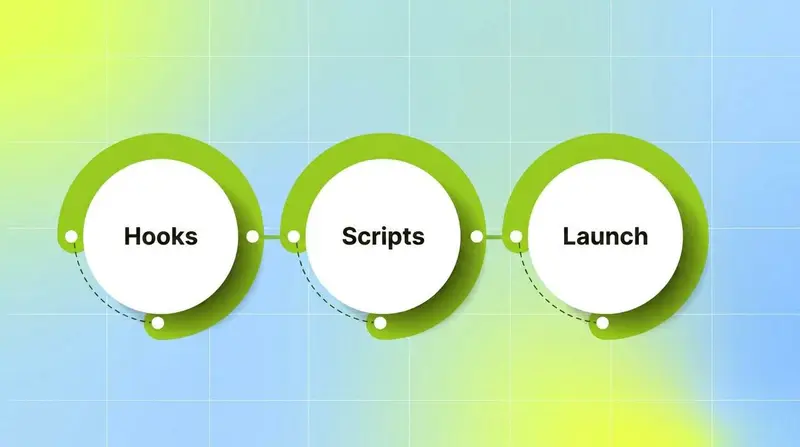
Then the loop closes: the live results get tagged and read, and that read-back becomes stage 1 of the next cycle. The pipeline is circular on purpose. A workflow that does not feed its own next brief is just a faster way to guess.
Set the pipeline up once as a saved checklist or template, then change only the brief each week - standardizing stages 1 through 7 is what turns a production process into a production system.
Stage 2 deep dive: the hook framework
The hook is the first 1 to 2 seconds. It decides whether anyone sees the rest of the ad, which is why the ImagineArt AI UGC playbook calls the script "80% of the outcome" and the hook the part of the script that matters most. Write hooks in a batch, before you write any full scripts.
Use five repeatable angles. Aim for 8 to 10 hooks per concept, which means two passes through the angles below:
Problem call-out. Name the pain in the viewer's words. "I tried everything for [problem] and nothing stuck."
Result or proof. Lead with the outcome. "Three weeks in and I genuinely did not expect this."
Curiosity gap. Open a loop the body closes. "Nobody told me the real reason [thing] never works."
Contrarian or myth-buster. Challenge the category default. "Everyone says [common belief]. Here is what they leave out."
Relatable confession. A small, human admission. "Okay I need to talk about this because I was wrong about it."

Each angle maps loosely onto a script framework: problem call-outs feed Problem-Agitate-Solve, result hooks feed Before-After-Bridge, contrarian hooks feed the myth-buster body. Write the hooks first and unattached, then decide which body each one earns.
Stage 3 deep dive: the script-variant template
Once a hook is promoted, you build script variants around it using a single fixed structure. A 10 to 15 second UGC script, following the structure Omneky recommends, has four beats:
Hook (1 to 2 seconds): the promoted opening line.
Context or benefit (one line): the single clearest value, in plain speech.
Demo or proof (one line): show the product doing the thing, or state the specific result.
Soft CTA (one line): a recommendation, not a sales pitch. "Just try it" beats "Buy now."
To generate 3 to 4 variants from one hook, change exactly one beat at a time and leave the rest fixed. That is the whole discipline: isolate the variable so the test result is readable.
Write scripts in batches of 10 to 15 in one sitting. A single afternoon of scripting feeds a full week of production. One compliance rule sits on top of every variant: keep testimonial claims in the third person. As the ImagineArt playbook notes, an AI avatar saying "I used this and my skin cleared up" is a fabricated first-person testimonial, while "this cleanser outperforms the leading option" is a product claim and generally fine if substantiated. Script the claim, not the fake lived experience.
Stage 4 deep dive: the avatar roster
Do not use one face for everything. Build a small roster of 2 to 3 avatar personas, each tied to an audience segment and a content style. A skincare brand might run a college-age persona for top-of-funnel problem hooks, a late-30s professional for consideration-stage result hooks, and a minimalist persona for ingredient and myth-buster angles.
Two rules keep avatars useful as a test variable rather than noise. First, keep each persona visually consistent across the whole cycle so recognition compounds. Second, match lighting and setting to the persona: warm and casual for a bedroom confessional, bright and clean for a kitchen demo. The avatar is the second dimension of your test matrix, which is exactly where the variant math comes from.
The variant math: where 40 to 80 comes from
This is the number that makes the workflow worth running. Variants per cycle is a simple product:
variants = hooks × script variants per hook × avatars

A lean cycle promotes only your five strongest hooks and lands around 40 finished ads. The standard "8 hooks, 4 scripts, 2 avatars" configuration produces 64. Push to 10 hooks and you hit the 80 ceiling. You rarely render the entire Cartesian product on every concept, but the table shows why testing volume that was impossible with human creators is routine here. Creatify's own scale guide frames the same advantage: roughly 100 variations for the cost of three human creator videos.
Volume is not the goal by itself. The goal is isolating variables. Because each variant changes one beat, the results are readable: if hook rate is low, fix the first two seconds and leave the body alone. If hold rate is low but hook rate is high, the body is not paying off the hook's promise. If clickthrough lags while watch time is strong, the CTA is the problem. AI UGC lets you diagnose and fix each layer independently because the cost per variant is near zero.
The QC checklist
This is the stage everyone skips and the one that saves you from shipping broken or non-compliant ads at scale. Run every clip through this before launch. Most checks take a few seconds per video.
Lip-sync. Does the mouth track the audio for the full clip, or does it drift after a few seconds? Drift is the most common AI tell and it kills trust fast.
Scene continuity. Across multi-shot edits, does the avatar's face, hair, clothing, and the product stay consistent shot to shot? Regenerated faces between cuts read as fake immediately.
Product and brand consistency. Is the actual product on screen, with correct packaging, colors, and logo? AI product shots wander. Verify the hero product looks like the real thing.
Claim compliance. Are testimonials in third person? No fabricated first-person experience claims. Disclose AI generation where required, for example under the EU AI Act.
Platform formatting. Right aspect ratio per placement: 9:16 for TikTok, Reels, and Shorts, 1:1 or 4:5 for Meta feed. Captions legible and on-screen text spelled correctly.
Audio and pacing. Voice tone matches the persona, background music sits under the voice rather than competing with it, and the hook lands in the first two seconds.

A clip that fails any check goes back to regeneration, not to the ad account. At 40 to 80 variants a cycle, a single skipped QC pass can push dozens of broken ads live at once.
Closing the loop: read-back into the next brief
The cycle compounds only if you read the results and feed them forward. After 48 hours live, you have hook rate, hold rate, clickthrough, and ROAS or CPA on every variant. Raw, that data sits in a dashboard and dies there. Tagged, it becomes the brief for the next cycle.
This is where the workflow stops being a content machine and becomes a learning system. Segwise's creative tagging uses multimodal AI to tag every creative element, hooks, CTAs, visual styles, on-screen text, and audio tone, and automatically maps each tag to performance. Because every AI-generated creative is auto-tagged once it is live, the read-back is closed-loop: you do not re-tag by hand. You open AI Chat and ask "which hook style drove the most installs last week" or "what is different about my top five variants versus my bottom five," and the answer becomes stage 1 of the next brief. Its fatigue tracking flags when a winning variant starts to decline so you reload the pipeline before performance tanks, and asset clustering isolates which single change between two near-identical clips actually moved ROAS.
That is the difference between running an AI UGC workflow and running an AI UGC flywheel. The workflow produces variants. The read-back turns yesterday's winners into the only input that matters for tomorrow.
Bottom line
An AI UGC workflow is worth building because it makes creative testing nearly free, and nearly-free testing is what lets the ad account, rather than your instinct, pick the winners. Run the seven stages the same way every cycle: brief, 8 to 10 hooks, 3 to 4 script variants per hook, 2 to 3 avatars, batch generate, QC, launch same day. Expect 40 to 80 readable variants per cycle. Then tag the results and read them back into the next brief, because a pipeline that does not learn from its own output is just expensive guessing done quickly.
Frequently asked questions
What is an AI UGC workflow?
An AI UGC workflow is a repeatable production pipeline that turns one ad concept into many testable variants using AI tools. The canonical version runs seven stages: brief, write 8 to 10 hooks, build 3 to 4 script variants per hook, assign 2 to 3 avatars, batch generate, QC, and launch the same day. A platform like Segwise then tags the live results and feeds them back into the next brief, while tools such as Arcads or Creatify handle the actual video generation.
How many ad variants should one AI UGC cycle produce?
Variant count is hooks times script variants per hook times avatars. A lean cycle of 5 promoted hooks, 4 script variants each, and 2 avatars produces 40 finished ads. The standard 8-hook configuration produces 64, and a full 10-hook matrix reaches 80. You rarely render every possible combination, but 40 to 80 readable variants per cycle is realistic because the cost per AI variant is close to zero. Segwise tags each one automatically so the volume stays readable rather than overwhelming.
How do I write hooks for AI UGC ads?
Write 8 to 10 hooks per concept before writing any full script, using five repeatable angles: problem call-out, result or proof, curiosity gap, contrarian or myth-buster, and relatable confession. Keep each hook to the first one to two seconds of speech and make it sound like a real person, not a marketer. Then promote your strongest hooks to the scripting stage. Reading which hook style won last cycle, which you can ask Segwise's AI Chat directly, tells you which angles to write more of next time.
What is the difference between AI UGC and traditional UGC?
Traditional UGC is filmed by real human creators, which gives inherent authenticity but costs $50 to $500-plus per video and takes one to four weeks. AI UGC uses avatars, voice synthesis, and lip-sync to produce similar talking-head content for $2 to $20 in minutes, which is what makes high-volume testing possible. Most teams use both: AI UGC for volume testing and iteration, human creators for hero brand content. Either way, Segwise tags and measures the creatives so you know which approach is actually driving performance.
Do I need a QC step if the AI tool is good?
Yes. Even strong generators produce predictable failures: lip-sync drift after a few seconds, faces or products that change between shots, mangled on-screen text, and wrong aspect ratios. Run every clip through a checklist covering lip-sync, scene continuity, product and brand consistency, claim compliance, and platform formatting before launch. At 40 to 80 variants per cycle, skipping QC means shipping broken ads at scale, and Segwise can only tell you a variant underperformed, not that it looked fake.
are ai ugc ads allowed on meta and tiktok in 2026
As of 2026, Meta, TikTok, and Google have not disapproved ads specifically for using AI-generated creative, and their ad policies apply the same regardless of how the creative was made. The constraints are about claims, not production method: keep testimonials in the third person to stay within FTC guidance, and disclose AI generation where laws like the EU AI Act require it. Platform rules evolve, so check current guidelines before launching in a new market.
how do i stop my ai ugc workflow from just making random videos
Close the loop. The fix is making each cycle's brief come from the last cycle's performance data instead of a blank page. Tag every live variant by hook, CTA, avatar, and visual style, map those tags to results, and write the next round around what actually won. Segwise auto-tags every AI-generated creative once it is live and lets you query the results in plain language through AI Chat, so the workflow becomes a learning system rather than a random clip generator.